Guest: Nikita Surya, Senior Manager of Strategy Ops at Uber
Background and Entry into Process Transformation
Nikita’s Background:
Grew up in Bombay, India. Moved to New York City at 26.
Pursued multiple degrees at Columbia.
First master’s degree in chemical engineering
Second master’s degree in operations research with a focus on machine learning at Columbia University.
Nikita’s educational journey began with a degree in chemical engineering, a passion fueled by a love for science, physics, and math. Over the years, she realized the importance of merging technical skills with business acumen, leading them to pursue a master’s in finance and eventually landing them in the field of operations research and machine learning.
Transition from Chemical Engineering to Strategy Ops
The transition from chemical engineering to strategy ops involved a journey through consulting. She reflects on their time in consulting, specifically at Ernst & Young, where they focused on operational risk within the financial sector. This experience laid the groundwork for their passion for data and analytics, setting the stage for their move to Columbia for a master’s degree in demand and supply analytics, predictive modeling, and more.
The guest’s professional journey includes stints at Adidas, where they worked on supply chain optimization, and S.J. Lauderdale, where they focused on strategic finance and business transformation. The diverse experiences equipped them with a broad skill set, setting the stage for their current role at Uber.
Last Mile Delivery and Strategy Ops
The conversation shifts to the guest’s day-to-day responsibilities as a Senior Manager of Strategy Ops at Uber. The host inquires about the team structure, its composition, and the skill sets within. Nikita explains that Uber Direct, their line of business, focuses on last-mile delivery, with the guest specifically overseeing reliability and risk. The team comprises data and strategy analysts, all equipped with a tech background and adept at handling complex data using SQL.
Nikit’as take on process management.
Nikita explains how Uber, being in a transformative space, prioritizes innovation and experimentation over adhering to established processes. The team’s approach involves constant testing and learning rather than relying on a set process. This highlights Uber’s commitment to staying innovative and adapting to the rapidly evolving industry.
Uber’s Last Mile Delivery Model
Uber’s last-mile delivery model focuses on the cost structure and the integration with merchants. She elaborates on the team’s role in ensuring reliability and managing the end-to-end delivery process. She also sheds light on the contractual pricing with merchants and the absence of surge pricing in this specific delivery option, emphasizing the premium and convenience aspects of the service.
Prioritizing Projects and “Big Rocks”
Prioritizing Projects
Uber uses the concept of “Big Rocks” when prioritizing ongoing projects. Nikita emphasizes ruthless prioritization, aligning projects with business impact, and using scorecards to assess progress. The team’s focus on strategic, long-term projects and monthly or bi-monthly shorter-term projects demonstrates their dedication to adapting to the ever-changing needs of the business.
A Spotlight on Delivery Accuracy
Nikita begins to share a compelling project that has consumed the last eight months of their professional life – “Defectory.” This project revolves around ensuring the accuracy of deliveries, particularly addressing issues related to missing items or fraudulent deliveries. The guest emphasizes the significance of combating fraud in the gig economy, where drivers and couriers are partners rather than full-time employees.
The Importance of Completeness
Delivery Process Case Study
Before delving into analysis and resolutions, Jimmy starts by emphasizing the importance of defining the problem. He draws attention to the critical aspects of completeness and timeliness in problem-solving. Jimmy recounts an instance where the problem of incomplete deliveries became evident, leading to financial repercussions for Uber.
The Challenge: The challenge was identified as an increase in refunds and a negative impact on the profit and loss statement due to incomplete deliveries and theft. Completeness and theft emerged as a major concern, especially in a business with high-value items like Apple products. This led the Uber team to dive into the stages of the delivery process.
The Investigation and Analysis: the team divided the process into distinct stages and involved various stakeholders to analyze and evaluate each phase. The investigation covered three main legs of delivery: pickup, transit, and drop-off, involving multiple stakeholders such as the product team, account managers, support agents, and legal teams.
The Findings and Solution: The pivotal moment occurred during a visit to an Apple store, where Nikita observed the lack of security measures for pick-up items. This discovery prompted collaboration with Apple’s logistics team to address a critical gap in the process. The uber team shared the findings with Apple’s logistics team, fostering shared ownership and leading to improvements in packaging and security measures.
Relationships with IT
Nikita discusses the close relationship between her team and the IT department at Uber. Unlike previous experiences, the team at Uber has access to the necessary data, allowing for more efficient problem-solving. The collaborative relationship with IT empowers the team with data access, ETL capabilities, and automation tools.
Recommendations for Continuous Improvement Professionals:
Nikita suggests that continuous improvement professionals invest in understanding the latest data tools. Additionally, she emphasizes the importance of being receptive to change and adapting to new technologies.
Skill Set Recommendation: Continuous improvement professionals should focus on enhancing their data analysis skills to adapt to the evolving landscape.
Mindset Recommendation: Being receptive to change, staying nimble, and considering different perspectives are crucial in a rapidly changing business environment.
If you have a topic idea, contact us today. We want our podcast to answer your questions, and if you have something that you want to hear, we would love to know. In addition, you can ask questions and get in touch with our Salient Process team.
Why Salient
At Salient Process, we understand the importance of comprehensive digital transformation. We work closely with each client and use a North Star methodology to align your procedures with overall business goals. Our expert team works hard to understand your unique needs, making a customized plan for success. With our Digital Business Automation solutions, you can move closer to your digital transformation goals.
Subscribe now
👉Subscribe to Bots & Thoughts: The Hyperautomation Podcast
Errors are an unavoidable part of manual data entry. These tasks require employees to add, edit, and verify electronic data.
A team member might update a spreadsheet to reflect the day’s sales figures, type up a transcription of a presentation, or turn a handwritten document into a digital file. Unfortunately, humans are prone to mistakes, so these manual processes will eventually contain errors, which often require more resources to correct. The further along these errors get in your workflow, the more they typically cost.
While manual processes will never achieve perfect data entry, you can minimize mistakes with some targeted techniques. The right data entry automation technology can go even further and help you get closer to an error-free workplace.
Common Data Entry Errors
Data entry errors come in a few different types, depending on where and how the error occurs:
Transcription and transposition errors: Transcription errors include typos and duplicated or omitted information, while transposition errors refer to swapped numbers or letters. Catching these problems is crucial because they can create ripple effects if used to make other decisions, such as when calculating totals.
Formatting and unit errors: Formatting and unit errors occur when the information entered doesn’t use the proper style for the dataset. For example, one date might be entered as “01-01-2023,” and another is entered as “01/01/2023.” Computerized systems can quickly get confused when formats don’t match. Similarly, entering one measurement in inches and another in centimeters could cause problems. Standardized data is especially important when you use it with digital tools.
Source errors: Even when an employee enters data perfectly, it might be inaccurate if it comes from a poor-quality source. One common example comes from entering out-of-date or duplicated data. Ensuring high-quality, up-to-date sources and a streamlined workflow helps to avoid these problems.
Different technologies and processes address these issues, so you’ll need a holistic approach to your data entry to avoid them.
5 Ways to Reduce Data Entry Errors
From evaluating your employee’s work environment to implementing end-to-end automation, you can dramatically reduce errors through your data entry processes. Here are some of our top suggestions on how to reduce errors and increase quality of work.
1. Create a Supportive Work Environment
Even the best employees are likely to make mistakes if they’re not completely focused. Fatigue, for instance, causes issues like decreased awareness, reduced information-processing ability, absent-mindedness, and a lack of attention.
Focus on creating a work environment that promotes employee health, such as encouraging breaks. Even small changes like comfortable chairs and wristpads can help improve worker health and reduce errors.
One of the most valuable changes you can make to the work environment is maintaining sufficient staffing levels. Rushing your staff to meet unachievable deadlines could lead to more errors. Your team must be appropriately sized for the workload, so you may need to hire more people or implement automation tools to reduce the workload, which we’ll discuss later.
2. Validate Your Data
Data validation monitors your data for errors and inconsistencies. This process might check the entered data against certain rules, such as:
Data type: Validation systems might identify when text is entered in a position that should contain numbers or vice versa.
Range: You can also flag values outside of specific ranges, such as a percentage field with a number outside of 1-100.
Format: Identify data that doesn’t adhere to a specific format, such as a date or price.
Uniqueness: Look for duplicated fields where two of the same values cannot occur, such as user emails or phone numbers.
Null: Flagging blank fields helps ensure complete data capture.
Validation is a quick and valuable process that can catch many errors before they cause more significant problems.
3. Continuously Evaluate Your Performance
Implementing new technology and processes is a great start, but you can always strive for continuous improvement. Track error rates and efficiencies to gain insights into your environment and monitor your team’s success. Look for error-prone areas, such as specific tasks or employees. Then, you can investigate and tweak your approach to ensure high accuracy at all times.
4. Eliminate Redundancy
Duplicate information can be confusing and inefficient. Say an employee creates an updated version of a spreadsheet but doesn’t delete the original version. If another team member thinks the outdated version is current, they might make poorly informed decisions from that data. Redundant data could also be the result of unnecessary data entry, such as two workers inputting information from the same document.
Preventing and removing duplicate information is essential for avoiding errors and keeping data as accurate as possible.
5. Implement Modern Automation Technology
Automation tools excel at monotonous, repetitive tasks, so they’re perfect for data entry. You can automate specific tasks or entire processes to take advantage of unmatched accuracy and allow your team to focus on more important things.
Today’s sophisticated systems can capture data from nearly any source — including unstructured or variable paper documents — and analyze it with the help of technology like artificial intelligence, natural language processing, and machine learning. Automatic data entry can eliminate hours of manual tasks and save on costs with improved accuracy.
Data Entry Positions that Benefit From Automation
Any team member that spends time manually entering data can benefit from automation. Some common roles that can take advantage of data entry automation include:
Data entry clerks: A data entry clerk updates and adds information to electronic systems like databases. Automation can help these employees catch errors and process more information. A robust approach to automatic data entry can even eliminate many tasks related to capturing data and allow the worker to focus on updates and corrections.
Transcriptionists: Transcriptionists turn audio files into text, working with content like interviews, medical reports, and TV shows and movies. A sophisticated automation system can dramatically simplify this task, creating text and entering it into relevant databases.
Medical coding specialists: These specialists evaluate medical notes to generate codes used in billing and recordkeeping. Insurance companies use them to determine reimbursement, and other providers may use them to understand a patient’s history. Automation can help improve accuracy with various tools for validation and speeding up data capture.
Capture Your Data With Salient Process
Data entry is a crucial component of many workflows, but it is inherently error-prone. At Salient Process, we help organizations avoid data errors through automated Business Architecture. We’re an IBM Premier Business Partner and a leader in Digital Business Automation. From our versatile Capture tool to robotic process automation, we can craft an automated solution tailored to your company’s needs.
Whether you want to automate one task or take a more holistic approach with end-to-end systems, our experienced team can help. Get in touch today to learn more about our solutions and get started with Digital Business Automation.
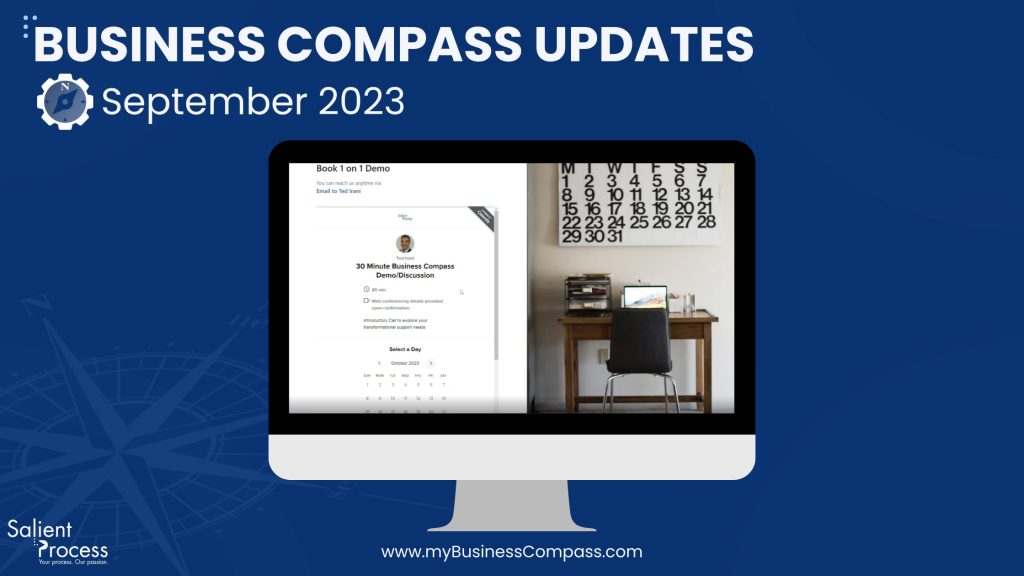
Welcome to the September edition of our Business Compass release notes! Get ready for an exciting ride as Business Compass has arrived, packed with a plethora of fresh features, polished enhancements, and bug fixes. Brace yourself for a voyage that will simplify your business navigation. Here’s what’s in the pipeline:
Meet Ted Irani, your go-to contact. Whether you require a personalized demonstration or have pressing inquiries, you can now schedule a meeting directly on Ted’s calendar. Connecting with us has never been easier!
⭐Improvements
Simulation Enhancements
Revised Field Sequence: We’ve fine-tuned the arrangement of fields to provide a more seamless and uniform experience. You’ll navigate with expertise!
Clarity Through Tooltips: We’ve incorporated informative tooltips to ensure a clear and comprehensible experience. No more uncertainties!
Sensible Wording: We’ve enhanced the terminology to make understanding the simulation effortless.
Decimal Precision: You now have the ability to work with decimal values for an exceptionally accurate experience.
Start Simulations from Today: We’ve set the default starting date for simulations to today. No more need to tinker with dates!
Actual vs Planned Benefit Widget
Select Your Timeframe: You can now select your preferred timeframe (month, year, quarter, or semester) and view opportunities that align with your choice.
Masterful Visualization: Easily visualize opportunities within specific date ranges.
Instant Comparison of Real vs. Projected Benefits: Effortlessly compare real benefits against projected ones.
Custom Instances to Simulate
Tailored Simulations for Your Needs: We’ve simplified the process to align with your preferences.
Fine-tune the Adjustment Bar: Input values and the adjustment bar will adapt seamlessly.
Synchronized Text Fields: The text field updates as you adjust the bar.
Error-Proof Validation: Input validation guarantees that only valid numerical values within the allowable range are accepted.
Change Color Scale
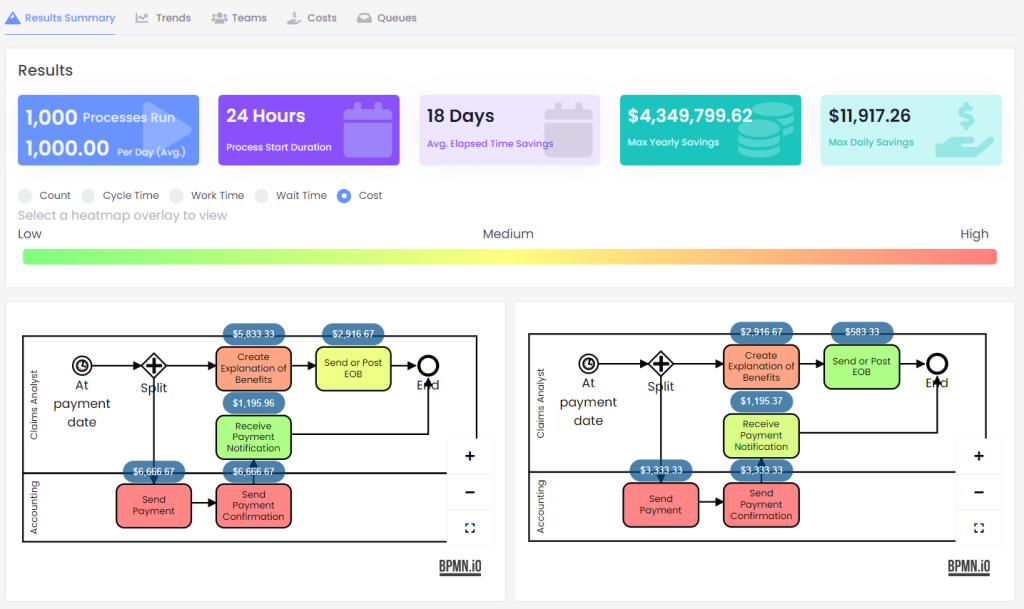
We’ve adjusted the color scale for enhanced comprehension. Low values now appear in soothing green, while high values are represented in vibrant red. This makes interpreting simulation results and efficiency reports much more straightforward.
Updating our Privacy Policy
We’ve updated our privacy policy to make sure it’s all spick and span, meeting all those regulatory requirements. You can find it here
🔧Bug Fixes
Refresh Capability Map
This fix ensures the capability map accurately refreshes from Blueworks Live, even after capabilities have been deleted.
Simulation Bugs Resolved
We’ve hunted down and resolved numerous troublesome bugs in the Simulation, ensuring an even more seamless experience. Here’s what we’ve eradicated:
Worker costs are now accurately calculated for various units such as hour, day, month, and year.
Percentages in decision gateways are applied with precision.
There are no more inexplicable blank scenarios in simulation results.
Deselecting work for your resources under the schedule functions flawlessly.
Start time formats are now perfectly aligned.
Start date updates as expected during the review step.
🔜Coming Soon
Exciting developments lie ahead for Business Compass! Here’s a glimpse of what’s in store:
Integration with LucidChart: Prepare to seamlessly import processes from LucidChart, streamlining your workflow like never before.
BPMN.io Editor Integration: We’re bringing the BPMN.io editor directly into Business Compass, enabling you to edit templates within the platform for maximum convenience.
Process Mining Integration: Our upcoming IBM Process Mining integration will empower you to import processes and data, unleashing the full potential of your business data.
With these fantastic features, improvements, and bug fixes, Business Compass is ready to turbocharge your business journey. We’re dedicated to enhancing your experience, making it more productive and enjoyable. Thank you for choosing Business Compass – let’s embark on this journey into the future together!
Today, customers have more opportunities to communicate with brands and companies than ever before. As a result, many customer service teams must go above and beyond to meet their requests and address potential concerns. Customer service automation is one way to ensure customers remain satisfied with your services without overworking your employees.
Here’s how you can elevate your company’s reputation and expand your customer base through automation, all while maintaining team productivity and efficiency.
The Importance of Customer Service
Generally, customer service is the act of listening to your customers, answering their questions, showing you value their opinions, and listening to their feedback. These are some of the vast benefits effective customer service can bring:
Better customer retention: Customer retention refers to a business’s ability to turn once-off customers into repeat customers. Retention rate is the measure of how successful you are at doing this. Your rate is lowered when customers stop returning to you and switch to a competitor. Customer service is the key to keeping customers on your side and making them feel heard and rewarded for it. Your client service reminds customers that they are making the right choice by choosing to come back to your company.
Improved brand image: Brand image is how customers perceive your brand based on their interactions and experiences. The better your brand image, the easier it is to keep customers happy. Client service plays a major role in keeping your brand image healthy as it involves direct communication. When customers use your customer services to answer queries and give feedback, they are talking to your brand. One wrong move can change their perception. However, the right move can strengthen their perception of you.
Greater customer loyalty: Customer loyalty is closely linked to your retention rate and brand image. A loyal customer will defend your brand compared to competitors and choose you above other options. Your customer’s loyalty improves when they like your products, brand, and the experiences they have with them. Customer service can turn a happy customer into a loyal one. They will then recommend your company, which can attract more leads and even turn them into loyal customers.
Building consumer-brand relationships: For a customer to become loyal, there needs to be a connection between them and your brand. Meaningful consumer-brand relationships are built on trust and respect. If you show your consumers respect and give them a reason to trust you, they will form a bond. Sending follow-up emails, social media communications, and customer services are examples of how this can be done. Customer services reinforce these bonds with good experiences and interactions.
Increased referrals and better reviews: People who have good experiences with a brand are more likely to recommend it. Customer service can turn a negative review into a positive one and a one-time customer into a loyal fan. The way they treat consumers and see to their needs is the key. When someone leaves a negative review or comment, addressing it quickly and effectively can make them leave a new positive comment. Turning negative reviews into positive ones is a sign of a good customer service system.
Enhanced competitiveness: Happy customers are a great way to spread good word of mouth. They are more likely to engage in posts, share good experiences, and recommend products. When your customer service interactions are able to create a good impression, give the right information, and solve problems, it leads to more happy customers. This is why customer service is an important part of your marketing arsenal.
Types of Customer Service
These are the most common and useful types of customer service:
Social media support: Social media is a top way for brands to interact with consumers directly. The way you handle customer service on social media is imperative to your success and popularity on the platform. Knowing when to chat with customers in private and when to showcase your solutions is important. Unattended complaints and queries can reflect on you poorly, but responding to them properly can do a lot of good.
Email support: One of the first types of digital customer service, email support is a reliable way of privately dealing with a matter and giving a customer your full attention. When you handle questions and complaints promptly and professionally, you can turn a customer into a lifelong patron of your company.
Phone call support: Customers have been urged for decades to call hotlines if they have any queries or concerns. Phone communication provides a one-on-one opportunity where customer service team members can give their full attention. When phone calls are handled properly, customers will be more willing to trust your company and make use of your offerings.
Live chat support: Live chat is a service usually hosted on a company’s website and handled by a dedicated team or an agency. This tool has become commonplace, as it lets customers ask questions and get their answers in real-time. It’s an efficient use of the customer’s time and keeps them interested in pursuing their answers without getting distracted.
Interactive voice support: Interactive voice support is a type of automated customer service. When a customer calls your customer service hotline, the automated voice directs them through a series of steps based on their issue. This is a good way of organizing your customer service teams and helping customers get to the department most relevant for resolving their issues.
What Is Automated Customer Service?
Automated customer service is when customers are given the support and answers they’re looking for via automated tools. This approach can be achieved through automated emails, chatbots, phone calls, and support tickets. Using automation is a less time-consuming way of managing customer service, as it lets teams handle certain manual tasks with customer service automation software.
Automation software uses artificial intelligence (AI) to perform repetitive manual tasks that might otherwise slow down an employee’s workflow. It can directly provide customers with assistance by answering questions and providing tutorials. Alternatively, it can tag support tickets to be sorted and sent to the right person. This process significantly reduces the amount of manual intervention required and gives employees the chance to focus on more complex tasks, streamlining their workflows.
What Customer Service Automation Can Do
These are the many things you can use your customer service automation software to maximize the way you help your customers:
Knowledge bases
Knowledge base automation is when you teach your AI and automation software how to analyze, organize, and deliver self-service content. In the context of customer services, your AI’s knowledge base determines how it answers queries. Your chatbot will use the data from its knowledge base to provide relevant information in real-time. It will link customers to pages and articles they need. It will also use its knowledge base to understand the questions being asked and the language being used.
Your automated knowledge base can link to FAQ pages, tutorials, videos, release notes, troubleshooting, articles, product guides, and anything else on your website and beyond. Knowledge bases handle the brunt of your online customer service interactions. This gives your reps and agents more time to focus on other tasks.
Chatbots
Customer service AI chatbots are usually implemented on a company’s website or social media pages. An AI chatbot is a tool programmed to self-learn when introduced to new information. This information can be in the form of words, questions, dialogues, images, and queries. Because they learn over time, the clarity and success of their output improve as they interact with more queries. This is how machine-learning chatbots work.
The other type of AI chatbot is rules-based. Rules-based chatbots use a flowchart of rules that they follow to the letter. They are best used for straightforward tasks like sharing basic information, answering FAQs, and providing links.
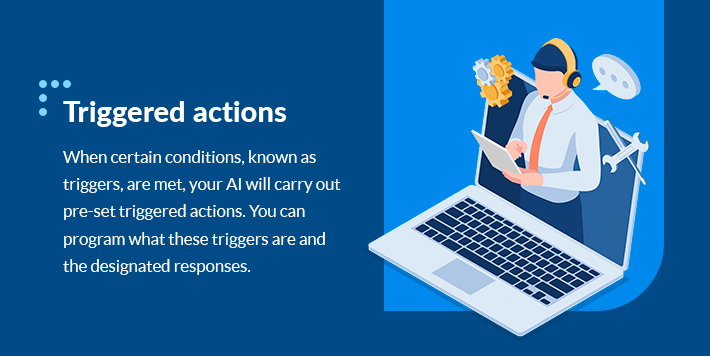
Triggered actions
When certain conditions, known as triggers, are met, your AI will carry out pre-set triggered actions. You can program what these triggers are and the designated responses. For example, you can set your automated workflow to deliver opt-in incentives when submitting an online form. If you promise customers who fill in a survey a coupon, your automation will ensure it is taken care of every time. This removes a lot of repetitive work for your client service representatives.
Triggered actions are a major perk of having an automated workflow. It can help with keeping track of data you can use for future customer service efforts. For example, if a question with certain keywords is asked, then a triggered action could be to make a tally of those words. This is a great way to answer customers’ questions before they even ask for an efficient customer experience.
Customer relationship management (CRM) process automation
CRM software is used for a variety of customer service tasks. It can send follow-ups to customers based on their behavior. If a customer abandons their cart, your CRM software will send them a message. It can also be used to provide and manage support tickets. These workflows take a lot of tedious manual work away from your reps so they can focus on bigger things.
Lead scoring is one of the most valuable things you can do with CRM automation. This is when the program ranks leads based on specifications like the likelihood to convert. It is determined by user interest and behavior on your website. You can then use it to perform certain triggered actions accordingly. For example, if someone shows a lot of interest in a particular item, it might share something that will help them make a decision to act, like giving them a coupon or relaying product specs.
Email automation
Email automation is when your automation software uses preset rules to send emails to customers or leads based on their actions. Manually sending and personalizing emails for leads is a thing of the past. Instead of tailoring each email message you send out, you only need one template. The email automation software will take care of the rest, from changing the messaging to suit the name of the lead and their interests to sending them out to the right people.
Benefits of Customer Service Automation
The benefits of customer service automation have helped many companies take their customer service departments to new levels. These are the benefits you can expect by choosing to automate customer service:
Boosts customer satisfaction: Automated customer service delivers quick responses to customers. Every touchpoint you offer can be optimized to deliver efficient customer service, from social media responses to immediate chatbot replies. Delivering fast, helpful responses ensures customers feel like they’re a priority and can trust your company’s services.
Avoids human error: To err is human, and even highly-trained and experienced agents can make mistakes. By automating your customer support systems, you can avoid the risk of human error altogether. Answers are generated and handled by a bot that will always provide the right information, give the right answers, and guide customers to the right places. Automation provides laser-focused support for each case opened. When one agent would have to focus on multiple queries at a time, automation allows each customer to receive full attention.
Increases efficiency: Every time a new query is started, the automation software does its best to answer the customer’s question fully. The generated answers will provide the exact information needed to answer the query, making the process more efficient for the customer and allowing customer service agents to streamline their daily workflows. If the customer still has questions, the AI can direct them to the right customer service agent, giving the agent full context of the issue and allowing them to reach a resolution faster.
Improves customer retention rate: Your customer service chatbot could be one of your customer’s first contact points. Your automated communications will give customers the information they are looking for quickly. This will help them make a decision and form an impression. Returning customers can explore more of your offerings by interacting with your chatbot. Your automated customer service bots can improve your retention rate by improving existing relationships and creating strong new impressions.
Supplies 24/7 support: Through automation, customers can get the answers they’re looking for at any time. Teams may not need to operate around the clock, as the automation software is always working and can likely deliver the information and responses needed.
Creates a unified brand voice: Generated answers can be created to match your brand’s tone of voice and personality. Even though a machine generates the responses, you can still maintain a unified brand voice through every interaction customers have with your company.
Get Customer Service Automation From Salient Process
Salient Process can provide you with the automation systems you need to optimize your business processes. Discover the ways your business can grow with the power of automation, AI, and machine learning.
Customer service is just one of the many parts of your business that automation can redefine and expand to maximize your efficiency, deliver the best results, and drive progress. Our Business Compass software solution helps you find opportunities within your business that our automation tools can redefine.
Find out more about our many products and the solutions we can offer you. Contact us today and start your business’s next stage of evolution with automation.
There are dozens of ways to use email marketing for your business, and email automation can help you streamline email marketing tasks for an intuitive and streamlined approach. Discover what email automation is and how you can use it to your business’s advantage below.
What Is Email Automation?
When you automate your emails through email automation software, you establish a set of rules that allow specific emails to be sent automatically at specific times. For example, when a customer adds an item to their cart on your e-commerce website and then exits the page during checkout, your system can send them an automated email reminding them about their forgotten cart. This kind of automation can be applied at various stages of a customer’s interaction with your business.
By linking your web analytics to an email marketing platform, you can target customers based on their preferences, actions, previous interactions, and behavior. Each email message to potential and existing customers can increase your company’s relevance, recognition, and authority.
Ultimately, email workflow automation opens a gateway of new opportunities to interact with your customers and leads in meaningful ways — you can cut through the clutter and competition by speaking directly to someone in a way that is relatable and exciting for them.
Benefits of Email Workflow Automation
These are some of the most significant benefits you can seize with the right workflow automation:
1. Gain High-Quality Leads
Through email marketing automation, you can deliver messages that help improve engagement by speaking directly to the consumer. Additionally, you can use them to build relationships by sending automated follow-up emails to check on customers. Both approaches help you attain quality leads.
2. Improve Lead-to-Sale Conversion Rate
While converting all marketing leads isn’t possible, with email automation, you can make a stronger impression on potential leads. The better your first impression is, the more likely you are to gain a lead’s interest. Use automated emails to your advantage to grab attention and spark a connection.
3. Have Control Over Customer Interactions
It’s easier to communicate and sell products to your existing customers than to convert new ones. Thanks to automation, it’s never been easier to stay in touch with your customers. You can do and say a lot to establish a meaningful customer-brand relationship through email marketing automation.
4. Find Drip Marketing Opportunities
Drip marketing is a type of marketing that involves sending automated emails to customers and contacts at specific moments. For example, when a user signs up for your newsletter, you can automatically send them a welcome email, possibly with a discount code. This is one of the most effective email marketing automation tactics to drive customers to take action and advance in their customer journey.
5. Boost Engagement, Traffic, and Action
Automated emails with striking copy and a clear call to action can help you gain new leads and retain existing customers. You can get users to explore your website, follow you on social media, browse your online store, or read a blog post.
6. Advertise Promotions and Discounts
Sales, discounts, and promotions are reliable motivators for both existing and potential customers. Use email workflow automation to spread the word of any upcoming and current sales to get more people interested in what you’re offering.
7. Eliminate Repetitive Tasks
Investing in email marketing workflow solutions can allow your marketing team to focus on more complex and less redundant job duties throughout their workdays. Thanks to this kind of process automation, they can be more productive in other aspects of their roles.
Examples of Email Marketing Automation
How can you implement email marketing automation in your marketing strategy? These are some examples of automated email opportunities you might consider using:
1. Product Launch Emails
When launching a new product or service, you want to spread the news about it. Getting as many eyes on your new offering as possible is the best way to raise awareness and interest. Use attention-grabbing headlines, include strong calls to action, tease information, provide links, and highlight the key features of your new offering in this type of automated email.
2. Winback Emails
These emails are designed to boost customer retention by renewing their interest and reminding them of your products. Offer incentives like samples or coupons, provide tutorials, showcase new features, ask for feedback, and help customers continue from where they last left off to get the most out of this type of messaging.
3. Welcome Emails
Use welcome emails to lay the foundation for a strong consumer-brand relationship. New account registrations and mailing list signups are the best times to send welcome emails. This kind of email reassures them they have made the right choice while teaching them about your brand.
4. Cross-Sell Emails
Cross-sell emails are used to recommend products the customer might be interested in based on their previous purchases, watched items, and preferences. These emails can help you encourage purchases and promote different products in your catalog. You can also use this strategy to offer bundle deals, personalized offers, and discounts on shipping.
5. Post-Purchase Emails
Nothing says you care about a customer more than engaging with them after a sale. It shows that you value their business and care about their input. Post-purchase emails are an impactful way of building consumer-brand relationships, offering customer service, encouraging loyalty, and improving retention and repeat purchases. Thanking them for their business, asking for feedback, and providing recommendations are suitable post-purchase email topics.
Automate Emails With Workflow Automation From Salient Process
Overall, workflow email automation is an effective way of improving efficiency in the workplace while captivating customers and converting leads. Repetitive tasks can slow down your day and disrupt productivity, and your workflow can be greatly improved with the right automation software. With less repetition, you can reduce costs, increase efficiency, and even improve employee morale.
Salient Process offers automation software that can do more than just email automation. Our Digital Business Automation solution offers customizable business process automation to help you with a long list of tasks and functions, keeping your business running as efficiently as possible.
Learn more about what Salient Process can bring to your business. Contact us today.
Is the future of the workplace destined to be run by artificial intelligence (AI) and completed by automated systems? Will AI replace humans? The short answer is no. The long answer requires a deeper look and an understanding of AI and automation. First, let’s break down these two technologies.
What Are Artificial Intelligence and Automation?
AI is a science that helps machines learn how to perform tasks and solve problems. From doing mundane and repetitive admin tasks to generating actionable insights based on enormous amounts of data, AI can complete many tasks that humans can’t, or tasks that would take humans much longer to complete.
Many forms and applications of artificial intelligence exist. One of the most common and basic forms of AI is language-model-based chatbots, where users can enter queries and get results. For example, a user could ask an AI chatbot to write a resume based on a specific set of skills, and the AI would use that data and its knowledge of the information on the internet to write that resume. These tools have their limitations, which we’ll explore later on.
Similarly, automation technology streamlines processes in a way that requires little to no human interaction. Automated systems improve efficiency and can perform tasks without stopping. For example, payment apps and automatic car washes involve automated systems that complete tasks humans can do in a more efficient way. In work settings, robotic process automation (RPA) can complete simple, tedious tasks like moving digital files, extracting data, and completing data entry.
With these terms and their definitions in mind, we can explore their limitations and discover how they can only assist humans, not replace them.
1. AI Has No Physical Form
Some tasks require dexterity and physical intervention. Outside of robots, which can only complete very specific tasks, AI and automation software have no physical forms to accomplish tasks beyond the screen. For example, AI can’t handle tasks requiring hand-eye coordination, and they’re unsuitable for completing work that can change direction quickly. While automated machinery can assist with some laborious actions like moving boxes, it’s not developed enough to completely replace human workers and their physical abilities.
Some of the most common areas for AI implementation are warehouse planning and inventory management. AI can help create efficient layouts and management systems, but implementing those plans is a job only humans can handle. Farming is another major industry in which AI can help but where human workers are still necessary. Overall, AI is only capable of completing certain job duties, and humans must be available to handle more complex physical tasks that can arise on any job site.
2. AI Lacks Emotional Intelligence
Emotional intelligence or emotional quotient (EQ) is a valuable asset in the business world. EQ is the ability to predict a reaction and act accordingly. In theory, the greater a worker’s EQ, the better they will work and interact with others. AI lacks any EQ at all, and in some cases, working with a computer is more intimidating than working with a person with feelings. Many job roles require EQ, like team managers, teachers, counselors, and therapists.
Most AI tries to mimic human intelligence, but it has no way of simulating or interpreting emotions. To understand emotion, AI needs to know how to interpret human experiences, not just intelligence. Feeling emotions is what makes us human, and translating this to a machine is likely impossible.
Beyond designing AI to understand emotions, it needs to show EQ when interacting with users. An apt way of putting this lack of EQ is that you can trust what an AI tells you to do but not how it tells you to do it. Our emotional intelligence helps us figure out how to tackle problems in relation to ourselves. AI has no sense of self and struggles to instruct us beyond simple, logical instructions. Method, motivation, and improvisation are still exclusive to humans.
Jobs requiring no EQ or emotional connections are where AI and automation shine — and these opportunities are limited in many cases. By using these tools to complete mundane, repetitive tasks, we can make better use of EQ by giving humans more time to work in situations involving it. As stated, RPA can be highly beneficial for completing simple, redundant tasks, allowing human workers to focus on more complex and creative work that requires EQ.
3. AI Can’t Match Human Creativity
Instances where AI helps humans can result in a better product. Through the use of AI, creative jobs are more accessible than ever. Using AI as a tool can help those with creative visions achieve their intended results.
Letting AI have complete control over creative projects has its limits. As humans, our creative vision is always evolving, and we can gain inspiration for situations and experiences at any time. An AI creativity tool will produce a finished result in an instant — without the room to expand the concept beyond the initial stages. AI also works with preset data and won’t stray from this data, whereas humans have limitless creative potential by comparison.
AI and humans can achieve synergy in creative fields when working together to achieve a goal. However, the current view in the industry is to keep them separated or have them compete. The creativity and EQ of humans, paired with the efficiency and accuracy of AI, may lead to achievements in creative works. While it’s impossible for automation to be as creative as humans, it could be beneficial for AI to be used in small areas of creative work.
4. AI Is Only as Good as Its Data Set
The intelligence of artificial intelligence is easy to confuse as genuine. AI software works by extracting data to create the answer it thinks best answers your queries. The AI tool you choose to use can only do what its input data allows it to do. In other words, your data needs to be able to guide your AI to give you the answers and insights you need.
By giving your AI tool more information and the latest relevant customer data to work with, it can generate more accurate and useable insights. As a result, humans will likely always be necessary to operate specific AI tools — they add data to these applications, and without data, AI can’t operate. Overall, AI is only as good as the data human workers feed it or create for it.
5. AI Lack Soft Skills
Soft skills are non-technical skills that define how people interact and work with others. These are sought-after skills in most companies in every industry. Valuable soft skills include respectfulness, negotiation, confidence, friendliness, adaptability, team-building, innovation, and creativity. AI lacks the soft skills required to be a proper part of a team.
Humans develop soft skills through training and experience. They improve over time, and everyone, regardless of their job, likely needs to learn at least a few soft skills. Machines can’t learn these skills, just like they’re unable to understand and feel emotions. No AI or automation software can fully replicate the necessary smart skills that a human can, meaning humans will always be necessary to be part of and lead teams in this way.
6. AI Still Needs Fact-Checking
Not everything produced by an AI tool is perfect. There is a lot of misinformation created by artificial intelligence that needs to be fact-checked. AI analyzes the data available to it to create a natural-sounding response based on the language models it uses. This process makes it easy to produce believable misinformation on a large scale. While using AI to check AI might be a good idea, there are still issues with doing so.
AI that uses news sources and other websites to inform its outputs is susceptible to misinformation. If it’s using data that gets the facts wrong, it’ll also produce false results. Further, missing a point’s nuance or lacking specificity are common mistakes found in written AI work. As a result, human workers are still required to verify results and adjust as necessary.
7. Automation Needs Humans
Humans created AI and automation software, but the connection runs deeper than that. The strongest argument for why AI can’t replace humans is the fact that automation still needs human intervention. Using a human-in-the-loop system keeps us involved in a way that produces the best results, whether it’s fact-checking or AI maintenance.
Whether it’s a robot that moves boxes in a warehouse or an RPA tool that completes simple digital processes, humans are necessary to oversee and correct these actions when necessary. People are also required to train automation tools and processes in most cases. As a whole, it seems that humans will always be part of the process when it comes to the use of AI and automation.
8. AI Is Inflexible
Automation and AI software are made to follow strict rules to produce the right results. While these programs excel in certain fields, they’re only able to operate by abiding by their rules. In comparison, humans can accomplish a task even when presented with obstacles. This ability to improvise and use their own initiative to reach a goal is where humans have a notable advantage over machines.
For example, if a sudden issue arises on a job site, it’s much easier to tell a team of human workers how to pivot and solve the problem than attempt to redirect any automated machinery on the site. Ultimately, automation in the workplace is only capable of fulfilling specific job duties. In many instances, humans are more than equipped to take on a variety of tasks and adjust their approach to said tasks when necessary.
9. Automation and Humans Have Different Limits
As humans, we can use our emotions and experiences to shape the way we work. In addition, certain limitations make us human — we get tired, we need to eat, we require motivation, and we need to be healthy both physically and mentally. Despite this, we have a lot of strengths that make us valuable. We’re able to learn, have common sense to guide us, and interact and communicate to work together and achieve great things.
While AI may have limitless energy, it’s bound by the extent of its code and data. Humans are more versatile and can do anything from physical work to complex thinking and research.
Further, AI has no moral compass or limitations. As an example, a 2003 thought experiment involved instructing AI to produce paper clips. In the end, the AI’s calculations ended up converting everything on the planet into paperclip production facilities. This lack of boundaries and guidance shows that AI prioritizes its task above all else. Even decades later, this paper shows that AI has a great weakness that makes humans better leaders and action-takers.
10. AI Should Complement Humans, Not Compete With Us
Overall, the purpose of artificial intelligence is to help humans rather than replace them. While automation is ideal for tasks that require repetitive motions or other redundancies, AI is an inappropriate substitute for jobs that require reasoning, soft skills, and adaptability. The focus should be on how AI can help us rather than replace us or become something we rely on.
As workplace demands evolve, the need for humans increases. The World Economic Forum released a report in 2020 showing 97 million new jobs will be made available as a result of AI, showing that there are many jobs that AI can’t replace. Clearly, new opportunities will arise as AI advances. There is a way for humans and AI to complement each other without needing to compete.
Automate the Right Way With Salient Process
Humans and machines can outperform each other in various ways. Understanding the limits of AI and automation means you can optimize the way you use its strengths. With the right automation system, your business can thrive, and your employees can get more done than ever before.
Salient Process can provide you with the tools you need to take your business to the next level. Using our Digital Business Automation solutions, you can enhance your workflow, automate tasks, manage your content, and achieve many other crucial tasks, all while empowering your team of employees. To find out more about what we can offer you, contact us today.
Every company is made up of various processes across departments, from human resources to finance to content management. In many organizations, vital processes are inefficient and rife with errors, which impacts areas like revenue, customer experience, and performance. By using strategies to rework and reorganize said processes, companies can achieve the outcomes they envisioned from the start.
That’s where business process management (BPM) comes into play. Learn more about this strategy below to see how you can apply it to your company’s processes and where it can make a difference.
What Is Business Process Management?
Business process management helps companies establish and improve their business workflows. With a broader scope than other process management strategies, such as project management, BPM focuses on the entire organization or department in an end-to-end process with steps that can be repeated.
An example of BPM is creating a template for employee time off requests and process for submission and approval or denial — this would be repeated endless times after implementation and focuses on a vital process that affects the entire company.
BPM is an approach you can customize to your company to achieve results like increased employee productivity, more satisfied clients or customers, and more revenue. With BPM and its related methods, you can manage your entire organization more effectively and intuitively.
The Lifecycle of Business Process Management
BPM helps organizations achieve big-picture goals through a series of steps, which generally include:
Planning: First, the team must identify the goal of the process. For example, the process might center around improving claims management or account openings. This step involves mapping out milestones that will happen throughout the BPM plan. Once the process and milestones are identified, the team can delegate specific tasks to team members to create the overall workflow.
Modeling: Now, the team can create a visual model of their process, which is simple with BPM software. This design can depict timelines and other components that are part of the process.
Testing and implementing: With the visual model in hand, the team can test the process with a small group, which can give feedback. After adjusting the process according to the feedback, the team can launch the process to a bigger group, such as their department.
Monitoring: When the team has launched the process, they can monitor it and make any necessary improvements.
Optimizing: Finally, the team can continuously optimize the process to help improve overall business activity.
The business process management lifecycle requires proper collaboration — be sure to work closely with your team and address communication issues accordingly.
Top Benefits of Business Process Management
The many benefits of BPM can help you meet your business objectives:
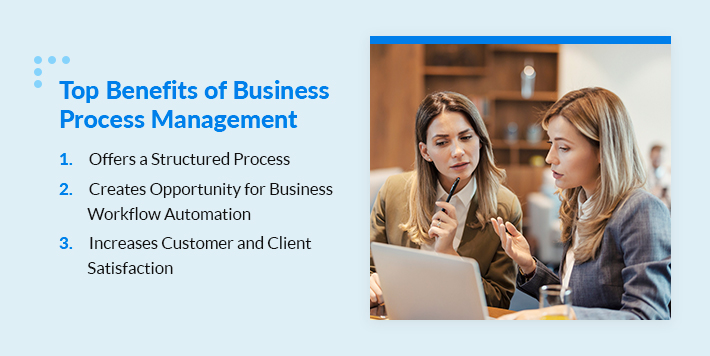
1. Offers a Structured Process
When teams within a business use different approaches to achieve similar results, disorganization occurs. It can be more difficult to follow security and quality guidelines, which results in less accountability and management.
In comparison, BPM supplies a clear-cut, streamlined process that increases standardization across the board. Every step is clearly defined and outlined, allowing team members to know their roles and managers to guide their teams through the process.
2. Creates Opportunity for Business Workflow Automation
For example, you might create a process for customer inquiries based on their method of contact. If a customer fills out a contact form on your website, you could include an automated step that signals a salesperson to get back to them. Then, your sales team won’t have to go through the customer inquiries themselves.
Thanks to automation, you can implement highly efficient processes throughout your company, which helps your employees build more productive workflows and achieve faster results.
3. Increases Customer and Client Satisfaction
One of the main goals of your business is to ensure customer and client satisfaction. When your patrons are happy with your products or services, they become loyal to your brand and share their positive experiences with others, which helps you widen your reach.
BPM can help you optimize processes that directly impact your customers and clients. For example, managing your accounts payable process without BPM could lead to inconsistencies and confusion that lead to past-due accounts and other consequences that impact both your business and your patrons. In comparison, formatting that process using BPM helps you ensure every step of the process is clear and easy to understand.
Ultimately, incorporating BPM as a strategy can ensure businesses have structured processes they can rely on to improve the customer experience. Plus, certain BPM steps are generally easy to automate, so companies can streamline operations even further.
How to Use Business Process Management
BPM can apply to many broad processes in organizations, such as customer service, which we discussed above briefly. Here are a few other examples of BPM use cases:
Human resources: BPM is a helpful tool for document management, which can be a significant task to manage in human resources (HR) departments. By employing BPM here, teams can set up streamlined processes for approving timesheets, organizing employee training and onboarding, and processing terminations.
Finance and accounting: One example of using BPM for finance-related tasks is creating a model to keep track of order invoices. Other use cases might include establishing a workflow for calculating and reporting company taxes or creating a template that streamlines budget allocations.
Legal: BPM can help legal departments in highly regulated companies stay updated on relevant legislation and guidelines, ensuring compliance. As laws are always changing, BPM can be a go-to strategy for legal departments to adjust practices when legally necessary. An example could be using BPM to adjust the company’s approach to customer data use per a data protection law.
BPM has numerous applications that range across company departments. Whether your order fulfillment department needs a better way to organize and advertise special offers or your content management employees want to better manage content rights processes, BPM can be a highly efficient and practical way to achieve results. Altogether, how you apply BPM to your business depends on your goals and current processes.
Salient Process Is Your Business Process Management Solution
While BPM is possible through manual means, using business process management software can make the strategy even more impactful. Salient Process offers numerous business automation solutions that can take your organization’s process to the next level. Since 2011, we’ve helped businesses just like yours use Digital Business Automation to perform and grow more successfully.
Interested in what BPM software can do for your company? Learn more about how we can support your business goals through automation by getting in touch with an advisor today.
Mastering Business Architecture: Insights with Roger Burlton
Views Business Architecture as “Common Sense” and foundation for business.
Backgrounds, Degrees & Disciplines for Business Architecture
Roger’s Education: Bachelor’s of Science in Industrial Engineer from University of Toronto
Now Burlton and Business Partner teach Industrial Engineers their knowledge at University of Toronto
Says Business Architecture mindset is not mutually exclusive to Industrial Engineering. Believes it is a mindset that is hard to teach. He describes that you can teach techniques, but having the innate common sense, logic and perspective that they need to step back and see the bigger picture is hard to teach.
What is Business Architecture? Burlton’s Description
To me, Business Architecture is just figuring out who you’re serving, why you’re serving them, and then figuring out how you’re going to serve them.
Business Architecture tries to understand the outside world of the organization and you try to figure out how to line up the inside world of the organization in terms of the work you do, infromation you need and the tools you have to implement and execute and whether those tools should be put in the hand of the customer or through a call center. Architecture says, how do we best deliver against the expectations of those people sitting in the outside world!
It is about making sure we’re doing the right work for the right reason for the right people, at the right time.
We’re making sure that everything we’re building or spending our money on improving is actually helping make that happen. So it’s keeping that traceability from the need all the way through to all the things we build, all the things we implement, all the people we hire, all the partners we have, making sure all that stuff is connected to the right outcomes. Business architecture will connect the dots. That’s one of the things in the book, right? Connect the dots. But connect the dots.
Perspective of Architecture in the world.
To build a building you need more than electricians, mechanics, plumbers, welders, etc. You need the running water and the plumbing to be efficient, you need the AC to have a functional heater, etc. You need to make sure all the various items are working, and working together.
Architecture from Technology P.O.V.
This is very important because often times we believe technology is the savior for everything… but it has some enabling capabilities. It has to allow something to happen in business that’s going to make a difference. We’re seeing a lot of this with AI and digital technologies. These technologies are changing what is possible for our business.
ChatGPT example: It is a great tool… but think- Who could use this in your organization? or how can our customers solve their own problems and be happier with this tool rather than having to talk to someone in a call center.
We have to remember these are tools to get work done, but to identify these technologies are and how they fit into the business.
Process Analysis before Architecture
If you are trying to solve a problem, within an ill-defined scope or a scope which is going to help a particular executive inside the organization, but it isn’t the best thing for the customer can create a huge misalignment for an organization.
Everyone is working towards their end goal without realizing they’re just a means to a larger end.
If you understand how to connect up, you can make better decisions, design structures, and choices on what to implement and what is important. Understanding what performance, you’re trying to drive and how to measure that. Can I evaluate that and see how it is doing? How can I improve it or change it? Are there tools or new tools I have/can use? Then you can turn it all back around and evaluate if this is an opportunity?
You need to understand the outside world first
Customer Profile’s Ready for Business Architecture
Market Structure Distinctions
Service-Oriented Companies
Telecommunications
Banks
Retail
really have to get their systems down, and because it’s so competitive. If you don’t stay with it and don’t get it right- it doesn’t matter if you have great leaders in each department, it still won’t be right. You’re going to suffer in the marketplace. Now what that what that says is, and it’s not this is not universally true because there are exceptions to this. So, it means that organizations which are more like government or monopolistic. I am working with a power company now.
Believe’s it to best Business Architecture success comes from the nature of an organization because their motivators aren’t just quarter results and next year’s bonus but on making good decisions about the long-term health of the organization.
Build for sustainability
We have to see Business Architecture as a way of life and not as a project. It is not a diet where you can go on a diet, get it off, think I’m good and then go back to the way I was. It’s actually about if you want to lose the weight, you have to change your lifestyle. You have to start with a diet, but better you have to commit to changing. It’s about building and continuing to grow sustainably.
Challenges and Goals of Business Architecture
Synthesizing and decision making
We don’t understand the impact of what we’re doing because we don’t spend enough time analyzing those, that synthesis. So, if I change, if I change how I run my process, I might mess up the next process. Or if I change what I want in the process, I might need different data that I don’t have. Or if I change the data, I don’t, or if I stop doing something. I may not realize that downstream somebody needs that information for regulatory reporting. And so pulling all it together, like the data, the process, the various capabilities we build, you know, all of those strategies have to make sense with one another. So if I go, I’m going to go pull, as you mentioned, pulling strings, if I pull on this string, I look in the ball of wool and I can see something else moving. I want to know what it is. before I change it.
The goal to success
The main goal here is to steer clear of unexpected consequences when we implement changes. The world we operate in is immensely intricate, but we can mitigate this complexity by clearly defining our processes, understanding the information we’re working with, deciphering policies and rules, and evaluating our skills, competencies, and overall culture. By doing so, we can determine the kind of performance we’re aiming for and, critically, we can assess how any alteration might affect all these interconnected elements. It’s like dipping our toes in the water before diving headfirst into designing and building systems.
Leadership Support
Typically working with C-suite executives or one position below is the ideal target because you need the commitment of senior people to do things differently.
Business Architecture Framework
While we have a framework, our approach primarily emphasizes freedom within it. This means that if you follow the general principles but occasionally begin from a different point or focus on information aspects instead of process aspects, it’s because we adapt to where individuals are, their readiness, and the nature of their specific problems.”
Business Architecture Case Studies
The story revolves around a consultant’s experience with a client who initially worked at a large bank in the secured lending division. This client sought the consultant’s help after hearing them speak at a conference. Together, they transformed the mortgage department and laid the groundwork for a significant technology platform.
However, the central focus of the story shifts when the client moves to a large health insurance provider on the West Coast. Upon taking the new position, the client immediately contacts the consultant for assistance once again. Together, they engage senior vice presidents and directors in a comprehensive training program. This program involves stakeholder analysis, defining a vision (the North Star), and developing a process architecture. Each leader becomes a champion for specific processes, resulting in positive changes within the organization and improved performance. The story underscores the importance of internal leadership support in achieving successful transformations.
Business Partner’s Case Study
The story revolves around a poorly managed but profitable organization that specialized in equipment resale auctions, particularly heavy-duty machinery. Despite their success, new leadership aimed for rapid growth, attempting to introduce numerous new products. However, the organization faced significant challenges, including the inability to generate accurate bills and reconcile their operations. A consulting team was brought in to help address these issues by developing an architecture for better operations and billing processes.
Amid these efforts, the organization was swayed by an external firm promoting agile product development, which led to a disjointed and disconnected introduction of new products. This lack of cohesion resulted in customer confusion, employee departures, and a loss of internal capacity to run the business effectively. The organization’s focus on growth came at the expense of providing quality service and retaining customers, leading to a decline in their customer base.
Despite the consulting team’s efforts, they struggled to gain the attention of the executive team, ultimately resulting in a failure to enact meaningful change within the organization.
Business Architecture Practices Seen Globally
Roger Burlton, drawing from his experiences, discusses business architecture practices globally. He highlights the disciplined approach seen in Scandinavian countries, particularly Norway, which has been influenced by a focus on quality, compliance with international standards, and a structured mindset. In Saudi Arabia, a notable emphasis on business architecture is evident across various industries, with the country successfully implementing national hospital and health systems based on this framework. It remains unclear whether this discipline stems from abundant opportunities or cultural factors, but it is a recognized need.
In contrast, Burlton notes the varying landscape in the United States, with some organizations excelling in commitment to excellence while others lack focus and rely on quick fixes. He suggests that the cultural and leadership mindset within organizations plays a significant role in determining their approach to business architecture. Overall, Burlton observes diverse practices and levels of commitment to business architecture on a global scale.
Is there a really important part or moment in this method, like a turning point or decision, or are all the steps equally important?
The story revolves around the importance of two key aspects in a method or approach, particularly in the context of decision-making and design.
1. First, it emphasizes the critical need to thoroughly understand the target audience and the underlying purpose of the work.
This understanding serves as a consistent set of criteria for making choices and investments. These choices should not be influenced by personal opinions or internal motivations but rather by the genuine needs of the external world, making decision-making less subjective.
2. Secondly, the story underscores the significance of breaking down complex enterprise problems into manageable parts, often referred to as an end-to-end process, value stream, or value chain.
This segmentation ensures that each part contributes value, making it easier to trace and comprehend the impact of various elements in the process.
Are there shortcuts to the methodology if you have a limited budget customer?
In a nutshell, when dealing with a limited budget customer, the approach is to initially get a broad understanding of the entire process without going too deep into the details. Then, prioritize the areas that are both strategically important and causing problems. Focus on these specific areas, delve deeper into them, and make improvements. The key is not to get lost in the details too early and be comfortable with some level of uncertainty. Instead of trying to understand everything perfectly, it’s better to take action, prove your value, and make a difference.
How does technology support Business Architecture?
Technology plays a crucial role in supporting Business Architecture in two main ways. First, it enables the execution of complex processes, ensuring seamless operations, and data flow. For example, in online shopping, from clicking to delivery and payment, technology connects everything without requiring human interaction. Similarly, in sectors like insurance, technology facilitates tasks like processing claims without direct human involvement, which is critical for operational efficiency.
Secondly, technology is essential for Business Architects themselves. Architects need tools to manage and organize the intricate components of business processes, data, and rules. These tools provide an inherent structure, allowing architects to see how different elements are interconnected. For instance, an architect needs to know if a specific business rule affects multiple processes, ensuring that changes to the rule won’t unintentionally disrupt other processes. In essence, technology serves as a knowledge management tool for architects, helping them avoid unintended consequences and efficiently manage complex business systems.
Automation Compass Shoutout
From what I’ve seen, you guys are well on the way to figuring it all out. So, congratulations.”
What does the Business Architecture lineage look like?
Business Architecture’s lineage draws from two main communities: enterprise architects and process improvement practitioners. Enterprise architects traditionally focus on defining technology infrastructure and how it supports business operations. They’ve realized the importance of understanding the business to enhance their work. On the other hand, the process improvement community, known for practices like lean and Six Sigma, has historically aimed to optimize processes. Over time, they recognized the need for a broader perspective on how processes fit into the larger business context.
These two communities bring distinct perspectives, and there has been some historical clash in their approaches. However, organizations are increasingly finding ways to harmonize these perspectives, resulting in a more unified understanding of Business Architecture. Today, these communities are working together more effectively, enhancing the overall approach to Business Architecture.
If you have a topic idea, contact us today. We want our podcast to answer your questions, and if you have something that you want to hear, we would love to know. In addition, you can ask questions and get in touch with our Salient Process team.
Why Salient
At Salient Process, we understand the importance of comprehensive digital transformation. We work closely with each client and use a North Star methodology to align your procedures with overall business goals. Our expert team works hard to understand your unique needs, making a customized plan for success. With our Digital Business Automation solutions, you can move closer to your digital transformation goals.
Subscribe now
👉Subscribe to Bots & Thoughts: The Digital Business Automation Podcast
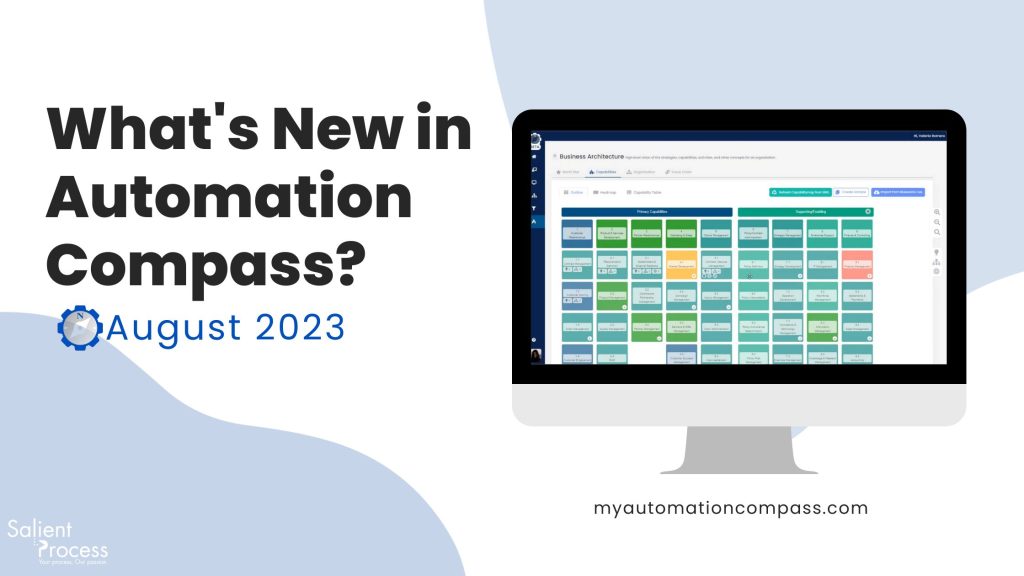
Welcome to the August edition of our Automation Compass release notes! We’re thrilled to unveil the latest version of Automation Compass, your steadfast partner for business process optimization. In this release, we’ve packed a treasure trove of new features, enhancements, and bug fixes to elevate your experience and empower your automation journey. Dive into the details, and if you’d like to stay updated with our latest releases, don’t forget to Subscribe to Our Newsletter
Bid farewell to data loss! With our latest update, any modifications you make to your BWL (Blueworks Live) capability map will trigger a seamless update in Automation Compass without compromising your data. Whether you’re introducing new capabilities, reorganizing them, or even removing some within BWL, rest assured that all your processes, opportunities, goals, and associated details in Automation Compass will remain fully preserved.
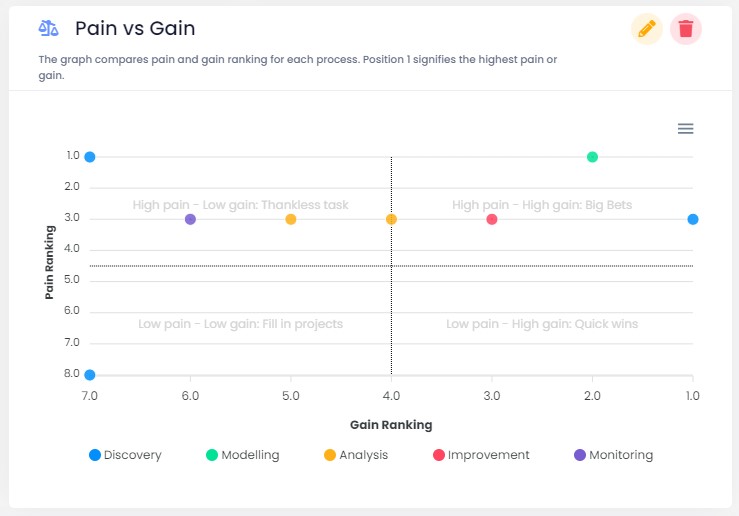
2. Prioritize Processes by Pain vs. Gain
Make well-informed decisions! We’ve seamlessly integrated the Pain vs. Gain assessment into the process stage. This empowers you to prioritize process models based on both pain points and potential benefits aligned with their respective stages. Now, it’s simpler than ever to identify the processes that warrant improvement next.
⭐Improvements
Improved Implementation Monitoring: Achieve real-time accuracy! Our monitoring tool has been revamped to follow a calendar date structure. When calculating planned vs. actual benefits, it now considers any deviations up to the current date, guaranteeing you access to real-time insights into your improvement progress.
Auto-Populate Process Details from BWL: Save Time on Data Entry! Streamline your workflow! When importing processes from BWL, Automation Compass will automatically populate your process details with business owner information, system details, and descriptions. Experience peak efficiency!
Customize Capability Analysis: Personalize your view! You now have the option to toggle the visibility of information icons within capabilities for processes, opportunities, and goals. Concentrate on what holds the most significance in your capability analysis.
Select Your Starting Page: Tailor Automation Compass to your liking! You can now choose your preferred starting page from a user-friendly dropdown menu in the settings. Personalize your experience to align with your requirements.
🔧Bug Fixes
Simplified Process Linking: Linking processes from opportunities is now a breeze! Just click on the process name you want to link, and it’s done. We’ve also disabled the editing of processes from opportunities to prevent any issues. Manage your processes directly from the process page for smoother workflow.
Dashboard Name Editing: No more hiccups! We’ve fixed the bug that was causing issues when changing widgets’ names on the dashboard. Your dashboard experience is now seamless.
Zoom In/Zoom Out of Processes: We’ve addressed bugs related to zooming in and out of processes, ensuring a smoother navigation experience.
🔜Coming Soon
Streamline Process Importing: Lucichart and IBM Process Mining Integration:Get ready for some exciting integrations! In our next release, you’ll gain the ability to seamlessly import processes directly from Lucichart and IBM Process Mining, significantly expanding your process mapping capabilities.
Enhanced Process Modeling: Introducing BMPN.io Integration: Stay tuned for a forthcoming feature that empowers you to directly modify process models within Automation Compass through our new BMPN.io integration. We’re dedicated to making your transformation journey smoother and more powerful than ever before.
Request a Free Trial With Automation Compass Today
We appreciate your involvement in the Automation Compass journey. Our dedication lies in consistently enriching your experience and delivering value to your organization. Stay tuned for these thrilling updates as we jointly navigate the path to success!
If you’re interested in learning more, you can request a free trial or a demo from an expert advisor. You can book a meeting here if you’re eager to get started. Don’t miss out on this opportunity. Inquire for more information today.