
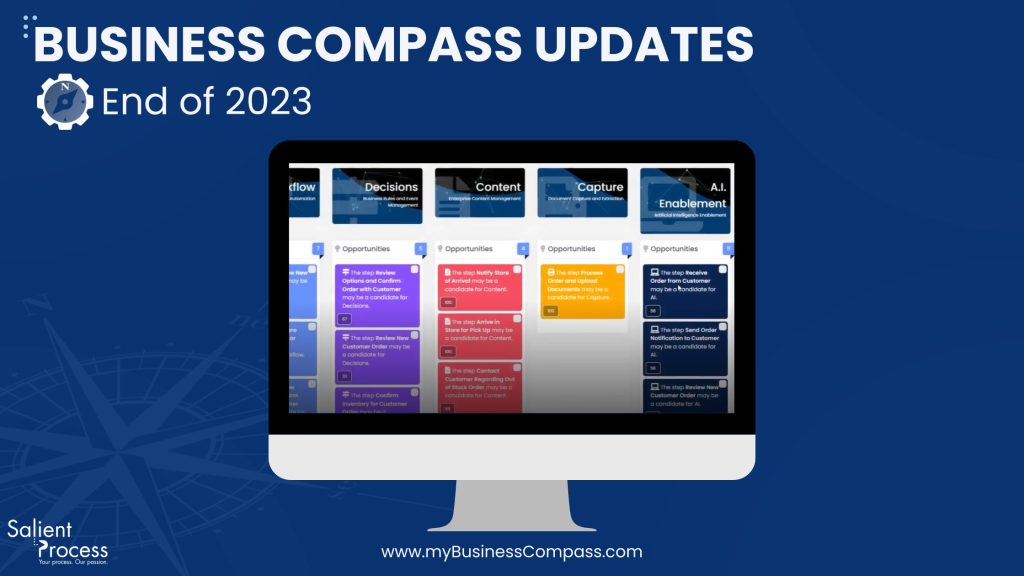
Welcome to the end of 2023 release notes!

Don’t forget to Subscribe to Our Newsletter

🚀New Features

Import Process Taxonomy from Blueworks Live (BWL)

The import feature has now extended its capabilities. You can now import process taxonomy from IBM Blueworks Live (BWL) and observe the inclusion of associated processes. Linked systems, stakeholders, and automatic updates enhance your Business Compass experience.

Enhance Simulation Accuracy with Timer Intermediate Event ⏲️

Introducing the Timer Intermediate Event, a robust addition to our simulation feature. Now, you have the ability to seamlessly model mandatory wait periods. Utilize this feature to pause activities for specified durations, ensuring an accurate representation of your processes.

How to use it:

  • Add the Timer Intermediate Event through the BPMN editor.
  • Define wait time, cost, and other parameters in the simulation settings.
  • Witness precise simulations that account for mandatory pauses between activities.


Tracking Simulation by ID 🆔

Precision is crucial for insightful simulations. Our tracking enhancement now enables activities to be tracked by a unique Activity ID, reducing ambiguity and ensuring accurate simulation results.

How to use it:

  • Each activity now has a unique Activity ID for meticulous tracking.
  • Modify activity names without affecting the simulation results.
  • Enjoy clear and precise simulation reports and visualizations.

Discovery of AI Opportunities in Your Process 🧠

In the realm of Discovery Automation, we introduce the “AI Technology” column. This feature seamlessly integrates AI capabilities into the discovery map, enabling you to identify processes ripe for AI enhancement.

How to use it:

  • Select the process you want to discover automation for and navigate to “Action” and then to “Discover Automation.”
  • Explore the new “AI Technology” column on the right to identify activities that may benefit from AI enhancement.

⭐Improvements

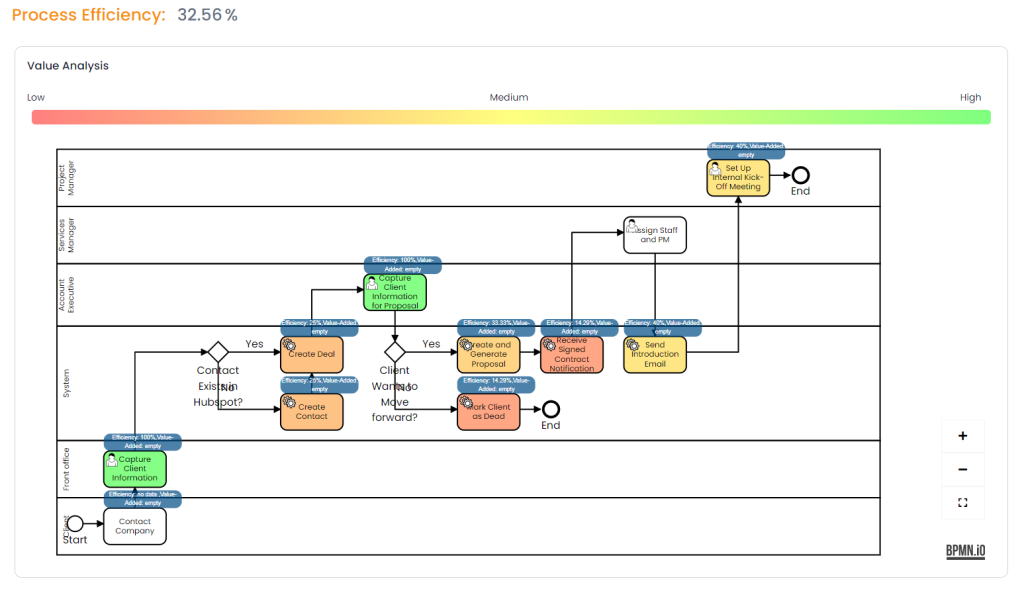
Process Efficiency Visualization 📊

As a process owner, you now have the ability to visualize efficiency percentages for each activity within your process. This enhancement empowers informed decision-making regarding activities that require optimization attention.

How to use it:

  • Navigate to the process you want to review and access the Efficiency tab.
  • On top of each activity, locate the label displaying the efficiency percentage.
  • Efficiency is calculated using work time and cycle time information: Efficiency (%) = (Work Time / Cycle Time) * 100.
  • The efficiency calculation takes into account the value-added or non-value-added status, where non-value-adding activities assume 0% efficiency.
  • If any activity lacks cycle time information, it will be displayed as blank and won’t impact the efficiency calculation.

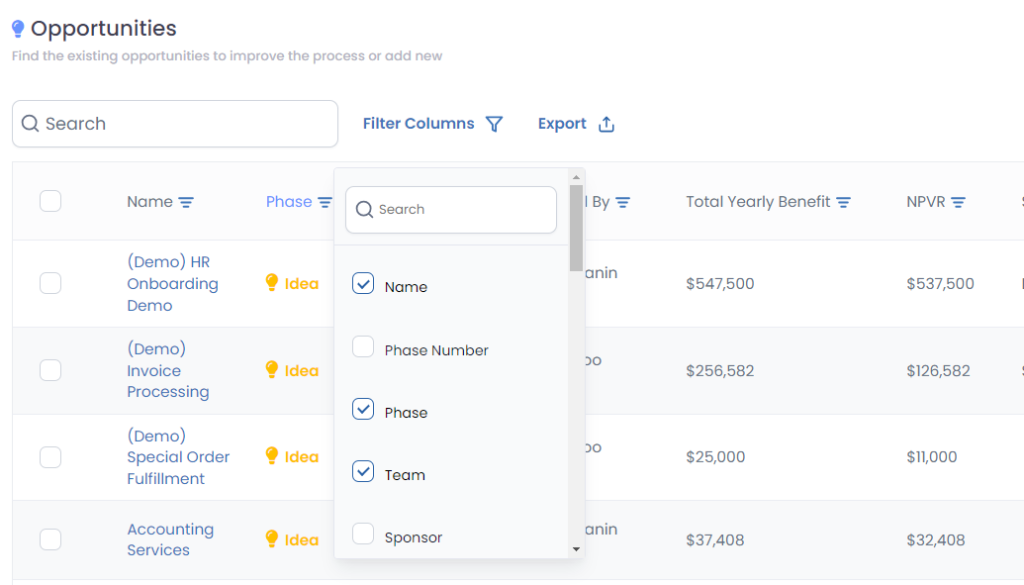
Enhancing User-Friendly Table Customization 🛠️

Improve your user experience with a more user-friendly and theme-aligned column selection modal for customizing table displays.

How to use it:

  • Navigate to any table and click on “Filter Columns.”
  • Easily customize table views by selecting/deselecting columns using associated checkboxes.
  • Utilize a convenient search bar to effortlessly locate specific columns, with dynamic updates as you type.

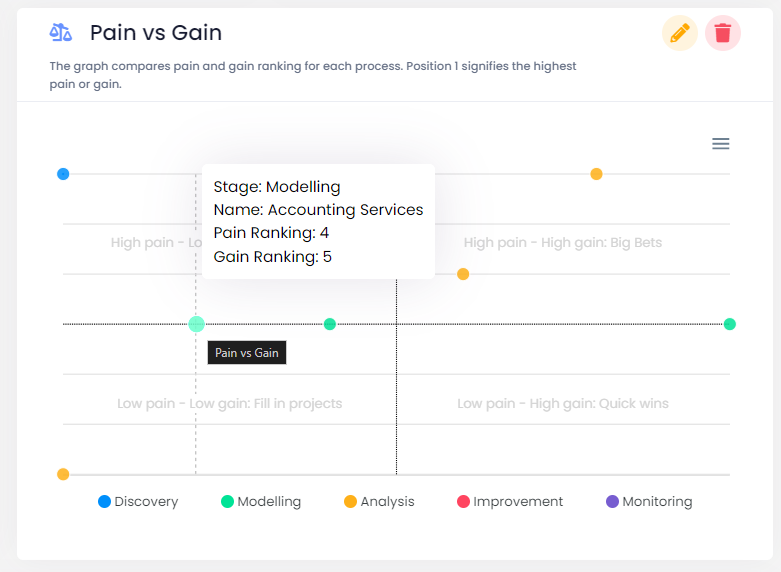
Streamlined Pain v.s. Gain Diagram

Simplify the Pain v.s. Gain diagram by removing the scale from the axis, providing a cleaner and more intuitive visual representation.

How to use it:

  • Navigate to a dashboard and add the Pain v.s. Gain widget.
  • The quadrant name will help you understand the position of each process without the need for an axis scale.

Enhanced FAQ

Revamp the Frequently Asked Questions (FAQ) section to encompass various updates, providing extensive support to users. Beyond BWL account linking, find answers to all your inquiries in one centralized location.

How to use it:

  • Locate the question mark icon in the sidebar for quick access.
  • Navigate to the FAQ section within the help modal.
  • Explore a wealth of updated information covering multiple aspects of the product.


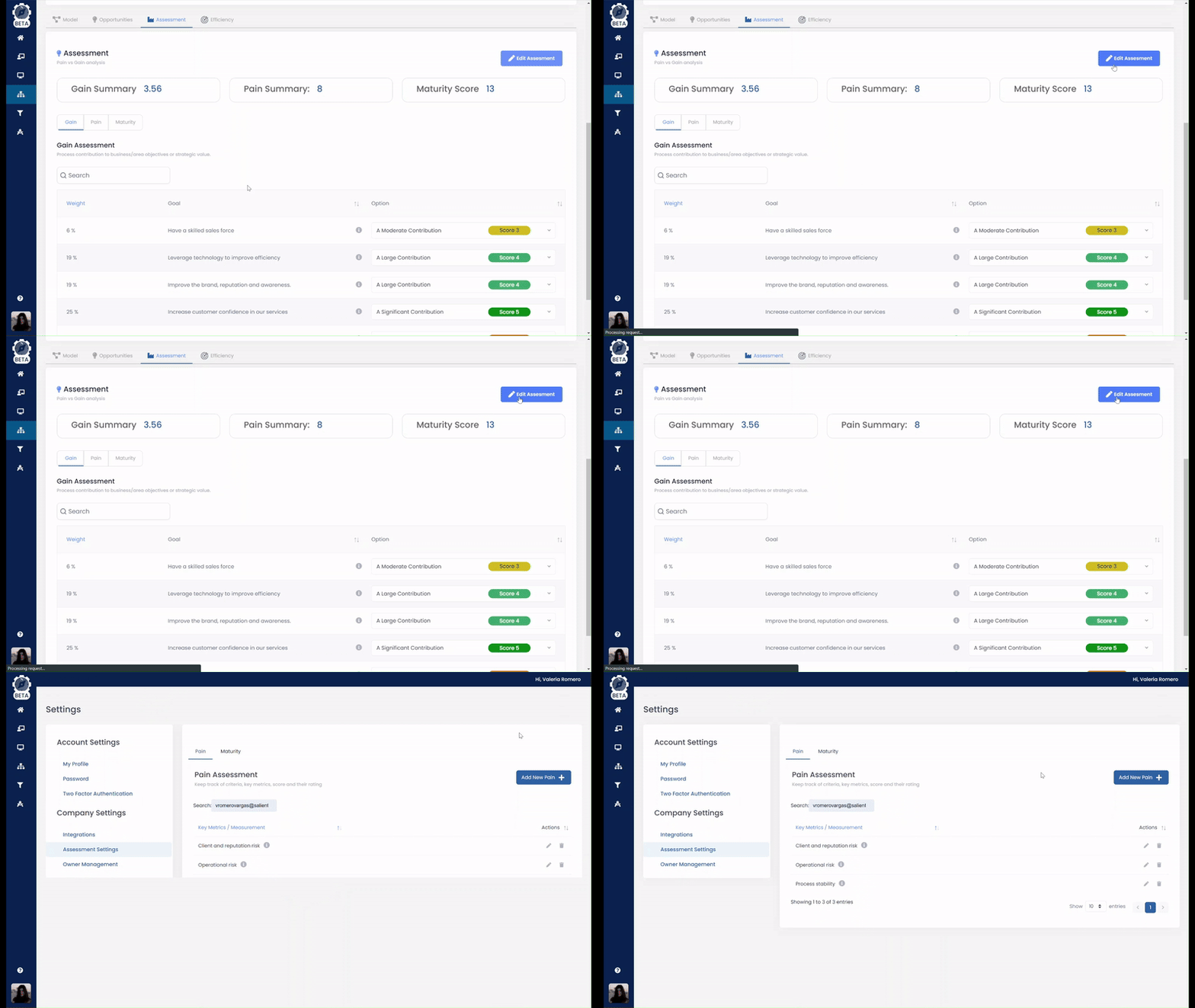
Streamlined Pain Assessment Editing

Improve the pain assessment editing process for a more intuitive and direct user experience. No more unnecessary redirects; seamlessly transition to pain assessment settings for efficient editing.

How to use it:

  • Click “Edit Assessment” to be automatically redirected to the specific pain assessment settings page.
  • Edit assessment details directly on the settings page, eliminating unnecessary steps.

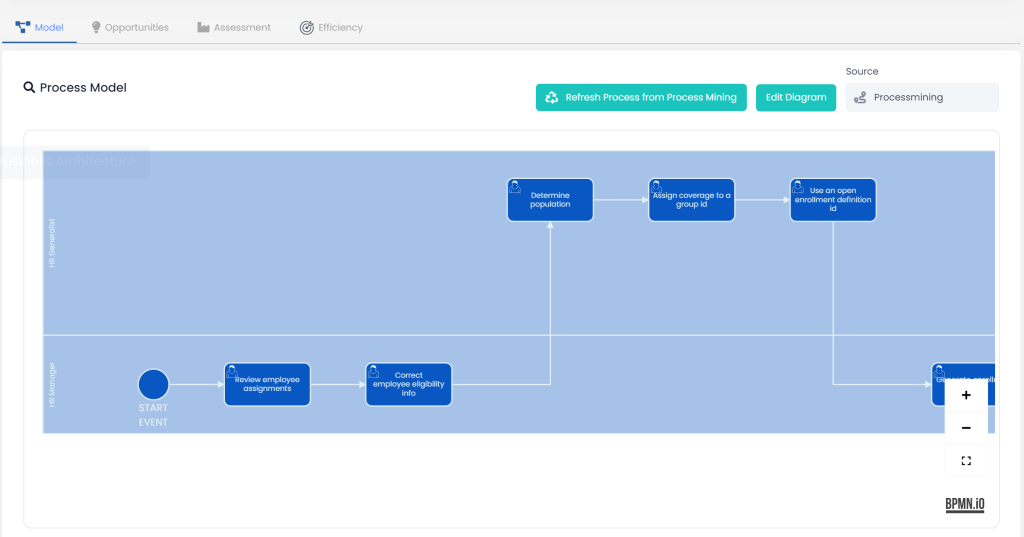
On-Demand Process Refresh

Empower users with the ability to manually refresh processes imported from process mining. A dedicated button ensures you always have access to the latest process versions, keeping your information up to date.

How to use it:

  • In the model section of the process, locate the new “Refresh from Process Mining” button.
  • Click the button to trigger the update process.

BPMN Modeler Enhancements 🔄

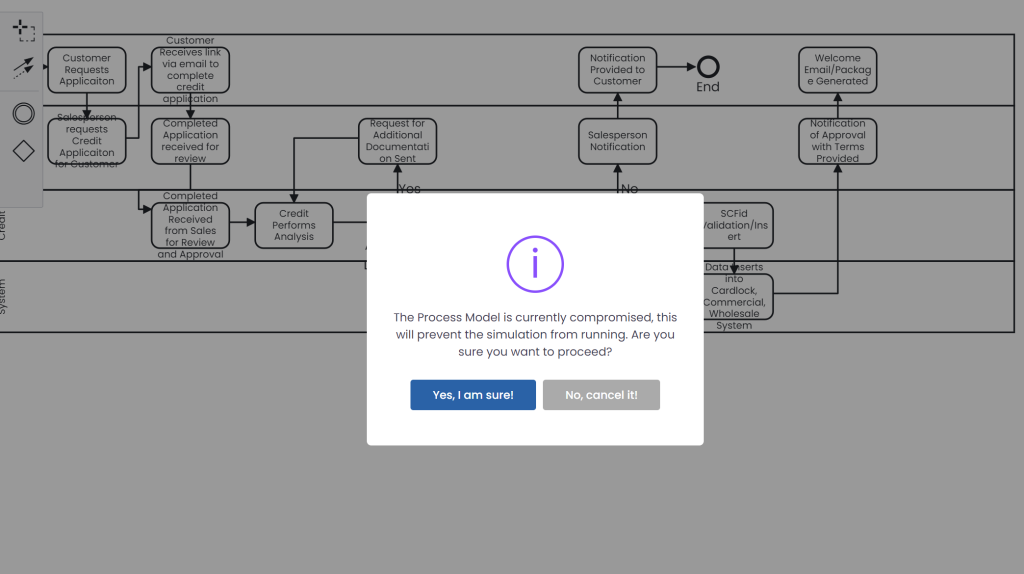
At Business Compass, we recognize that your creative process is an ongoing masterpiece, ever-evolving and dynamic. Our BPMN Modeler enhancement allows you to save and work on your models even before they reach perfection. We understand that not every stroke is final, and not every note is polished, but your work deserves to be captured and saved.
🔧🐞Bug Fixes

Sort By Phase Bug (Resolved)

  • Addressed an issue on the opportunity table where sorting by phase was not functioning as expected. Users can now effectively sort opportunities based on their respective phases

Change Process Mining Integration to Account Level (Resolved)

  • Resolved an integration issue related to Process Mining. Previously, changing the account type did not affect the integration status, allowing unintended imports. The integration now adheres to the account type, ensuring proper functionality.

Error Adding New Maturity (Resolved)

  • Fixed a bug that caused an error when adding a new maturity in the assessment settings. Users can now seamlessly add new maturities without encountering loading issues.

Simulation Enhancements:

  • Compare Scenarios Bug (Resolved): Resolved an issue with the Compare Scenarios functionality, ensuring accurate and reliable results when comparing different simulation scenarios.
  • End Activity Allows Add Details (Resolved): Fixed a bug where the end activity allowed adding details. The simulation now correctly handles end activity specifications.
  • Scenario Step Details Reflection (Resolved): Fixed an issue where scenario step details for all scenarios were erroneously reflected in the first scenario added by the user in the Compare Scenarios table.
  • Name Scenarios in Results (Completed): Implemented the addition of scenario names on top of the heatmaps in the simulation results, providing users with clearer insights.
  • Incorrect Data in Compare Scenarios Table (Resolved): Addressed a bug where the data in the Compare Scenarios table was incorrect. The table now accurately represents simulation results.
  • Change Color (Completed): Updated the color scheme in the Queues tab on the simulation results page. Text numbers are now visible, improving readability.
  • Newly Added Scenario Reflection (Resolved): Fixed an issue where a newly added scenario was not reflected in the Compare Scenarios table. The table now updates correctly.
  • Unable to Edit Step Details (Resolved): Resolved a bug preventing users from editing step details from the activities table. Users can now efficiently edit step details as needed.
  • Select/Deselect All Activities Button (Resolved): Fixed an issue where the Select/Deselect All Activities button was not working as expected. The button now functions correctly for streamlined user interaction.
  • Missing Seconds as Units (Resolved): Addressed a bug where seconds were unavailable as units for each step. The simulation now includes seconds as a unit option.

🔜Coming Soon

Exciting developments lie ahead for Business Compass! Here’s a glimpse of what’s in store:

  • Efficiency Simulation: Unleash the power to view and analyze the efficiency of your simulated processes in our model heatmaps. Whether it’s the as-is or to-be scenario, you’ll have efficiency labels, vibrant colors denoting different efficiency ranges, and a visual feast of insights. It’s time to elevate your efficiency game and make data analysis enchanting!
  • Capability Harmony: Enhances the capability details management system to automatically scale up details created within a child’s capability to the parent’s capability. This ensures a synchronized representation of entities across different capability levels.

Thank You for Choosing Business Compass! 🌐
We appreciate your commitment to improving business processes with Business Compass. Your
feedback is invaluable as we continue to evolve and enhance our platform. Stay tuned for more
exciting updates in the next release! 🚀

RELATED CONTENT


More on Digital Business Automation

Continuous Improvement as a Lifelong Learning Journey Ft. Joe LaCount


Watch Episode 30 now!

Follow along with the episode now!

Guest: Joe LaCount, Global Operations Corporate Continuous Improvement Leader at Cargill


Introduction and Background


  Joe’s Background: 

 Manufacturing Roots: Joe’s expertise originates from the shop floor, immersed in Six Sigma activities within manufacturing.

  Holistic Approach: Beyond manufacturing, he extends continuous improvement practices to departments like HR and finance, showcasing a comprehensive approach.

  Educational Role: Joe teaches yellow belt, green belt, and black belt individuals, imparting lessons on holistic process improvement.


Embracing Lifelong Learning 

Throughout the discussion, Joe emphasizes the importance of lifelong learning. He encourages being open to new ideas and perspectives, acknowledging that even seasoned professionals can continue to learn and adapt. This mindset contributes to a culture of continuous improvement within an organization.

Variation and Optionality in Processes

The discussion moves to challenges in processes, specifically addressing variation and optionality. Joe advocates for standard measures and processes where needed, cautioning against assumptions of standardization and emphasizing the significance of understanding and addressing process nuances.

Emphasizing the power of visualization, he discusses how process mapping platforms and process mining platforms have transformed the approach to continuous improvement, making end-to-end processes clearer.

Empowering a Large Workforce

Joe vision involves empowering a vast workforce of 160,000 problem solvers within Cargill. He believes in leveraging the collective intelligence of all employees to identify opportunities and solve problems, moving away from relying solely on a select group of trained professionals.

Agile and Minimum Viable Solutions

The Agile methodology and the concept of Minimum Viable Solutions (MVS) are discussed as practical approaches in continuous improvement. Joe encourages for test-driving solutions and adopting an MVS mindset to quickly gather feedback. This aligns with the idea of involving operators early on and learning from their insights.

Continuous Improvement Beyond Operations

The conversation expands beyond manufacturing floors, exploring continuous improvement in various departments such as HR, finance, and marketing. Joe mentions upcoming Kaizen sessions with HR, reflecting a holistic approach to improvement across different functions within the organization.

Joe provides a specific example of a Kaizen session focused on HR and onboarding processes. The goal is to become an “employer of choice” by improving processes from the interview stage through the first nine months. Mapping processes, understanding variations, and ensuring a positive employee experience are key components.

Data-Driven Decision Making

Technology, especially data-driven tools, plays a crucial role in decision-making. Joe discusses the use of data to facilitate meaningful conversations, performance dialogues, and identify areas for improvement. The emphasis is on leveraging information as lifeblood for continuous improvement efforts.

He discusses how people often have a limited view of their processes and emphasizes the value of mapping out end-to-end processes. Visualization tools help reveal the intricacies and dependencies. Joe shares insights into the transformative power of process mapping platforms, allowing teams to see beyond their immediate tasks. This visualization aids in understanding the entire workflow, uncovering inefficiencies, and fostering collaboration.

Referring to the past practice of “horror rooms” with process maps, he highlights how simple visual displays can lead to aha moments, revealing aspects of the process that were previously overlooked. Joe sees significant opportunities for process mining in transactional areas like IT, HR, and finance. The ability to visualize and analyze these processes helps identify variations, streamline workflows, and improve overall efficiency.

Global Challenges and Solutions

Challenges faced by a global organization, including diverse accounting systems and business units, are addressed. The conversation revolves around effective communication and collaboration across functional silos, aiming to address challenges beyond just operations and manufacturing.

Future Trends in Continuous Improvement

While not explicitly stated, the conversation implies that future trends in continuous improvement involve a blend of traditional methodologies, technology adoption, and a people-centric approach. Joe’s insights suggest a dynamic and evolving landscape for continuous improvement practices.

Conclusion and Key Takeaways

Summarizing the discussion, the key takeaways include embracing lifelong learning, addressing process challenges, empowering a large workforce, adopting Agile and MVS approaches, expanding continuous improvement to various departments, leveraging data-driven decision-making, addressing global challenges, focusing on employee-centric onboarding, and anticipating future trends in continuous improvement.

Watch Episode 29 Now 

Want to be on the show? Let Us Know

If you have a topic idea, contact us today. We want our podcast to answer your questions, and if you have something that you want to hear, we would love to know. In addition, you can ask questions and get in touch with our Salient Process team.

Why Salient

At Salient Process, we understand the importance of comprehensive digital transformation. We work closely with each client and use a North Star methodology to align your procedures with overall business goals. Our expert team works hard to understand your unique needs, making a customized plan for success. With our Digital Business Automation solutions, you can move closer to your digital transformation goals.

Subscribe now

👉Subscribe to Bots & Thoughts: The Digital Business Automation Podcast 

👉Subscribe to our Spotify Here

👉Subscribe to our Apple Podcast

👉Subscribe to our Google Podcast Here


⏩Subscribe to Salient’s Monthly Newsletter Here 

🎤Be our next guest! Sign up Here

📲Contact our Podcast Host Here 


Follow Us

  ⏩LinkedIn

👉 Follow Bots & Thoughts on Here

👉 Follow Salient Process Here

👉 Follow our Podcast Host Here

  ⏩Youtube 

  ⏩Twitter 

🌐Learn more at Salient Process


RELATED CONTENT

the future of business automation in 2024

Automation technology such as aritificial intelligence (AI), machine learning (ML), and robotic process automation (RPA) help free humans of mundane tasks so they can focus on more valuable ones. Innovative solutions can help you optimize various processes, and Digital Business Automation technology uses AI-driven process discovery to determine the most beneficial areas to automate.

With the right Digital Business Automation solution, you can set your company up for continual growth and improvement. Reflecting on the previous year’s Digital Business Automation trends and looking forward to the future of Digital Business Automation in 2024 can help you discover its benefits and how you can use it to boost your company’s success.

The Outlook of Technology in 2024

Approximately 70% of organizations are predicted to apply structured automation to their processes by 2025, making it necessary to keep up with the competition and remain relevant to target audiences. Gartner predicts that organizations will reduce operational expenses by 30% by 2024 after combining redesigned operational processes and Digital Business Automation technology.

In the first half of 2023, many companies were wrapping up past initiatives and stabilizing their existing systems and programs. This trend shifted in the second half of 2023 as organizations started to invest more time and money in modernizing, abating technical debt, and upgrading.

Digital Business Automation gives organizations the foundation and tools to learn and grow with the changing technological advancements in various industries.

Things We Saw in 2023 

In 2023, we saw Digital Business Automation significantly transform the workforce, increasing various organizations’ long-term success. Employees, supervisors, managers, and teams in various industries and departments discovered how much Digital Business Automation can help boost productivity by streamlining repetitive tasks. Implementing it resulted in reinvigorated teams and more satisfied employees.

Reflect on the following trends that boosted Digital Business Automation’s popularity in 2023 to understand how it will continue growing in 2024:

Efficiency and Time Management With Greater Access to RPA

As Digital Business Automation’s popularity grew, more individuals realized how well it complements employee capabilities and optimizes time management. With greater access to robotic process automation, organizations could leave their monotonous digital tasks to AI and spend more time on higher-value, productive work.

There were few major feature rollouts and minimal product changes from the top RPA vendors in 2023. RPA projects remained at a healthy run rate, indicating that RPA will continue to be a viable answer to automation in various patterns and processes. Additionally, RPA licensing continues to request cloud subscriptions for automation capacity in general rather than relying on the individual mechanics of bot workers and development seats.

More Use of Low-Code, No-Code Tools

Low-code, no-code tools’ popularity also rose in 2023 as they enabled companies to automate their systems with little to no technical expertise. This advancement helped more companies without the means to hire an expert technical team remain competitive in their field.

Sustainable Automation

As companies automate more processes, predicting impact and outcomes can be challenging. However, organizations can scale automation with well-planned strategies. Understanding how to adopt automation tools effectively became a priority, which Digital Business Automation made possible.

In 2023, more organizations began using tools such as assessment frameworks and process discovery systems to make informed decisions and implement automation successfully. Intelligent document processing and augmented analytics optimized data-driven automation and provided accurate insights organizations could use to streamline processes and increase operational efficiency.

Data Security

Working with sensitive information and implementing automated processes required companies to improve their security measures. Data security advanced in 2023 with greater monitoring, threat identification, and mitigation. Organizations took advantage of advanced security measures to protect their data and privacy with the following solutions:

  • More secure access controls
  • Advanced encryption
  • Real-time automation system monitoring
  • Predictive analytics
  • AI-driven anomaly detection

Lending Regulations in Banking and Finance

Updated in 2023, new lending regulations around the Community Reinvestment Act have required process reviews by banks of all sizes. In particular, mid-size and larger banks are served well by a thorough review of lending processes and procedures for impact and changes needed going forward.

Insurance

Insurance providers began making drastic changes in 2023 as extreme weather events caused significant commercial and residential financial losses and accumulated large claims. Many insurance agencies began pausing their policy issuing or raising their premiums. Because of these changes, impact analysis and scenario planning are more important than ever before.

The Future of Business Automation in 2024

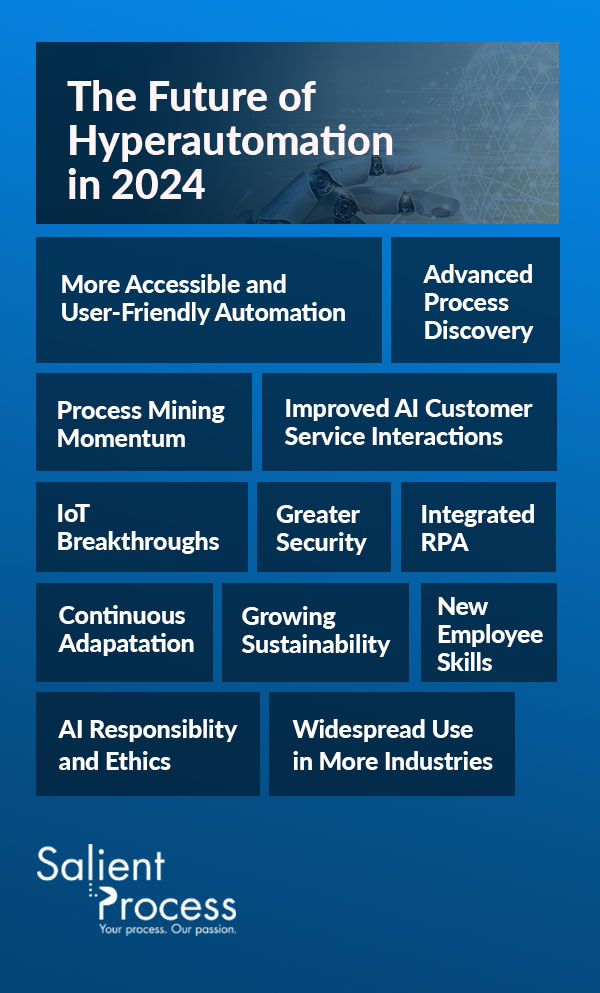
Through 2024, we can expect 2023 Digital Business Automation trends to grow and expand alongside new trends. Overall, you can expect automation interfaces to become more user-friendly and data analysis to provide more accurate insights.

Digital Business Automation will become popular in more industries as its capabilities expand, offering more end-to-end solutions for tasks such as customer service, equipment management, machine maintenance, process monitoring, and risk mitigation. Discover the following ways we expect Digital Business Automation will grow in 2024:

More Accessible and User-Friendly Automation

Automation is becoming more available and user-friendly, which enables more people in various departments to access it. This year will bring forth an increase in the automation democratization trend that has grown since last year.

As organizations notice their employees require the appropriate resources to implement and maintain automation solutions, they will adopt more user-friendly platforms. User-friendly Digital Business Automation systems require minimal to no programming, and they allow individuals who lack coding skills to develop and implement automated processes.

This trend allows for faster automation and facilitates creativity and productivity. With user-friendly platforms, employees can solve problems and bring their ideas to life with fewer IT requests.

Advanced Process Discovery

AI advancements will improve process discovery in 2024. As machine learning algorithms progress, they can better identify and understand how organizations perform specific tasks and processes. As a result, companies can pinpoint redundancies and determine the most beneficial ways to implement automation.

In the past, process mapping was primarily manual, making it a laborious task. AI-driven process mapping provides automatic insights that tell companies where they should focus their automation efforts to achieve the greatest results and save the most time. It also helps organizations expand. AI-driven process mapping grows with companies, helping them continuously adapt to changing business demands.

Process Mining Momentum

While automated process mapping helps companies analyze processes, process mining uses data-driven analysis to provide deeper insights into real-time execution. Process mining continues to gain momentum in the Digital Business Automation framework, which opens a novel variety of process improvement ideas for all industries.

The fourth quarter of 2023 was full of corporate planning and long-term strategic objective discussions, and patterns of interest such as finance, procurement, and customer service remain strong going into 2024.

Improved AI Customer Service Interactions

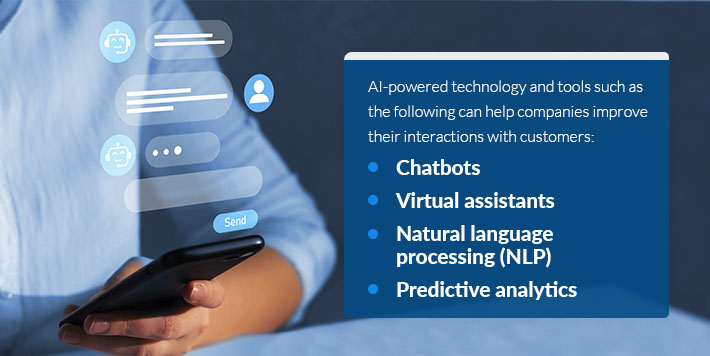
Companies can enhance their AI-driven customer service interactions in 2024. The better a customer’s experience is with a company, the more likely they are to return and recommend its products or services to others. AI-powered technology and tools such as the following can help companies improve their interactions with customers:

ai-powered technology
  • Chatbots: AI-powered chatbots can manage common customer inquiries, hasten response times, and allow customers to receive 24/7 support. Chatbots also lighten customer service representatives’ workloads, giving them more time to work on higher-value tasks.
  • Virtual assistants: Virtual assistants are more complex versions of chatbots, and they can perform more advanced tasks such as processing transactions or handling financial account-related queries. Digital Business Automation can help a business determine the best ways to integrate virtual assistants into its framework and processes.
  • Natural language processing (NLP): NLP improves chatbot and customer interactions by helping chatbots understand customer needs and inquiries clearly. Chatbots can use NLP to comprehend client questions and statements and provide contextually appropriate responses.
  • Predictive analytics: Predictive analytics become more intuitive, helping organizations anticipate client needs accurately. With this technology, companies can keep their customers happy, increase customer loyalty, and boost client retention.

IoT Breakthroughs

Various industries will be able to enhance their operations as Digital Business Automation integrates with the Internet of Things (IoT). IoT uses connectivity and sensors to produce data, and Digital Business Automation uses the generated data to streamline processes and procedures.

With this technology, companies can reduce human intervention, boost operational efficiency, and lower expenses. Some examples of what IoT and Digital Business Automation can do together include:

  • Connect multiple devices and machines
  • Manage manufacturing operations automatically and adjust to shifting demand
  • Manage inventory to prevent overstocking and stockouts
  • Collect real-time machine performance data
  • Predict equipment maintenance needs
  • Automate maintenance procedures
  • Monitor soil in agricultural applications
  • Automate irrigation and fertilizer adjustments in agricultural applications
  • Monitor energy usage
  • Track motorist behavior for automobile insurance safe driving discounts

Greater Security

As cyber threats advance, so do cybersecurity solutions and the demand for these solutions. Digital Business Automation uses ML and AI technology to identify and combat risks rapidly and effectively, addressing potential threats automatically. AI-powered automated cybersecurity finds signs of potential security threats and blocks suspicious activity by analyzing data such as network traffic, system logs, and user behavior.

Digital Business Automation can also isolate infected systems or devices, protecting other devices from security threats. With improved automation, companies can reduce the time they spend finding and defending their systems against risks. It enables organizations to assess their cyber vulnerabilities, safeguard data, and enforce security policies despite the cybersecurity personnel shortage.

Integrated RPA

Robotic process automation became more widespread in 2023, and more organizations will continue using it but with more integration. Digital Business Automation will increasingly help companies streamline their processes and automate their end-to-end systems.

While one-off automation systems may have been the norm in past years, more businesses are seeking ways to integrate their automation solutions and increase efficiency. Connecting end-to-end processes is possible due to the increase in low-code systems, IoT growth, and advanced RPA technology, and it can significantly increase efficiency.

Continuous Adaptation

Digital Business Automation helps organizations adapt to market changes and stay competitive. In 2024, there will be a boost in Digital Business Automation’s ongoing adaptation and learning as its algorithms respond in real-time to data analysis and performance evaluations.

AI- and ML-powered algorithms will monitor processes continuously to identify areas for improvement, and they will modify procedures to increase accuracy and efficiency while optimizing resource allocation. You can depend on Digital Business Automation to grow with your company, helping you stay ahead of the competition.

Growing Sustainability

Adopting Digital Business Automation in a sustainable manner was a trend in 2023, but we predict this trend will grow even more in the upcoming year. Sustainable Digital Business Automation can help companies promote and implement eco-friendly practices by optimizing their processes. Advanced automation systems use energy-efficient hardware and implement algorithms that help organizations consume the least energy possible. 

AI Responsibility and Ethics

Digital Business Automation has grown significantly in the past few years, increasing the demand for responsible implementation. As governance frameworks and ethical factors become more important, responsible AI helps organizations use AI in socially responsible and ethical ways. 

This growing focus on responsible use helps ensure companies’ AI systems operate in ways that are fair to employees and customers. As organizations employ automation, they will need to ensure their processes are auditable, transparent, and in compliance with regulations.

New Employee Skills

Employees will require new skills to effectively integrate Digital Business Automation into their workflows. In 2024, organizations will need to dedicate time to training their employees so their teams understand how to work with Digital Business Automation systems and optimize them for the greatest efficiency and productivity. As employees learn new skills and grow with Digital Business Automation processes, they can increase productivity and contribute more new ideas to the company.

Widespread Use in More Industries

Digital Business Automation has been popular in industries such as manufacturing, finance, and telecommunications, but it will continue expanding in these industries and extend into more industries in the next year. You can expect to see the following industries adopt more Digital Business Automation solutions in 2024:

1. Healthcare

automated medical procedures

Digital Business Automation is quickly enhancing the healthcare industry by boosting quality, efficiency, and treatment time. Automated medical procedures transform patient care with innovations such as telesurgery and robotic-assisted surgery. This type of technology can help reduce surgical errors and improve outcomes. It also allows surgeons to perform surgery remotely, and it enables doctors to spend more time on patient care apart from surgery.

2. Government and Defense

Defense industries and the government, including the public sector, will increasingly implement Digital Business Automation in 2024. These industries prioritize compliance, which can be challenging due to the extensive rules and regulations they must adhere to. Digital Business Automation simplifies compliance by automating checks and balances frequently, helping teams complete jobs efficiently while remaining aware of important considerations and areas they need to adjust.

3. Retail

Consumer goods and retail industries can use Digital Business Automation for various purposes, such as:

  • Managing inventory more effectively with improved, automated decision-making
  • Tracking and reporting sales trends accurately
  • Moving products to picking lines efficiently using robots
  • Autonomously fulfilling orders

4. Manufacturing

The industrial sector and manufacturing industry’s use of Digital Business Automation will expand in 2024 to further improve quality control and automated task monitoring. RPA technology can automate product inspection processes, reducing human inspection errors and ensuring products meet standards before customers receive them.

Companies can combine RPA with sensors or machine-vision cameras to automate equipment and task monitoring. This technology reduces the need for employees to manually monitor machines because it activates alarms when a piece of equipment malfunctions or a glitch compromises an automated task.

The Importance of Learning and Adapting in a Growing Technological Atmosphere

Learning, adapting, and innovating are essential to remaining relevant as technology advances. AI, ML, and RPA technology introduce incredible solutions that move companies forward, helping them increase efficiency, reduce expenses, and improve customer experiences. Over the past few years, some companies have relied on Digital Business Automation to survive, and others have used it to expand and grow.

Keeping up with a rapidly changing environment may seem challenging, but Digital Business Automation is an excellent solution that can make the process seamless. With Digital Business Automation, you can compete with other organizations in your industry, maintain and grow customer loyalty, and complete more tasks in less time.

Why Salient Process?

Scale your organization’s automation with Salient Process’s Digital Business Automation solution. Also referred to as DigitalOps Toolbox, Digital Business Automation Capabilities provides the tools you need to optimize your automated processes for the greatest efficiency. This solution offers the following tools and systems:

  • Machine learning
  • Artificial intelligence
  • Low-code application platforms
  • Process discovery and mining
  • Intelligent business process management suite
  • Integration platform as a service
  • Business rules engine
  • Robotic process automation
  • Document management and ingestion
  • Conversational artificial intelligence

Salient’s Digital Business Automation solution helps you determine the best automation approach for your company based on the work you do. With our solutions and tools, you can avoid mistakes and augment your automation process effectively and efficiently.

improve your operations with hyperautomation

Improve Your Operations With Digital Business Automation From Salient Process

Automation is leading the way in nearly every industry, moving organizations forward and giving them more time and resources to spend on high-value tasks. At Salient Process, our Digital Business Automation Capabilities help your company learn, grow, adapt, maintain a competitive edge, and thrive in today’s market.

Contact us to learn more about our solutions and how we can help your company use technology efficiently and sustainably.

How to automate and grow your business

Many businesses and organizations are using automation in the workplace. These processes can take over time-consuming tasks and improve everyday business operations.

Automation empowers business leaders to identify inefficiencies and create more robust methods for team members to work more efficiently. Leveraging these strategies can enhance customer and employee experiences, aiding business growth. 

Keep reading to discover how you can leverage automation to streamline processes, minimize errors, boost the customer experience, and more.

How Automation Can Help Your Business

Workflow automation can make time-consuming tasks, such as progress tracking or data entry, much simpler and quicker. These processes can minimize errors and save time so your team can dedicate their efforts toward more meaningful actions.

Benefits of automation for businesses

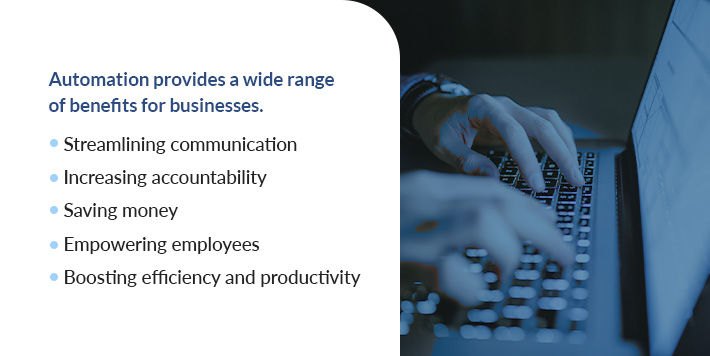
Automation provides a wide range of benefits for businesses.

  • Streamlining communication: Automation can improve communication among your team by providing a central system for sharing data and tracking tasks. Automated alerts lessen the need for team members to remind others to complete tasks, empowering them to engage in more meaningful conversations and reducing workplace stress.
  • Increasing accountability: Automating your workflow allows you to assign responsibilities to specific team members. This process can reduce the likelihood of manual errors and empower managers to verify accuracy while identifying weak spots or process inefficiencies.
  • Saving money: Automation in business can provide your company with cost savings. These processes save money by eliminating costly errors, allowing employees to complete tasks more efficiently, and reallocating administrative labor by automatically completing repetitive tasks.
  • Empowering employees: Reducing time-consuming work for your team can empower them to manage time more effectively and complete more intense tasks. Additionally, your managers will no longer need to oversee every step in the process, allowing your team to feel more independent and efficient.
  • Boosting efficiency and productivity: Embracing automated tools provides more time for team members to deepen relationships, learn new skills, and take on more challenging projects. These processes also boost the employee experience.

How to Automate Your Business Processes

There are many ways to utilize automation to your advantage. Your business goals and needs will impact which processes will be most beneficial for your team. Automated businesses can leverage various tools to improve workflow and enhance the customer experience.

1. Automated Email Campaigns

Email automation

Email automation is one of the most accessible forms of automation for businesses. This type of automation allows you to establish a set of rules, permitting you to send specific emails at precise times. Email automation opens gateways for new opportunities for customer interaction by cutting through competition and speaking directly to potential customers.

You can accomplish a variety of tasks using this strategy, such as:

  • Delivering content or information 
  • Sending confirmations for signups
  • Reminding users of empty or abandoned baskets
  • Personalizing every email
  • Segmenting emails by groups and sending the appropriate content to each group 
  • Creating welcome emails
  • Introducing a new product or service
  • Thanking customers for their purchase

2. Social Media Scheduling

Posting on social media can be a time-consuming task, especially if you want to get something out quickly. A social media scheduling tool can automate this process and save time for busy marketing teams.

Social media scheduling

These tools allow you to create content in advance and schedule a time for it to post so you can continue delivering fresh information with peace of mind. You can automatically upload content to your key platforms, from blog posts to daily announcements to promotional information about new products, services, or launches.

3. Service Request Responses

Responding to customer service requests is vital for keeping happy customers and showcasing your organization as one that cares about its audience. Response time is a crucial metric for driving customer satisfaction, but it can be challenging for teams to meet demands while carrying out manual customer service.

Automated service request responses can provide notifications detailing when to reach out to each customer. This process allows you to practice targeted outreach and reach better results. You can also use satisfaction surveys to alert your team to a customer needing quick attention.

You can also use chatbots to answer simple or common questions. For example, you can train the AI tool to provide information about the returns process or route a customer to the best representative for assistance regarding their concerns.

However you leverage automated responses, you can empower your team to manage a high volume of customers effectively while embracing one-on-one interactions. 

4. SMS Marketing

SMS marketing benefits

SMS marketing has seen a resurgence in the past few years. These services alert customers of promotions or updates from a business via text messaging.

Customers can opt-in for SMS messaging and receive short snippets of content directly to their message inboxes. This strategy empowers organizations to contact customers at the right time. For example, you may send more frequent messages to someone who makes regular purchases while only sending quarterly messages to someone who buys around the holidays. 

You can use SMS to:

  • Send event and meeting reminders
  • Alert customers of a recent restock of items they’ve liked
  • Remind customers of abandoned carts
  • Push promotional content like discounts and special deals
  • Promote exclusive sales for customers with an account

5. Repetitive Tasks

One of the most significant benefits of using automated processes is reducing the time your team spends completing repetitive tasks. Tasks like saving files in specific folders, sorting emails, creating data reports, entering data into spreadsheets, or posting a status update every time you upload a new blog can quickly consume time. Automating these repetitive processes can help you minimize mistakes and encourage your team to complete more meaningful tasks.

You can also use automation tools to outsource specific tasks to experts or trained team members to increase productivity and efficiency. Delegating tasks to specialized departments or individuals can give your organization an authoritative boost among competitors and ensure you deliver the highest possible quality content.

6. Task Management System

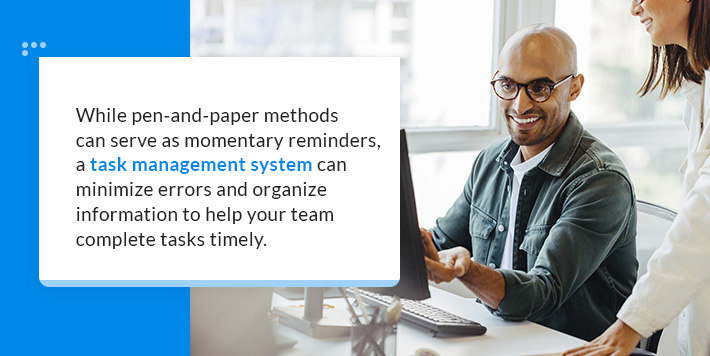
Task management systems are tools that empower organizations to complete projects efficiently by prioritizing tasks in a central location. While pen-and-paper methods can serve as momentary reminders, a task management system can minimize errors and organize information to help your team complete tasks timely.

Benefits of a task management system

These tools provide a central location for team members to identify their next tasks. Individuals can monitor upcoming work and due dates, eliminating the need for reminders and empowering you to track progress to support them if they need help.

Task boards can ensure your team completes time-sensitive items first and create a cohesive workflow. This process can reduce the time your team may otherwise spend trying to determine what step to complete next. Additionally, these systems can help your team visualize the entire project, allowing the project to become more transparent and boosting collaboration.

7. Internal Communication

You can streamline essential communication with automation. This strategy can support your team’s growth and clarify interactions. For example, you can use automation to:

  • Collect daily feedback
  • Administer reviews or performance trackers
  • Send team members reminders for meeting preparation
  • Follow up on tasks at specific time intervals
  • Sync data with meeting slides
  • Share materials with your team

Enhancing internal communication can also make project completion more efficient. If your team often balances multiple projects at one time, it can be challenging to remember every detail necessary. Your automated processes can provide your team with the support they need to finish objectives promptly and collaborate with other team members to achieve the best possible outcome.

8. Automated Onboarding

Onboarding new hires often features many repetitive tasks. You can automate the onboarding process by generating compliance and legal forms for new hires to sign electronically. This process can reduce waste by eliminating physical papers and ensuring each new hire receives and provides the same starting information. You can also sync data across your systems to reduce manual errors.

Other tasks you can automate for the onboarding process include:

  • Updating documents: If you need to exchange documents, update contracts, or require a signature, automated processes make it easy. You can easily access documents and modify them to reflect recent and accurate information to speed up the onboarding process.
  • Tracking information: Organizations often onboard new employees over time, meaning the onboarding process is not a one-time circumstance. You usually need to provide consistent check-ins to ensure the individuals are onboarding efficiently. You can automate this process and send reminders, track progress, or provide support while strengthening your overall strategy.
  • Adding new hires to the workflow: It can be challenging for new hires to understand the best way to manage their time. Workflow automation empowers you to delegate tasks, provide briefs about a project, or send vital information about collaboration to ensure your new hires stay on task and feel connected with their roles.
Benefits of workflow automation

9. Schedule Meetings

It can be frustrating to send emails back and forth to determine the best meeting time, especially if a time-sensitive task needs attention. Optimize the scheduling process by using a scheduling tool to sync with your calendar. You can integrate these tools with your CRM, ensuring your contact list can always access an accurate report of your latest interactions.

This strategy allows contacts to see your availability and schedule a meeting time with you without needing to wait for email replies, which can be helpful for your team, new hires, and potential business partners. You can create a form or attach a link for anyone to view available meeting times, ensuring you can capitalize on every possible opportunity.

10. Password Manager

You could benefit from a password manager if your team uses various websites and software to run your business. These tools make sharing login information easy while protecting sensitive data. A recent study highlights that more than 90% of respondents use the same password for multiple sites. Additionally, many people rely on personal information — such as family names, pet names, or hobbies — to create a password.

Benefits of automated password management

By leveraging a password manager, you can ensure your team uses strong passwords that feature a combination of letters, numbers, capitalization, and special characters that are much more secure. Additionally, you can boost productivity by creating a central location for accessing these passwords.

11. Leverage Artificial Intelligence

Many organizations have increased their use of artificial intelligence and machine learning tools. AI can streamline reporting processes and data entry and even help creative teams with content creation, outlining, researching, or editing. There are many ways to leverage these tools to boost team productivity and enhance the customer experience.

  • Answering inquiries, scheduling meetings, and managing calendars with AI chatbots
  • Analyzing large data batches accurately and quickly with different algorithms
  • Personalizing experiences for customers and team members by analyzing preferences and behaviors
  • Sifting through resumes to identify candidates or conduct initial interviews
  • Analyzing data and forming predictions and forecasts to optimize inventory management, provide supply chain optimization, and make turnover predictions 
  • Identifying cyber security threats by flagging potential breaches and identifying anomalies
  • Offering insights and recommendations so leaders can make informed and strategic decisions 

12. Sharing Documents

Automated processes can make it easy to send information or empower team members to access information when they need it. Creating a central location for essential documents and automating the sharing process can ensure your team can access information quickly so they can continue working on tasks.

Automated document management benefits

Some automated tools can also automatically retrieve data sets from unique fields in documents. This process makes sharing vital information with team members easy while increasing communication. These tools can save time and ensure your team minimizes compliance issues or errors that could result from misreading or forgetting essential information. 

13. Risk Management

Automation can also aid in risk management. Risk mitigation is essential for every organization, and the slightest error can have costly consequences for many businesses. Automating risk management processes can reduce errors and ensure your team maintains compliance. 

AI-powered tools can analyze patterns to identify anomalies and capture potential cyberattacks. These automated processes can work much faster than human workers and identify threats with more accuracy. Leveraging these tools can also protect sensitive business and customer information.

Invest in Business Automation With Salient Process

Invest in business automation with salient process

Automation can transform your business by enhancing customer experiences, reducing costs, and adding protection. When you want to automate your process, rely on us to deliver customized solutions. Salient Process provides the systems you need to optimize your business and achieve more profitable outcomes while saving time. 

Adapt automation to fit your business’s needs and goals with Salient Process. Connect with our team to learn more about our advanced solutions and how we can help your business.

Best easy-to-use ai tools

Artificial intelligence (AI) is revolutionizing how we use technology. Your business can reap many benefits from integrating new AI solutions into your existing processes, whether it’s enhancing efficiency or streamlining workflows.

With so many new and exciting AI tools on the market, we want to help you find solutions that can benefit your daily operations and boost your business in 2024. Explore our top picks for the best easy-to-use AI-powered solutions to try.

What Are AI Tools?

AI tools refer to software applications and solutions that use artificial intelligence algorithms to perform various tasks. These systems leverage different technologies, including:

  • Natural language processing
  • Machine learning
  • Deep learning
What are AI tools?

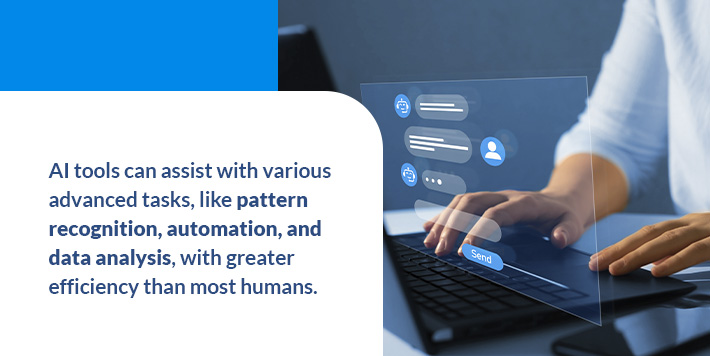
AI tools can assist with various advanced tasks, like pattern recognition, automation, and data analysis, with greater efficiency than most humans. As AI technologies advance, businesses can access newer tools developed to cater specifically to their needs and industry requirements.

Some key examples of AI tools include:

  • Chatbots and virtual assistants
  • Robotic process automation
  • Computer vision platforms
  • Data analytics solutions

How Do AI Tools Work?

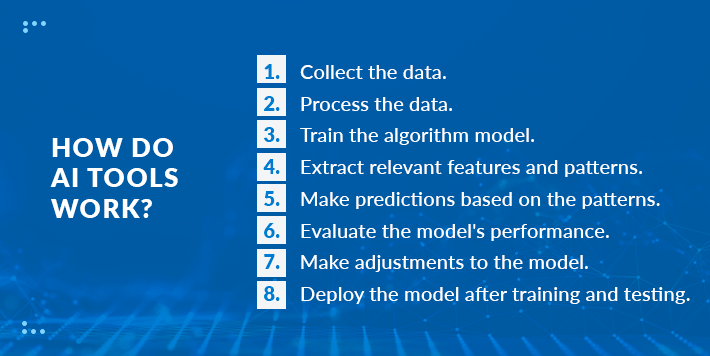
Most AI-powered solutions use various techniques and advanced algorithms to complete specific duties. Every system is tailored to handle distinctive tasks and work differently. However, AI tools generally employ the following approach:

How do AI tools work?
  1. Collect the data.
  2. Process the data.
  3. Train the algorithm model.
  4. Extract relevant features and patterns.
  5. Make predictions based on the patterns.
  6. Evaluate the model’s performance.
  7. Make adjustments to the model.
  8. Deploy the model after training and testing.

More advanced processes and algorithms are constantly introduced to the AI world, helping enhance the performance and capabilities of these solutions.

Benefits of Using AI Tools

Businesses can enjoy many amazing benefits when integrating AI-powered tools into their processes.

  • Automation: A massive benefit of AI is automating tasks that are traditionally time-consuming or highly repetitive, allowing people to be productive in other ways and ultimately boosting operational efficiency for businesses. 
  • Assistive capabilities: Many AI-powered solutions can function as an assistant for individuals, supporting their daily processes and streamlining their workflows.
  • Data insights: Another major perk of using AI tools is accessing large volumes of data and information about your processes. Users can utilize these insights for more informed decision-making and future planning.
  • Accuracy: Businesses can use AI systems for processing and analyzing huge amounts of data to accurately identify patterns, perform calculations and make future predictions with greater precision than humans.
  • Scalability: Artificial intelligence solutions are highly beneficial for scaling your operations because they can handle large datasets and workloads more efficiently than a traditional team. 
  • Save costs: Implementing automation and AI tools into your business can help you reduce manual labor needs for everything from customer service chats to content creation, allowing your operation to save on expenses related to additional support staff. 
  • Constant innovation: We’ve seen tremendous growth and advancement in the artificial intelligence space over the last few years. These technologies are continuously getting smarter and more capable, allowing your business to take advantage of AI tools that feel like they’re from the future.
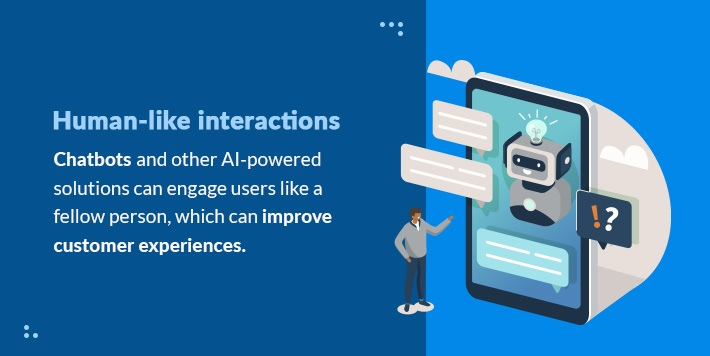
  • Human-like interactions: Today’s AI systems are on their way to mastering natural language processing, allowing these tools to interpret conversations and find patterns. Chatbots and other AI-powered solutions can engage users like a fellow person, which can improve customer experiences.
Benefits of AI tools

What Are the Best AI Tools for 2024?

Whether you’re looking to capitalize on the powers of artificial intelligence in your business or personal life, you can pick from a wide variety of platforms and solutions. Here are our top picks for easy-to-use AI tools to try in 2024.

1. ChatGPT

ChatGPT is a popular AI-powered chatbot that uses advanced language processing tools to communicate with and create content for users. The technology uses specialized algorithms that can comb through massive amounts of data to identify patterns for generating user inquiry responses. You can ask ChatGPT to do a wide range of tasks, including:

  • Answer questions.
  • Draft text.
  • Summarize data.
  • Solve math equations.
  • Generate content.
  • Write computer code.

An artificial intelligence research nonprofit named OpenAI introduced ChatGPT to the world in November 2022, and it quickly became a leading generative AI writing tool.

Users can access ChatGPT on OpenAI’s site. Making an account is free, and you can pay for ChatGPT Plus for more features and tools. Businesses can use the platform for tasks like generating reports and summaries, finding search-engine-optimized keywords, and crafting content outlines.

2. Bard

Google launched Bard, the company’s conversational generative AI chatbot, in February 2023. Similarly to ChatGPT, users can input prompts, and Bard will deliver human-like responses.

The platform can assist with various inquiries, such as:

  • Writing a cover letter for a job application.
  • Fixing computer code that isn’t working. 
  • Simplifying complex topics.
  • Revising existing writing.
  • Defining a word or phrase. 
  • Translating texts into different languages. 

One especially notable feature of this chatbot is its extensions. Users can now ask Bard to find, watch, and analyze videos from YouTube. You can also get location-specific information with Google Maps. Businesses can use Bard to quickly summarize data and find information from Gmail, Drive, and Docs, helping boost operational efficiency.

What is Bard?

Bard is currently free and requires a Google account for access. This chatbot is straightforward, and its interface is easy to navigate.

3. Lexica

Lexica is an incredible AI-powered image generator that can create realistic and highly detailed art. Users can input a description for their desired image, select specific photo dimensions, and then hit the generate button to get their artwork. The system will render four image options based on your word choice.  

Lexica is one of the best free AI platforms for creating unique images. Users can request up to four graphics in 24 hours for free. You can upgrade to one of three paid monthly membership tiers to generate more photos daily and get a commercial license to use them for your company.

Businesses can use Lexica to craft eye-catching thumbnails and social media content in just minutes. The more specific you make your prompt, the more detailed and special your image will be. In addition to its generative AI capabilities, the website also allows you to search for images created by other users.

4. Motion

Motion, an awesome AI-enhanced scheduling app, is another top tool to try in 2024. Users can download the app and sign up for a monthly or annual membership to capitalize on automated task management.

What is Motion?

The app functions as a daily planner and allows you to auto-schedule your day based on a series of inputs and specifications. The platform then develops a flexible agenda according to your unique priorities. It can also rearrange tasks in your calendar if an unexpected but important meeting or call comes up.

Enterprises can enhance daily productivity by using the app as an AI executive assistant. In addition to the calendar, Motion also provides a project manager function that can create an individualized action plan for your team members to complete a major assignment. Motion’s AI task management solution revolutionizes your to-do by integrating it with your calendar.

5. Jasper AI

Jasper AI is one of the top AI marketing tools designed specifically for business tasks like content creation and copywriting. The platform is a partner of ChatGPT’s founding company, OpenAI, and it uses the following language processing models:

  • GPT-3.5
  • Bloom
  • Neo X
  • T5

Whether your business needs to write a detailed long-form blog post or a snappy email subject line, Jasper AI is here to help. It will be a massive asset to your company’s marketing department. They can lean on this tool for assistance in writing high-quality copy. The platform can also help businesses manage customer support processes. 

Jasper AI does not feature an unpaid version, and you will need to sign up for a seven-day trial to access it for free. After that, you can sign up for a monthly subscription and see how these AI writing tools can elevate your marketing efforts.

6. Grammarly

Whether you’re drafting an email to a colleague or creating slides to present to your department, using proper grammar is important. With Grammarly, you can feel good knowing you’ve got an AI-powered editing extension combing through your text to identify misspellings, typos, and errors. 

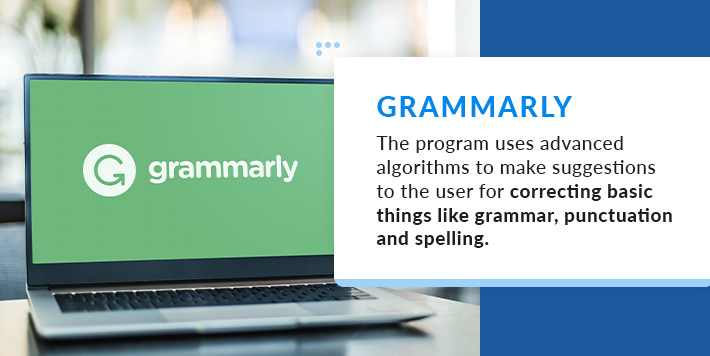
Grammarly is one of those digital tools that makes you wish you had it sooner. The program uses advanced algorithms to make suggestions to the user for correcting basic things like grammar, punctuation and spelling. What makes it especially advantageous is its ability to help with tone, style, and wordiness to help you craft the most impactful sentences. 

What is Grammarly?

You can sign up for the free version and enjoy all the main features. If you’re looking to add accidental plagiarism checkers, capture analytics, and create your own style guide, you can upgrade to a premium, business, or enterprise plan for a monthly fee. 

7. Fireflies.ai 

Fireflies.ai is a digital app that uses automation and AI to record and transcribe calls. If your business regularly uses video chats for team meetings, note-taking tools can help you stay organized and ensure you never miss an important message.

Capturing subtitles for training videos and generating a transcript from an audio file are just some of the ways companies like yours can use Fireflies.ai. In addition to automating meeting notes, the platform can help summarize, search, and analyze conversations. If someone cannot attend an important call, you can share meeting recaps afterward.

One of the coolest capabilities of Fireflies.ai is finding specific conversations using the topic trackers. For example, you could search for discussions about pricing, and the AI tools will find keywords relating to that inquiry. It also can easily integrate with tons of common apps, including Zoom, Google Meet, Slack, and Skype.

8. IBM watsonx 

IBM launched watsonx, a data and AI platform for enterprises, in May 2023. Businesses can use the capabilities of this software solution to promote greater productivity and remain in control of their data. The platform involves three main components:

  1. watsonx.AIAn enterprise studio for AI builders powered by foundation models and machine learning. Users can do everything from training to deploying new AI models.
  2. watsonx.data: A data store built on data lakehouse architecture, making it possible for businesses to scale their analytics and AI tools.
  3. watsonx.governance: A tool kit for supercharging workflows using machine learning models and generative AI.

IBM watsonx helps companies do the following on one centralized platform:

  • Deploy and embed artificial intelligence
  • Streamline AI workflows
  • Manage your company’s data sources

9. Synthesia

What is Synthesia?

Synthesia is among the most fascinating AI tools for 2024. This platform allows you to easily convert text into videos with the touch of a button. Users can choose from various AI-generated voices and avatars that speak in over 120 languages. It also features tools for making custom AI avatars, adding small gestures, and cloning real human voices.

Your team can effectively replace standard presentations or newsletters with engaging custom videos. Synthesia has many incredible uses, like generating:

  • Marketing content
  • Learning and development materials
  • Training videos
  • Customer service messages

Tailoring your videos is easy on the Synthesia editor. It features collaborative tools to simplify working with your team and sharing feedback. If your business has an in-house videography team, you can boost their productivity, saving your operation time and money.

10. Otter.ai

If you’re looking for a comprehensive note-taking solution in 2024, Otter.ai could be the software for you. The platform uses artificial intelligence to act like an assistant in your meetings. Its capabilities include:

  • Recording audio
  • Writing notes
  • Capturing action items
  • Creating summaries
  • Writing follow-up emails
  • Automating sales insights

Otter.ai is a leading AI-powered solution for maximizing your meetings and calls. If you’ve ever zoned out during a crucial message or missed an important topic during a discussion, the solutions can be a handy tool for catching up and keeping your team on the same page.

You can get all the basic features of Otter.ai for free or upgrade to a paid monthly membership for additional transcription minutes and more collaborative tools. 

AI Is Here to Stay

Artificial intelligence is not going anywhere anytime soon. This technology is revolutionizing commerce and many different industries, from health care to nonprofits to education. While many continue to debate the ethical responsibilities and economic implications of these incredibly advanced tools, their prevalence in our daily lives is continuously growing.

AI is continuously growing

More businesses are increasingly turning to AI and automation to supercharge their operations and thrive. AI is set to play a significant and impactful role in shaping the future of business and communications. 

Harness the Power of AI and Automation With Salient Process

Artificial intelligence and automation are transforming how businesses operate and reach new goals. With so much advancement and excitement around these technologies, knowing what tools to try next can be a challenge.

Salient Process is here to help you harness the powers of automation in as many of your company’s IT processes as possible. Our Digital Business Automation services can boost your workflows, automate time-consuming tasks, and ultimately empower your team.

Harness the power of AI

Ready to get started? Contact Salient Process to learn more about taking your business to the next level with our Digital Business Automation solutions.

automate hr operations

Automating workflows can dramatically improve efficiency and accuracy for a wide range of tasks, especially repetitive and monotonous ones. The human resources (HR) department has no shortage of these tasks. By automating these administrative tasks, your team can focus on making meaningful connections with employees and helping build a more engaged, satisfied workforce.

What Is HR Automation?

With HR automation, businesses use software to automate various human resources workflow processes, like requesting documents and updating employee information. Automation programs typically work alongside various applications, such as human resources information systems (HRIS), payroll software, human capital management software, and applicant tracking systems.

A custom approach to HR process automation allows you to eliminate time-consuming administrative tasks that contribute to delays, miscommunications, and inefficiencies. These small jobs can take up a significant chunk of time, leaving your skilled team members to punch in data all day instead of connecting with employees. Automation allows them to shift their attention to tasks that make the most of their unique training, like making complex decisions and having conversations. 

HR automation tools can run on a spectrum. Say you need to grant a new employee permission to access your company’s software. An HR team member could initiate an automation that adds the new employee’s account to the program. This automation could also be triggered as soon as the employee finishes their onboarding training, completely eliminating the need for an HR professional to step in.

Whether you want to create a hands-off solution or streamline your most troublesome processes, automation technology can help.

How to Determine Which HR Processes Can Be Automated

HR workflows often demand a personal touch, and computers can’t do everything. If you’re thinking about automating a task or workflow, ask yourself the following questions:

  • Is it repetitive?
  • Does it occur often?
  • Does it involve a specific, repeated set of steps?
  • Does it use large amounts of data?
  • Does it require two or more software solutions to complete?

The more you answered “yes,” the more likely your task is a good candidate for automation. It may be an especially valuable choice if it involves compliance concerns or risk management or has a high error rate. Processes directly impacting your business growth or the employee experience are also excellent choices.

Processes you likely shouldn’t automate require complex thinking and human interaction, such as having meaningful conversations and making important decisions. Automation is an excellent tool for removing mundane, repetitive tasks from the workflow, but it doesn’t replace human skills.

Benefits of HR Workflow Automation

Automating an HR workflow has countless benefits for the HR team, other employees, and the company itself. The advantages of HR automation tools range from increased productivity to more informed decision-making, and they can reach almost every part of your department’s workload.

Improved Efficiency

Efficiency and speed are some of the most apparent benefits of automating HR workflows. By streamlining or eliminating a large portion of the workday, your team can focus on more important tasks. They’ll spend less time on necessary but simple processes, which can also help reduce spending by freeing up labor hours.

More Accuracy

Humans make mistakes, which is why manual data entry is an error-prone process. Computers are far less likely to make errors, so an automated system can dramatically reduce inaccuracies in your HR workflow. These mistakes eventually require more resources to fix, with poor data quality costing businesses $12.9 million each year.

poor data quality is costly

Better Employee Satisfaction and Engagement

Slow or error-prone HR processes with too much back-and-forth often create a frustrating employee experience. These instances can affect their perception of the company, especially when first starting out. For example, if an employee can’t start their benefits because their documents are “stuck in the system,” they may think the company is disorganized.

Automation can also help improve the workplace by giving HR teams more time to come up with innovative solutions and improvement strategies. You want your employees to have the best experience possible, and smooth HR processes and communications are essential for that goal.

Reduced Costs

All of the benefits in this list contribute to the cost savings of automated workflows. Your team can focus on high-value tasks and enjoy fewer financial risks due to compliance issues, unsatisfied employees, data errors, and staffing shortages. Process automation can cut up to 90% of costs while improving revenue.

Increased Data Visibility and Consistency

HR processes often involve many diverse stakeholders, like HR professionals, employees, supervisors, and the IT team. Automated HR processes take advantage of centralized data, which is stored in one accessible location and standardized. It gives all team members access to up-to-date information for making accurate, streamlined decisions.

Easier Compliance

From payroll to safety training, HR teams must keep up with many compliance demands. They may need to keep track of employment laws in different states, maintain annual industry certifications, and store tax data for a specified number of years. These requirements change frequently and vary widely by the employee’s location.

HR process automation can help keep track of these changes and ensure adherence. For example, you might set up reminders for annual training or flag an employee’s account. Another example might include tax document retention. When saving tax documents, an automated program could check the employee’s file for their location and adjust the file’s settings to be retained according to the timeframe set by the worker’s state of residence.

Examples of Common HR Workflows

HR workflow automations fit your unique organization’s needs and systems, and you get to choose how they run. Here are a few commonly automated workflows in HR.

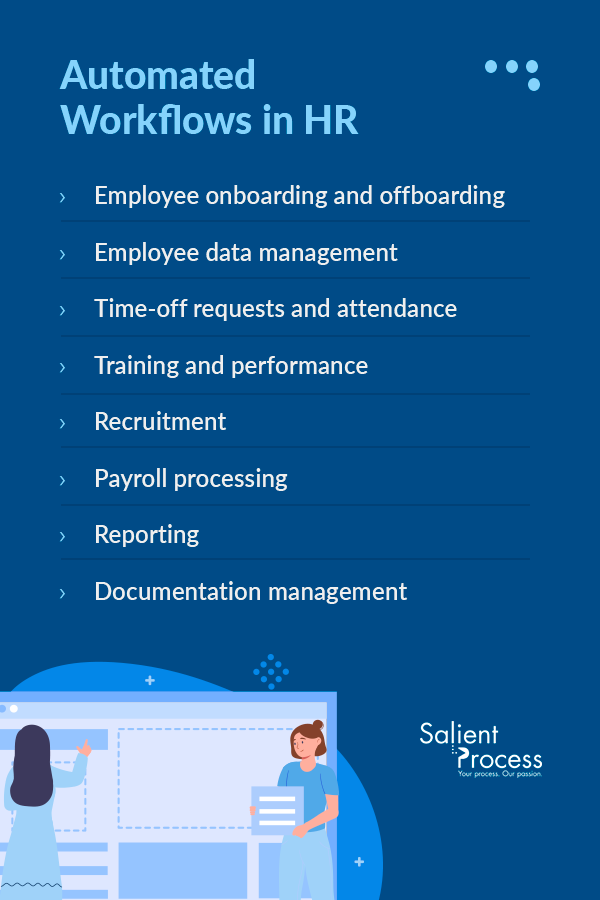
1. Employee Onboarding and Offboarding

Bringing your new employees into the fold of your organization is an excellent opportunity to use HR process automation. This workflow requires many repeated tasks in a certain order, usually with input from various people. It also involves meaningful data like personal information and compliance documents, making the accuracy of automation particularly helpful.

Some steps you might find in an onboarding automation include:

  • Collecting tax documents and payroll data.
  • Setting up employee benefits.
  • Creating a corporate email address and account.
  • Sending a welcome email and new-employee checklist.
  • Initiating IT setup and sending equipment to the employee.
  • Granting access to employee tools.

These tasks vary widely depending on the employee’s role and the company’s systems, but you can often turn an hours-long process into just a few button presses.

Automation also works well for offboarding. When an employee leaves your company, you can initiate an automation to revoke access to certain tools, request the return of their equipment, and schedule an exit interview.

2. Employee Data Management

Employee information changes frequently. From promotions and transfers to marriages and having children, many life events require action from the HR team. These events may affect tax requirements, cloud access, and other business processes.

Fortunately, you can automate HR processes like requesting documentation, adjusting benefits and tax details, and updating your HRIS. HR professionals will simply need to approve the changes. A patient portal can be particularly helpful in having employees submit the required information.

3. Time-Off Requests and Attendance

Arranging paid time off (PTO) often requires coordination between the employee, HR, and the employee’s supervisor. It also requires access to an up-to-date schedule and the employee’s PTO usage. A time-off automation can tackle the approval process, updating timesheets, and issuing PTO.

This approach might incorporate several systems, such as:

  • An employee portal for requesting the time off
  • Notifications for HR and supervisors
  • Scheduling software to reflect the changes
  • Payroll systems to include compensation from PTO in the appropriate pay period

This automation helps ensure accuracy and prevents oversights, such as an approval that would create a gap in staff coverage. It also offers speedy approvals, so employees receive ample notice about their approval or denial. Depending on your software, automation might even be able to eliminate HR’s involvement entirely.

Workflow automations can also help HR teams gain insight into employee scheduling, collecting data on absenteeism, sick day usage, PTO usage, and overtime status. Collect more information and create a more optimized schedule with an automated workflow.

4. Training and Performance

If your employees are consistently focused on growth, they need regular training and performance evaluations. Keeping track of updates, interventions, and compliance requirements can get complicated, with requirements that vary by employee, role, and location. HR process automation can dramatically simplify these tasks by documenting updates, maintaining updated compliance certifications, and sending out reminders and digital resources.

As with scheduling automations, you can also automate data collection to gather insights. For example, you might build a dashboard that flags employees with past-due training requirements or identifies knowledge gaps. Tools like these can guide training decisions and help HR professionals provide the most valuable resources for keeping the workforce knowledgeable and engaged.

5. Recruitment

Recruitment processes are incredibly data-heavy, and automation sifts through all that information to give recruiters the details they need to make effective hiring decisions. The result is a fast, streamlined process that improves the experience for candidates and the HR team. Over 60% of job seekers lose interest if they don’t hear back within 10 business days, so time is of the essence in recruitment.

Here are some tasks a recruitment automation might handle:

  • Screening resumes and applications
  • Sending resumes to the right hiring team
  • Scheduling interviews
  • Ordering background checks

A robust automation leaves more time for employees to interview candidates, discuss them with other stakeholders, and make decisions, supporting more effective and efficient hiring practices.

6. Payroll Processing

Payroll calculation is another data-heavy process with many variables. It’s also a risky one to get wrong, with significant financial and legal ramifications. If you’re still calculating payroll manually, switching to an automated system is crucial.

An automated payroll system limits the time commitment required from HR teams and helps ensure more accuracy. It can connect a payroll program and your HRIS to quickly calculate wages, overtime, deductions, and much more based on the most updated information, all while providing and storing required documentation.

7. Reporting

We’ve mentioned a few applications for reporting tools, like collecting insights for training and scheduling. Reporting can also involve more global metrics, such as employment trends and resource allocation. You can create automations that pull data from almost any source and provide real-time visibility into different aspects of the organization.

Reporting automations are ideal for higher-ups who must make big-picture decisions based on large amounts of information. A digital system can wrangle all of this data and even find insights and opportunities with the help of AI. It increases the value of this information for more data-driven business growth, and it supports healthy relationships with stakeholders, who often want to know how the organization is performing.

8. Documentation Management

Paperwork is a mainstay of the HR department, which must maintain documents for basic recordkeeping and compliance requirements. Compliance demands may involve safety, taxes, and industry certifications, with complicated and highly varied requirements. Workflow automation can take care of this complexity by:

  • Sending reminders for submitting documents
  • Requesting documents from employees
  • Organizing files in accessible locations
  • Getting approval from stakeholders
  • Determining file retention settings

Automation can prevent crucial documents from falling through the cracks, mitigating legal issues and potential ramifications. Document processing automation also supports other HR workflows, like hiring and training, which often require timely document collection.

How Automation Keeps the “Human” in Human Resources

Despite its role in almost every part of HR, automation never replaces the human element. Instead of eliminating the human touch, automation allows employees to focus on it. It gives them more time to connect with workers and solve complex problems. When used properly, automated workflows are tools, not replacements for your valuable employees.

Most HR employees didn’t go into the field to hit buttons and enter data, and that’s not what you pay them for. These workers have a valuable set of skills, and automation allows them to work at the top of their paychecks. While recruiting automation can facilitate a smooth flow of data, it can’t replace a warm smile and a personable, productive interview. An onboarding tool won’t replace an enthusiastic, inviting introduction to the workplace.

HR workflow automations can innovate how this department operates. They can free up time for team members to build connections, explore insights, and find ways to improve the employee experience. With less administrative burden, your team gets to focus on what they do best.

Create Automatic HR Workflows With Salient Process

Whatever your HR workflow looks like, the team at Salient Process has the expertise and resources to automate it. Our Workflow product offers a low/no-code solution to automation, and our Discovery services can identify the most effective and efficient ways to automate.

As an IBM Premier Partner and the creator of its business process management interface, Salient Process is a trusted partner capable of maximizing your return on investment. With IBM watsonx Orchestrate™ powered by generative AI and automation technology, you are given the ability to streamline tasks and automate HR processes, allowing you more time to focus on activities that matter most to you.

The list of administrative tasks for HR teams can be lengthy, but it doesn’t need to take over the work day. Learn more about Workflow solutions from Salient Process, or contact us today to chat with an expert!

Elevate Your Path: Sarah Tilkens on Mastering Growth in Life and Business


Watch Episode 29 now!

Follow along with the episode now!

Guest: Sarah Tilkens, ACC, CPCC, SSBB. Senior Manager of Operational Excellence at GE HealthCare. Founder of The KPI Lab


Introduction and Background


Sarahs Background:

 Went to college to study biology at the University of Wisconsin-Milwaukee

 Pursued biomedical research after college. Loved scientific thinking but not the scientific field.

 Learned and loved the Lean Six Sigma way of thinking. 

 Was a construction project manager, found herself constantly analyzing and wanting to improve the way things were being done. 

 Move to GE HealthCare, started as a “Lean Leader.”  Got a blackbelt in Lean Six Sigma, and moved up to be an Operational Excellence Sr. Manager 


Journey into Operational Excellence 

The role is described as “solving problems and training problem solvers.” Sarahs mindset and passion is helping equip others with the knowledge and skills to solve problems for themselves and states that this is done by helping those people to know who they are and how they like to solve problems. Once this internal motivation is discovered and set, then the tools come after that. 

Favorite Projects 

The project was about how GE HealthCare was having an “output issue” where essentially the team had to get 100 through a machine and the outcome was 50. The research and analytics determined they did have the capability to achieve the results they wanted but the team was stumped why no one could get there. Sarah sat down with the operations team, helped them to discover the motivation that could get them to achieve this overarching goal, one person achieved the goal, and this created a ripple effect for everyone else to be able to achieve this output goal. 

The machine output was a people problem. It is important to clarify what problem you’re solving and ask yourself “why.”

The solution was talking to humans and convincing them why this is important and that it’s possible… and it stuck. You just allow people to find their own path instead of forcing a solution.

  • -Sarah Tilkens, ACC, CPCC, SSBB.

Step 1: Verify the data 

  • Capacity models, historic trends, confirmed the gap, etc. 

Step 2: “Go to the Gemba” 

  • Go and understand what’s happening and why. By going to talk to the operators, she knew she would get better information. 

Step 3: Form a hypothesis and run an experiment. 

  • Believed it might be a people problem but had to incentivize the team to work with her to scratch the hypothesis off her list. 

Starting the KPI Lab

A few years back, while working at GE HealthCare, she found herself dealing with a lot of imposter syndrome because there were so many leaders around her, and she was unsure where she stood amongst them. 

It was 2020, one month into covid, and becoming a new mom. She was searching for ways to become a leader and a mom and align the two identities to who she is as a person. 

Started working with a life coach. Helped her to get really clear on who she is. Once she understood and realigned with who she was, and how she created value, she was able to show up and lead in the ways she knows she could. The KPI Lab was born out of the desire to keep people central to the way we’re doing organizational problem solving. 

Some of The KPI Lab topics

  • Lean Methods
  • Talent Optimization
  • Problem-Solving 
  • People & Culture 
  • etc. 

Learn more at The KPI Lab

We talk about how to use people and how to do culture and there’s a lot of understanding of we need to motivate the workforce and we need to focus on culture… like how do we measure behaviors every single day that are leading indicators of long-term cultural success. So like really taking all of those things and giving companies an operating system so that they can actually do the things that they want to do, have the impact they want to have.

-Sarah Tilkens, ACC, CPCC, SSBB.

Quantitative Value of Coaching 

Benefits from The KPI Lab coaching

  • Increased productivity
  • Increased efficiency 
  • Employee retention
  • Employee advocacy 

The Perk Case Study- Impact on Executive Coaching and Learnership Training

GE Case Study | The Perk (choosetheperk.com)

Overview includes: The Perk created & implemented the Discover & Define Your Leadership Brand Coaching + Training Program

  • 6-month Custom Leadership Development Program
    • 1:1 Leadership Coaching (Bi-weekly)
    • Team Coaching (Monthly) 
    • Leadership Skills Training Workshops (Quarterly) 
    • 360 Leadership Evaluation
  • Results
    • 67% Leaders Promoted
    • Deepened Self-Awareness 
    • Increased Collaboration
    • Elevated Impact 

Lessons Learned in Continuous Improvement 

Remember what problem you are trying to solve! 

As humans, we are good at solving problems, and getting to the root cause- but the struggle is sustainment. It is hard to understand the solution if you do not know what you need.

You are already enough! 

Sarah would like to leave us with a message that it is important to keep in mind that as humans, we are already enough! The idea pushed often is that we have to have these requirements to be an expert, but to know we already have something to offer to the world. In the times that we can’t find that within ourselves, should be a time to find someone who can help you see that! Get someone else to offer you a different perspective! 

Watch Episode 29 Now 

Want to be on the show? Let Us Know

If you have a topic idea, contact us today. We want our podcast to answer your questions, and if you have something that you want to hear, we would love to know. In addition, you can ask questions and get in touch with our Salient Process team.

Why Salient

At Salient Process, we understand the importance of comprehensive digital transformation. We work closely with each client and use a North Star methodology to align your procedures with overall business goals. Our expert team works hard to understand your unique needs, making a customized plan for success. With our Digital Business Automation solutions, you can move closer to your digital transformation goals.

Subscribe now

👉Subscribe to Bots & Thoughts: The Digital Business Automation Podcast

👉Subscribe to our Spotify Here

👉Subscribe to our Apple Podcast

👉Subscribe to our Google Podcast Here


⏩Subscribe to Salient’s Monthly Newsletter Here 

🎤Be our next guest! Sign up Here

📲Contact our Podcast Host Here 


Follow Us

  ⏩LinkedIn

👉 Follow Bots & Thoughts on Here

👉 Follow Salient Process Here

👉 Follow our Podcast Host Here

  ⏩Youtube 

  ⏩Twitter 

🌐Learn more at Salient Process


RELATED CONTENT

Leveraging AI and automation in talent acquisition

Artificial intelligence (AI) and automation are revolutionizing how businesses find and hire new talent. As AI tools evolve and advance, companies like yours can take advantage of their time- and money-saving capabilities. When you need help with your hiring process, this technology can transform your human resources operations and pinpoint the most qualified candidates for your job openings.

The Importance of Efficient Talent Acquisition

Efficient and effective talent acquisition processes help companies quickly fill open positions with the people best suited for the job. The right processes will help save time, money, and energy while minimizing employee turnover. 

An efficient hiring process also allows businesses to stay competitive and lock in top talent in their industries. Your workforce is a determining factor for your company’s overall success, and choosing qualified people is essential for positive growth.

Taking measures for talent acquisition process improvement is key to future-proofing your business and ensuring you’re finding the right people to support your operation. AI tools can play an invaluable role in enhancing your hiring process. 

The Role of Automation and AI in Recruiting

Companies can strengthen their talent acquisition process with the help of automation and AI-powered tools. The following are some key use cases of this technology:

Discovering Qualified Job Candidates

One role AI and automation can play in your recruiting process is finding qualified candidates that meet the requirements of your job description. These advanced tools can comb through online profiles to analyze potential compatibility with your business. They effectively assess key factors, such as:

  • Location
  • Industry
  • Job title 
  • Past experience

Screening Applicants

Once people start applying for your company’s job openings, your business can utilize AI-powered tools to screen resumes and cover letters for job-matching purposes. These tools can sort through massive amounts of incoming data to rank the qualifications, skills, and experience of applicants to determine the best candidates. 

Supporting Ongoing Communication

Ongoing contact with your job candidates can help you foster important relationships and keep your top applicants engaged. Businesses can use automated chatbots and communication tools to share ongoing updates about the recruitment process, keeping everyone in the know about the next steps. AI communication tools can also provide feedback to applicants and answer questions about the process. 

Completing and Analyzing Interviews 

Automated tools can also be helpful in the interview process, especially for digital meetups. There are two key types of AI interviews:

  • AI-led: These interviews are entirely automated and take place with the computer and the applicant. The job candidate will answer questions with a bot that will analyze the conversation and determine if that candidate is qualified and a good match for the job. 
  • AI-assisted: This type of interview takes place with a human and uses AI tools to gather data from the conversation, including language and demeanor, that the business can use later to assess the candidate.

Benefits of AI for Talent Acquisition

Benefits of AI for talent acquisition

Your business can reap many benefits when you implement automation and AI into your talent acquisition processes.

  • Boost efficiency: Companies can save a significant amount of time on repetitive tasks and seek qualified candidates when they utilize AI tools for recruiting new employees. This ultimately improves and reduces the time-to-hire period for your business.
  • Save costs: Another benefit of using AI for talent acquisition is saving costs. Automating time-consuming tasks can help minimize stress in your human resources department, reducing the need for manual labor and long hours spent combing through applications from potential candidates.
  • Minimize human bias: Artificial intelligence can be a powerful tool for creating a more inclusive hiring process. It can determine the right candidates for the job based on their credentials and experience without the influence of unconscious bias that may impact your human staff.
  • Improve communication: Streamlining communication with applicants during the hiring process can save your company time, energy, and money. AI chatbots are highly beneficial for tackling repetitive inquiries and keeping everyone up to date on the latest with your business’s job openings.
  • Access to data: A major advantage of using AI and automation for talent acquisition is having access to the data and metrics the software collects during the hiring process. Your business can use these insights to inform future decision-making and refine your recruitment operations.

Considerations of Using AI in Hiring

Along with all of the incredible benefits of implementing AI into your business’s hiring processes, there are a few fundamental considerations to be aware of while using this technology.

  • Data security and privacy: When a candidate applies or interviews for a job, they share personal information with your business, including their name, address, and work experience. It’s essential for companies that use AI in their hiring process to ensure the data and insight they collect are secure against cyberattacks and data breaches.
  • Overlooking great candidates: Another important consideration is potentially overlooking candidates who don’t have the experience for the job but would be a great fit for company culture. Your business should continuously revisit its automated tools and refine the job qualification parameters to include all desirable applicants.
  • Human interaction: Some job seekers want human interaction, and it’s important that you don’t leave your hiring process entirely up to your AI tools. Automated capabilities should be an asset to and not a replacement solution for interpersonal communications.
  • Integrating automated tools: Your business should also consider the existing software and systems used for hiring and onboarding processes. Choosing AI tools that easily integrate with these systems can be highly beneficial. 
  • Ethical responsibilities: Anytime you use AI tools, consider the ethical responsibilities. Always ensure your business meets data privacy regulations and clearly communicates how you use AI to potential job candidates.

Capitalize on Recruiting Automation With Salient Process

If you’re ready to supercharge your recruiting process with the help of automated tools, turn to Salient Process. We are a leading provider of Digital Business Automation services and solutions. When you partner with us, you can enhance your operations with AI, machine learning, and robotic process automation capabilities designed to enhance workflow management. 

Digital Business Automation can save your company valuable time, money, and energy during talent acquisition by augmenting important processes, including onboarding and training new team members. 

Are you ready to streamline talent acquisition with Digital Business Automation? Contact Salient Process to get started today.

Capitalize on recruiting automation

Greetings, Business Compass Navigators! 🌟 Welcome to the spooktacular October edition, where we’ve conjured up a potion of features, improvements, and bug fixes to elevate your business journey. Let’s embark on this magical adventure:

Don’t forget to Subscribe to Our Newsletter

🚀New Features

Process Mining Integration: Uncover the Mysteries in Your Data!

Dive into the secrets hidden in your data with our enchanting Process Mining Integration. Import processes, complete with work and wait time data, and explore a world of analysis in Business Compass. Opportunities for improvement await your discovery!

Link your Process Mining Account

  1. Head to your Business Compass settings.
  2. Navigate to the Integration section.
  3. Click on Process Mining.
  4. Follow the magical prompts to link your Process Mining account.

Import from Process Mining

  1. Once linked, go to the Import section.
  2. Select Process Mining as the source.
  3. Choose the process you want to import.
  4. Witness the transformation as your process and data seamlessly integrate into Business Compass.

⭐Improvements

New Landing Page – www.mybusinesscompass.com!

  • 🌟 Ultimate Choice Reasons: Discover the key features that set Business Compass apart in business transformation. From streamlined processes to unparalleled insights, we’ve got the tools to fuel your success.
  • 🎤 Testimonial from a Special Client: Read real success stories from our clients, sharing their transformative journey with Business Compass. Because your success is our story.
  • 🌐 Companies that Trust Us: Explore the impressive lineup of companies that trust Business Compass for their journey to success. Your compass, trusted by startups to enterprises.

Embrace the Green-Red Spectrum

  • Colors for the simulation and efficiency heatmap have transitioned to a dynamic green-red scale. Now, low cost, low time, or low efficiency are elegantly represented by these colors, offering crystal-clear interpretation at a glance.

🔧🐞Bug Fixes

Actual Benefit Update: No More “0” Curses!

  • 🐞 Issue: Actual benefits not updating in the opportunity table?
  • 🛠️ Resolution: Fear not! We’ve put on our wizard hats and cast a spell to fix this issue. Follow the magic steps in the Monitor tab, and bid farewell to the “0” curse haunting your opportunities.

Issues Importing from Blueworks Live (BWL): Link Information Stay Put!

  • 🐞 Issue: Link information disappearing after linking the BWL account?
  • 🛠️ Resolution: We’ve worked our magic to fix this bug! Your BWL link information now stays put, ensuring a seamless connection with Business Compass.

Sidebar on Its Best Behavior: No More Glitches!

🐞 Issue: Is the sidebar glitching?

🛠️ Resolution: No more weird glitches when clicking on the Process menu. The user’s name won’t play hide-and-seek anymore.

🔜Coming Soon

Exciting developments lie ahead for Business Compass! Here’s a glimpse of what’s in store:

  • 🤖 BPMN.io Editor Integration: Edit Templates with Ease! Edit templates within Business Compass for the ultimate convenience using the BPMN.io editor. Streamline your processes effortlessly!
  • 🤖 Automated Process Details Population: Magic in the Details! When you link a process to a capability or an opportunity, details like systems and process owners will magically populate into the other element’s details. Say hello to saved time, ensuring data consistency, and impeccable accuracy across elements.

RELATED CONTENT


More on Digital Business Automation