

What is business process modeling?

In the ever-evolving landscape of modern business, staying ahead of the competition requires a strategic approach that leverages the latest innovations, including automation. Automation includes software, robotics, artificial intelligence (AI), and process automation.

Automation is a powerful tool that offers numerous benefits to businesses, but automation can only be as effective as the processes it seeks to enhance. This is where business process modeling (BPM) comes into play. Process modeling reveals the inner workings of your organization, from the start of tasks to decision points and timelines.

For competitive enterprises seeking to lead the charge in automation, a deep dive into BPM modeling becomes crucial. This blog explores the intricacies of business process modeling, its benefits and its applications. Understanding BPM equips you with the insights and strategies needed to stay competitive and lead boldly in an age where innovation and optimization are the keys to success.

Business Process Modeling Defined

Business process modeling systematically represents and visualizes an organization’s workflows. It involves creating a structured blueprint that reveals the inner workings of these processes, from initiation to completion.

The purpose of BPM is to enhance business operations. Companies can identify bottlenecks, redundancies, and areas ideal for optimization by gaining a comprehensive understanding of how processes unfold. The primary goal is to streamline operations, boost productivity, reduce costs, and consistently deliver products or services.

In the competitive arena of today’s business world, where innovation and efficiency are paramount, BPM catalyzes success. It directly impacts competitiveness by enabling organizations to adapt swiftly to changing market demands, harness automation for mundane tasks, and stay ahead of the curve.

Key Elements of Business Process Models

To create effective business process models that drive optimal outcomes, it’s crucial to understand and incorporate critical elements. These elements serve as the building blocks for comprehensive and insightful process representations:

  • Scope statement: A clear and concise description of the process’s boundaries, including its name and the start and end points, sets the stage for focused analysis.
  • Outcome: Define the desired result or goal of the process, ensuring everyone understands the ultimate objective.
  • Description: A step-by-step walkthrough of the process, outlining each activity and task required to achieve the desired outcome.
  • Exceptions and variations: Identify potential alternative paths or deviations the process may take based on specific conditions or triggers.
  • Entry criteria and inputs: Specify the prerequisites or elements required to initiate and execute the business process.
  • Exit criteria and output: Define the conditions or deliverables that must be met or produced upon process completion.
  • Dependencies: Highlight any interdependencies between this process and other organizational activities or processes.
  • Process flow diagram: Create a visual representation that illustrates the sequential flow of activities, decisions, and interactions within the process.

These fundamental elements collectively provide a holistic view of the business process, enabling organizations to pinpoint inefficiencies, optimize workflows, and make informed decisions.

Creating Business Process Models

To construct effective business process models that serve as the bedrock of operational excellence, companies can implement the following steps:

  1. Data gathering: It all starts with collecting data from event logs generated by enterprise IT systems. These logs track every digital action within the system, offering a treasure trove of information.
  2. Process mining: Advanced data-mining algorithms come into play, analyzing the event logs to unearth patterns, trends, and sequences of activities. Process mining is the engine that powers the creation of process models.
  3. Model generation: With insights in hand, the process models take shape. These visual representations provide a comprehensive view of workflow components, including events, activities, decision points, timelines, and success rates.
  4. Notation standards: Process models are typically rendered using standardized graphical notations like business process modeling notation or unified modeling language. These notations ensure clarity and consistency in communication.
  5. Continuous refinement: Business process modeling is not a one-time task. It involves ongoing improvement as processes evolve or new insights emerge. Models are updated to reflect the ever-changing business landscape.

With business process modeling at the helm, companies gain the expertise to navigate this transformative landscape, driving efficiency, competitiveness, and strategic growth.
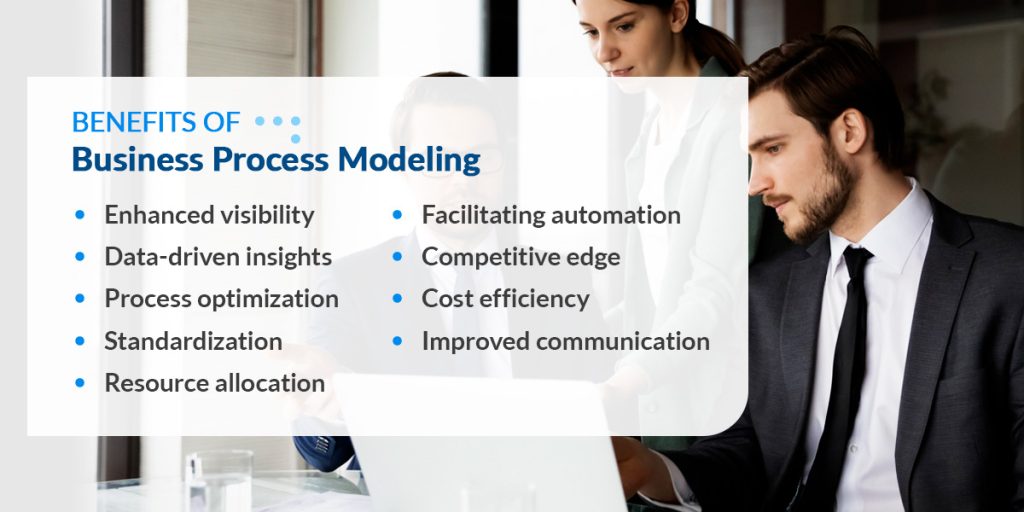
Benefits of business process modeling

Benefits of Business Process Modeling

In the fiercely competitive landscape of modern business, leveraging every available advantage is paramount. This is precisely where BPM arises as a strategic imperative. Here’s why leading organizations are turning to process modeling to gain an edge:

  • Enhanced visibility: Business process modeling provides a bird’s-eye view of your operations. It illuminates every facet of your workflow, from initiation to completion, ensuring nothing remains hidden. This transparency is invaluable for pinpointing inefficiencies and optimizing processes.
  • Data-driven insights: BPM relies on data-driven models, delivering objective insights into your operations. Organizations can make informed decisions by analyzing quantitative metrics, success rates, and performance data, steering clear of assumptions and guesswork.
  • Process optimization: With a clear understanding of workflows, companies can optimize their processes. Identifying bottlenecks, streamlining activities, and reducing operational costs become achievable goals.
  • Standardization: BPM paves the way for standardizing processes across the entire enterprise. It ensures every team and employee follows best practices, promoting consistency, reliability, and predictability.
  • Resource allocation: Efficient resource allocation is a hallmark of BPM. Organizations can track how tool, system, and human resource investments impact workflow outcomes. This enables smarter resource allocation for maximum returns.
  • Facilitating automation: The rise of automation reshapes industries, and BPM is its trusted ally. Process models are the blueprint for automating routine tasks, liberating employees to focus on creative and strategic endeavors.
  • Competitive edge: In today’s business landscape, agility is the name of the game. BPM allows organizations to adapt swiftly to changing market dynamics, fostering a competitive edge.
  • Cost efficiency: By identifying and eliminating inefficiencies, BPM can save costs. It ensures resources are allocated where they matter most, ultimately reducing operational costs.
  • Improved communication: BPM transforms complex processes into clear, visual representations. This aids in sharing and discussing processes throughout the organization, ensuring everyone is on the same page.

Use Cases of Business Process Modeling

BPM isn’t a one-size-fits-all solution — it’s a versatile toolkit that can be wielded across various industries and scenarios to drive efficiency, competitiveness, and innovation. Here are some use cases that highlight BPM’s transformative power:

  • Streamlining operations: In manufacturing, BPM can optimize production lines by identifying bottlenecks, reducing downtime, and enhancing resource allocation. It ensures the efficient flow of materials and information, translating into higher productivity and lower costs.
  • Customer journey mapping: Understanding the customer journey is vital for businesses in the service sector. BPM enables the creation of customer-centric models that reveal pain points, enabling companies to deliver exceptional experiences and build lasting loyalty.
  • Financial process management: Finance departments benefit from BPM by streamlining budgeting, expense approvals, and financial reporting. Accurate financial process modeling ensures compliance, reduces errors, and enables better fiscal decision-making.
  • Supply chain optimization: Logistics and supply chain management leverage BPM to orchestrate the movement of goods, manage inventory, and respond swiftly to market fluctuations. This results in more agile, cost-effective supply chains.
  • HR process enhancement: HR departments harness BPM for talent acquisition, onboarding, and performance management. It facilitates seamless recruitment, fosters employee development, and ensures HR processes align with organizational goals.
  • Compliance and risk management: Businesses subject to strict regulations use BPM to ensure compliance and mitigate risks. BPM helps monitor and enforce adherence to regulatory standards, reducing the chances of costly fines.
  • Marketing campaign optimization: BPM provides insights into the customer lifecycle, helping tailor marketing efforts for maximum engagement and ROI. Marketers use BPM to plan and execute campaigns with precision.
  • Product development: BPM aids in product lifecycle management, guiding product development from ideation to launch. It ensures all stages are efficiently executed, resulting in innovative, market-ready products.
  • IT service management: BPM is vital for incident management, problem resolution, and change management. It enables IT teams to maintain system stability, minimize downtime, and enhance user satisfaction.

Salient Process is your business process modeling solution

Salient Process Is Your Business Process Modeling Solution

At Salient Process, we’re your BPM innovators, offering quality and comprehensive Digital Business Automation Solutions. As an IBM Premier Business Partner, we excel in process mapping, mining, robotic process automation, and other key solutions. We believe in the power of processes, and our global reach ensures we serve multinational companies with tailored solutions. Our lean, outcome-driven approach delivers quick wins, optimizing processes and enhancing efficiency. 

Contact us today for more information on how we can help you streamline your processes. 

Differences between hyperautomation and automation

Automation is the current buzz. If organizations haven’t already started implementing automation, now is the time to start. Automation holds immense potential, encouraging organizations to place higher value on employee satisfaction and improving productivity. Investing in business process automation is a quick way to improve overall workflow and efficiency. Digital Business Automation, the integration of advanced technologies to automate complex business processes, is an emerging industry concept that demands consideration from businesses worldwide.

Digital Business Automation versus automation, deciding which process solution will suit your business the best depends on your specific needs. Understanding the differences between automation and Digital Business Automation helps companies to determine which technologies will best suit their long-term goals and current organizational needs.

Differences Between Digital Business Automation and Automation

The main difference between Intelligent Automation and Digital Business Automation is the scope and capabilities. While Intelligent Automation aims to enhance efficiency, Digital Business Automation surpasses this by encompassing holistic process optimization, agility and innovation. As an extension of automation, Digital Business Automation kicks things up a notch by adding advanced technologies to the automation process. While the former focuses on automating only specific tasks, the latter extends automation’s capabilities.

What Is Automation?

Automation allows businesses to use technology, tools, or systems to perform tasks, processes, or operations. Automation can free workers from mundane, repetitive tasks, allowing them to focus on value-adding work. Think about the technology that goes into computers. Software or machines take over repetitive tasks and other rule-based activities to streamline operations, especially administrative tasks. Businesses’ process automation can save time, reduce errors and increase workflow efficiency. Mundane processes that are easily automated include:

  • Invoicing
  • Staff schedules
  • Document routing
  • Customer support
  • Employee onboarding
  • Data entry and deletion
  • Compiling expense reports

Organizational departments that benefit most from automation software include human resources, sales, project management, customer support, and operations management. Aside from increased productivity, making the switch to automation will also:

  • Improve efficiency: Automation optimizes resource utilization, expedites basic troubleshooting, and refines operational workflows, leading to heightened productivity.
  • Enforce standardization: By harnessing automated technology, enterprises can consistently apply the most optimal techniques, ensuring uniformity and effectiveness across operations.
  • Drive accountability: Software automation fosters heightened transparency, paving the way for identifying opportunities for enhancement within daily processes.
  • Elevate customer experience: Through impeccable output quality and swift turnaround periods, businesses can cultivate greater customer loyalty by seamlessly integrating automation into their operational frameworks

What Is Digital Business Automation?

Digital Business Automation is a business-driven, iterative, disciplined approach to automation and combines different technologies and tools to create an end-to-end automated ecosystem. Artificial intelligence (AI), Machine Learning (ML), Natural Language Processing (NLP), and RPA are a few of the advanced technologies that take workflow efficiency to the next level. The goal is to automate everything in an organization that can benefit from automation by creating an intelligent and agile system that evolves with the company’s growing needs and drives transformative results. Think of Digital Business Automation as a bundle consisting of automation tools, packaged software, and intelligence like ML or AI.

Inserting this technology into business architecture opens a door to improve turnaround times for key processes within the organization, gives employees more time to focus on high-end work as AI completes manual tasks, and creates a more supportive environment for employees, with the bonus of happy customers, thanks to consistent, high-quality work or service provision.

Why hyperautomation is vital to businesses

Why Digital Business Automation Is Vital 

Maximize productivity, minimize overheads, and enjoy a new level of performance at work with Hyperautomated solutions. Businesses that need to keep up with increased demand, create new work processes, encourage employee growth, and boost consistency will benefit from Digital Business Automation. By stepping into this future, businesses will enjoy a positive change in legacy operations, reduced costs, and increased data accuracy. They’ll also see improved customer experiences due to more consistency in deliverables. Here are five game-changing Digital Business Automation capabilities:

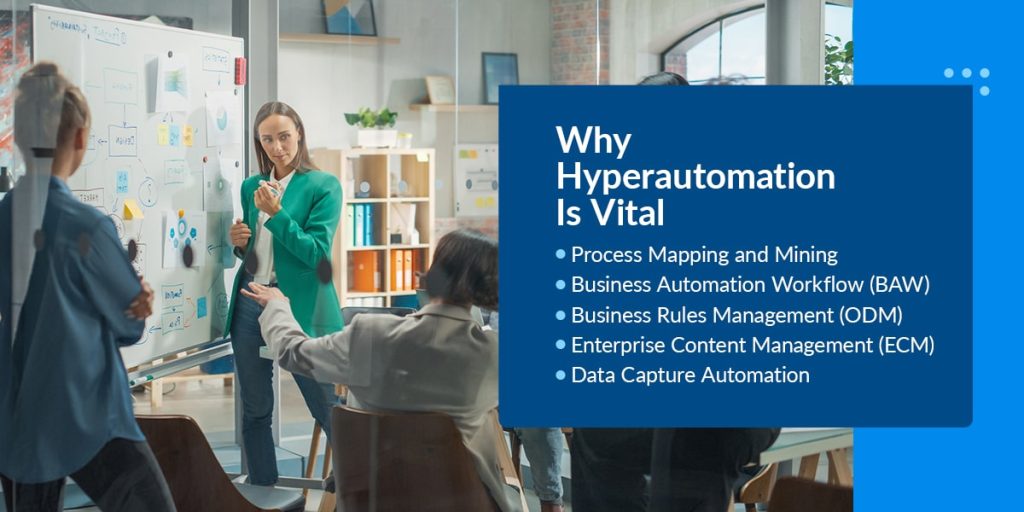
  • Process Mapping and Mining: Process Mapping helps an organization build visual workflow representations to evaluate operational efficiency. Process mining is a data-driven methodology that uses event logs to visualize, analyze, and improve business processes by uncovering patterns, bottlenecks, and inefficiencies.
  • Business Automation Workflow (BAW): Workflow automation involves using technology to design, execute, and manage a sequence of tasks or processes within a business, reducing manual intervention and increasing efficiency.
  • Business Rules Management (ODM): Operational Decision Management, also known as business rule automation, is the practice of using software systems to manage and apply a set of predefined rules and logic to guide real-time operational decisions within a business process.
  • Enterprise Content Management (ECM): ECM is the hub that stores and manages all digital content within an organization. This set of document automation technologies integrates with Microsoft Office suite and improves information governance.
  • Data Capture Automation: Intelligent Optical character recognition (iOCR) technology converts printed or handwritten data into digital data. This technology makes processing large amounts of documents more accessible and faster, with no manual input.

Is Digital Business Automation the Best Fit for Your Organization? 

Thanks to endless software customization opportunities, Digital Business Automation benefits most businesses in almost any industry. 

Three industries that can benefit the most are:

  • Health care: Health care services have vast amounts of administrative work, repetitive processes, and regulations to comply with. Organizations in this industry can offer automated services and speed up operations by incorporating NLP into their online systems.
  • Financial services: Professionals in this industry can reduce manual intervention, provide more accurate calculations, and offer assistance in real-time.
  • Industrial operations: BPM helps to produce higher quality products and optimize legacy systems to ensure faster turnaround times that keep up with supply and demand.

Careful analysis and understanding of your business needs are essential to determine if this technology integration aligns with your goals. Speaking with automation experts and evaluating successful cases in your industry will provide you with valuable insights to factor into your decision-making. 

  • Assess your processes: Identify areas where there are a lot of repetitive, rule-based tasks which can benefit from automation.
  • Efficiency and productivity: Find processes that will benefit from increased productivity by automating specific tasks.
  • Resource allocation: Digital Business Automation may need some initial investments and training, so look at your organization’s resources like budget, skill sets, and technology infrastructure.
  • Security and compliance: Businesses that deal with sensitive data will benefit from Digital Business Automation to helps them meet necessary security compliance standards.
  • Innovation potential: Digital Business Automation can enable your business to explore new opportunities through innovative solutions or improved customer experiences.
Transform your business with Digital Business Automation services

Transform Your Business With Digital Business Automation From Salient Process

Businesses can unleash their full potential by making informed choices between automation and scaling beyond toward Digital Business Automation, seizing new opportunities, and paving the way for a prosperous and resilient future.

At Salient Process, we value the significance of a holistic digital transformation. Our goal is to help you to align your procedures with overarching business objectives. Our dedicated team diligently grasps your specific requirements, crafting personalized plans for success. With our Digital Business Automation solutions, your business can quickly meet its digital transformation goals, taking the whole organization to new heights of efficiency and innovation.

Revolutionize your business today. Request a free consultation with Salient Process.

Major predictions for the future of automation

Automation has made significant changes in the workplace, from developing robots to creating targeted advertisements. All industry types can find ways to implement automated tools into their operations. Automation can increase efficiency, reduce manual workloads, and provide many other benefits.

Technology continues to advance, allowing automation to drive bigger results and handle larger workloads. Companies can stay competitive by implementing the newest technologies into their workflows. Learn more about business automation and the top predictions for upcoming years below.

What Is Business Automation?

Business automation is the process of using automated technologies to streamline workflows. Various tools and applications can complete repetitive tasks without human input. That way, business employees can focus on higher-value tasks.

Organizations can automate simple tasks, entire workflows, or all company systems. Business process automation drives company growth, allowing you to remain competitive as market technology advances. You can experience benefits like:

  • Increased efficiency: Automation simplifies workflows, letting you complete daily responsibilities much faster. You can eliminate inefficiencies and complete repetitive tasks instantly. Increased efficiency facilitates business growth, allowing you to manage more clients or product offerings. Employees can work more productively and feel more fulfilled by higher-priority tasks. You can speed up and strengthen your entire business operation.
  • Improved accuracy: Time-consuming, repetitive tasks can become tedious for workers. If they get distracted or lose focus, workers might enter the wrong information, causing confusion later. By reducing manual data entry, you can increase accuracy across all operations. Automatic data transfers maintain precision in various applications. Many automated features immediately sync data between all company systems, allowing for real-time insights and analysis. You can use the valuable data to make more informed decisions that benefit your entire organization.
  • Reduced costs: Automation cuts many operational costs, letting businesses allocate more resources to growth and improvement. Automated tasks take less time to complete, reducing resource and labor costs. You can focus more on profit generation and seek other ways to optimize business growth.
Predictions for the future of automation

4 Predictions for the Future of Automation

Automation capabilities continue to expand, allowing businesses to streamline more processes than ever. As automation grows, many wonder how it will impact future business operations. These are five predictions about the future of automation in the workplace:

1. Improved Personalization

Automation helps businesses create more personalized content and user experiences for consumers. Automated algorithms and data collection detect user preferences, then use the data to adapt future experiences. For example, social media feeds collect information based on engagement — if users interact with a particular content type, the application provides more of it to keep them engaged.

As automated features grow, personalization capabilities will increase. Businesses can use personalized ads to target specific audiences, driving more traffic to their website. You can also use automation to tailor online shopping experiences, helping customers find desired products more quickly. Many companies will increase their social media presence to benefit from automated algorithms and increase brand awareness.

Increased personalization helps customers feel more connected to brands, which can encourage loyalty. Automation will likely continue to advance, making it easier for businesses to set apart from competitors and improve brand reputation.

2. Increased Use of Business Chatbots

Advancements in artificial intelligence (AI) and other automated technologies will allow businesses to streamline workflows in new ways. A notable example of this trend is business chatbots, which are computer programs that simulate human conversations to resolve customer queries. Chatbots connect with customers and provide answers, launch service requests, or transfer customers to live agents. They offer a cost-effective way to support customers 24/7, which can increase customer satisfaction on various levels.

Automated technology is advancing, giving chatbots more ways to connect with consumers. They will develop ways to resolve more complex problems, reducing business workloads even further. Many companies might start to use chatbots as full-time agents. This implementation frees up more time for businesses, increasing efficiency on many departmental levels.

As AI advances, chatbots will enhance communication features, allowing for more enriching conversations. For example, bots might gain voice features and the capacity for ongoing, two-way conversations.

3. Streamlined SEO

Search engine optimization (SEO) allows organizations to optimize web pages and increase their presence in search engines. SEO automation applies tools and software to complete SEO tasks like monitoring traffic, checking backlinks, and watching competitors.

With the assistance of AI and other advanced automation features, companies can gain deeper insights from SEO strategies. The more data you collect, the better you can refine your website to attract more customers. Automation helps you gather these insights automatically instead of spending additional time recording results. As SEO automation grows, companies can find new ways to enhance their websites and drive results.

4. More Training Opportunities

Automation’s growth also increases education and training requirements. To gain the complete benefits of automation, your workers and leaders should understand how to properly use automated software and tools. Many universities and education programs offer degrees in software automation or related concepts, and these will likely increase in number as automation expands.

As companies integrate automation into various business areas, they will probably change training strategies to prepare workers more thoroughly. While some employees have backgrounds in advanced software, others might have never used AI or automation software. Businesses should develop training materials that assist all employees, no matter their experience level.

You might encounter an adjustment period as you introduce AI automation and other automated tools to your workplace. During this time, you test automation tools and evaluate their effectiveness on different business operations. A period of trial and error helps you find the best placement for various automated tools. Techniques like process mining let you evaluate workflows and find improvement areas. Then, you can implement automated tools to resolve inefficiencies.

Business-driven automation from Salient Process

Business-Driven Automation From Salient Process

Automation can transform your business, allowing you to optimize efficiency and increase consumer connections. If you’re ready to commit to an automation solution, choose Salient Process today.

We offer a wide range of Digital Business Automation solutions and services that help you increase efficiency and accuracy. Our team works closely with your organization to evaluate your processes and identify the best automation solutions for your needs. We are an IBM Premier Business Partner and provide leading solutions for companies in all industries.

To learn more about our solutions, contact Salient Process today.

Business Rules are First Class Objects with James Taylor, CEO of Decision Management Solutions


In this episode, host Jimmy A. Hewitt had the opportunity to chat with James Taylor, CEO of Decision Management Solutions

This episode, we have the dynamic pair, Jimmy A. Hewitt, and the brilliant James Taylor, CEO at Decision Management Solutions. 💼 James Taylor, a true leader in the business rules space, will guide us through the rationale behind this game-changing perspective of why business rules should be treated as first-class objects within your organization!

Watch Episode 26 now!

Follow along with the episode now!

Guest: James Taylor, CEO of Decision Management Solutions


Background and Entry into Decision Management


 James Taylor’s background includes working in business roles. He has 20 years in the Business Rules field

 Recommended business rules to engineering teams in various software companies. He was frustrated how often engineers chose to write code rather than adopt business rules.


Joined a business rules management system company due to frustration.

Systems were developed for banks, combining business rules, predictive analytics, machine learning, optimization, etc.

Coined the term “decision management” to describe this technology stack.

Focus of the Company: Automating Complex Decisions

  • Decision Management Solutions focus is on assisting companies with high-volume transactions or interactions.
  • The goal is to automate decisions in scenarios where the best course of action isn’t immediately clear.
  • These decisions need to be automated effectively and in a manageable way.

Evolution of Decision Management

  • Initially, building these rule based systems was expensive, focusing on areas like credit card fraud.
  • Value of combining technologies became evident, leading to coining the term “decision management.”
  • Advances in technology, data, and the cloud reduced costs significantly.
  • Decision management is now accessible for lower-volume transactions and diverse industries.

Accessibility and Opportunities

  • Decision management is now more affordable and applicable to various contexts.
  • Opportunities are widespread; it’s about identifying the right use cases.
  • Many industries can leverage these capabilities, given the lowered cost barriers.

Could you provide an overview of the landscape of decision management and business rules, particularly in the context of intermediate to advanced topics like high-value applications and predictive decisioning using AI/ML?

Overview of Decision Management and Business Rules

  • Decision Management and Business Rules Focus: The main topic is decision management, particularly centered around business rules. While initially managed through a business rules management system (BRMS), the term “decisioning platform” is now used for better clarity.

  • Decisioning Platform Analogy: The analogy used likens the decisioning platform to a “Process Management” platform rather than just a “Task Management” one, underscoring the importance of decisions in business processes.

Breaking Down Complex Problems

  • Purpose of Decisioning Platform: The decisioning platform’s primary purpose is to break down complex problems into more manageable components. Examples include loan origination, claims processing, and customer offer decisions.

  • Simplification with Business Rules: Business rules, which involve logical expressions with conditions and actions, simplify the formulation of complex decisions into more understandable terms.

Structured Decision Making

  • Role of Business Rules: Business rules serve as building blocks, enabling the assembly of rules that guide decision outcomes. This structured approach empowers organizations to make complex decisions using a simplified rule-based framework.

Execution of Business Rules 

  • Execution Process: Executing business rules is not the main challenge, as computers excel at logical operations. Various platforms can handle rule execution, shifting the focus towards rule management.

Importance of Rule Management

  • Rule Management Emphasis: The focus is on effective rule management beyond execution. This involves identifying rules for modification, ensuring safe changes, and understanding the potential impact of alterations. Cost-efficient implementation of changes is crucial.

Role of BRMS (Business Rules Management System)

  • Comprehensive Management Framework: BRMS serves as a comprehensive framework for managing rule-based decisions, offering tools to simplify rule management.

  • Simulation and Comparison: BRMS facilitates simulating the effects of rule changes, comparing different rule versions, version control, and granting specific access to stakeholders.

Simplified Management with BRMS

  • Streamlined Rule Management: BRMS provides tools and capabilities to streamline decision rule management. It allows simulation of rule changes’ effects, clear comparison of rule versions, versioning, and role-based access control. The goal is to simplify rule management, making updates and changes more straightforward.

How do organizations currently manage their existing business rules, which are often already being executed, and what challenges do they face in terms of handling these rules, improving their sophistication, making changes, understanding the impact of changes, and determining the current state of their rule management process?

Importance of Effective Rule Management

  • Emphasizes the necessity of rapid accessibility and modification of business rules for functionality.

Current Rule Management Approaches

  • Some organizations rely on hard-coded programming languages like Python and Java for rule execution.
  • A notable percentage of businesses still manage rules manually through policy documents, guidelines, and scripts.

Progression to Advanced Rule Management

  • Organizations face the challenge of advancing from manual rule management to more sophisticated methods, possibly involving coding.

Integration of Logic into Processes

  • Many organizations have fragmented logic dispersed throughout their processes, within rules management systems, process engines, or custom code.
  • Historical tendency to break complex decisions into numerous process steps, each involving specific rules and conditions.

Shift Towards Decision Modeling

  • The practice of breaking decisions into multiple process steps has diminished due to the introduction of decision modeling alongside process modeling.
  • Decision modeling has improved clarity and reduced complexity in process design.

Legacy Systems and Complex Processes

  • Legacy systems still exhibit the practice of fragmenting business decisions into multiple process steps, resulting in complex process flows.
  • Example from claims handling demonstrates the challenges posed by having multiple instances of invoking business rules within a process.

Challenges of Entwined Decision-Making

  • Managing processes with interconnected decision-making steps makes implementing changes complex and challenging.

What does it look like for decision for a company who does treat decisions as a first-class object?

  1. Simplified Processes: By considering decisions as distinct steps, processes become simpler and more agile. Decision-centric design condenses multiple rule-focused process steps into a single decision step, streamlining the workflow.

  2. Analytics Integration: Treating decisions as primary elements enables the seamless integration of machine learning and predictive analytics. The data-driven nature of analytics aligns well with a decision-focused approach.

  3. Enhanced Agility: Decoupling decisions from processes significantly increases agility. Changes in decision logic can be made independently, without requiring modifications to the entire process.

  4. Stability through Separation: Separating decisions from processes stabilizes workflows. Many processes perceived as highly variable have variable decisions within them. This separation simplifies change management.

  5. Overcoming Legacy Challenges: Extracting decision logic from legacy systems helps manage complexities and aids platform replacement. This simplification facilitates transitioning to new platforms.

Overall, considering decisions as primary entities in business operations leads to streamlined processes, smoother analytics integration, enhanced agility, and greater stability—critical advantages in today’s dynamic business landscape.


How can you help companies transition from their existing decision logic embedded in platforms, like loan origination systems, to a more improved state, whether by harvesting existing logic or starting anew, and what does this transition involve?

Must Believe in Decision Modeling

  • Strong belief in decision modeling.
  • Early adopter of the decision model invitation standard.
  • Consistently using decision modeling since around 2011.
  • Advocates for decision models due to their speed, accuracy, and engagement.

Building Decision Models

  • Always build decision models in projects.
  • Focus on talking to the business about current decision-making processes.
  • Importance of understanding how decisions are made today.
  • Reverse engineer existing logic into decision model frameworks.
  • Not relying solely on code; business perspective is crucial.

Handling Existing Logic

  • Discussing existing decision logic embedded in systems.
  • Example of origination project with scorecards and auto reject rules.
  • Convert low-level rules into decision artifacts.
  • Establishing the right decision structure and details.
  • Incremental process of building the model.

Automating Current State

  • Aim to automate the current decision-making process.
  • Adds value by increasing consistency and embedding in software.
  • Goal: Higher rate of automation, reduced manual work.
  • Preparation for conversations about improving decisions.


Exploring Improvements

  • Transition to discussing improvements in decision-making.
  • Potential enhancements: buying third-party data, automating manual steps.
  • Involvement of machine learning, prediction analytics, AI.
  • Focus on automating for enhanced decision accuracy.

Importance of Automation

  • Emphasis on automating decisions first.
  • Establishing an automation framework as a foundation.
  • Boosts confidence in decision-making processes.
  • Step one: Achieve automation and consistency.

Common Approach

  • Common approach involves direct interaction with business.
  • Build top-down decision models for manual processes.
  • For existing automation, combine top-down model with existing logic.
  • Discovery of inconsistencies during this process.

Example of Inconsistencies

  • Example of inconsistencies in credit risk decisions.
  • Variation in credit risk acceptability based on FICO score.
  • Highlighting the complexity of intertwined rules.
  • Need to address discrepancies and align decision-making.

Reuse and Consistency

  • Step Two: Transition to discussing improvements in decision-making.
  • Increased reuse and consistency through well-defined decisions.
  • Decisions as more reusable artifacts compared to fragmented logic.

Continuous Improvement Framework:

  • Step Three: Implementation always includes a continuous improvement framework.
  • Avoids the common issue of not empowering business to manage rules after initial implementation.

Vertical Slices Approach:

  • Projects involve building more vertical slices of functionality.
  • Workshops to refine rules and test them.
  • Create simulation environments to assess the impact of rule changes.
  • Develop dashboards for analyzing production decisions.

Data-Driven Decision Improvement:

  • Turn on production provides data about past decisions.
  • Data informs how to make better decisions in the future.
  • Business users can analyze data and make changes.

Case Study: Claim Team in Hong Kong:

  • Weekly review of claims.
  • Identify tweaks to reduce manual reviews.
  • Historical data simulation for proposed changes.
  • Present results to supervisors for approval.
  • Deploy changes regularly to improve decision-making.

End Goal

  • The end goal is an agile, data-informed decision-making process.
  • Improve decision handling and process efficiency on an ongoing basis.

How does AI/ML intersect with BRMS?

Human In the Loop vs. Human On the Loop

  • Explains the concept of “human in the loop” vs. “human on the loop” in decision-making.
  • BRMS allows having a “human on the loop” approach, where humans are involved in decision improvement rather than being directly in the loop of each transaction.
  • Transition towards a human-governed AI approach.

Clarifying “Human Governed AI”

  • Introduces the concept of “human governed AI.”
  • Critiques the idea of involving humans just to blame them.
  • Emphasizes the importance of explicit definitions of the roles of humans and machines in decision-making.

Augmentation and Decision Context

  • Highlights the growing interest in augmentation, combining AI and human roles to enhance automation.
  • Importance of defining the specific contributions of humans and machines in decision-making.
  • Suggests that focusing on augmentation requires clear understanding of each entity’s role.

Use of Machine Learning in Business Decisions

  • Differentiates between areas where machine learning can replace existing rules derived from data analysis and areas requiring human judgment.
  • Describes using machine learning to predict conditions from medical reports to streamline manual reviews.
  • Emphasizes that machine learning for business decisions is complex and must be considered in the context of the decision process.

Failure Rates in Machine Learning

  • Mentions the high failure rates in machine learning and AI projects, especially when not contextualized.
  • Points out that the success rate in practical applications is low due to challenges in aligning machine learning with decision contexts.

Adding Value Through Decision-Making

  • Highlights that machine learning only provides predictions and decisions require actions.
  • Stresses the need for clear decisions based on predictions to add value.
  • Expresses that the significance of decisions is evident when considered in the context of business processes.

Machine Learning vs. Decisioning Platforms

  • Advises that a decisioning platform is crucial for operationalizing machine learning at scale.
  • Suggests that successful integration of machine learning requires a suitable decisioning framework.

Poorly Defined Requests and Context

  • Criticizes vague data requests from business executives.
  • Advocates for contextualized questions and understanding the implications of interesting findings.
  • Highlights the complexity of creating predictive models without proper decision-making context.

Simpler Machine Learning Problem

  • Discusses an example where machine learning can be applied to predict specific conditions in documents.
  • Points out that decision context simplifies the machine learning problem.
  • Reiterates that machine learning’s applicability depends on the specific decision context.

Challenges of Machine Learning in Decision-Making

  • Repeats the notion that machine learning’s success relies on decision context.
  • Addresses the common issue of spending more on machine learning without proportional benefits.
  • Echoes the need to integrate machine learning with decision-making processes.
 

What’s the most common use case that your team runs into and then what’s your favorite use case?

Common Use Cases for Decision Management

  • Claims and origination are the most common use cases.
  • Specialty origination is also prevalent in the banking industry.
  • Banking has more decision management use cases, but also more packaged solutions.
  • Consulting firms encounter these use cases less often due to packaged solutions in banking.

Favorite and Unusual Use Cases

  • “Oddball” and unusual use cases are favorites.
  • Examples: Valuing building and assisting independent agents.
  • Enjoy finding and addressing unique challenges in decision management.

Broad-Based Use Cases

  • “Next best action” or “next best offer” is a broad-based use case.
  • Applicable across industries with customers, partners, and suppliers.
  • Aimed at enhancing customer experiences and interactions.

Versatile Use Case Example

  • “Does this matter?” is a common broad-based question.
  • Applies to diverse industries, making it an accessible example.

What would you like the audience to take away from from this episode?

James emphasized the importance of decision modeling and automation. He advised beginning with the current decision-making process and then gradually automating it for better efficiency. He discussed the collaboration between humans and machines and also mentioned the challenges of applying machine learning in business scenarios. He highlighted the considerable value in decision automation and encouraged a shift in mindset regarding its complexity and benefits.

Watch Episode 26 Now 

Have a Topic Idea? Let Us Know

If you have a topic idea, contact us today. We want our podcast to answer your questions, and if you have something that you want to hear, we would love to know. In addition, you can ask questions and get in touch with our Salient Process team.

Why Salient

At Salient Process, we understand the importance of comprehensive digital transformation. We work closely with each client and use a North Star methodology to align your procedures with overall business goals. Our expert team works hard to understand your unique needs, making a customized plan for success. With our Digital Business Automation solutions, you can move closer to your digital transformation goals.

Subscribe now

👉Subscribe to Bots & Thoughts: The Digital Business Automation Podcast

👉Subscribe to our Spotify Here

👉Subscribe to our Apple Podcast 

👉Subscribe to our Google Podcast Here


⏩Subscribe to Salient’s Monthly Newsletter Here 

🎤Be our next guest! Sign up Here

📲Contact our Podcast Host Here 


Follow Us

  ⏩LinkedIn

👉 Follow Bots & Thoughts on Here

👉 Follow Salient Process Here

👉 Follow our Podcast Host Here

  ⏩Youtube 

  ⏩Twitter 

🌐Learn more at Salient Process


RELATED CONTENT

Guide to process automation

Did you know that 80% of business leaders believe they can use automation for business decisions? More companies are seeing the benefits of automation — better decision-making, agility, productivity, reduced costs, and enhanced customer experience. Spending on automation is expected to increase by 17.5% in 2023 as businesses seek to free up employees’ time to focus on more strategic work.

As the trend towards digitalization continues to grow, business leaders are increasingly interested in leveraging automation to enhance operational efficiency. This guide will explore the advantages of process automation and provide insights into its implementation within your organization.

What Is Process Automation?

Process automation uses technology to automate repetitive business processes, systems, and tasks, optimizing business processes to meet business goals. Process automation is ideal for mundane tasks that are essential but don’t require creativity or strategizing.

Using process automation, you can free up your staff from performing these repetitive tasks so that they can focus on the core of your business. By removing the human element from these procedures, you also decrease the time it takes to complete them, increase accuracy and remove bias.

The following are examples of tasks that businesses often automate:

  • Recruitment activities: Automation can make onboarding and employee training simple and quicker.
  • Payroll activities: With the rise in remote employees, automation has helped businesses to streamline their payroll.
  • Employee scheduling: If you have staff across various locations, you can easily sync scheduling and time off requests.

Benefits of Process Automation

Process automation has a range of benefits for your entire business. When implemented well, it can help to improve productivity, increase customer satisfaction and reduce costs, among other advantages. 

Process automation can cut up to 90% of business costs

  1. Removes bottlenecks: Repetitive manual work, such as data entry, slows productivity. By automating these activities, you increase efficiency and enhance the scalability of your business. Freeing your staff from manual, time-consuming, and repetitive tasks gives them the capacity to focus on strategic activities and customer service. Automation takes these tasks and integrates them into a single streamlined workflow.
  2. Saves time: Consider how much time you spend on low-value tasks in your day. Many jobs can automate at least some parts of the associated work, saving employees time to spend on high-value tasks. Automation enables you to manage your time better so you can spend it on the most critical areas of your business.
  3. Reduces errors: Human error is inevitable. While mistakes can happen, they can become problematic for your reputation when it begins to affect your customers. When staff perform mundane tasks that require very little engagement, the risk of errors increases. Automation reduces the human element from processes, increasing accuracy and reducing the need for unnecessary rework. 
  4. Minimizes cost: Businesses can reduce costs when using automation to standardize and digitize processes. Research shows that process automation can cut up to 90% of business costs. As costs decrease because of automation, businesses can earn more revenue — 73% of business executives expect their revenue to increase.
  5. Improves quality: If you’re looking for ways to increase the quality and speed of your customer service, automating can help you to improve your standards. You can take on new business with the reassurance that you can provide quality service and outcomes for your customers.
  6. Enhances Agility: Automating data collection, aggregation, and synthesis, especially for large data sets, can help business leaders to make more informed and faster decisions. It also improves data quality — bad data from human error costs businesses $12.9 million annually. To make sound business decisions, leaders need quick access to high-quality data.
  7. Increases compliance: Many businesses have regulations and standards with which they need to comply. Automation enables you to carry out operations and processes with precision and regularity that matches the requirements you need to meet. Whether it’s your internal policy or an external regulation, automation allows you to integrate them into workflow capabilities. You can also set up monitoring functions to stay on top quality instead of doing manual spot checks.
  8. Improves customer experience: Modern technologies can speed up your customer service response. For example, businesses can use chatbots to answer customer queries quickly and sort and escalate them without any human intervention.
  9. Makes employees happier in their roles: As automation frees up your staff from repetitive tasks, it allows them to spend their time on creative, strategic work that adds value to your business. Using automation, 66% of workers say it allows them to focus their time and energy on creative tasks and projects. It ensures that employees spend their time well and increases employee satisfaction. Employees who are happy in their roles are more likely to perform better.

Types of Process Automation

There are three types of automation you can implement in your business to reap the benefits:

1. Business Process Automation 

People often use the terms “business process automation” and “process automation” interchangeably. Either way, it refers to using tools and technologies to automate an entire business process from start to finish. This automation spans multiple functions, roles, and systems.

For example, a business may automate how they onboard a new customer, capturing and storing their details. Employees with access to the information can then auto-populate invoices and other documents for clients instead of manually entering details.

2. Robotic Process Automation (RPA)

People often misunderstand this automation as physical robots taking over jobs from humans. In reality, RPA involves using automation technology for repetitive tasks in software applications. It works best for high-volume repetitive tasks such as data entry that require intense manual labor.

RPA bots continuously work on the tasks they automate, usually triggered by a specific action or a predetermined workflow. These bots bring several benefits to a business’s workflow — they allow companies to complete tasks quickly and efficiently and improve team agility, saving time and reducing errors.

RPA is just one part of the automation process as it focuses on automating a single or handful of tasks. Using this form of automation alone still leaves some gaps. For example, RPA can’t learn over time as artificial intelligence and machine learning tools can, and it doesn’t solve the data silos that can get in the way of business automation.

RPA is part of the overall process automation strategy

While robotics process automation is essential, it’s just one piece of the puzzle. Businesses need to see RPA as part of their overall process automation strategies.

3. Digital Business Automation

Digital Business Automation uses a variety of automation tools and technologies, such as robotics process automation, machine learning, and artificial intelligence, to speed up the automation process across an organization. These technologies make it easier to identify areas where automation can improve efficiency. Digital Business Automation capabilities aim to create a better work environment where employees can easily apply their skills and knowledge for better performance while optimizing processes and reducing risks.

An example of Digital Business Automation is if a business scans documents instead of manually entering information, uses technology to extract information, populates the areas with the relevant information, and inputs it into a data management system. Employees then receive notifications if there is information that they need to act upon. 

report from Gartner highlights that Digital Business Automation is well worth the investment. It helps to decrease errors dramatically, improves efficiency, and frees up employees to do work that has a significant impact on an organization.

Steps to Automate a Business Process

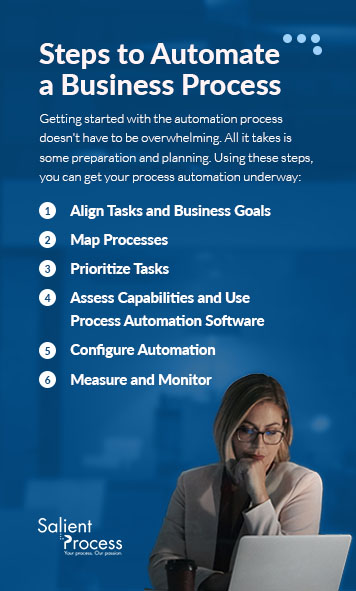
Getting started with the automation process doesn’t have to be overwhelming. All it takes is some preparation and planning. Using these steps, you can get your process automation underway:

Steps to automate business processes

1. Align Tasks and Business Goals

When you’re choosing areas in your business to automate, it’s essential that they line up with your business goals. Start by identifying the areas that will have the most impact in enhancing your business operations. In many cases, the processes that require the most human effort and intervention will benefit the most from automation and have the biggest impact.

Get clear on your motivations and goals by asking yourself the following questions:

  • Why do you want to automate processes?
  • What would you like to achieve through automation?
  • What timeline do you have to achieve the results?
  • How much of your budget have you allocated to automation?
  • What will successful automation look like for your business?

When you’re clear about your goals and why you want to automate your processes, you’ll choose the best solutions and tools to help you get there.

2. Map Processes

You’ve decided where you want to start and what your end goal is — it’s now time to map out your process to get there. Creating a process map will help you illustrate the steps involved in the automation and what you must do to achieve your results. A process map enables you to document your workflow, recording the following: 

  • The people who carry out, approve, and handle or move work in the process from one point to another.
  • The specific actions and tasks you need to complete in the process.
  • The systems and software that hold the work needed for the process.
  • All information, such as forms, documents, files, and other data.

To create a process map, start by going through your standard operating procedures. Identify the activities in the process, write out the sequence of events, and populate your flowchart.

3. Prioritize Tasks

Your process map will help lay out your processes and tasks. With this information, you can identify and prioritize the tasks and processes that are good candidates for automation.

If you’re starting from scratch, there are likely several processes you can automate. It’s wise to divide these areas into different sections — the most complex, the ones that waste human resources you can use elsewhere, and the essential processes that add value to your business.

The tasks that are ideal for automation usually have the following features:

  • Repetitive: They require the same steps and inputs every time. They also use up employee brain power you can dedicate to other essential work.
  • High-volume: Employees need to repeat these tasks often, several times an hour, a day, or a week.
  • Recurring: These are activities you need to complete according to a regular schedule.
  • Dependent: Another event or action triggers the activity. 
  • Time-sensitive: When employees need to complete tasks within a specific time frame, automation can perform these tasks on time.
  • Simple: These activities aren’t complex and don’t require strategizing or decision-making.
  • Predictable: The task occurs in the same manner at the same time.

When you choose a process to automate, remember that other subprocesses are often involved. For example, if you decide to automate your supply chain, you may have other subprocesses, such as order approvals and goods receiving. It’s important to note that some tasks are better candidates for automation than others. There will be processes in your business that require a human element, which looks different for every organization.

Create a list once you’ve identified the tasks you want to automate. Businesses commonly automate activities such as composing and sending emails, team member notifications, and task updates.

4. Assess Capabilities and Use Process Automation Software 

To make automation happen, you need the right tools. Start by assessing your capabilities — you need tools and process automation software that make automation simple to implement and manage. If you need additional support, it’s wise to partner with a process automation provider to equip you with the appropriate tools for simple and complex processes. There are various tools for every function, task, and user level — a provider can advise you on the best tools to use for each.

5. Configure Automation

Once you’ve chosen the processes and tasks to automate, set your process boundaries, and identified the best tools and software to get the job done, it’s time to get started with your automation. Your chosen software should make planning and configuring automation in any of your workflows easy. All you’ll need to do is decide what will trigger the automation and what it will do.

6. Measure and Monitor

Monitoring your automation over time and measuring its success is important, especially as your business evolves. Choose what key performance indicators (KPIs) you’ll track. You can base your KPIs on cost savings, time savings, and employee productivity. To know if the automation is working and helping you achieve your goals, you’ll need to define what success looks like and track it over a specific period.

By monitoring the KPIs, you can also identify areas for improvement. Make sure to budget for regular updates and maintenance. As your business grows, your software needs to stay integrated and work well on all interconnected platforms.

Automate your business processes with Salient Process

Automate Your Business Processes With Salient Process

Process automation is no longer something that’s nice to have for organizations. It’s transforming how we do business and ensuring the best use of human expertise in teams. From reducing errors and costs to improving productivity and efficiency, companies are seeing the benefits of automating. Creating a detailed strategy and plan ensures you choose the right software and tools for your business.

At Salient Process, our purpose is to enable your business to reach its technology goals. With our business-driven Digital Business Automation services, you can automate processes across your organization with the right process automation software and tools that scale well. Speak to an expert advisor — contact us today to learn more!

Hello, esteemed Automation Compass users!

We are thrilled to introduce our newest release, brimming with fresh features, enhancements, bug fixes, and a sneak peek into our upcoming developments. Just as always, our objective remains to equip your organizations with groundbreaking tools that elevate your business architecture, refine process improvement, and streamline opportunity management procedures. Let’s delve into the latest additions:

Learn more about Automation Compass.

🚀What’s New?

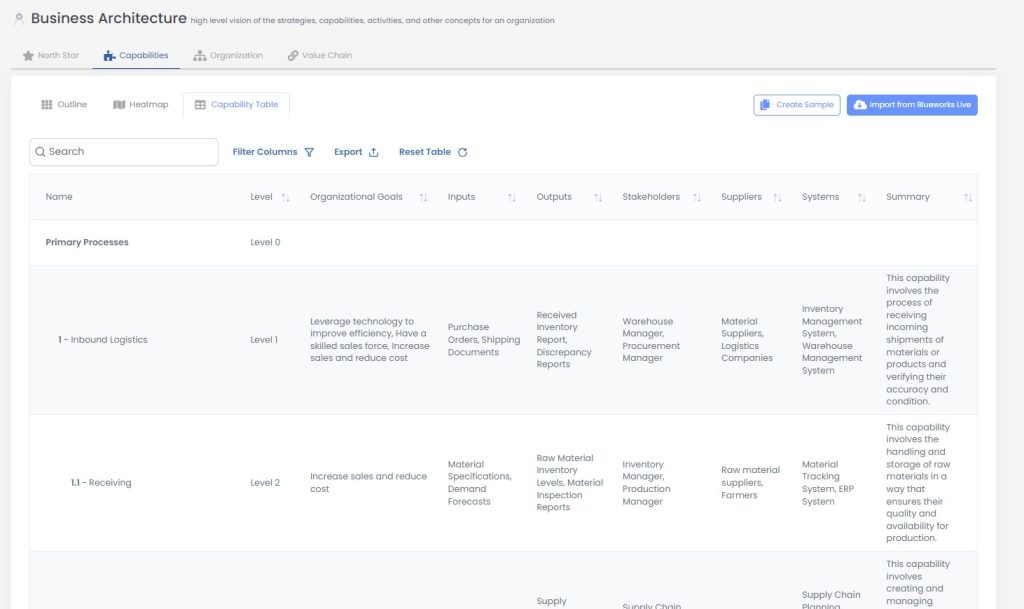
1. Capability Table

Experience an entirely new visualization of your capability map! With our innovative capability table, you can now access comprehensive information about your capabilities, thoughtfully organized into columns. Gain valuable insights into hierarchical relationships and associated processes. But this is just the starting point – we’re actively developing this into a dynamic reporting table that seamlessly supports filtering and sorting.

2. Bulk Process Import from Excel

Streamline the process of importing your processes with unparalleled ease. Download our Excel template to effortlessly import an extensive list of processes. Now, you have the ability to import processes in bulk, ensuring that all pertinent details are seamlessly integrated.

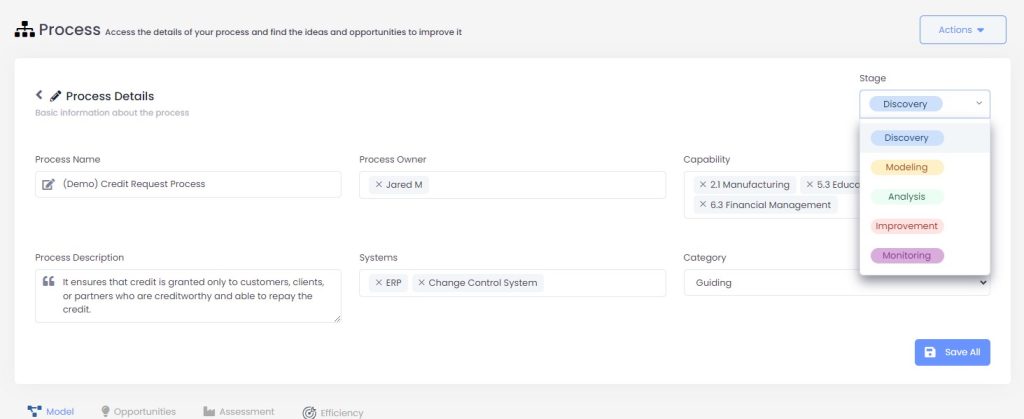
3. Process Stage Tracking

Stay well-informed about the present stage of your processes. Keep track of their current phases – whether it’s discovery, mapping, analysis, improvement, or monitoring. Effectively manage multiple processes and maintain impeccable organization throughout their entire lifecycle.

4. Business Hours in Simulation

Elevate the precision of your task scheduling through the integration of business hours. Calculate task due times within working hours, accurately consider elapsed time, and proficiently manage participant schedules. Tailor business hours and specific schedules for your resources using the advanced settings.

⭐Improvements

  1. Improved Opportunity Monitoring: Enhance your opportunity monitoring experience to a greater degree. Customize the years under observation and attain a comprehensive understanding of benefit deviations, effectively comparing planned versus actual outcomes. Maintain a proactive stance in tracking your benefit realization journey.
  2. Widget Filters for Planned vs Actual Benefit: We’re placing more control in your hands. Refine the opportunities showcased in the Planned vs Actual Benefit widget by utilizing filters based on pipelines or capabilities. Tailor your viewing experience to align with your personal preferences.
  3. Email Notifications for Account Expiry: Stay well-informed about your account’s status. Receive timely email notifications from our Automation Compass team as your account’s expiration date draws near. Guarantee uninterrupted access by promptly renewing your account.
  4. Effortless Process Creation: Starting from square one? Now, you can directly add an empty process. Prioritize modeling and effortlessly establish links to the process model once it’s ready. Enjoy both flexibility and simplicity, all in a single step.

🔧Bug Fixes

  1. Video Tutorial Issues Resolved: We’ve successfully tackled those troublesome bugs in our video tutorials, ensuring they now play correctly for your optimal learning experience.
  2. Seamless Process Name and Description Editing: Bid farewell to any quirks when modifying process names and descriptions linked to opportunities. Edit these attributes effortlessly directly from the process details page, without encountering any glitches.

🔜Coming Soon

  1. Update Imported Capability Maps: Maintain the currency of your capability map! With our forthcoming feature, you’ll be able to refresh imported maps from BWL. All the information will synchronize seamlessly, safeguarding your processes, opportunities, and supplementary details.
  2. Automated Heatmap Utilizing Process Density: Stay well-informed about your process landscape. An interactive heatmap, driven by process density, will assist you in pinpointing areas that require focus, guaranteeing a comprehensive approach to optimizing your business.

Request a Free Trial With Automation Compass Today

We appreciate your involvement in the Automation Compass journey. Our dedication lies in consistently enriching your experience and delivering value to your organization. Stay tuned for these thrilling updates as we jointly navigate the path to success!

If you’re interested in learning more, you can request a free trial or a demo from an expert advisor. If you’re eager to get started, you can book a meeting here. Don’t miss out on this opportunity, inquire for more information today.

RELATED CONTENT


More on Digital Business Automation

How reducing repetitive tasks can save time and money

Businesses use a variety of workflows to manage everyday operations. From responding to customer requests to organizing financial receipts, different workflows let you operate effectively.

Dull and repetitive tasks extend business workflows and make them harder to manage. Processes like manual data entry, login credential management, and other time-consuming tasks can decrease employee satisfaction and productivity. You can automate repetitive tasks to minimize these concerns and optimize efficiency.

Learn more about how to handle repetitive tasks and the benefits of automation.

What Are Repetitive Work Tasks?

Repetitive work tasks are time-consuming and straightforward processes used in regular operations. They usually require attention to detail and consist of the same actions over and over. The repetition can become dull for employees, causing them to dislike the tasks.

These are a few examples of repetitive work tasks:

  • Entering data into spreadsheets
  • Saving files into particular folders
  • Resetting passwords for workers
  • Sorting emails
  • Answering similar customer questions
  • Creating performance or data reports

How Do Repetitive Work Tasks Impact Your Workplace?

While repetitive work responsibilities are necessary for daily operations, they can feel tiring and unfulfilling for workers. Too many monotonous tasks can disadvantage your workplace. For example, repetitive tasks can:

  • Lower productivity: Workers might feel less motivated to complete their job responsibilities if most of them are repetitive and time-consuming. If they feel less engaged with their work, employees might complete tasks more slowly. Decreased productivity affects your entire organization, making meeting deadlines and customer demands harder.
  • Increase human errors: Manual, repetitive tasks like data entry can lead to human errors. The less motivation employees have, the more mistakes they could make while completing monotonous responsibilities. For example, a common repetitive task is transferring financial data from one spreadsheet to another. If workers dread this task and lose focus while moving data, they become more likely to mistype a number. These mistakes could have significant financial consequences later. Employees might have to redo the entire spreadsheet, which decreases efficiency.
  • Reduce employee satisfaction: Excessive repetitive tasks can also build a dissatisfied work environment. Recent research shows that employees value a sense of fulfillment and purpose while at work, and this preference impacts their job selection. Workers with too many repetitive tasks in their daily workloads have less time to focus on meaningful work. Low satisfaction rates could cause workers to leave and seek other job opportunities.

How to Reduce Repetitive Tasks

By reducing the volume of repetitive tasks in your workplace, you can improve employee engagement and efficiency. Many technological solutions help you automate manual tasks and workflows. You can also use various other strategies to streamline repetitive tasks and increase opportunities for more valuable work.

Here are three ways to decrease repetitive tasks in your work environment:

1. Organizing Workflows

A great way to reduce repetitive tasks is by analyzing and adjusting your workflows. You could map out various workflows from beginning to end and look for inefficiencies or areas with too many repetitive tasks. Then, consider ways to simplify those processes.

For example, you might find that one task requires you to retrieve files from many locations. Manually searching and organizing files can quickly become repetitive and time-consuming for workers. To eliminate this monotonous step, you could separate files early in the process and keep them in the same storage location. That way, employees can immediately begin the task instead of retrieving each document.

2. Using Automation

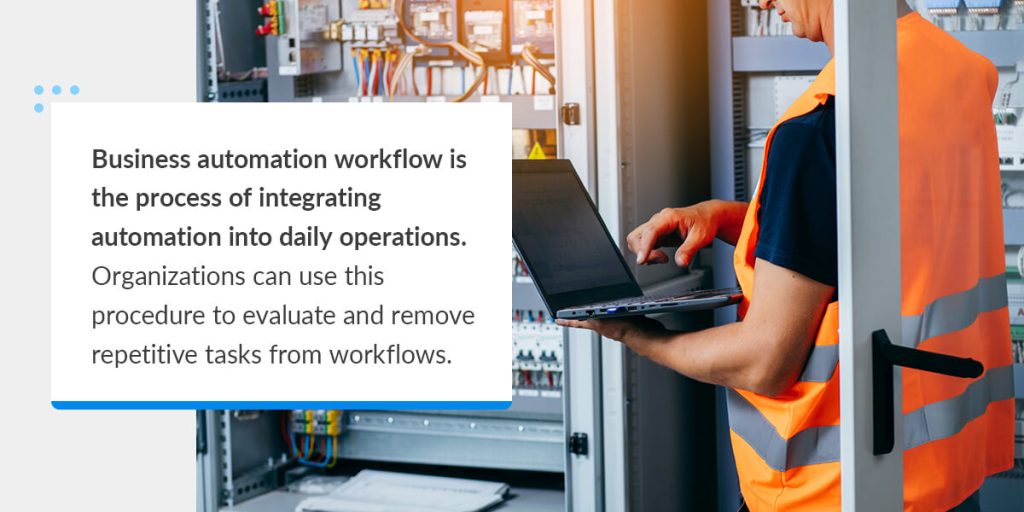
Business automation workflow is the process of integrating automation into daily operations

You can automate repetitive tasks using various tools and software solutions. Business automation workflow is the process of integrating automation into daily operations. Organizations can use this procedure to evaluate and remove repetitive tasks from workflows.

For instance, automated tools can complete tasks like:

  • Document approval: Automated software can automatically evaluate and approve various documents, cutting out repetitive middle steps. For instance, the software can analyze financial documents from customers to ensure they have all required fields — instead of an employee reading them manually. Other features like electronic signatures let you sign and return documents without the extra steps of printing or mailing.
  • Data transfers: Many automation tools can automatically sync data from different spreadsheets or systems, eliminating manual data entry. The automatic transfers increase accuracy and prevent workers from spending hours on repetitive data transfers.
  • Communication alerts: Automated tools can send instant alerts for meetings, project deadlines, and other important updates. That way, administrative workers or managers don’t have to spend additional time reminding others of upcoming events.
  • Customer responses: Automated features like chatbots can respond to basic customer inquiries, reducing the time spent answering simple questions. If the question is complex, the software automatically transfers the customer to a live agent. These features provide 24/7 support to consumers without adding to employee workloads.

3. Creating Templates

Another way to minimize repetitive responsibilities is with templates. By standardizing frequent tasks, you eliminate unnecessary steps and increase efficiency. Templates provide employees with a basic framework for approaching tasks, reducing the need for extra instructions.

For example, you could build a standard template for legal agreements with new clients. Instead of taking additional time to craft the structure each time, you could start working with the document right away.

Benefits of Eliminating Repetitive Tasks

Streamlining and automating repetitive tasks can benefit organizations in many ways, such as:

  • Improved accuracy: Automated solutions can boost accuracy in various repetitive tasks. For example, automatic synchronization between files transfers data in its exact form. The improved accuracy reduces costly mistakes and keeps company systems connected.
  • Increased employee fulfillment: If employees spend less time gathering documents, transferring data, responding to basic inquiries, or completing other monotonous tasks, they’re more likely to feel fulfilled at work. They gain more time to complete valuable tasks. Increased engagement levels help you build an enjoyable and exciting work environment.
  • Decreased expenses: Eliminating repetitive tasks can also decrease labor and resource costs. The fewer steps you have in a workflow, the fewer resources you use to complete it. You can use the saved expenses for company growth and other essential operations.
  • Enhanced efficiency: Automation completes repetitive tasks in minimal time, allowing you to progress through workflows much faster. Increasing your efficiency lets you stay on target with deadlines and manage more clients.

Reduce Repetitive Tasks With Robotic Process Automation

Reduce repetitive tasks with robotic process automation

Repetitive tasks impede efficiency and cause feelings of dissatisfaction among employees, making it important to minimize them. By automating repetitive tasks, you can improve efficiency, employee engagement, and organizational accuracy.

Automate your mundane tasks with Salient Process’s Robotic Process Automation (RPA) solution. RPA bots are intelligent software forms that complete repetitive tasks automatically, eliminating the need for manual human input. RPA can assist with many repetitive tasks, from data entry to email evaluations.

Our team has extensive experience with RPA implementation. We work closely with you to identify areas that would benefit from RPA, whether it’s a single workflow or your entire business operation. To learn more, contact Salient Process today.

Benefits of embracing a paperless workplace

Many companies rely on physical documents and paper-based structures to complete daily operations. However, these techniques can increase carbon footprints and decrease efficiency. Over 67 million tons of paper waste is produced yearly, adding to global concerns about waste’s environmental impact. As a result, numerous businesses are shifting to more sustainable practices to limit environmental consequences and meet various compliance regulations.

One way to reduce a business’s carbon footprint is by transforming it into a paperless environment. Paperless workplaces replace all paper-based techniques with digital ones. By eliminating paper, your organization can accelerate operation, enhance data security, reduce environmental impacts, and more.

Learn more about the benefits of going paperless and how your business can get started.

What Is a Paperless Workplace?

A paperless workplace is a work environment that has minimal paper-based procedures. Instead, paperless environments use digital documents and online storage to complete processes and store data. Some paperless workplaces are entirely paper-free, while others use small amounts due to compliance requirements or other restrictions.

Paperless workplaces enforce rules that limit paper use. For instance, they might restrict the number of copies an employee can make or require electronic signatures instead of physical ones.

Paperless work environments use digital strategies for operations like:

  • Signing documents
  • Storing invoices, receipts, and other financial files
  • Organizing resumes from job applicants
  • Recording customer service requests
  • Processing and saving work orders

By taking these measures, businesses limit their production of paper waste. They can also increase efficiency by making it easier to access, share, and organize files.

Benefits of going paperless in the workplace

From Paper to Digital with Digital Business Automation Solutions

Transitioning to a paperless office can be significantly facilitated through Digital Business Automation solutions such as Enterprise Content Management (ECM) and Capture Automation. These solutions provided by Salient Process can enable your organization to seamlessly shift from traditional paper-based processes to efficient digital workflows:

With Salient Process’ Enterprise Content Management (ECM) solutions, your company can centralize the management of digital content, allowing for streamlined access, collaboration, and utilization of information to support various processes and strategic objectives. This not only reduces the reliance on paper documents but also enhances overall efficiency by providing a structured digital environment.

Additionally, through Capture Automation, your organization can eliminate the challenges posed by unstructured or variable paper and electronic documents. This Digital Business Automation capability identifies, categorizes, and extracts data from these documents, subsequently passing the extracted data and metadata for further processing. By automating this data extraction process, your company can efficiently digitize and convert paper-based information into digital formats, contributing to a paperless workflow.

Benefits of Going Paperless in the Workplace

Shifting to a paperless workplace can produce many benefits for businesses, including:

  • Increased efficiency: Paper-based documentation can restrict a workplace’s efficiency, making it harder to complete simple tasks. Digital files are much easier to retrieve, which allows employees to work faster and more accurately. Digital organization and online indexes make searching for and accessing a file easy. In addition, you don’t have to make copies or pass the document to each worker. All authorized users can instantly access the file and complete tasks without additional effort. The streamlined processes can boost efficiency across all departments.
  • Reduced carbon footprint: Paperless workplaces also produce less waste, decreasing their overall carbon footprints. As concerns about climate change grow, you can set yourself apart from competitors by establishing sustainable practices. Over 70% of United States consumers reported that sustainability is important to them. A paperless work environment contributes to a more sustainable workplace. By eliminating paper waste, you reduce the number of trees cut down and the required energy to produce paper products.
  • Enhanced security: Paperless systems can increase your document security. You can store essential documents like business contracts, financial receipts, and customer files in secure online storage locations. You can program the digital storage to only be accessible to authorized users, and use advanced solutions like multi-factor authentication to increase safety. Other tools like e-signatures allow users to sign and return documents entirely online. In contrast, paper documents could be damaged or manipulated by in-person elements.
  • Improved collaboration: Staff can share digital files with other coworkers through email or other platforms, eliminating the need for manual printing or mailing. This streamlined process makes it easier to collaborate on projects. All authorized users can access a digital file simultaneously, allowing for productive work no matter the employees’ location. Paperless structures also facilitate remote work environments, which helps if you maintain a hybrid or remote structure.
  • Decreased costs: Paperless workplaces are also more cost-effective. Businesses have to pay to print and store physical files, increasing overhead costs. You can free up available office space by eliminating filing cabinets and other document storage. Instead, you can allocate the saved funds toward higher-priority investments.

How to Switch to a Paperless Workplace

Switching to a paperless workplace requires a commitment of time and resources. Some companies become daunted by the time commitment and hesitate to start the process. However, the initial time and resources can lead to significant benefits that enhance your company.

Here are three tips for switching to a paperless workplace:

1. Evaluate Your Current Processes

If you’re ready to get started, it’s often best to begin by evaluating your current processes. Identify the areas that generate the most paper waste and seek ways to decrease the output. For example, you might notice your organization prints all financial records and uses a filing cabinet to store them. You could cut back on the paper by finding storage software that holds your financial records.

2. Start With Small Changes

You can also implement small changes to the rest of your workplace. Even slight adjustments can have a significant impact on paper waste and expenses. Incremental changes also help employees get more familiar with the paperless switch. For instance, you could take steps like:

  • Emphasizing scanning: An excellent way to start a paperless shift is by encouraging workers to scan documents into business systems. Any time that employees use a physical document, they can scan it to ensure it’s saved in a relevant folder. This technique slowly introduces digital file usage until you make a complete switch.
  • Encouraging paperless bills: Another change is to convert to online bills and e-signatures. Most providers offer online payments, and you can store related financial documents on your business systems instead of printing out physical copies.

3. Work With our Automation Advisors

While some adjustments are simple, large-scale digital shifts have more steps and often require more expertise. Our Automation Advisors can help you through each step of digitization, using their expertise to offer insights and recommendations.

They can help you identify areas of improvement and help your corporation implement these solutions to help align your processes to achieve your business goals. In addition, our Automation Advisors can provide ongoing support by answering questions after your paperless switch is complete.

Transform to a paperless office with Salient Process

Transform to a Paperless Office With Salient Process Solutions

A paperless environment decreases environmental impact, improves productivity, and benefits many other areas of office life. You can get started by using devices like scanners or limiting the number of pages employees can print.

If you’re ready to shift to a paperless environment, choose Salient Process today. Our team can analyze your organizational workflows and procedures, looking for ways to optimize efficiency, and recommends solutions based on your objectives and goals.

To get started with Salient Process, contact us today.

IBM’s Response to ChatGPT: Watson Orchestrate with Worldwide Sales Leader, Ben Mandelstein


In this episode, host Jimmy A. Hewitt had the opportunity to chat with Ben Mandelstein, Watson Orchestrate Worldwide Sales Leader at IBM!

Join us for this week’s episode as we delve into the fascinating world of Watson Orchestrate. Discover the origins of this groundbreaking technology, explore the concept of #DigitalLabor and Generative #AI from a business perspective, and uncover how Watson is revolutionizing IBM’s HR department and so much more. We’ll also explore how Watson can empower companies worldwide to enhance their everyday operations.

Watch Episode 25 now!

Follow along with the episode now!

Guest: Ben Mandelstein, Watson Orchestrate Worldwide Sales Leader at IBM!

 
Background

7 years at IBM

  1. Started in IBM’s connects acquisition around HR technology. IBM wanted to infuse AI into HR technology.

  2. 2nd role: Worldwide Program Manager for IBMs Platform Brand

  3. 3rd role: 2 years ago, Mandelstein created the start up for Watson Orchestrate inside IBM, working alongside the product management team and leading go-to-market efforts. 

  4. Is currently the Watson Orchestrate Worldwide Sales Leader 


What does Digital Labor and Generative AI mean from a Business and Technology Perspective?

From a Business Perspective…

Everyone is being asked to be more productive, while everyone still has a lot of tedious manual work, everyone is trying to get the most out of their day. There has been a massive shortage of the skills people have for the types of roles they are put in and this conversation sparked during covid with the great resignation. 

  • The thought was once Covid-19 was over, things would go back to normal and companies would be able to acquire employees with the appropriate talent and skills. Mandelstein said based on research he has been seeing, this is estimated to get worse. 

The opportunity here is to utilize Digital Labor to help workers and companies fulfill the need for productivity. We have seen RPA bots and Chatbots. 

  • From an RPA perspective, it is designed to handle one task and excel in this area but there often is more nuance than this in roles. There does need to be more human-like interactions and accommodate the different variants within these tasks. Sometimes, RPA doesn’t fit all of the use cases.

From a Technology Perspective…

From a Chatbot perspective, they are built to answer questions. IBM uses them in their HR department. But that’s all it does, it answers the question and it might not actually help you get something done. 

Talking to Watson in Natural Language: Started as a research concept but the idea is to actually help you get work done. IBM’s COR presented it during the research phase. 

  • What they are discovering is that with Generative AI, a lot of business users who are not technical or tech savvy, are really interested in AI and Automation more than ever thanks to ChatGPT. It got people thinking in a creative way how they can apply Generative models and automation technology to solve business problems.  
  • With Digital Labor, one of the major ways IBM is using Foundation Models (to build Watson Orchestrate) is to actually sequence the micro-automations together (or the steps within a process) to where it can handle more complex tasks. The difference here is instead of having RPA that has programable steps A-Z, you can have an RPA step and you can have an API column. The sequencing AI can sequence these together in a conversational experience. 
  • To the end-user, it can a look and feel like magic.

Elaborate on Explainability, why is that important? How does Watson Orchestrate accomplish explainability?

IBM’s Foundational Goals

IBM is very big on explaining to their users how all of the different technologies work so that yes, it may feel like magic but the technological aspect is explained to the client and that they understand how the digital labor bot itself is learning your work patterns and how it can make better recommendations on what task you should do next. 

What does explainability mean?

Explainability is explaining how the AI came up with the answer.

  • For example: With ChatGPT, you can ask it to do something for you, but you can’t see why it chooses certain analogies, words, phrases or specific sequences.

For IBM, they are big on the causal AI. They want their users to know how the AI came up with the answer it did and the level of confidence it has in providing this answer. IBM has been doing this for years.

  • Example: Watson beat Jeopardy. Behind the scenes, there is a topic and you have to figure out what the question is and you have to have a certain level of confidence to know what the correct question was. Having explainable AI is so important. See how Watson won Jeopardy!

Watson X has the ability to work with a company to create their own large language model. 

  • IBM Announced Partnership with Huggingface, and Mandelstein read an article that Huggingface has 100,000 large language models. ChatGPT is good at starting the conversation but it’s only one model.

Something that IBM is working on is working with companies is to determine what’s the right data set to train the model, how big does the model need to be? There are all the factors that determine the accuracy and explainability when running these models into different business cases.

What are the key capabilities and components within Watson Orchestrate?

Within Watson Orchestrate

  • Agnostic RPA approach, where if a company has RPA already they can use it and if you don’t, you can use IBM RPA to get started with
  • API Connections with App Connect (IBM’s IPaaS solution) with 130 pre-built connectors to common business applications but specifically anything with Open API they can connect to and turn it into an automation within Orchestrate which IBM refers to this as a “Skill”
  • Robotic Process Automation is very useful for various lines of businesses and solving problems where companies may not have a good AI in place. RPA is commonly deployed within businesses. 

Are API connections a skill? Define a Skill

In a traditional sense, not necessarily. When Watson becomes your digital assistant and helps you get work done, you need to be able to teach your assistant how to do things for you and it needs to be able to work in the different applications that you work in.

  • If you are in HR, it could be Workday, Salesforce, your ERP systems, etc. There’s different tools but the ability to talk to Watson and have Waston go and do something for you, inside one of these systems, is a skill.

How does that work?

This can be done through an API, or RPA, or other tools such as IBM Workflow and other automation tools. Anything with an API, they can turn it into a skill where Watson is able to help you. 

Are there “out-of-the-box” skills?

The strategy with Watson is to have a catalog  of out of the box skills and implemented pre-built skills. They have already started using Watson in IBM’s HR department but they are expanding into areas like procurement, finance, pre-built sales and tech roles, personal productivity and for business partners.

  • The idea is to have business partners who know they could help their clients in specific ways through automation and using Watson to help with these scenarios. 
  • Clients that have purchased Watson have been able to get set up and access the catalog of pre-built skills within one day. 

What about building incremental custom skills, and skills unique to specific clients?

Whenever clients realize that the out-of-the-box skills and tools they use are just a system of record, they begin to see the value and potential of using Watson as an innovation and automation platform that can scale across each of their different lines of business and integrate with the tools they use today. 

  • It’s not about changing and replacing their processes but a conversational AI layer that can work with their tech stack and tools they have.

Where there’s bottlenecks and inefficiencies, [Watson] Orchestrate can really help provide value and instantly be plugged into businesses processes.” – Ben Mandelstein

Hypothetical Use Case

Medium to Large Company, 50-100 RPA bots in production, How does skill development with Watson Orchestrate either compete or compliment the pre-existing RPA bot backlog?

  • Ideally, where they used RPA before, might make them think about approaches where a mixture of RPA and or call it an API and have a more reliable process that may not break or need as much maintenance. Mixing RPA and API could make some interesting things happen.

A question for Automation COE’s: “Where are some of the bots that aren’t being used as much as you thought they would” 

With Watson, we can change the way an end user can interact with that bot and make it more discoverable. In HR, people may not be thinking of leveraging a bot or know how to use it or what it can do. But Watson can learn your bots functionality and job and it can make it more efficient.  

IBM Use Cases

HeRo

  • John Lester’s VP of HR Transformation at IBM has been a key partner in IBM’s HR team using Watson Orchestrate. The HR department wanted to make their promotion process more efficient. Created a “HeRo” that has HR in the name.

Promotion Process happens four times/yr, 14 HR Business Partners working with 2,000 hiring managers just within IBM consulting. They were using multiple systems and tools to extract data to decipher who was eligible for a promotion based on their written criterial, what their salary would be given to them, etc. This took 10 weeks to accomplish.

Watson was built to be a “HeRo” that talks to the manager in a conversational experience, tells them who on the team is eligible and what their salary range would be. Then the manager goes to make all of the final decisions on their own based on the data Watson provided for them. 

  • Watson saved them 4 weeks and cut 85% of the human back and forth follow-up. 
  • It also was interesting for the HR team to compare their initial promotion choices to what Watson presented to them as well as factoring in other promotional aspects such as diversity and equal representation. 

It’s not just about automating something, it’s about freeing someone up to do more high- value work and making them enjoy their job and celebrating innovation, celebrating things where you are actually driving business impact not just completing your busy work” – Ben Mandelstein

sHeRlock

IBMer took a client out to dinner and forgot to unselect his Per Diem and Sherlock (sHeRlock), IBM’s expense investigator notified the boss and corrected the expense. It will also educate the employee on how to prevent errors like that moving forward.

What is the difference between a skill and use case?

HeRo and sHeRlock are digital employees that have a set of skills to be able to assist a process. Use Case is similar because it would also have multiple sets of skills but IBM has seen clients that might have one digital labor that can tackle lots of different use cases

How technology can help neurodivergent people

Ben Mandelstein opens up about how he is neurodivergent and has dysgraphia and used his laptop to write papers and that was his “digital assistant” throughout school. 

  • Technology can help people with ADHD and setting reminders for tasks and triggers for those reminders. Watson Orchestrate is not just about a business process but it can be more personal and it can be about helping yourself. Watsons sequencing AI is looking at your personal log of your usage of Orchestrate and is actually learning and making recommendations based on you and your data. 

Ben Mandelstein asking Host Jimmy Hewitt a Question

“How do you see Salient Process helping clients bring their ideas, skills, or automations to life for Watson Orchestrate?”

“Salient is one of our [IBM’s] best partners when it comes to actually building customs skills and custom bots.” Ben Mandelstein

Salient Process is very excited to get into the market using Watson Orchestrate which we have started already but we want to build skills and help our clients be successful and if there’s non-proprietary elements of these skills that can be captured and made available to others in the marketplace, we are apart of that conversation. 

We contribute to open source communities and forums already (APQQC and IPQC) so why not contribute to the growing ecosystem of digital labor skills! 

Where do you see Watson Orchestrate heading in the future?

IBM built Watson X which is helping companies build their own large language models. These large language models can be used for different parts of your business, to build small models within these large models for different use cases.

From an IT perspective, you need to set governance for which model you use. Where Watson X and Watson Orchestrate come together is Watson Orchestrate is the application that the end users interact with and physically use.. but then you can have custom large language models inside of Orchestrate with the governance and compliance that large enterprise clients will need.

What solutions are in place for Watson when it comes to the topic of concerns around AI?

Companies are most concerned with is who is responsible for the outcome. The client? The company? With internal processes, people are willing to take the risks with using AI because they have seen and heard the successes with having AI tools implemented, but with external processes this is where we see hesitation.

With Watson, using Generative AI out of the box, is sequencing automations. The concept is recommending the person the next step, but the human is actually doing the task. The human can use their own critical thinking when it comes with following through on a process or task. There is always a human in the loop when using Watson Orchestrate and feel it is a safe technology.

Watch Episode 25 Now 

Have a Topic Idea? Let Us Know

If you have a topic idea, contact us today. We want our podcast to answer your questions, and if you have something that you want to hear, we would love to know. In addition, you can ask questions and get in touch with our Salient Process team.

Why Salient

At Salient Process, we understand the importance of comprehensive digital transformation. We work closely with each client and use a North Star methodology to align your procedures with overall business goals. Our expert team works hard to understand your unique needs, making a customized plan for success. With our Digital Business Automation solutions, you can move closer to your digital transformation goals.


Subscribe now

👉Subscribe to Bots & Thoughts: The Digital Business Automation Podcast

👉Subscribe to our Spotify Here

👉Subscribe to our Apple Podcast

👉Subscribe to our Google Podcast Here


⏩Subscribe to Salient’s Monthly Newsletter Here 

🎤Be our next guest! Sign up Here

📲Contact our Podcast Host Here 


Follow Us

  ⏩LinkedIn

👉 Follow Bots & Thoughts on Here

👉 Follow Salient Process Here

👉 Follow our Podcast Host Here

  ⏩Youtube 

  ⏩Twitter 

🌐Learn more at Salient Process


RELATED CONTENT