
Reasons you need to automate your business

With rapid technological advancement, the market has become more competitive than ever. As a result, it’s vital that your business invests in cutting-edge technology to improve productivity and efficiency. Any company looking to optimize the customer experience while increasing profits should look to automation for help.

Business process automation allows you to focus on complex tasks while leaving time-consuming, repetitive work to technology. Automation software helps to streamline workflows, reduce costs, maximize efficiency, and increase profit. With automation, you can develop data-driven approaches to your unique process needs.

Using solutions like workflow automation can benefit your organization helps you source the best tools for exceeding your goals and developing the edge you need to outcompete the competition.

What Is Workflow Automation in Business?

Business automation workflow (BAW) Workflow automation involves using technology to design, execute, and manage a sequence of tasks or processes within a business, reducing manual intervention and increasing efficiency. Many workers perform repetitive activities and tasks — this takes lots of time and resources, slowing down productivity and wasting resources and employees that could be better used elsewhere.

Automating business processes involves designing, executing, and monitoring workflows through software. This solution allows you to improve workplace efficiency and reduce manual intervention, which is otherwise much slower. Specialized software allows you to streamline and automate these repetitive tasks for increased productivity and cost-effectiveness.

The software’s accuracy and rapid processing help cut task times and minimize errors. Actions like document routing, notifications, approvals, and data entry can all be improved through automation. Selecting tasks for automation enables you to use employees more effectively, engaging them with complex tasks that can’t be done with automation and maximizing workplace productivity.

Top Reasons for Automation

There are many benefits of automation, and businesses looking to optimize their processes and create a more efficient, productive workflow should consider investing in automation software. With enhanced control and reduced bottlenecks through software, you’ll save time and revenue while surpassing customer expectations.

Letting technology take care of your less-intensive tasks puts your best creative focus on complex processes, helping you develop more sophisticated solutions to answer your target market’s needs. Here are the benefits of investing in business automation:

1. Increase Productivity

Letting software handle repetitive tasks can improve process productivity. Automation software streamlines your business processes, completing tasks more efficiently and managing them for your employees. Employees who no longer need to take time to make schedules, send notifications, and work on document management can focus on more critical, complex tasks.

The software can also perform many tasks at once. While humans need to complete one task at a time to ensure accuracy, computers can receive and complete more rote tasks in less time than one employee. With work getting done faster and more accurately, your productivity increases.

Overall, every workflow process will see better, faster completion for optimized business productivity.

2. Improve Efficiency

Efficiency and productivity go hand-in-hand. The more efficient your processes, the more productive your business is. Automation helps streamline operations, reduce bottlenecks, and cut errors. By minimizing these hang-ups, automation makes your business more efficient.

Because software uses minimal resources, your spending also becomes more efficient, letting you allocate resources to other processes that need more focus. With resources going where needed, software finishing many repetitive jobs, and employees working on complex tasks, your entire operation will run more efficiently than ever.

3. Prevent Errors

While every company focuses on hiring skilled employees, humans do make mistakes. Working on repetitive, unengaging tasks can lead to absent-mindedness and multi-tasking, increasing the chance of error. The software doesn’t get distracted like employees, so it always provides the same accuracy to every new task. Automating workflow processes helps reduce human error, where precision is essential.

Additionally, the software’s accuracy helps every aspect of your business processes. With better accuracy from automated tasks, employees farther along in the process have a more reliable foundation to work off of. They’ll have better response times and more accurate results if they have software-accurate data to work from.

All components of your business processes will see improved accuracy when you use automation.

4. Reduce Costs

Workflow processes don’t directly generate revenue for your organization — they support other processes that directly generate revenue. Using employees to complete these processes manually consumes labor and costs that software doesn’t have. Switching to automated tasks cuts operational costs for employing people for these tasks and covers the time they take to complete.

With software handling repetitive tasks, you’ll save on labor costs while being able to focus on areas that directly generate profit for your business. Reducing labor and time expenses while focusing your freed-up resources on increasing profits will help cut non-essential costs.

5. Emphasize Standardization

While creativity and problem-solving are valuable skills for employees to have, they can lead to inefficiency in some areas. Mundane, rule-based tasks might be completed differently by different employees, leading to bottlenecks and wasted time. Automation allows you to implement the most efficient process for completing and standardizing a task — the computer will complete everything as directed without consuming excess time.

With consistency comes higher quality control and better results. You’ll improve operation efficiency, consistency, and transparency with automation standardization.

6. Promote Accountability

Software automation enables you to record every step of your business processes. For increased transparency and accountability, the computer can tell you who did what and when.

With all steps of your processes tracked, you can spot problem points and improve data security. If you need to access these records for audits, you can show all the relevant information. This clarity helps keep everyone accountable and allows you to spot problems where they occur instead of relying on guesswork.

7. Increase Scalability

As your business grows, manual processes become less scalable. The more manual data entry you need to perform, the longer these processes will take. Hiring new employees to take on the workload adds time and costs through recruiting, training, and employing. Working with a new client load can overwhelm a manual company and reduce productivity while increasing costs.

With automation, you can quickly scale your software to meet new workloads. Automation software is much simpler to train for greater workloads and multitasking without cutting into your bottom line or limited time.

8. Boost Employee Morale

Working on repetitive, mundane tasks drains employee motivation and prevents them from exercising their skills. Having employees complete more rewarding work helps them feel more invested and in control of their work. With your employees actively invested in their work and brainstorming creative strategies, they’ll be happier, more productive, and more likely to continue working for you.

9. Enhanced Customer Experience

Customers will prefer your business to other organizations if you can deliver the highest quality, cost-efficiency, and speed. The more attentive you are to customers, the more likely they are to return.

With automation, you can rapidly handle customer questions, streamline deliveries, and adjust to their needs. Data from automation can increase your service personalization, making customers feel seen. You’ll draw more customers in with better consistency, service, and response times than the competition.

What business workflow processes can I automate?

What Business Workflow Processes Can You Automate?

Workflow software is best used for rule-based tasks — processes that are repetitive, need to be error-free, and can be more efficient all benefit from automation. Partial and complete automation enables you to allocate resources better and maximize your process productivity. Many digital tasks work well with automation, including:

  • Creating staff schedules
  • Inputting new client information
  • Employee onboarding
  • Document routing
  • Expense reporting
  • Data entry and deletion
  • Checking sanctioned individuals and politically exposed persons
  • Customer support
  • Invoice processing

Workflow automation is endlessly customizable — you can use software to automate dozens of tasks. The more you can automate, the better your businesses can meet your customer base’s speed, accuracy, and reliability requirements. More employees working on complex tasks means better solutions to evolving problems and improved attention to the most critical aspects of your niche.

Why Automate?

Investing in workflow automation enables businesses to improve customer experiences, optimize resource allocation, and minimize costs. Employing workflow automation software lets employees work on higher-value tasks, empowering them to excel in their roles instead of working in repetitive processes. With the accuracy and efficiency of automation, your business can develop rapid response times to industry changes, optimizing efficiency and giving you an edge over the competition.

What Businesses and Departments Benefit From Automation?

Businesses in all industries can benefit from automation. Any organization looking to streamline repetitive data or rule-based processes can integrate automation into their workflow. Workflow automation software helps take time-consuming, dull tasks off your hands so you can focus on what’s important. If you’re looking to minimize response times, promote communication, improve the customer experience, reduce mistakes, and increase productivity, automation can benefit you.

These groups are just a few examples of areas that can benefit from workplace automation software:

  • Customer support: Automation can help with repetitive tasks like ticket submission and processing while categorizing and streamlining customer requests. Support employees can more quickly connect with and resolve customer needs when automation handles request management. With more time to interact with customers, employees can develop more personalized connections and solutions for increased customer satisfaction.
  • Sales: Software can automate proposal and quote approval, generate task lists, and connect employees to leads. Automating these tasks makes the sales process faster and more efficient. When software performs tasks, you can complete more in a shorter period, allowing your salespeople to focus on maximizing productivity.
  • Finance: Finance sectors need to have accurate, transparent information. Automating account approvals, data entry, and employee requests reduces mistakes and increases compliance standards. The software will perform data entry more accurately, catching holes or process violations before they become an issue.
  • Human resources: HR needs employees to focus on handling challenging company and employee needs. More complex HR tasks require their entire focus to ensure compliance and appropriate handling. Automated vacation approvals, on- and off-boarding, and benefits changes allow HR to deal with these complex processes fully without focusing on mundane work.
  • Project management: Automation is ideal for project management. Its focus on efficiency, cost reduction, and communication makes automation excellent for data entry, error reduction, and cost-cutting. Additionally, automation makes scaling simple for all project management jobs.
  • Health care: Medical providers can employ automation for dozens of tasks. Employee scheduling, transferring patient records, and patient admission and discharge are all easily automated. With these tasks handled by software, health care providers can deliver above-and-beyond service to their clients. 
  • Operations management: Automate logistics, track operational processes, and display operational statuses conveniently with workflow software. Investing in automation software for your critical processes allows you to manage them with minimal error and cost.

Salient Process Digital Business Automation

If you’re looking to invest in workflow automation solutions, Salient Process is here to help you exceed your business goals. As an industry leader in Digital Business Automation, we have the expertise to provide custom solutions for all your automation needs. We offer specialized custom solutions in the following areas:

  • Business automation workflow
  • Process mapping and mining
  • Robotic process automation
  • Chatbots and conversational artificial intelligence
  • AI and machine learning

Our Digital Business Automation capabilities are designed to give you business-driven strategies for success. With expert Digital Business Automation tools and years of experience, Salient Process delivers integral, effective solutions for your organization. Working with our experienced team enables you to improve efficiency and focus on priority tasks.

Choose Salient Process for business automation

Choose Salient Process for Your Automated Business Needs

Workflow automation can improve workplace efficiency and productivity for all your business processes. Reducing repetitive workflow for your employees encourages them to produce better results for your organization. With happier employees, reduced costs, and increased efficiency, you’ll transform your business processes and hit higher goals. 

You can count on Salient Process to provide you with unmatched software quality and custom solutions every time. From initial setup to ongoing evaluation, our Digital Business Automation capabilities transform your business processes into effective, streamlined operations. Invest in our high-quality technology to enjoy optimized productivity and tangible results.

Contact us today to learn more about our advanced products and solutions for automation.

Pros and cons of ChatGPT for businesses

With its launch, ChatGPT became one of the most popular apps available. The artificial intelligence (AI) chatbot provides natural, rapid responses to dozens of requested tasks. It’s at the cutting edge of chatbot technology — but what does it do, and how can it benefit your business?

Investing in artificial intelligence allows businesses to get ahead of the competition. Automating your repetitive processes can boost productivity and efficiency across the board. While many companies are looking to ChatGPT to provide these solutions, understanding the full scope of this chatbot can help you make more informed decisions for your business.

Explore the pros and cons of ChatGPT to learn how it can benefit you and why it might not be ready for use at your organization.

What Is ChatGPT?

ChatGPT is an advanced artificial intelligence language model developed by the AI research company OpenAI. ChatGPT acts like a conversational resource — you can ask it questions, give it writing prompts, and have it write code.

“Chat” reflects how it responds to you through text, while “GPT” stands for “Generative Pretrained Transformer.” The latter means it develops its own text based on what you’ve asked it to do — it doesn’t directly copy from other sources, but it uses these sources to create an answer phrased by the AI that should satisfy your requests.

Because ChatGPT was trained using an extensive range of internet text, it can provide information and responses in various styles, forms, and languages. If you ask ChatGPT for 300 words on endangered animals in Australia, it’ll generate 300 words discussing that topic for you. With extensive internet training and deep-learning techniques, ChatGPT generates natural-sounding text responses conversationally, a considerable leap from other chatbot language capabilities.

ChatGPT works to provide the most accurate information possible, but it’s critical to remember that ChatGPT generates responses based on patterns it’s observed in training data. Therefore, its answers aren’t always correct or up-to-date.

Does ChatGPT Save Data?

ChatGPT saves your conversations for up to 30 days for misuse and abuse monitoring purposes. After this period, your chat history is automatically deleted.

Choosing to opt-in to data and chat history sharing allows OpenAI to use your data for training purposes. While opting out of data sharing helps reduce your chances of information exposure, it doesn’t eliminate them. Because all chat history must be saved for up to 30 days to help with misuse investigations, anything you put into ChatGPT can be accessed and stolen.

Avoid putting any information into ChatGPT that you’d want to avoid getting out. Keep your personal data out of ChatGPT chats to prevent information loss if ChatGPT is ever breached.

How you can use ChatGPT for businesses

How Can You Use ChatGPT for Businesses?

ChatGPT can help optimize some business processes. Businesses use it for:

  • Lead generation
  • Marketing assistance
  • Email drafting
  • Customer support
  • Product descriptions
  • Social media management

While you can use ChatGPT for your business processes, you still need human assistance reviewing it to ensure it’s performing correctly and distributing accurate information. Additionally, because it’s not human, it can’t think creatively or produce original content. Everything ChatGPT generates is drawn from the existing data used to train it. As a result, humans must ensure ChatGPT content avoids plagiarism and incorporates emotional intelligence into the end product.

Pros and Cons of ChatGPT

ChatGPT is free and much more advanced than other similar AI systems. Both its sophistication and accessibility have contributed to its popularity — ChatGPT can work well and is simple to use.

Tools like ChatGPT and other AI systems have extensive possibilities for businesses. However, the newness of ChatGPT means it can be equally helpful and harmful for your company. Evaluating the benefits and risks of ChatGPT will help protect your business and ensure you get the right technology for the job.

Pros of ChatGPT

ChatGPT is a highly advanced chatbot with excellent language capabilities. It can be effective for repetitive processes and works well as a support resource for marketing and writing divisions. Here are some of the benefits of using ChatGPT for businesses: 

  • Highly versatile: ChatGPT is highly versatile. It can perform dozens of functions, allowing you to maximize efficiency and cost-effectiveness. ChatGPT can explain and summarize texts, write and debug computer programs, compose music and stories, translate information, and develop outlines. It works for a range of jobs and allows you to focus your energy on more complex tasks while supplementing with assistance from ChatGPT.
  • Helps you manage repetitive tasks: ChatGPT can help automate repetitive tasks like internal searches, drafting emails and job descriptions, and responding to customers. You’ll standardize your processes and reduce human time and labor spent on these repetitive roles — you can then reallocate these resources to more complex tasks.
  • Leads to quicker customer service: Automating customer responses, scheduling emails, drafting social media marketing strategies, and developing personalized strategies are all excellent uses for ChatGPT. With automated software making customer query resolutions faster and more personalized, you’ll have happier customers all around.

Cons of ChatGPT

While ChatGPT can help streamline some business processes and increase efficiency, it has several drawbacks. Its newness and unreliability make it less helpful than other hyper-automation capabilities for your processes. Additionally, there are some ethical and security concerns. Investing in ChatGPT alone can have these cons:

  • Has accuracy issues: ChatGPT’s natural-sounding language makes all its answers seem accurate at first glance. However, it rarely provides citations and has been known to provide inaccurate information when used. Anyone using ChatGPT should look for incorrect information to avoid creating content with false results. Because ChatGPT is trained on available information, it might continue to give wrong answers as misinformation grows. 
  • Features limited capabilities: AI doesn’t have a human’s critical thinking or reasoning skills. While ChatGPT can mimic natural conversation, it struggles with nuances. Missing these nuances can lead to poor services and incorrect responses. Avoid using ChatGPT when emotional support is needed, as it doesn’t understand nuances as people do.
  • Comes with ethical and legal concerns: ChatGPT was trained on broadly available internet data — it used copyrighted data and even misinformation or biased data to learn. The legal ramifications of training with copyrighted material are still being debated. Additionally, ChatGPT can’t differentiate between discriminatory or biased information like humans can. It takes patterns from the data but can’t reason with it beyond that to detect the nuances of discriminatory content. All ChatGPT content needs human review before submission to catch these errors.

Why Salient?

Partnering with an expert business automation company provides all the benefits of chat AI while avoiding the cons. As a leader in business hyper-automation, Salient Process delivers custom, specialized solutions for your business. Working with our automation team helps protect your information — your automation capabilities aren’t exposed because they aren’t saved through another company.

Additionally, partnering with Salient enables you to receive specialized solutions that align outcomes with your goals. ChatGPT is a standard tool that comes with none of the customer support offered by our company. You’ll get integrated solutions, personalized plans, and superior accuracy with return on investment tracking.

Salient Process is an IBM Premier Partner and a leader in hyper-automation solutions. We offer industry-leading services in the following areas:

  • Robotic process automation
  • Business automation workflow
  • Process mapping, mining, and analysis
  • Business rules management
  • Digital Business Automation

Working with an experienced company will get you better, more efficient results that boost productivity for your organization. Salient delivers services optimized for your business with comprehensive support to meet and exceed your process goals.

Take business automation beyond ChatGPT

Take Automation Beyond ChatGPT and Automate Processes With Salient

Investing in specialized hyper-automation technology can cut resource waste, increase efficiency, and optimize productivity. Businesses looking to create more personalized customer experiences and provide better services should look to automation for support. With industry-leading automation services, Salient Process has the resources you need to exceed your goals and maximize your cost-effectiveness.

As an IBM Premier Business Partner, we’ll deliver custom solutions tailored to your specific goals. We believe in empowering businesses to transform their processes and make effective changes through automation. If you’re looking for unmatched automation products and solutions, contact us online today.

The Client

A Leading Mortgage Company

The Challenge

The Mortgage Company aspires to be a leader in mortgage servicing. The company needed help with mortgage refinance (refi) loan origination time. It took too long to process refis for their customers; thus, they needed to take more advantage of the 2020 interest reduction market opportunity. They wanted to lower their time to process a refi.

They also had challenges re-assigning a loan if a processor was out of the office for some reason. They would have to scramble to determine whom to reassign the loan to. Lastly, they needed more visibility into their refi loan process. They could see the state of a refi, but they needed help determining the next most important work. It required a person to get involved and look through the list of loans to determine the next step.

All of this led to frustrations for their operation team. They were frequently unable to close loans on time, and their cost per loan was too high.

The Solution

The client engaged Salient Process to help them resolve this challenge by taking a holistic view of their process and fitting the type of work being done with the available automation capabilities into the company’s arsenal. Those capabilities ended up being a combination of multiple tools:

  • IBM Business Automation Workflow (BAW)
  • IBM Operational Decision Manager (OBM)
  • IBM Robotic Process Automation (RPA)
  • IBM Content Management

Additional Info

The business implemented a technology solution that revolutionized loan application processing. It achieved a balance between human and automated tasks, allowing specialization and reducing errors. The system accommodated round-the-clock operations with multi-shore support while complying with regulations.

Training time was dramatically reduced, and users received specific instructions for task completion, leading to increased productivity and skill expansion. New products were easily integrated by reusing
components and adding customized processes on-the-fly, enabling scalable processing volume. Messaging and asynchronous communication managed workload while maintaining data consistency and integrity through an API gateway.

Project Results

Working with the client and leveraging IBM Blueworks Live, Salient analyzed their process to determine the atomic work for each task and when and by whom each task should be executed. It was determined that the loan processor role was still necessary; however, many of the tasks would be broken down to such an extent that they could be simplified to the point where anyone with minimal training in the mortgage industry could complete those tasks.

This effectively lowers the minimum level of experience and competence needed for the role. This significantly widened the pool of candidates the company could choose from for executing simpler tasks and significantly lowered the cost. In addition, the redesigned process was simpler and more repeatable; thus, certain tasks were able to be done in parallel, which previously had to wait on other tasks to finish
executing.

These adjustments lowered the cycle of time of the process creating a 55% reduction in time to closing.

Prior to Salient’s help, the company’s process had a lot of rigidity. In a refi process, there are many loan conditions to manage how loan origination can move forward. The conditions are a combination of business rules and actions. ODM was leveraged to handle the conditions. As part of our analysis, we separated the business rules from the tasks and had the tasks be choreographed through BAW and the rules called from ODM as necessary for a particular task within the process.

As part of this analysis, Salient was also able to identify tasks or portions of tasks, which could be automated using RPA. This allowed for repeatability and speed and reduced the possibility of human error in data entry.

All of the above combined led to a 30% increase in loan processing capacity, a 50% reduction in time to closing, and a 60% reduction in the cost of loan processing.

Beginners guide to process mining

Modern technology’s integration with globalization has made markets more competitive than ever. Businesses need to remain on the cutting edge so they can maximize cost-effectiveness, efficiency, and customer satisfaction. With ever-evolving technology and global interconnectedness heightening competition, you must optimize your business for better market success. Employing data-driven solutions allows you to analyze all aspects of your organization and develop solutions tailored to your unique needs. 

Process mining gives you direct insight into your internal processes. Every business is built on processes — these strategies help you meet goals around products, supplies, deliveries, and more. While all of these factors combine to influence your key metrics, process mining lets you analyze them individually. By breaking down each component, you can fix each inefficiency at the source for a better, more optimized whole. 

Understanding how process mining works and how it can benefit your business gives you more control over your processes and allows you to develop structures and strategies that meet your goals. Better operation and increased goal success put you ahead of the competition without excessive spending and resource loss. Explore process mining and how it can make your company more effective through automation. 

What Is Process Mining?

Process mining uses sophisticated technology to analyze and optimize your business processes. As your business changes, your processes need to expand and keep pace with that growth. Process mining examines your existing business processes to find the most efficient operations methods. The sophistication of process mining allows you to receive customized solutions for each business process, optimizing your business as a whole by streamlining each individual part. 

How Does Process Mining Work?

Process mining allows you to close gaps and waste

Process mining software compiles data from your information systems. Process mining can uncover inefficiencies in your current processes by modeling and analyzing this data. The combination of data mining and analytics provides unique insight into your operations. With your process mining analyses, you can close gaps and waste, streamlining your business and making it more efficient than ever. 

Process mining tools take data from your systems and analyze factors like tasks, task length, and who performed a task to develop patterns. After examining these resources, the software sorts patterns from deviations. These deviations are points of inefficiency — areas like bottlenecks where something is preventing the process from operating as efficiently as possible. Once you have concrete, data-focused analysis, you can begin implementing solutions like automation to customize optimized operations for each process. 

Process Mining Steps

Tailoring process mining to your unique needs allows you to receive the most custom, effective solutions. However, you can use these broad steps to understand how process mining is completed: 

1. Data Collection

The first step in any process mining job is compiling data. Most companies use different applications to track and store data related to their processes — delays, expected deliveries, supplies, and more are all saved and stored. Process mining needs all relevant data and event logs to create the most accurate analysis possible. Process mining technology takes in relevant event logs and uses that data to process and analyze your business. 

2. Data Processing

After receiving all relevant data, processing begins. The process mining software analyzes all the log data, turning it into a chronological sequence for better optimization. These sequence analyses are called end-to-end visualization. Organizing data into this visualization pattern allows the software to lay out each step of the process, building a story that’s easy to follow. Once end-to-end visualization is completed, you can look at each process step to pinpoint bottlenecks, gaps, and inefficiencies. 

3. Data Analysis

Data analysis automation with process mining

Once all data is processed, the software analyzes and catalogs any inefficiencies it finds during data processing and analysis. Process mining lays out missed deadlines, late times, and untapped resources, allowing you to see the exact points in your process that could be tweaked. Once you’ve spotted these inefficiencies, you can uncover their root causes. Since inefficiencies spread to other metrics and reduce overall productivity, being able to find these causes with process mining can help drastically improve your operation. 

4. Process Comparison

Comparison is an extremely helpful step used during data mining. Process comparison allows you to use process mining to evaluate outcomes based on unique input situations. You can model how a different supplier, cost-reduction method, or workforce change will affect your business. Using modeling lets you explore other options without using real-life resources and time to determine how these options will benefit or harm each process. This comparison allows you to test out cost-effective options in a risk-free environment. 

5. Process Conformance

Process conformance is another step you can use to check your efficiency. This part of the process mining routine lets you set your process against a preferred process method. The software will tell you how your current process follows this method and where it deviates from the optimized method. The deviations highlight where your process might take too long, skip steps, or underutilize resources. Once you’ve pinpointed your variations, you can explore how others altered their procedures and how these changes affected their processes for better efficiency. 

6. Process Improvement

The final component of any process mining is improvement planning. After inputting and analyzing all your data, you can begin taking steps to improve your processes. Once you know where your inefficiencies are, you and your team can start developing new strategies to combat them. If you have specific goals you’re looking to meet, you can begin planning to cut these inefficiencies down. You can improve your operation more effectively with all the relevant data and analyses from process mining. 

What Is the Difference Between Data Mining and Process Mining? 

Data mining is used to analyze broad sectors for patterns, while process mining focuses on answering why a business process works the way it does. Since data mining looks for trends to help with predictions and discovery, it draws from large data sets like databases and uses machine learning and artificial intelligence to draw conclusions. Process mining takes data from a business’s event logs and suggests inefficiencies and solutions based on your business’s processes. 

Data mining looks at the what of a data set — what patterns exist and what we can predict based on those patterns. Process mining is similar to data mining — both compile data to analyze trends — but process mining focuses on a business’ processes and how they work to get the end efficiency results. Process mining gives you the ‘why’of a process to help you pinpoint improvement areas. It is focused on finding process points that can be optimized to improve your process performance. You might compile data to find out where bottlenecks are and test solutions for eliminating them. 

Benefits of Process Mining

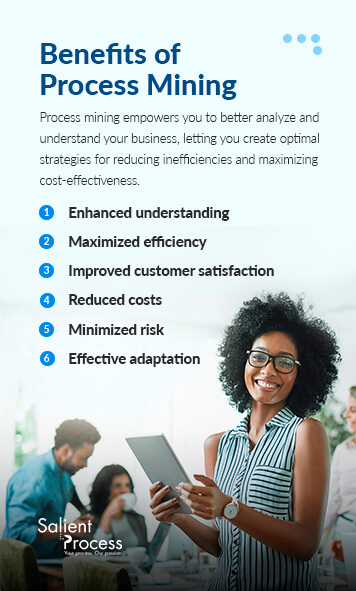
Process mining can offer a wide range of benefits to businesses across all industries. Using event logs and analyzing your process data gives you deeper insight into your organization than ever before. Process mining empowers you to better analyze and understand your business, letting you create optimal strategies for reducing inefficiencies and maximizing cost-effectiveness. Here are some of the significant benefits process mining offers your business: 

  1. Enhanced understanding: Process mining gives you direct insight into your current processes. Effective change can only happen with a solid understanding of your operations and where the problem points are. Getting the complete picture with process mining shows you what areas are worth investing in, how processes differ across your business, and what the key issues are. Knowing your business gives you the best advantage when it comes to making improvements. The more you know, the more tailored your strategies can be to each unique problem. 
  2. Maximized efficiency: With the insight from process mining, you can create the most effective processes possible. Process mining gives you direct insight into your processes, showing you where the problem points are and what performance metrics you hit. Being able to spot these gaps enables you to eliminate redundancies, optimize process flows, and cut cycle times. All of these changes lead to increased operational efficiency and savings. Additionally, you’ll be able to spot waste patterns, encouraging better resource allocation. 
  3. Improved customer satisfaction: The more efficient your processes and the better your performance, the happier your customers will be. The easier your client systems are to use, the more they’ll want to use them. With operations optimized, you can better connect with customers and deliver services that go above and beyond the competition. 
  4. Reduced costs: Process mining shows you cost breakdowns along with process inefficiencies. Being able to look at process gaps lets you calculate the losses or extra costs you’re incurring from these inefficiencies. With inefficiencies solved, you reduce expenses and help improve your margins. Additionally, process mining can show you areas that would improve with automation. Automation reduces the hands-on, expensive work needed for many processes, enabling you to reduce workforce costs. Running processes with automation helps cut operational costs so you can focus your resources elsewhere. 
  5. Minimized risk: While there is no way to completely eliminate risk, process mining enables you to minimize risk as much as possible. With better insight into your processes and trouble points, you can effectively strategize solutions for risk minimization. With ongoing process mining analysis, you can create the most effective solutions possible to eliminate most of your risks. 
  6. Effective adaptation: Staying on the cutting edge requires constant improvement. You must regularly adjust and adapt your processes to ensure they remain as efficient and effective as possible. Process mining allows you to periodically analyze your processes for gaps and test solutions for those gaps. Once this strategy is in place, process mining lets you analyze its effectiveness. 

Who Can Process Mining Benefit? 

Most businesses can benefit from process mining. Companies can solve complex problems efficiently and optimize their operations with process mining’s analytical capabilities. Processes that deal with logistics, customer satisfaction, and financial goals benefit the most from process mining. With their data-focused areas, they can use process mining to its fullest extent. These groups are constantly looking for solutions to their ever-changing needs. 

Process mining allows these divisions to adapt as needed to their evolving goals: 

  • Distribution and logistics: Data-driven results from process mining can help distribution and logistics sectors maximize productivity while reducing downtime. If bottlenecks are slowing production, the entire logistics and distribution chain is delayed, impacting your bottom line and customer satisfaction. Process mining-tested solutions allow you to optimize inventory, cutting excess and covering shortages. If you optimize stock, cut downtime, and use real-time data with process mining, you create a more flexible and adaptable system. 
  • Finance: Finance sectors can benefit from process mining through capital and productivity management. Using this technology to automate rates, account for early and late payments, and cut duplicate payments. Since finance deals with many figures and data, process mining can help organize these processes and catch vulnerabilities before they affect the organization’s goals. 
  • Procurement: Incorrect deliveries, excessive price changes, and errors in three-way matches can all reduce the procurement industry’s effectiveness. Process mining will spot efficiency issues in the data to cut waste, automate tasks, and continuously monitor results. The better your automation and monitoring, the faster your reaction time will be and the quicker you can pivot to compensate for changing conditions. 
  • Customer Service: Any industry focusing on customer service and client needs can benefit from process mining. Customer satisfaction increases with on-time deliveries, exceeded expectations, and custom services. The better you can meet customer expectations, the more productive you’ll be. Process mining lets you improve service quality and accuracy, highlighting areas where improvements can be made. With strategies tested and optimized by process mining, your client base will enjoy more precise assistance, delivery times, and reduced return rates. 
  • Auditing: Auditing plays an essential role in testing risk and compliance issues. Process mining makes auditing easier by processing, analyzing, and displaying the data to make problem points more identifiable. Auditors can quickly note key areas that show risk or compliance issues, allowing them to advise on the best correction methods. 
Salient Process is the process mining solution

Salient Process Is the Process Mining Solution

Salient Process is the solution to your process mining needs. As an industry leader in workplace automation solutions, we have the experience and tools needed to keep your costs low while optimizing production. Our customized solutions optimize organization efficiency for better, more adaptable solutions. We help you reduce manual data strain and put the focus back on customers, letting you meet your goals and prioritize quality. 

Process mining is just one of our cutting-edge automation solutions for businesses. Working with Salient’s automation offerings enables you to reduce employee workload, reduce risk, and develop a more productive operation. As an IBM Premier Business Partner, you can trust our expert team to deliver unmatched solutions, results, and expertise for your business. You’ll work closely with us to develop the goals and processes essential for maximizing your company’s potential. 

If you’re looking for optimized, industry-leading solutions and tools, contact us online to learn more today. 

What is data capture?

No matter your industry, companies generate massive quantities of data each day. From consumer details to financial receipts, various data types give insights into organizational performance and trends. Collecting and evaluating data is essential for company success.

Digital Business Automation technology makes it easier to analyze and organize data. Data capture is an automated tool that classifies, digests, and stores data. The tool helps organizations optimize data usage and creates more efficient daily operations. Learn more about data capture and how it can benefit your company.

Data Capture Definition

Data capture is the process of extracting data from paper or electronic documents and converting it into a computer-readable format. The machine-friendly structure makes recognizing, storing, and using data more accessible. The automatic process reduces the need for manual data entry and transfers. 

Automated data capture uses advanced technology, such as natural language processing, text analytics, and artificial intelligence (AI), to identify and digest important data. The field of Digital Business Automation is constantly expanding to feature new capabilities. As software advances, data capture increases its speed and accuracy. Organizations in all industries can benefit from its efficiency.

How Does Data Capture Work?

Data capture uses three basic steps:

  1. Data capture technology receives information from a document. Documents can include receipts, invoices, questionnaires, videos, surveys, or other reports.
  2. Data collection software classifies data based on entered criteria and filters. For instance, the software could group all receipts together. 
  3. The software then extracts essential data and digitizes it.
  4. The extracted data is stored in a centralized storage location like the cloud. Businesses use the collected data for instant insights and other processes.

Businesses can use various methods and tools to complete data capture. Most methods begin with an individual filling out a blank form with relevant information. Data capture forms have optimized structures with designated spaces and boxes, which streamline the collection process for computers. Data collection software mines the document for data and converts it to an accessible format. If businesses use physical forms, they scan the documents into computers so data capture software can analyze them.

For example, hospitals and health care facilities require patients to fill out informational forms when they arrive. A patient might record data about their date of birth, home address, medical symptoms, currently used medications, insurance information, and other details. After the organization uploads this information, data collection software extracts and organizes it into a broader patient database. The health care facility can quickly access the patient’s details while administering treatment or diagnosing them.

Benefits of Using Automated Data Capture

Benefits of using automated data capture for businesses

Automated data capture lets businesses access precise and instant data. This access provides many benefits, including:

  • Improved accuracy: Without automated data capture, organizations use manual entry and organization techniques. Employees manually enter and classify information, which is time-consuming and tedious. Manual methods are more likely to result in human errors. Data capture extracts and organizes exact data according to predefined settings, minimizing possible errors. By using accurate data, you can improve customer and user experiences.
  • Enhanced workplace conditions: Automatic data collection reduces manual workloads, letting employees focus on more fulfilling tasks instead. Repetitive data entry is monotonous and could make workers lose concentration or morale. By streamlining the process, employees could find more value in their work and improve productivity. In addition, quick data access makes it easier to complete tasks during daily operations by reducing search times and identification procedures.
  • Reduced costs: Data capture can reduce human errors, often requiring expensive fixes. A simple data error can result in incorrect treatment, financial discrepancies, miscommunications, and other mistakes. Automated data collection also eliminates the need for physical paperwork. These documents require extra storage and processing tools, which increase operational costs. A completely digital format creates a smoother and less expensive environment.
  • Increased efficiency: Digitized data is easy to access from any location or at any time. Instead of manually mining for details, employees can instantly view data. The instant access benefits all types of organizations — whether you need to view patient details or data from a sales quarter, automated data capture streamlines the retrieval process. Extracted data resides in a centralized cloud location that all authorized employees can access, letting workflows proceed smoothly.
  • Stronger security: Organizations store digital documents in secure online databases that are only available to authorized employees. Encryption and backup data keep your information secure from outside threats. In contrast, physical documents take up more office space and are harder to secure. Physical paperwork also faces risks of damage from flooding, fires, or other harmful events.

Data Collection Use Cases

All industries can benefit from increased data accessibility and efficiency. These are examples of how specific organizations could apply automated data collection to regular operations:

  • Finance: Finance organizations can use data capture to organize and retrieve clients’ financial details quickly. They could program the software to pull out specific data from client documents and organize them into user-friendly formats. Automated technology also increases accuracy, ensuring organizations manage exact financial details when helping clients or managers.
  • Inventory management: Data capture gives companies instant and precise details about inventory levels and order statuses. They can track products from manufacturing to delivery with real-time and accurate data updates. Then, companies can apply the data to identify bottlenecks or areas that need improvement. They can develop more efficient processes.
  • Health care: Data collection helps health care organizations securely store patient data. The improved accuracy assists professionals with providing personalized services for patients. They can instantly access vital patient records and use them to select treatments or provide medical recommendations.
  • Insurance: Data capture software can streamline the insurance claims process by extracting relevant and purposeful data. Insurance agents can process claims more quickly, improving client satisfaction. Rapid data location and document classification save time, resources, and expenses, improving operations on all levels.

Get Started With Data Capture With Salient Process

Automated data capture lets you access and use data more quickly. From improving employee conditions to reducing operational costs, data capture brings many advantages to organizations. If you’re ready to get started with an automated data capture solution, choose Salient Process today.

Our Data Capture software solution streamlines data extraction, boosting efficiency and accuracy across your organization. Enhance your documentation procedures with natural language processing, AI capabilities, and other advanced technology. Our unique and personalized approach helps companies craft the optimal automated solution tailored to your needs. We align your business goals with our technology to build the customized solution you need. 

To get started with Salient Process, contact us today.

Get started with Data Capture automation with Salient Process

The Client

A large rural-sector energy company in the Midwest

The Challenge

This energy company relied on FileNet workflow to manage many of its business processes. As the life e-forms component was at end-of-life, they needed an alternate solution and needed it fast. Existing applications span multiple lines of business, including Accounts Payable and Supply Chain Contracts/Procurement, both of which are mission-critical applications. A lot of business logic was embedded in the scripts that were driving these forms. The systems had grown organically over the years, and the ECM experts were faced with increasing difficulty in keeping up with changes in maintaining the processes.

The Solution

The energy company zeroed in on IBM Business Automation Workflow as the replacement. They wanted to make the change to BAW as seamless as possible. Existing e-Forms workflow focused on a single tabbed form (document), so a Coach View was created to mimic the look and content of the previous form with UI improvements. Similarly, the processes were migrated to replicate the form data throughout all the manual steps.

Seamless Transition

The energy company zeroed in on IBM Business Automation Workflow as the replacement. They wanted to make the change to BAW as seamless as possible. Existing e-Forms workflow focused on a single tabbed form (document), so a Coach View was created to mimic the look and content of the previous form with UI improvements. Similarly, the processes were migrated to replicate the form data throughout all the manual steps.

Salient Results

Solution One

Process Designer was able to replicate the FileNet workflow, however, with significant changes to the process flow due to the different natures of the design application. FileNet workflows can be closer to a state machine implementation than the BAW interface defines. However, the resulting solution ensured that the steps took place in the same sequence as the existing application. Integrations with PeopleSoft for contract management were handily accomplished via existing stored procedures and web services interactions.

Solution Two

The e-forms were reproduced faithfully as BAW client-side human services. Since work was done as a browser client instead of a PDF-like document, some efficiencies were introduced with positive results from the end-user community. Re-use of existing SQL queries to populate fields was also quite seamless

Solution Three

All required application migrations took place within the timeline specified by the customer, although the first application took significantly longer due to some installation issues and the changing requirements mentioned above. The following applications were completed in a shorter time window than anticipated.

Solution Four

The only significant technological roadblock came about over differences in how FileNet and BAW handle tasks. This required some end-user education.

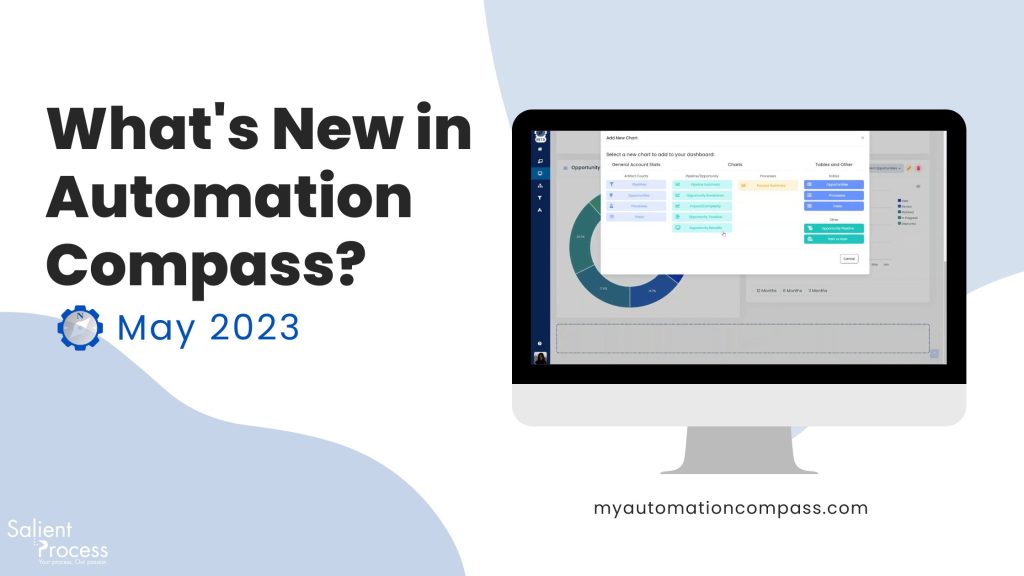
Welcome to the latest release of Automation Compass! In May, we added some exciting new features, made improvements, and had bug fixes to enhance your experience and make your automation journey even more enjoyable. Let’s dive in!

Learn more about Automation Compass.

🚀What’s New?

1. Bulk Opportunity Management

Managing multiple opportunities just got easier! Now you can delete, change the pipeline, or update the phase of multiple opportunities at once, saving you valuable time and effort.

2. Bulk Process Management

Need to make changes to multiple processes? No problem! With bulk process management, you can now delete or update the category of multiple processes simultaneously, streamlining your workflow.

3. Bulk Linking

Linking processes to capabilities has never been simpler! Our new bulk link feature allows you to link many processes to a capability all at once, making it a breeze to organize and categorize your automation initiatives.

4. Real Benefit Widget

Stay on top of your opportunities’ progress with the real benefit widget. Monitor the planned versus actual benefits for all deployed opportunities in one place, helping you track performance and make data-driven decisions.

5. User Account Expiration Notification

When a user with an expired account tries to log in, they will now receive proper feedback notifying them that their account has expired. They can easily inform the Automation Compass team to reactivate their account and get back on track.

🔧Bug Fixes

  1. Customizing Pains: We have resolved a bug that prevented the use of special characters in pain assessment when customizing pains on the settings page. Now, you can freely express and tailor your pain descriptions.
  2. Personalized Starting Page: Say goodbye to monotony! We have fixed a bug that now allows you to choose your preferred starting page in Automation Compass. Customize your experience and dive straight into what matters most to you.
  3. Simulation Bug Fixes: We have squashed some general bugs related to simulation. Rest assured, your simulations will run smoothly and provide accurate results.

⭐Improvements

  1. Simulation Activity Selection: We have improved the simulation process by considering only the selected activities in the second step when generating simulation result reports. Now, you will receive targeted and relevant reports based on the activities you choose.

2. Enhanced Simulation with Business Hours: Simulation results are now even more accurate and closer to reality. We calculate wait times using business hours, resource schedules, and queues defined in each activity. This improvement ensures better simulations and empowers you to make informed decisions..

3. Dashboard Table Update: The process and opportunity tables in the dashboard have received a facelift. You can now filter columns using existing values, select multiple filters simultaneously, and effortlessly navigate through your data.

4. Extended Monitoring: Need to monitor an opportunity for more than a year? No problem! We have added the ability to include multiple years in the monitor tab, allowing you to track long-term opportunities seamlessly. You can also set yearly benefits and conveniently change the deployment date from the plan pop-up.

5. Capability Number Display: Finding the right capability just got easier! We have added capability numbers to opportunity and process pages, making it a breeze to link opportunities and processes to the exact capability you are looking for.

🔜Coming Soon

We’re constantly working on exciting new features to enhance your Automation Compass experience. Here’s a sneak peek at what’s coming in future releases:

  1. Bulk Import for Blueworks Live (BWL) Users: We understand the importance of efficiency, which is why we’re developing a bulk import feature specifically for our Blueworks Live users. Soon, you’ll be able to import multiple processes at once, saving you valuable time and effort.
  2. Refresh Existing Processes from BWL: We’re streamlining the process of updating your existing processes from Blueworks Live. With this upcoming feature, you can effortlessly refresh your processes in Automation Compass, ensuring that all changes are synced and preserving the valuable information you’ve created regarding opportunities and capabilities relationships.

Request a Free Trial With Automation Compass Today

If you’re interested in learning more, you can request a free trial or a demo from an expert advisor. If you’re eager to get started, you can book a meeting here. Don’t miss out on this opportunity, inquire for more information today.

RELATED CONTENT


More on Digital Business Automation

What is business automation workflow?

Knowingly or unknowingly, businesses use many workflows to manage daily operations. From training new employees to processing payroll and approving documents, all business procedures can be called ‘workflows.’ The more efficient your workflows are, the more efficient your business will be.

Business automation software streamlines manual procedures within your operations. Automation tools boost efficiency by eliminating time-consuming and manual tasks. You can transform daily procedures with enhanced communication, reduced expenses and more personalized customer approaches. Learn more about workflow management software and how Salient Process can help you optimize these solutions.

What Is Business Automation Workflow?

Business automation workflow uses software and other forms of technology to streamline and automate business operations. Automation software completes manual and repetitive tasks without human input. By automating daily processes, you can increase efficiency across multiple departments. 

Various software types can streamline part or all of a workflow. Capabilities like artificial intelligence (AI) or logic-based software use predefined business rules to complete tasks. For instance, you can program software with existing business documents and procedures. The technology absorbs this information and uses it to finish workflows.

You can use business automation workflow solutions to complete processes like:

  • Approving and sending documents: Automation software can check documents to ensure they’re in the correct format and contain the right information before sending them to the next user. Other tools like automated signatures let officials upload their signatures instantly. These processes remove time-consuming transferring processes and eliminate the need for physical documents.
  • Onboarding new employees: Automation can also quicken the employee onboarding process as they enter company systems. The software can instantly send workers required paperwork, schedule introductory meetings with supervisors, send surveys to learn about their experiences and complete many other tasks.
  • Transferring data: Data entry is one of the most tedious daily operations tasks. Manually entering small pieces of information can quickly become tiresome. It can also lead to human error, especially after many work hours. Workflow automation can sync systems and data, automatically transferring data from one application to another. Automation reduces the time needed to update data and lets workers focus on more fulfilling tasks.
Benefits of business automation workflow

Benefits of Business Automation Workflow

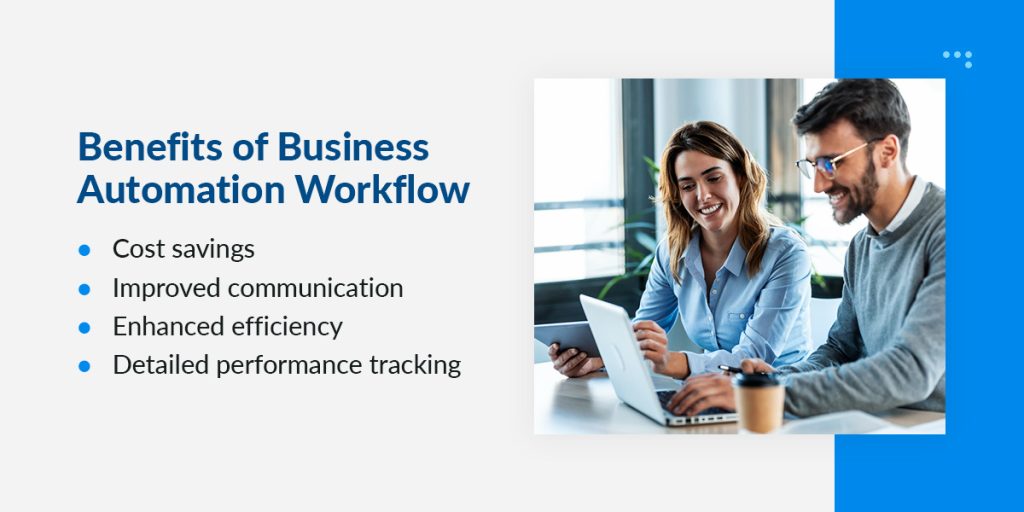
Workflow automation services bring many benefits to companies, including:

  • Cost savings: Automation reduces manual errors and empowers employees to work more efficiently, increasing profitability. Mistakes can be costly, especially when they involve sensitive information. You might have to delay other projects to fix the error and other affected areas. By avoiding these errors in the first place, you minimize downtime and expensive fixes. In addition, you can decrease administrative costs with less manual work.
  • Improved communication: Workflow automation creates clear and consistent paths of communication. Employees can quickly connect with co-workers and access necessary data for their projects. The software can send automatic alerts for upcoming meetings, project deadlines and other commitments. Automation software can also assist with accountability — after you designate a project to someone, the system tracks statuses to make sure every task gets completed.
  • Enhanced efficiency: Workflow automation tools help you identify inefficiencies. You can evaluate workflows and determine bottlenecks that limit productivity. For instance, a document approval procedure might take weeks to complete, lengthening project times. You could implement automation software to streamline the process, increasing efficiency. Employees can access advanced tools that reduce manual workloads and let them progress more quickly.
  • Detailed performance tracking: During the automation process, you digitalize all tasks in the workflow. Your automation system can track the workflow’s performance from beginning to end, identifying inefficiencies or inconsistencies. By continually refining your approaches, you ensure your company operates optimally.

Business automation has advantages for all members of an organization. Here is a closer look at how it benefits managers, employees and developers:

Benefits for Managers

Managers and supervisors can use automation software to monitor employee progress and designate projects. For instance, managers can have access to tools like:

  • Online dashboards: Managers can organize projects and designate tasks using online dashboards. These tools automatically assign and monitor work tasks to the appropriate employees. Managers can check work completion statuses or idle times. 
  • Real-time project statuses: Work objects only leave workflow dashboards once employees complete them. Supervisors view real-time project updates and ensure all necessary tasks get completed before sending them for approval.
  • Automatic alerts: You can preprogram automated software for automatic alerts, approvals and exceptions. For instance, the software could automatically approve access to a document if the employee has the appropriate clearance level. 

Benefits for Employees

Employees can experience decreased workloads and improved working conditions with workflow automation. Other worker advantages include:

  • Enhanced scheduling: Automation software can organize projects based on their due dates or other priorities. By basing their schedules on these recommendations, employees manage their time wisely and keep departments on track to meet deadlines.
  • Easier communication: Workflow automation streamlines communication processes. Instead of manually updating supervisors about project completion, the system automatically provides status updates. Built in messaging tools make it easier to communicate with managers if employees have questions.
  • Decreased wait times: Business automation software facilitates projects from beginning to end, reducing wait times. For instance, employees could receive instant approval or feedback on a task instead of waiting hours or days for responses. The increased speed lets them progress through projects much faster.

Benefits for Developers

Developers can speed up the creation and experimentation process of software development. Many types of workflow management software integrate seamlessly with existing systems. It also has minimal coding requirements, allowing developers to complete installation quickly. 

Business departments that can benefit most from business automation workflow

Business Departments That Can Benefit Most From BAW

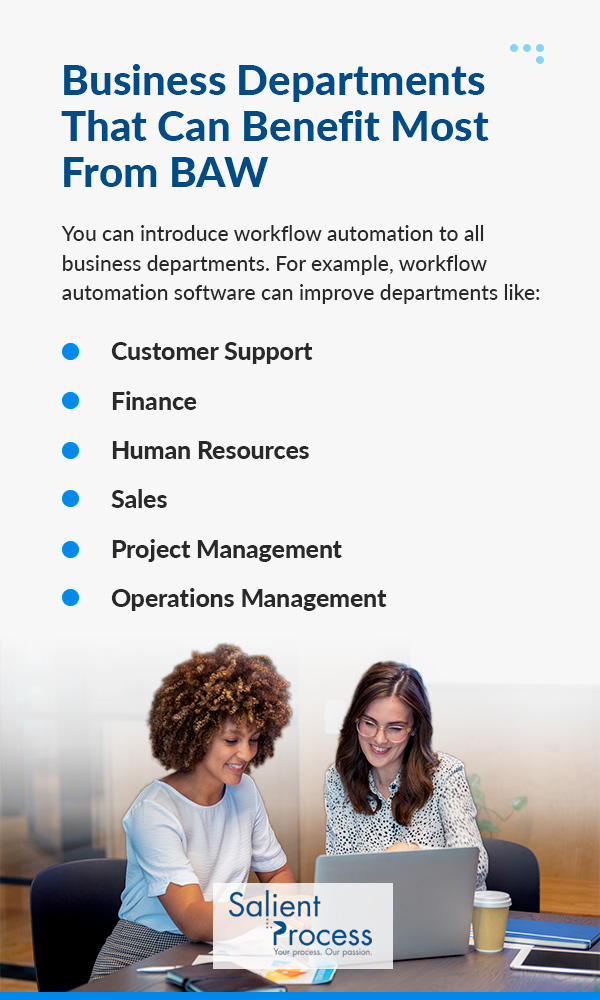
You can introduce workflow automation to all business departments. Each team can apply automation to specific procedures and benefit from the results. For example, workflow automation software can improve departments like:

Customer Support

You can improve customer support procedures by implementing automated tools. When customers have questions about products or services, it’s important to address them as quickly as possible. The longer they have to wait, the more dissatisfied they can become. 

Automated tools assist customers without manual employee input. They can help clients with general questions, then refer them to an employee if they need further assistance. For example, chatbots are programmed to respond to basic questions and can send resources for additional guidance. They could address customer inquiries about:

  • Product details
  • Order processing times
  • Refunds or returns
  • Problems with payments

Instead of answering simple questions and completing repetitive tasks, customer support agents can focus on more advanced customer concerns. Customers also benefit from the rapid response times, letting them resolve problems without excessive wait times.

Finance

Your company’s finance department handles all areas of financial well-being, making accuracy essential. Lengthy invoice or transaction processes can reduce efficiency and lead to more errors. By automating financial procedures, you can ensure the department works with optimal accuracy.

Workflow automation software simplifies financial procedures like end-of-month closings, employee payroll processing, document approval and more. Automatic data transfers eliminate human error while logging transactions and financial receipts.

You can also restructure workflows for increased speed. For example, your software could streamline a reimbursement request process. You can program the software to approve certain requests, reducing bottlenecks automatically.

Human Resources

Human resources (HR) departments manage employee experiences from their first onboarding session to their last workday. Depending on your business’s size, providing a personalized experience for all employees can become challenging. Automating manual tasks lets HR workers focus on high-priority concerns. 

Workflow solutions could streamline HR processes like:

  • Onboarding and offboarding: Automated tools can quickly set up employee accounts and login credentials, letting them access online systems sooner. They can also update new employee calendars with training sessions and necessary onboarding tasks. After an employee decides to leave the company, you can develop a workflow solution that automatically disables their account and access to company systems.
  • Timesheet approvals: Many organizations use timesheets to track the number of hours employees work each week. Manually inspecting and approving these can quickly become time-consuming and tedious. Instead, you can program workflow automation software to detect and flag timesheet discrepancies. That way, HR workers only need to look at flagged documents rather than studying each one.
  • Vacation requests: Most HR departments are also responsible for processing vacation and paid time off (PTO) requests. Automated solutions can simplify these procedures by allowing approvals with minimal external input. For example, employees might only have to click one button to accept a request. Workflow software can also build advanced calendars that display all upcoming vacations and off-days, letting employees schedule more efficiently.
  • Benefits and pay changes: As employees receive promotions and move further in the company, their benefits and pay amounts will likely change. An automated solution can streamline the updating process.

Sales

Sales departments work closely with consumers to market and sell products that meet their needs best. Workflow automation tools can integrate with customer relationship management (CRM) approaches. By automating manual tasks, employees can spend more time building and analyzing effective sales methods. 

For example, workflow automation can simplify procedures like:

  • Sales proposal approvals
  • Prices for products
  • Aligning campaigns with budgets

Project Management

Workflow automation services can transform project management, offering deep insight into project progression. With these tools, you can develop an end-to-end view of your project workflow. Real-time statuses and updates ensure you have a clear understanding of project progression. The increased transparency improves communication for all related employees and officials.

You can scale your automation solution to meet your business’s specific needs. Whether you manage multiple projects at once or just one, the solutions provide the most personalized approach possible. Other benefits like enhanced efficiency and reduced costs let you work through projects at optimal speeds.

Operations Management

Operations management and workflow automation go hand-in-hand with their emphasis on efficiency. Automation tools make operations monitoring easier. With an overhead view of all workflows and ongoing projects, it becomes much easier to identify inefficiencies. You can track operational processes closely and determine areas that need improvement. After you refine methods, the software helps you track effectiveness.

What to use business automation workflow

When to Use Business Automation Workflow

While business automation workflow can benefit businesses of all sizes and industries, it can be especially helpful for companies experiencing these factors:

  • Decreased efficiency: If your business experiences declining efficiency, it could be a sign to reevaluate your workflows. Productivity is essential for meeting deadlines and maintaining customer satisfaction, so decreasing rates can cause more significant problems. By committing to an automation workflow solution, you can reduce repetitive tasks and manual workloads. Employees can complete streamlined procedures much faster, boosting success on all fronts.
  • Increased errors: The more errors you have, the harder it becomes to maintain efficiency. A sudden increase in errors could indicate your existing workflows are losing effectiveness. Automated solutions eliminate manual data entry and improve accuracy on many different levels. You can reduce downtime and eliminate the need to repair mistakes.
  • Employee burnout: Employees experiencing burnout face mental and physical exhaustion. They struggle to complete regular tasks and don’t feel fulfilled at work. Burnout can negatively impact your workplace culture and create high turnover rates. By investing in advanced automation features, you create better employee experiences. Streamlined processes make projects feel less overwhelming. With less manual and repetitive work, workers feel more fulfilled with their daily responsibilities. 

Why Salient?

If you’re ready to invest in a workflow automation solution, partner with Salient Process today. We’re a leading workflow automation solutions provider. Bring to bear our years of expertise to build customized workflow solutions. We specialize in the following:

  • Process mapping
  • Mining and analysis
  • Robotic process automation (RPA)
  • Business automation workflow (BAW)
  • Business rules management
  • Hyperautomation solutions

We understand the need to work at optimal efficiency while keeping costs low. With our solutions, you can boost efficiency by reducing time-consuming tasks. Focus on high-priority planning and customer connections instead of manual data entry, and see how it can increase success.

Salient Process sets itself apart from competitors with highlights like: 

  • International Business Machines Corporation (IBM) Premier Partner status: We partner with IBM to provide the highest-quality software and solutions for businesses. 
  • Years of experience: Our employees have an average of 15 years of experience. No matter your industry or needs, we help you build the optimal workflow automation solution.

We also created the IBM Business Automated Workflow (BAW) and business project management (BPM) integration. This solution assists with mapping workflows and tracking data through various cloud components. We have offices around the world to make closer connections with clients. Our team is dedicated to building tangible and effective change for businesses worldwide.

Request more information about workflow automation

Request More Information About Workflow Automation

Business automation workflow can upgrade efficiency across all departments. By automating work operations, you reduce employee workloads and create a more productive work environment. Whether you’re a new employee or an experienced manager, workflow automation can improve your daily operations.

Salient Process is your partner for every aspect of workflow automation. As an IBM Premier Business Partner, we provide leading integrated solutions and expertise to transform our client’s processes. We work with you to identify target goals and develop automation processes that meet these needs.

Contact us today to discuss our products and solutions in depth. 

The Client

A Fortune 10 Pharmaceutical Distributor

Business Challenge

Customer service is everything in a contract servicing business. One of the ways a large pharmaceutical distributor stays competitive is by providing innovative ways to reduce costs to customer while managing its own risk at the same time. The solution is Pre-pay deposits.

The Solution

Salient Process designed, automated and implemented the customer deposit management process. By leveraging IBM BPM, and using the rapid development capability it brings, Salient Process was able to deliver a functional product on a tight budget.

A Tedious Process

The existing implementation of Pre-pay service was riddled with problems. The data received in the requests was inaccurate, the general ledger (GL} did not get updated properly, money had to move through multiple GL accounts before being correctly allocated, and people were left to interpret terminologies. Business development staff had to make sense of accounting jargon and legal language. Differences in customer size, and thus practices and demands, only added fuel to the fire.

Salient Results

Salient Process was again brought on to lead the efforts using its expertise in BPM. We followed our thoroughly documented and proven SPARK methodology.

The new system guided users to the desired results. Providing context for sensitive information and the ability to go back and forth to put the request together, users were able to provide necessary and accurate data from the beginning.

The architecture used involved creating integrations with SAP and services on the enterprise service bus (ESB). The system even helped identify discrepancies in customer accounts, that both parties suspected but could not pinpoint. The Master Data Management team was engaged to work under the hood but in the realm of business process.

Integrations with SAP allowed Billing Operations to eliminate many swivel chair tasks and avoid the overhead of manually pulling data by setting up and running multiple reports, often ad-hoc in nature.

The fault-tolerant system allowed the users to continue using the system even when the integrations would fail. Items would get queued up and support staff would be informed of the issues and errors automatically.

With 360-degree visibility, reconciling payments made by the customers wasn’t a guessing game anymore.

Apart from the event-based workflow, the system automatically generated an adjustment report per customer manager periodically. It also provided a way to generate the adjustment report on request. Accurate billing data will be calculated and made readily available to the customer managers.

Leveraging the power of digitization and using automation as appropriate, the mundane was out and the intelligent was in. Account managers and regional directors didn’t have to hide and always had the answers they needed to be in front of the customers. One could say that it is truly possible to free the humans so that they can do higher-level thinking!