

Businesses worldwide are incorporating intelligent automation to maintain a competitive edge. Automation opportunities are everywhere, and standardizing and optimizing business processes is one of several ways to reap its benefits. The desire to understand and streamline an organization’s workflow necessitates using transformative technologies such as task and process mining.

Businesses can better focus on their core operations by automating their processes. Task and process mining are tools to help enterprises increase decision-making speed, provide performance feedback and improve internal and external communication. They identify areas that would benefit from automation, which leads to cost savings and happier employees and customers.

What is the difference between task and process mining? Both focus on business processes, but task mining is about front-end data, while process mining deals with the back end. They are necessary to help leaders understand how the work gets done and identify ways to improve operational processes.

What Is Process Mining?

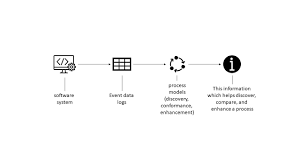
Process mining combines data mining and progress analytics to learn about, assess and improve operational workflows. Mining log data from a company’s information systems helps business leaders understand their processes’ real-world performance. With this quantifiable data, leaders can objectively allocate resources and make informed decisions.

Process discovery provides real-time analytics of performances. You can analyze millions of transactions with suitable applications and software. The better you understand end-to-end processes, the more you can focus on improving them.

How Does Process Mining Work?

Process mining captures operational process activities and data and creates visualizations of each end-to-end process. It also analyzes the data, so managers and business owners can determine what’s behind the event logs. Fully automated process mining lets employees complete their work while the software collects data in the background.

The steps that go into process mining include the following.

  • Analyzing digital footprints: Process mining captures all the event data related to your processes, reads it, then transforms it into an event log containing three crucial pieces of information — time stamps, case ID and activities. 
  • Creating process graphs: The software transforms the event log into a process graph and provides a visual representation of your business processes, including the timing and any deviations in the flows. This fact-based information is the perfect starting point for optimization and automation.
  • Providing actionable priorities: Many process mining tools have visualization capabilities that go beyond insights detailing your weak areas. They can also tell you how to fix them and the likely outcome of your changes. 

Process Mining Use Cases

Many businesses are already using process mining to boost efficiency and access robust data. Here are some examples.

  • Increase process efficiency: Process mining can assist your business in identifying and correcting procedural bottlenecks and provide strategies to address these inefficiencies. 
  • Discover opportunities for automation: The data gathered from process mining provides your business with opportunities to automate your operational processes, further enhancing your overall efficiency and freeing your employees up for meaningful work. 
  • Enhance compliance: Process mining gives you real-time data, provides performance checks and conducts root cause analysis, helping you stay audit-ready. 
  • Pinpoint opportunities for improvement: Armed with actionable process mining data, you can pinpoint inefficiencies and assign resources to address them. 
  • Improve customer satisfaction: Process mining speeds your processes, so customers get faster service. 
  • Strengthen risk mitigation: Process mining provides constant monitoring, which is especially crucial when rolling out innovations. You have a better idea of the risks and actionable data to address them. 

Benefits of Process Mining

Process mining has many tangible advantages for businesses.

  • Reduced costs: Process mining helps you identify the processes in your business operations that would benefit the most from automation. With this essential data, you can identify workflow bottlenecks and take measures to rectify them. 
  • Ingrained problem-solving culture: Effective leaders empower their teams to solve problems. They will pick up on challenges earlier and have accurate data to formulate their next steps. A team with a problem-solving focus has better employee satisfaction and higher productivity. 
  • Increased transparency: Process mining software captures detailed data on all your processes and allows you to easily access and understand them. With complete transparency, you can focus your team’s energies on enhancing strengths and addressing opportunities for improvement. 
  • Continued improvement: You can use process mining in many ways, as frequently as you would like. It gives you a comprehensive picture, allowing you to make data-based decisions and address challenges in real time. 
  • Reduced risk: Insight into your processes provides a clear picture of risky and non-compliant areas. You can act quickly and back your actions up with data, avoiding heavy fines and costly incursions. 
  • Improved customer experience: When you improve customer-based processes, you can provide clients with a better overall experience. Automating repetitive tasks allows employees to focus on meaningful work and gives your business a competitive advantage. 
  • Informed decisions: Accurate data gives you the best understanding of your current processes’ efficacy. You can base your business decisions on accurate and actionable data. 

What Is Task Mining?

While process mining is a fantastic tool for gaining insight into business processes, task mining focuses on each employee’s productivity. Task mining involves installing specialized software that automatically records activities like keystrokes and mouse activity. In other words, you can capture your team’s actions as they perform them. Task mining provides more automation opportunities than process mining, focusing on smaller components of extensive multi-step processes.

How Does Task Mining Work?

With task mining, the first step is collecting data from users’ machines, including recordings, keystrokes, screenshots and user input. Machine learning then analyzes the data and adds context for a better picture of users’ daily processes. It can structure the data appropriately and recognize activity clusters. This view of the data allows you to identify unproductive or challenging areas and make the necessary changes to streamline operations.

Task Mining Use Cases

Task mining can revolutionize business processes on all tiers of your organization. Some task mining use cases include the following.

  • Drive automation initiatives: Task mining allows you to identify time-consuming and laborious tasks, which are perfect opportunities for automation and increasing productivity. 
  • Improve operational efficiency: Output and efficiency are always on business leaders’ priority lists. Task mining enhances productivity throughout your organization. 

  • Increase employee and customer satisfaction: Task mining doesn’t only track work. It analyzes employee performance and pinpoints bottlenecks and inefficiencies. This information empowers users to improve their processes and perform in alignment with key performance indicators, making employees and customers happier. 
  • Remove redundancies: With task mining, you can identify the most time-consuming, repetitive and monotonous processes. Then, you can streamline workflows by leveraging automation opportunities. 

Benefits of Task Mining

Task mining has many advantages for businesses.

  • Improved task tracking: Task mining enables your business to track key performance indicators for individual tasks, many of which get overlooked in day-to-day operational processes. 
  • Enhanced decision-making: Accessing robust data in real time gives you all the information you need to make the best decisions for your business. 
  • Increased employee satisfaction: Employees are happier when they feel their work is meaningful. With task mining, you can identify error-prone, laborious, repetitive manual tasks and automate them, freeing employees to complete mission-critical work and giving them an enhanced sense of purpose within your organization. 
  • Elevated automation capabilities: Task mining provides powerful and data-driven insights, so you can spot automation opportunities within your business model and back them up with actionable data. 
  • Increased compliance: Accurate and accessible data allows you to quickly meet compliance and regulatory standards. 

As complementary methods, task mining and process mining work best when combined. Though both approaches have distinct advantages, pairing them provides ideal outcomes.

Task Mining vs. Process Mining

Task and process mining are compatible but have notable differences in goals and methods. Some of the critical differences between task and process mining include the following.

  • Project scope: Process mining covers end-to-end processes and subprocesses, while task mining focuses on the steps and actions within each task. 
  • Source of data: Both rely on data collection, but process mining pulls information from event logs and IT systems. Task mining data comes from mouse clicks, keystrokes and other user actions. 
  • Techniques: Each uses different data collection methods. Process mining uses data-mining algorithms and process modeling. Task mining uses text and pattern recognition, natural language processes, text mining and optical character recognition. 
  • Focus: Process mining is invariably process-oriented. Task mining is more user-oriented.
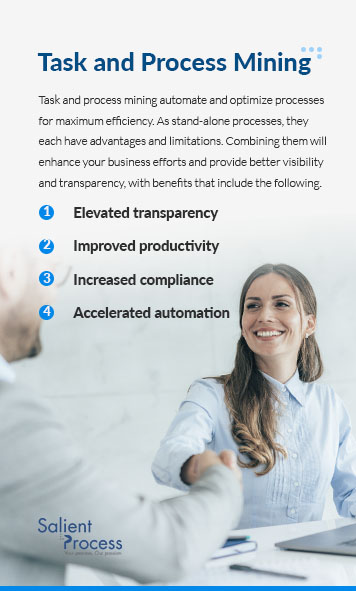
Task and process mining automate and optimize processes for maximum efficiency. As stand-alone tools, they each have advantages and limitations. Combining them will enhance your business efforts and provide better visibility and transparency, with benefits that include the following.

  • Elevated transparency: The two approaches fill in the blanks between analyzing tasks and reviewing processes. They provide accurate and actionable insights to build your business strategy and address opportunities for process improvements. 
  • Improved productivity: With process and task mining, you can automate your tasks, reassign underused resources and make data-informed decisions about process improvements within your organization. You can improve your team’s efficiency, engagement and satisfaction with these processes. 
  • Increased compliance: Effective monitoring of tasks and processes allows you to monitor employees’ actions and mitigate compliance risks with improved auditing and user-friendly dashboards. 
  • Accelerated automation: Combining task and process mining provides you with a competitive edge and the ability to fast-track your automation. 

Task and Process Mining Trends for the Future

Task and process mining change how businesses operate and think. With these two tools, you can take an organic viewpoint on your business and its processes, focusing on workflows and tasks rather than merely reporting. There are many exciting trends and innovations to expect in the future as more businesses adopt these innovations and reap the associated benefits.

We can look forward to further advances in process automation as businesses recognize the role process mining plays in workflow automation and that task mining plays in robotic process automation, for instance.

Process mining has focused on end-to-end processes in the past, but the opportunities for customer-oriented process mining are becoming more apparent. All initiatives to improve internal processes can aim toward customer satisfaction.

Task and process mining are likely to become more predictive as businesses call for a proactive approach to streamlining their operational processes. The ability to predict and address weaknesses before your business suffers the associated losses could change the game altogether.

The opportunities for technological innovations are endless. Businesses must stay abreast of trends and incorporate practical innovations to maintain a competitive advantage.

Why Choose Salient Process?

Digital transformation is a massive yet necessary process. Businesses need to automate critical processes to minimize the margin of error and maximize operational efficiency to cope with the rapidly changing digital world. Automating your digital processes allows you to focus on your core business operations, and partnering with Salient Process gives you the power to do that.

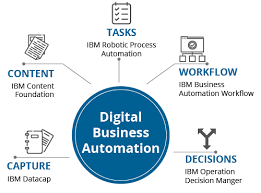
Since our inception, Salient Process has helped businesses map thousands of processes. We can help you speed up your decision-making based on actionable data, improve communication, increase efficiency and protect your bottom line. Partnering with us will benefit your team by using additional products, such as the automation compass, making automation identification a breeze with a collaboration with IBM Watson. You can also benefit from Blueworks Insights — process mapping with extensive reporting and analytics capabilities, easy user management and more.

We are the perfect partner with the pedigree and experience to get your business where you want it to be.


Introducing, the Automation Compass, a tool built by digital business automation professionals, for business automation professionals. Our team built this one-of-a-kind solution to help you consistently deliver digital business automation and process improvement results without the headache.

Our team has conducted extensive interviews with a many leaders and practitioners in the field to gain a deeper understanding of their challenges and pain points. In this blog, we’ll delve into those challenges and show you how Automation Compass is the solution you’ve been searching for.

Not a reader? Watch the demo here

Addressing Common Challenges

Digital business automation and process improvement can be a daunting task. With multiple spreadsheets, visio diagrams, and a seemingly endless list of ideas and opportunities, it can be challenging to know where to start. Prioritizing these ideas, analyzing their impact on various factors such as time saved, cost savings, and customer experience, aligning them with corporate goals, and calculating ROI can be even more challenging. Knowing how to…

  • Create future state process maps
  • When to stop mapping processes and start automating them
  • Define and understand your business architecture

On top of that, how do you keep track of it all and secure executive sponsorship to put your top priorities into action?

When conducting our interviews with industry experts, not one person was able to say they were managing and aligning all of the challenges above without the help of Automation Compass.

What is Automation Compass?

Automation Compass is a tool created to can help identify opportunities for process improvement and automation within a business. This tool is Salient’s one-of-a-kind solution that allows users to analyze and assess their business processes, identify areas where automation may be beneficial, and align the opportunities to the overall business objectives. By using Automation Compass, you can create endless scenarios for your processes to navigate towards your North Star.

With Automation Compass your team can

  • Define and capture clear goals and objectives
  • Map your processes
  • Identify Opportunities
  • Measure Impact
  • Align Opportunities with Goals
  • Calculate ROI
  • Prioritize your Opportunities
  • and more

Let’s walk through the steps of how to successfully use Automation Compass

How to Successfully use Automation Compass

Developed by a team of industrial engineers, data scientists, automation developers, and designers, the features and functions of the Automation Compass are based on input from real-life automation and process improvement practitioners and end-users. This means that every aspect of the Automation Compass has been carefully crafted to simplify your life. But how does it achieve this?

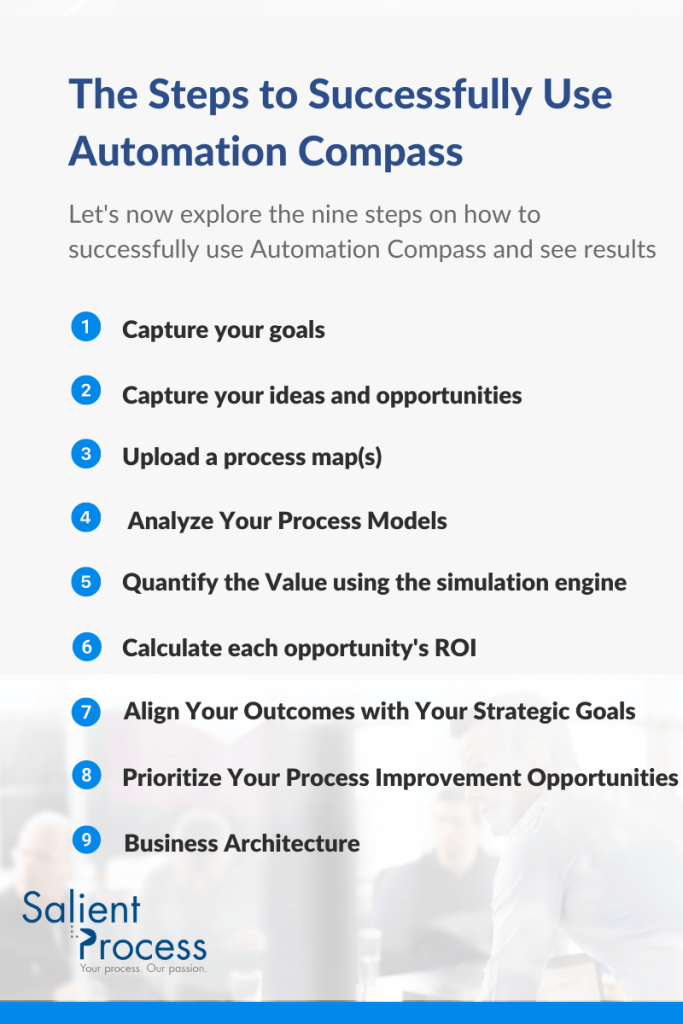
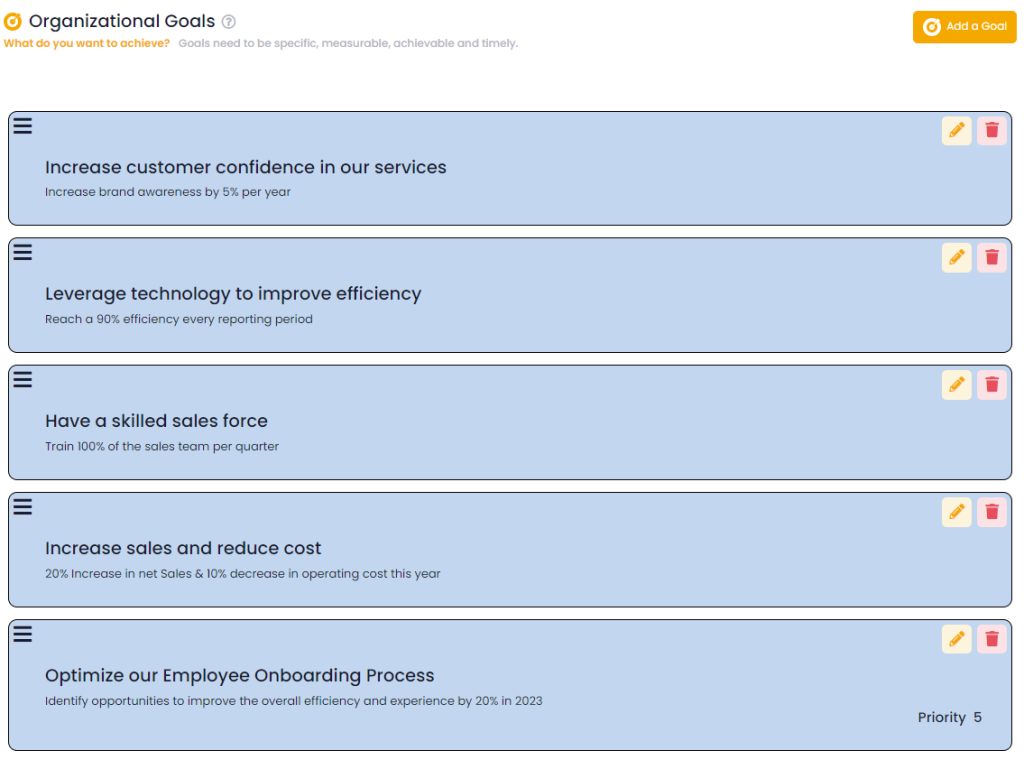
1. Capture Your Goals

Every successful digital business automation and process improvement team has a goal or set of goals. Common objectives include:

  • Saving time and money
  • Increasing efficiency
  • Automating manual tasks
  • Reducing operational expenses
  • Increasing profits and margins
  • Reducing risk
  • Improving compliance
  • Enhancing customer and employee experiences

Chances are, your company has multiple goals. High-performing teams also quantify their goals, such as “aiming to remove $100 million in Sales, General, and Administrative (SG&A) expenses over the next 18 months.” Often, these goals are noted in an “Annual Business Plan” PowerPoint presentation and are forgotten. Sound familiar? Automation Compass not only keeps your goals in one place, but it also aligns your mapping and analysis work with your stated goals and objectives. By capturing specific, measurable, timely, and achievable goals, Automation Compass provides your team with a clear direction for identifying opportunities for improvement and automation, keeping them at the forefront all year.

In addition, your team has the ability to prioritize each of these goals based on the level of importance your team determines because it helps to focus your organization’s efforts and resources on the most critical areas. Without prioritization, organizations may try to improve everything at once, which can lead to a diffuse and ineffective approach.

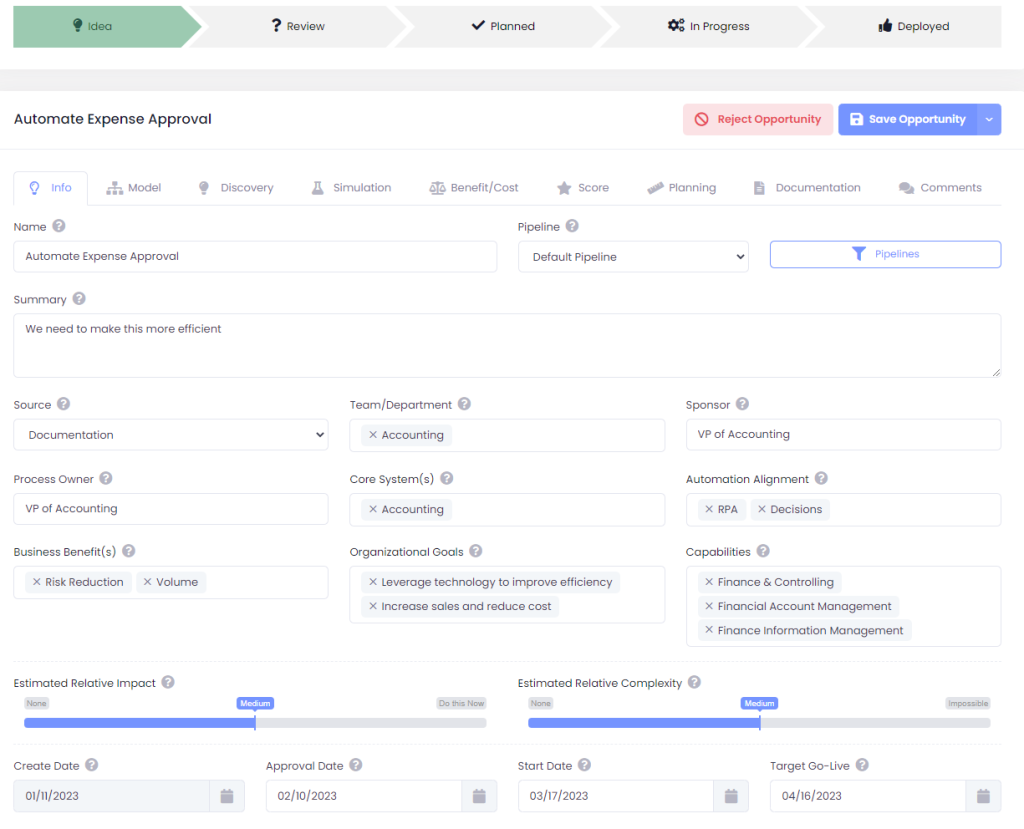
2. Capture Your Ideas and Opportunities

(If you don’t have ideas at this point in time, that’s fine! Jump ahead to step 3: “Upload a Process Map”)

If you’ve been working on digital business automation and process improvement for some time, you probably have a list of ideas and opportunities that can help you achieve your goals. You might have stored these ideas on a spreadsheet, and you might have assigned some metrics to prioritize them. Assuming you store these ideas where they are shareable and collaborative as well. While this might work for you, we’ve learned that this approach can be time-consuming and headache-inducing, especially when you need to manage, sort, and share the latest version.

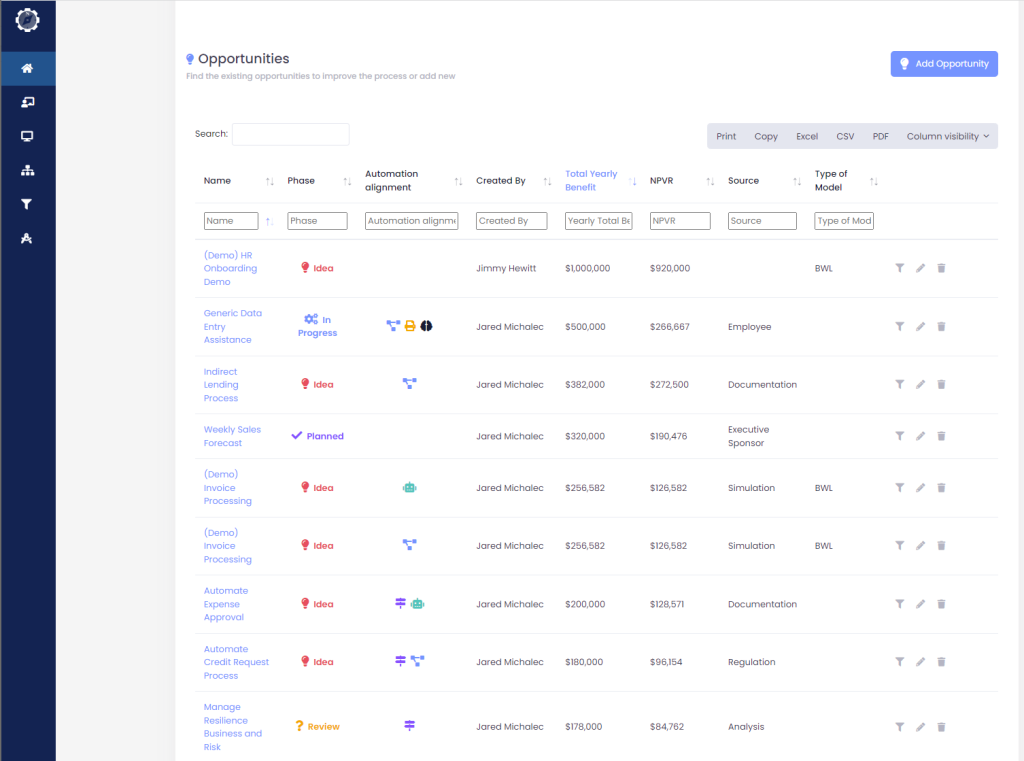
While using a spreadsheet is a good starting point, it can quickly become overwhelming as your list grows. With Automation Compass, you can upload your list of opportunities and their properties, and then manage them easily with tags, overlays, dashboards, and pipelines. When creating an opportunity, this feature allows you to capture all of the information necessary for you to justify and track your initiatives.

If you already have your ideas and opportunities, you can jump straight to step 6: “Calculate each opportunity’s ROI.

3. Upload a Process Map (or several!)

If your team has not yet captured a list of opportunities, that’s okay. Most people find their opportunities through process mapping and analysis activities. You can build a list from scratch or using a template, import it from your preferred modeling or mining tool, or seamlessly integrate the Automation Compass with IBM Blueworks Live. Once you have a process model in the Automation Compass, the next step is to use AI-assistance to identify ideas and opportunities.

4. Analyze Your Process Models with AI-assisted Automation Opportunity Identification

You will undoubtedly come up with ideas for improvement and automation while mapping processes, and you should capture these as described in step 2, “Capture your Ideas and Opportunities.” But why not get a little help from AI?

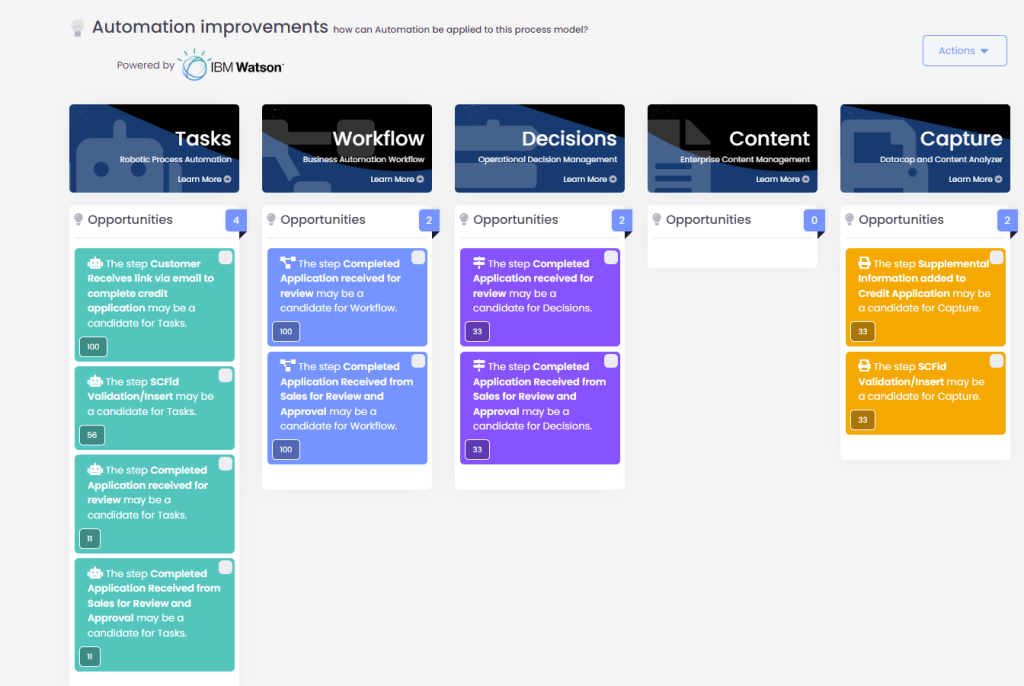
IBM Watson’s Natural Language Processing API scans your process models and generates confidence intervals for various automation ideas and opportunities in Workflow, RPA, Business Rules Management, Content Management, and Intelligent OCR. Each process could contain one or multiple ideas and opportunities, and for that, we say, “the more, the merrier!” Once you have generated several ideas and opportunities, you can quantify and score them.

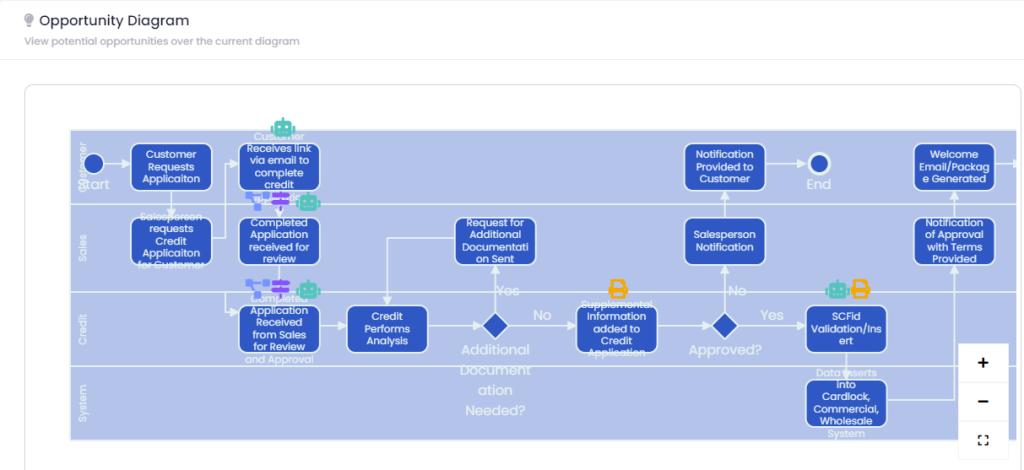
The opportunity identification feature allows companies to more effectively evaluate the potential benefits of process improvement and automation initiatives and make informed decisions about which initiatives are worth pursuing.

Img. 1

The images show different ways to view the identified Automation Opportunities. The dashboard categorizes the opportunities by the color of the automation solution that can improve the process. Image 1 displays the opportunities as a kanban board and highlights four areas where Task Automation (RPA) can be applied. Image 2 presents the same information in a process map view, with icons indicating the specific processes that can be improved. Here we can again see the same four areas where Task Automation (RPA) can be applied.

Img. 2

5. Quantify the Value of Each Idea with an Integrated Simulation Engine

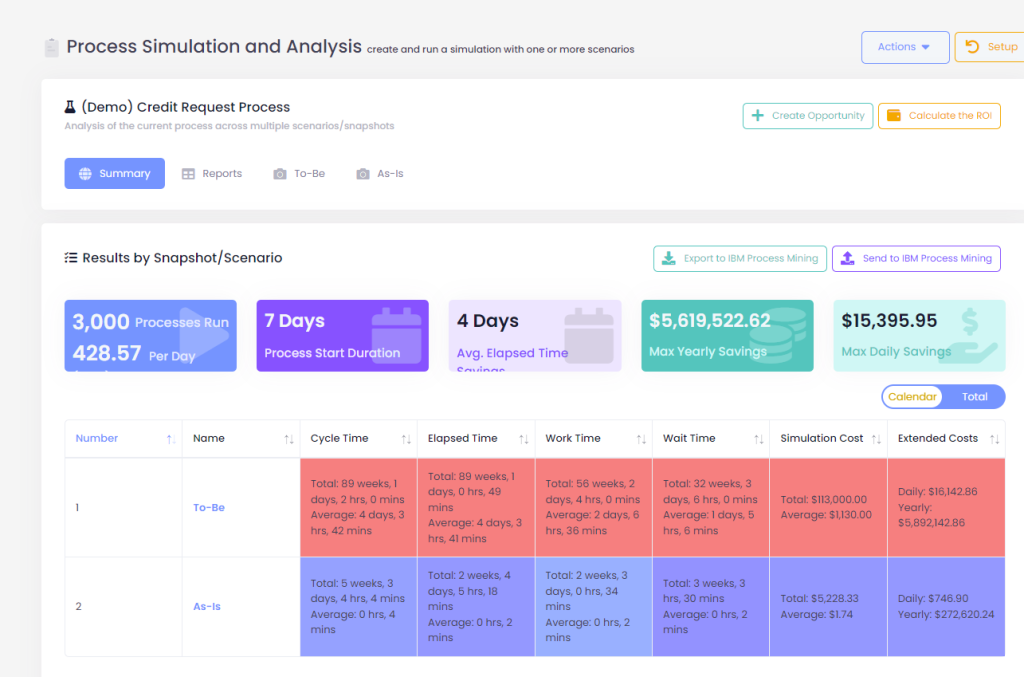
Whether you’re prioritizing by cost reduction, cycle time, resource utilization, or virtually any data measure, Automation Compass’s built-in simulation engine can quantify the value of each opportunity you’ve identified. Automation rarely comes for free, so we need to account for the resource cost of achieving each opportunity. This allows us to make informed business decisions about where to start improving. The next step is to calculate the ROI of each opportunity.

6. Calculate each opportunity’s ROI.

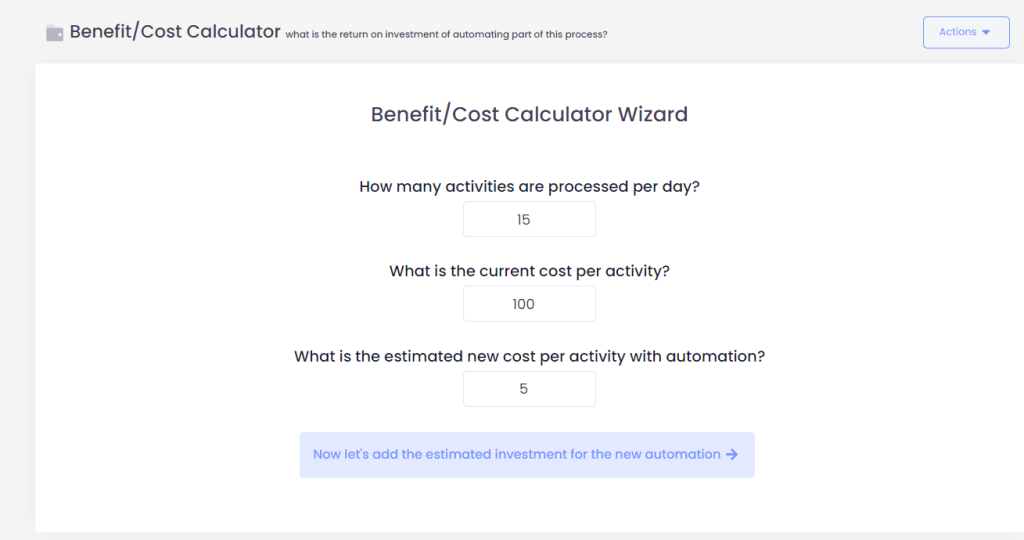
Value is rarely free, so it’s important to account for overhead costs such as software, internal or vendor services, and implementation time. The Automation Compass features a guided wizard that simplifies the calculation of ROI for each opportunity, presented in the format of your choice: payback period, Net Present Value, or annual cost savings. The visual presentation of the results makes reporting and creating business cases easy. Now you can align each quantified opportunity with the goals captured in step one, completing the full circle.

7. Align Your Outcomes with Your Strategic Goals

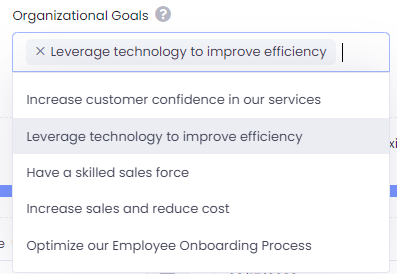
Every idea and opportunity generated and analyzed by your team should align with the goal(s) captured in step 1. If it doesn’t align, put it at the bottom of the list. Aligning your opportunities with your goals makes sense and is a simple yet effective practice. Unfortunately, it’s often not done well today and when it is, it’s usually spread across multiple files like Excel and PowerPoint. Does this sound familiar?

8. Prioritize Your Process Improvement Opportunities

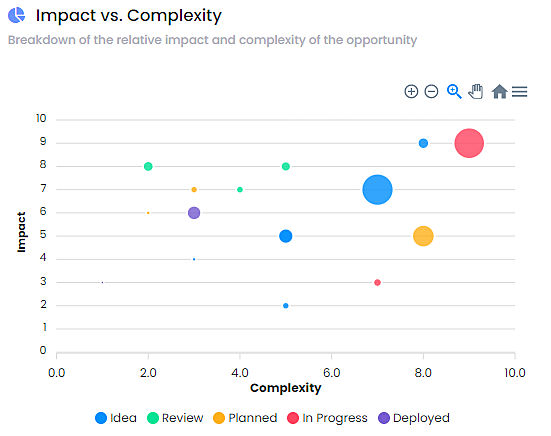
The million-dollar question is “Where do we start, what do we automate first?” The answer lies in prioritization. After following each of the steps above, you have done everything possible through human and programmatic analysis to answer this question. You can prioritize by impact-complexity or choose straight net present value, it’s up to you.

9. Business Architecture

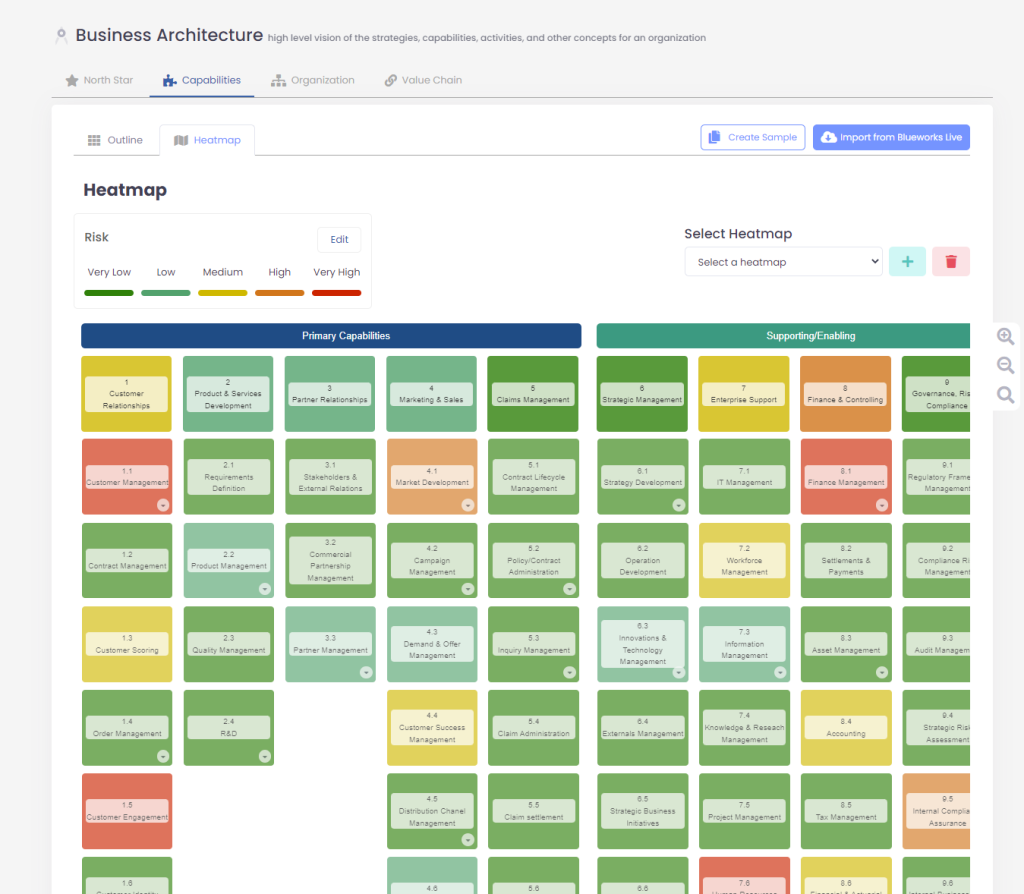
But wait, there’s more! Arguably the most powerful capability of the Automation Compass is the interactive Business Architecture module. As you see below, you can now visualize your business in a logical taxonomy or framework. It also helps you visualize the relative progress that you’ve made with heatmaps. And last but not least, you can save the opportunities that you’ve found and quantified previously at the exact location in which they belong within your business architecture! This is our answer to the countless interviews that we’ve conducted, this is how to manage your automation and process improvement program all in one place.

In conclusion, the Automation Compass eliminates the stress of manual processes and provides you with a streamlined solution to achieve your digital business automation and process improvement goals.

Say goodbye to tedious spreadsheets and Visio diagrams, and hello to increased results and a headache-free experience.

Request a Free Trial With Automation Compass Today

If you’re interested in learning more, you can request a free trial or a demo from an expert advisor. If you’re eager to get started, take advantage of Salient’s limited time Early Adopter program with heavily discounted pricing. Don’t miss out on this opportunity, inquire for more information today.

Workflow Automation vs. RPA

Businesses in all industries use specific workflows to complete tasks. Work activities follow particular procedures to transform inputs into outputs. From customer communication to employee onboarding and anything between, business procedures require consistent and efficient workflows.

Two strategies for improving workflows are workflow automation and robotic process automation (RPA). Workflow automation streamlines work activities by automating and connecting systems. RPA automates individual tasks. In other words, workflow automation approaches entire workflows and systems, while RPA focuses on single tasks. 

Both workflow automation and RPA can increase productivity and customer satisfaction. By learning more about each option, you can select the one that suits your business best.

What Is Workflow Automation?

Workflow automation is the process of streamlining work procedures to meet specific business processes and rules. It automates the flow of work across different activities, allowing organizations to function more efficiently. Overall, workflow automation improves procedures in all components of work activities. 

Typically, workflow automation involves software. Various technologies can complete part of or entire procedures. For instance, many companies use artificial intelligence (AI) or logic-based software programs to automate workflows. These tools use predefined business rules from existing documents and work procedures to complete tasks automatically.

Businesses use workflow automation to streamline repetitive and administrative processes. In turn, employees can focus on higher-priority tasks and raise productivity levels. You can integrate workflow automation into daily routines, boosting overall efficiency in a wide range of tasks.

Workflow Automation Examples

Workflow automation can benefit many industries and applications. Organizations can use the method to enhance their business operations and eliminate unnecessary workloads.

Here are some examples of workflow automation usage in various industries:

  • Manufacturing: The manufacturing industry relies on precise inventory numbers to regulate movement through the supply chain. By implementing workflow automation, manufacturing officials can reduce manual errors and improve accuracy throughout all levels of production. For instance, you could integrate workflow automation to streamline purchase and budget approval cycles. A more efficient flow could simplify the flow between a purchase request and communication to the supply chain by automatically transferring the request. That way, employees can fulfill orders more quickly and eliminate the capacity for human error through manual entry.
  • Marketing: Marketing officials can find many useful applications for workflow automation. The marketing industry uses many different procedures for campaigns, customer communication, metric analysis and other essential processes. You can implement workflow automation into existing systems and methods. For instance, many marketing employees use email as a primary form of communication. You could implement a process that automatically sends emails at specific intervals, eliminating the need for manual submissions. Then, employees could work on other responsibilities that require more thought and attention.
  • Information security: The information security field requires rapid and comprehensive responses to keep networks secure. Officials can integrate workflow automation with their existing procedures to create more thorough responses. By automating security tools, it becomes easier to manage cloud ecosystems. For example, workflow automation software could help you create a centralized location for creating and deploying business security networks. The software might automatically alert you of suspicious activities or take preventive actions.
  • Human resources: Human resources departments manage many employee records, from personal information to benefits details to time-off requests. Workflow automation can assist with redundant data entry procedures, allowing human resources professionals to focus on more intensive tasks.

Benefits and Disadvantages of Workflow Automation

Integrating workflow automation into company procedures can bring many advantages. Here are a few examples:

  • Improved efficiency: One of the primary benefits of workflow automation is its enhanced efficiency. The software resolves mundane and time-consuming tasks, allowing employees to focus their efforts on more productive responsibilities. For instance, teams can strategize and approach industry challenges rather than completing manual data entry. In addition, automated procedures can quicken workflows overall. Without the need for human input or approval, tasks can immediately move to the next step once completed.
  • Lower costs: Workflow automation can also reduce company expenses. Your organization can use fewer resources on manual procedures. In addition, more efficient workflows can boost overall revenue rates. The more productive employees are, the more your company can meet important metrics.
  • Enhanced accuracy: Automated procedures can increase accuracy throughout various workflows. You can reduce the possibility of errors by implementing an automated solution. For instance, you could improve a workflow to automatically transfer customer records throughout the ordering process, rather than employees manually entering them each time.
  • Increased customer satisfaction: With more efficient and accurate workflows, you can boost customer satisfaction and enjoyment. Employees can focus on high-value procedures that bring genuine change and improvement. Many companies apply workflow automation to their customer service procedures. For example, you could implement automated replies to customer inquiries or concerns. Streamlined procedures like these allow you to interact more directly with every customer. In turn, you can create stronger relationships and raise customer satisfaction.
  • Easier performance tracking: Workflow automation helps you digitize each step in a workflow. Your company can view work procedures from beginning to end and identify areas that need growth or different approaches. As you implement new flows, you can track them directly and adjust them as needed.

However, you might encounter a few disadvantages during workflow automation implementation and use, like:

  • Complicated setup: Some companies might find the setup process for workflow automation confusing or challenging. You have to analyze existing procedures and organize them into typical flows. New software can also be challenging to adopt and understand. A trusted service provider can help your company transition into automated workflows more smoothly.
  • Potential for miscommunication: Automated workflows can also create miscommunication among departments if not handled carefully. Without the proper training and implementation, automated procedures might create confusion about existing procedures. A thorough training plan can help employees become more comfortable with the new techniques.

What Is Robotic Process Automation?

Robotic process automation is a software solution for streamlining individual work tasks. It uses bots to complete repetitive and time-consuming tasks like data entry. The bots complete responsibilities automatically, reducing the need for manual tasks among departments. Automation technologies are trained to mimic human performance using application programming interfaces (APIs) and user interface (UI) software. In turn, they can complete predictable tasks like:

  • Extracting data
  • Filling in forms
  • Moving file locations
  • Transferring data between files
  • Making calculations
  • Parsing emails for important information
  • Generating basic reports and analyses

RPA allows companies to complete manual tasks more quickly and precisely. Without the possibility of human error, teams can complete detail-oriented procedures with intense accuracy. Bots can help you create a more streamlined and accurate environment. That way, employees can interact more with one another and with customers.

You can adapt bots to match specific workflows and preferences. Your business has particular approaches to data organization and filing, and you can train RPA systems to match them. It’s simple to install and alter the bots to meet changing business demands or procedures. 

Many RPA users combine bots with artificial intelligence to develop comprehensive business solutions. This combination allows bots to make more measured and thoughtful decisions. 

Robotic Process Automation Examples

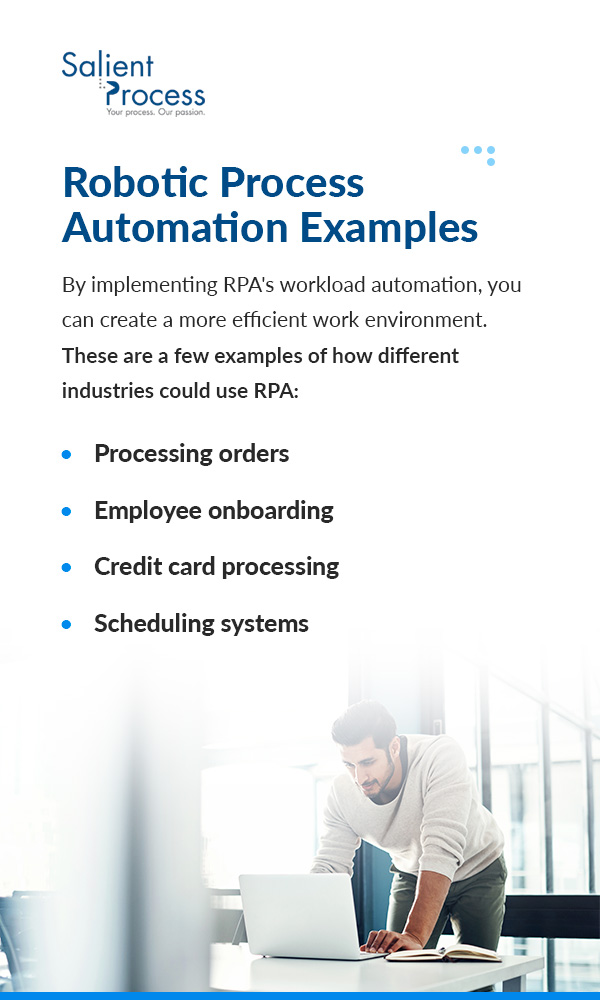
Similar to workflow automation, you can apply RPA to many different industries and uses. Most industries feature manual and time-consuming procedures that deplete resources and boost employee workloads. By implementing RPA’s workload automation, you can create a more efficient work environment.

These are a few examples of how different industries could use RPA:

  • Processing orders: Industries that work with the supply chain can benefit from automated ordering processes. You can program bots to aid with every step of order fulfillment, from the moment a customer purchases an item to the ultimate distribution. For instance, you could automate data transference as a product moves from one location to another. If an employee manually enters this information, they could type a field incorrectly or miss important data. By automating this procedure, you eliminate the possibility of human error and reduce the time necessary to complete it. 
  • Employee onboarding: Employee onboarding is an essential process for every industry. You could program RPA systems to match your onboarding procedures and automate aspects where possible. For instance, RPA could simplify onboarding by automatically syncing new employees across all company systems. Or, you could program a bot to send instant reminders of upcoming training or due dates. You can build a consistent and accessible training approach for all new team members.
  • Credit card processing: If your company sells products to consumers or other businesses, you likely have to deal with payment processes. RPA bots power many credit card systems to ensure the customer’s entered data matches other recorded information. In addition, RPA bots help with the credit card application process. From collecting documents to conducting credit checks, bots can automatically guide users through the steps of receiving a new credit card. That way, employees don’t have to manually approve each individual application.
  • Scheduling systems: You can also use RPA systems for scheduling. Industries like health care rely on precise and easy-to-use scheduling systems. RPA bots can collect patient data like their insurance information and prior medical records to streamline the appointment-making process.

Benefits and Disadvantages of Robotic Process Automation

Organizations can find many advantages to RPA implementation, such as:

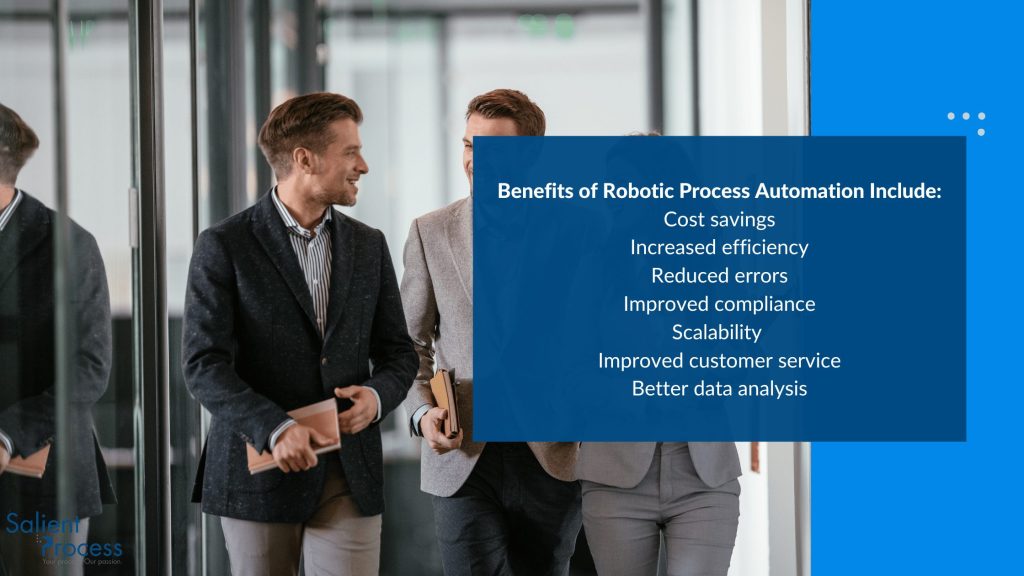
  • Increased productivity: RPA bots can complete mundane tasks more quickly than human users. And, they can work 24/7 without breaks or additional training. They complete tasks independently, allowing employees to focus on higher-priority and higher-value responsibilities. With RPA, you can accelerate your workflows and boost efficiency in a variety of essential workflows. 
  • Higher accuracy: During training, you’ll program RPA bots to meet a specific set of business requirements. Bots remember these rules every time, lowering the capacity for manual error. They can reduce risks for industries that work with compliance and other detailed regulations.
  • Improved employee experience: High workloads of mundane tasks can cause employees to feel less motivated, even leading to feelings of burnout. With RPA bots, you can lower these repetitive tasks and allow team members to focus on more valuable tasks instead. For instance, they can use creativity and subjective reasoning to strategize for the team. The more satisfied employees feel, the more productive they become.
  • Easy scalability: Another benefit of RPA is its simple scalability. You can easily adapt RPA bots to meet new business requirements or rules. Bots retain new information easily, reducing the need to train new personnel.

RPA also has a few notable disadvantages that companies should consider:

  • Ongoing maintenance: RPA bots require consistent maintenance to ensure they function correctly. Even slight changes in your network setup can impact a bot’s performance and possibly cause errors in the future. Some companies might not have the staff or ability for regular monitoring, making regular maintenance a challenge.
  • Not an instant fix: While some tasks are well-suited to RPA, others might need more specific approaches. Businesses might try to implement an RPA bot for a complex procedure, only to encounter more problems. For example, invoice processing requires precise handling. A company might benefit from invoice-focused software rather than a quick fix with an RPA bot. Businesses should determine which tasks suit RPA systems best before committing to one.

Workflow Automation vs. RPA: How to Choose

Both workflow automation and RPA are excellent options for streamlining business process management. The two solutions have a key difference: while workflow automation focuses on streamlining overall workflows and activities, RPA focuses on automating individual tasks. In other words, workflow automation looks at an entire procedure, while RPA singles out a particular aspect of the task.

Neither option is inherently better than the other. Both have significant benefits, like boosting productivity and enhancing employee satisfaction. If your company is considering between the two, think about your current areas that need improvement. If you notice an entire procedure requires simplification, a workflow automation solution could help you evaluate it from end to end. But if you want to focus on a particular task, such as email communication, you could integrate an RPA bot to solve it. A service provider can also assist you with finding the best solution.

In addition, many organizations combine workflow automation with RPA to build an optimized workflow solution. You can enjoy the benefits of both while transforming your overall efficiency.

Why Choose Salient?

If your company is ready to invest in workflow automation or RPA solution, choose Salient Process today. We are a leading provider of Digital Business Automation services and solutions and are committed to providing customers with excellent service. 

Salient has extensive experience with both RPA and workflow automation. As an IBM Premier Partner, our team understands the necessary steps for transformative solutions. We use our passion to guide customers toward optimized automation procedures. Whether you want to automate a standalone process or an entire workflow, we have the tools to help.

Get Started With Salient Process Today

Both workflow automation and RPA can enhance your business’s workflows. While RPA automates individual tasks, workflow automation approaches entire procedures. Companies can select the option that most closely meets their goals and needs.

For high-end and comprehensive automation solutions, choose Salient Process today. Contact us to learn more about available solutions and to get personalized assistance from a team member.

In 2022, digital transformations occurred globally in organizations and industries. These transformations included automating business processes and implementing digital business automation, resulting in growth. We saw advancements in technology such as artificial intelligence (AI) and machine learning, as well as increased focus on efficiency, cost savings, and improved data analysis. A more widespread use of automation was introduced in industries such as finance, healthcare, retail, and logistics.

Much like 2022, in 2023, the benefits and impact of hyperautomation on business success will be further emphasized. As technology improves and companies grow, hyperautomation is just starting to develop.

Discover the top five 2023 hyperautomation trends that we can expect to see this year.

What is Hyperautomation?

In 2019, Gartner first coined the term “Hyperautomation” which is defined as:


“Hyperautomation is a business-driven, disciplined approach that organizations use to rapidly identify, 

vet, and automate as many business and IT processes as possible.” Hyperautomation involves the 

orchestrated use of multiple technologies, tools, or platforms, including Artificial Intelligence, Machine 

Learning, Event Driven Architecture, Robotic Process Automation, Business Process Management, and 

intelligent Business Process Management Suites, Integration Platforms as a Service, low-code no-code 

tools, Packaged Software, and other types of decision, process, and task automation tools”.  

In simpler terms, Hyperautomation is a unified approach that combines various tools to achieve a specific goal or outcome. Salient’s Founder and CEO, Brian French has created a 3-part series called “The Hyperautomation Loop” which provides a detailed understanding of hyperautomation and how it is implemented. Our podcast version is also available.

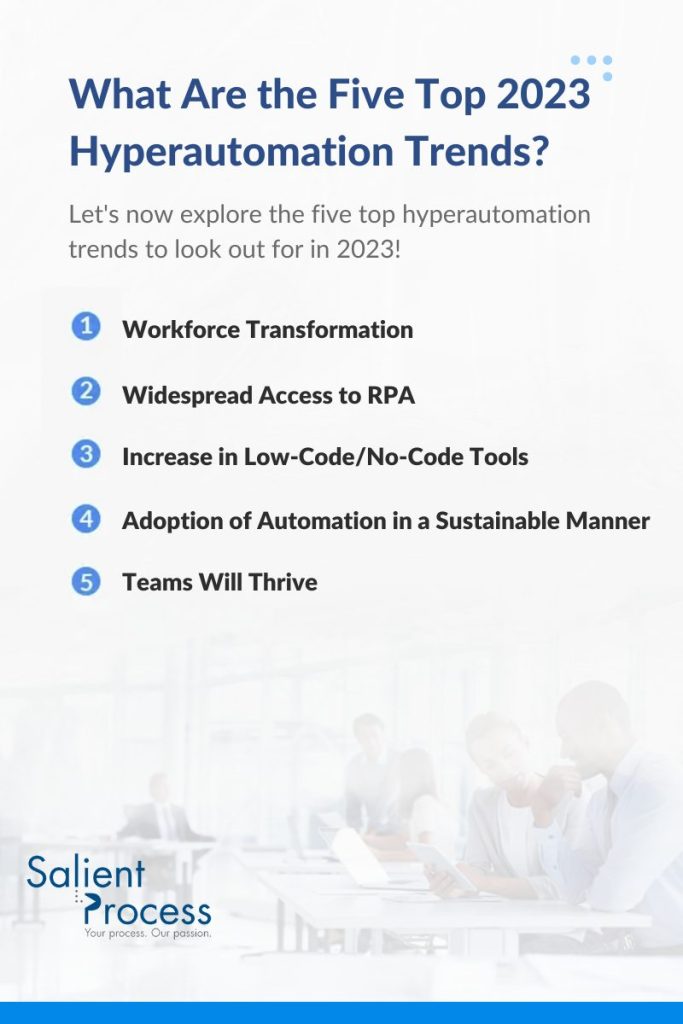
What Are the Five Top 2023 Hyperautomation Trends?

Hyperautomation is a driving force in the long-term success of organizations across industries. It is the future of business as it enhances employee capabilities and aligns with corporate strategies. We are excited to see how it can bring your company to the next level.

1. Workforce Transformation

Hyperautomation is not only transforming industries and businesses as a whole, but it is also transforming the workforce within those entities. With the COVID-19 pandemic, many organizations were forced into digital transformations, utilizing Artificial Intelligence (AI) and automation to assist with or operate many business processes. However, a common misconception is that with the integration of this new technology, jobs would be replaced. This is not the case. Instead, hyperautomation and digital transformations allow employees to focus on higher-value work, rather than mundane tasks that often lead to a lack of employee satisfaction and productivity within organizations.

According to a Global Artificial Intelligence Study by PwC, AI is expected to lead to an estimated $15.7 trillion, or a 26% increase, in global GDP by 2030. Approximately 40% of that increase will be a result of improved productivity within organizations, and 60% of the growth will be due to consumption. The increase in productivity will allow companies to better use resources, transform business processes, and grow year over year. During the pandemic, many businesses found themselves a step behind, reacting to the situation at hand. It is now time to use AI and automation to complement employee capabilities and transform your business from reactive to proactive.

2. Widespread Access to Robotics Process Automation (RPA)

Robotic Process Automation (RPA) is an automation software designed to mimic repetitive tasks performed by humans. Robots (bots) are deployed in your local environment and interact with your organization’s digital systems and software. The bots take over mundane, predictable, and digital tasks, allowing your employees to focus on value-adding tasks that drive your primary business goals. The bots run automatically without the need for human interference, resulting in higher speeds and accuracy of tasks. RPA is one of the most common hyperautomation capabilities, gaining popularity as it enhances operational efficiency. Because the bots can be easily integrated into existing systems, organizations can scale their operations faster and more cost-effectively. The rising adoption of RPA has been particularly popular across industries such as finance, banking, insurance, and healthcare in recent years, but is expected to expand across additional industries and even small businesses. RPA’s accessibility at a relatively low cost allows smaller businesses with more conservative budgets to begin their hyperautomation journeys. The accessibility of RPA will be key in the widespread adoption of hyperautomation in 2023, regardless of industry or company size. Businesses don’t want to find themselves playing catch-up with competitors or losing their competitive advantage because they were reluctant to start their hyperautomation journey. RPA can be the first step!

3. Increase in Low-Code/No-Code Tools

Low-code, no-code (LC/NC) tools have gained popularity in recent years because they require little to no coding experience for implementation. LC/NC platforms are software programs that help automate an organization without the need for technical experts. As businesses need automated systems at an increasing rate, implementing a technical workforce to develop those systems can be time-consuming and resource-intensive. Business leaders interested in beginning their digital transformation can do so right away by using LC/NC tools. Not all companies have the means to hire a technical team to head their hyperautomation journey from the start, but LC/NC can enable you and your company to remain competitive in your industry. Contrary to popular belief, both tech and non-tech businesses and professionals with little to no technical experience can still integrate automation into their business and have a successful hyperautomation journey! Employees across your organization can master these simple tools and help transform your organization. Operational Decision Manager (ODM) is a part of the hyperautomation capabilities that is a combination of machine learning with business rules to guide organizations to apply the appropriate actions to take in a process. Business Rules are written in a Plain Language Syntax (No Hard Code), allowing non-programmers to understand exactly what the solution is doing. Learn more about our ODM solution and get started with your first LC/NC training today.

4. Adoption of Automation in a Sustainable Manner

Automation tools have become essential, and in some ways, the standard, for serving customers and running efficient operations. The solution of a single business problem through automation is no longer enough and does not come close to the potential benefits of growing the use of automation. Companies are automating more and more processes to keep up with the trend. However, the impact of automation can be difficult to predict, putting the adoption of tools at risk of failure. Now, developing a well-planned, sustainable strategy for adopting these automation tools is key to successfully scaling automation. Process discovery, assessment frameworks, and other tools provide the insights to make informed decisions. Once a detailed understanding of the current state of processes is established, you should begin to form a backlog of potential automation opportunities and then organize and prioritize these opportunities. By doing so, it is possible to make well-informed decisions so that expected benefits are realized on time. These are the intentions behind hyperautomation, and following this practice will allow for consistent automation of one process after the next.

Salient’s tool, Automation Compass, is a comprehensive solution that guides companies in adopting automation in a sustainable manner. It helps identify areas where automation can have the greatest impact and navigate the journey to implementation. By using Automation Compass, companies can effectively evaluate the potential benefits of process improvement and automation initiatives and make informed decisions. Learn more about how Automation Compass can help your business adopt automation sustainably.

5. Teams Will Thrive

Hyperautomation is not just about automating processes and increasing efficiency, it also has a direct impact on the people involved in those processes. By eliminating the tedious, repetitive and labor-intensive tasks that drain mental focus, impact accuracy and hinder the use of employees, teams will be reinvigorated. This will lead to an improvement in employee productivity and satisfaction, as well as added time for employees to be more productive at work and focus on their personal lives. The automation of processes has many direct positive outcomes, like faster cycle times, improved accuracy, and increased productivity. In 2023, we anticipate that hyperautomation will not only increase business productivity but also improve the overall happiness and well-being of employees. With the use of hyperautomation, employees will no longer be burdened with mundane and repetitive tasks and will be free to focus on more valuable tasks that drive the company’s primary business goals. Hyperautomation will empower employees to be more creative, more productive, and more engaged in their work, resulting in a more positive and motivated workforce. It is important that organizations start to think about how they can use automation to improve the lives of their employees, not just to increase efficiency.

Why Businesses Need Hyperautomation

The age of digital transformation is underway, with the majority of business processes now done digitally. However, the transformation is far from complete. One thing is certain, with regard to digital transformation, automation is no longer a side project but a driving force behind it. As a result, Hyperautomation will soon become essential to businesses as it is all about scaling automation across the enterprise. With Hyperautomation, businesses can achieve greater efficiency by streamlining processes, reducing human error, and increasing productivity. It can lead to significant cost savings by reducing labor costs and improving operational efficiency. It can provide a competitive advantage by allowing businesses to respond quickly to market changes and customer needs, while improving the overall customer experience.

Hyperautomation also has a huge impact on the well-being of employees, the most important asset of any business. Automating repetitive and time-consuming tasks allows employees to focus on more strategic, creative, and customer-facing activities, which leads to increased job satisfaction and a sense of purpose, as well as improved employee engagement and retention. The work environment improves as automation reduces the stress and monotony associated with manual, repetitive tasks. Hyperautomation helps employees improve their skills as automation helps them learn new skills and improve their knowledge, making them more valuable in the job market. To fully realize these strategic, financial, and technical benefits, automation projects on the side are no longer a sufficient approach. Hyperautomation is becoming the necessary approach, as it emphasizes creating synergy between tools and establishing a well-evaluated plan to implement and grow the use of intelligent automation.

How Salient Process Can Help

At Salient Process, we understand that embarking on a digital transformation journey can be a daunting task, filled with challenges and obstacles. But we also know that the right partner can make all the difference. That’s why we’re here to help. Our North Star methodology is designed to align your organization’s process outcomes with your goals, and our team of experts will work closely with you to understand your unique needs and develop a customized roadmap for success. With our expertise in hyperautomation, we know how to leverage the power of automation to drive efficiency, reduce costs, and give you a competitive edge. Whether you’re just starting your digital transformation journey or looking to take it to the next level, Salient Process is the partner you can trust to help you navigate the challenges and achieve real results. Don’t let the obstacles of digital transformation hold you back. Partner with us today and start seeing the benefits of hyperautomation in your organization. 

Deliver Operational Excellence With Salient Process

Unlock the full potential of your company’s operations with Salient Process. If you haven’t Wherever you are in your digital transformation journey, you can expect to experience operational excellence like never before and see the results for yourself.

Contact us today and start delivering results that matter!

Measure What You Manage (and Automate!) with IBM’s Jeff Goodhue


Host, Jimmy Hewitt, sat down with Jeff Goodhue, Americas Technical Sales Leader for Business Automation at IBM to discuss the evolution of Business Automation. You will hear about the significant development within systems, people, and processes overtime. The two also discuss uniting the business side of an organization with the technology side, and all that entails. From planning and setting a baseline, to finding the right balance of analysis, you will hear ample advice on how to unite the business and IT as one entity!

Watch Episode 20 interview now!

Follow along with the episode now!

Guest: Jeff Goodhue, Americas Technical Sales Leader for Business Automation at IBM

IBM Americas team: North America, South America

 

~80 people

Utilizes Client Engineering team

Solution architect at heart


Education:

Engineering degree: Systems engineering

Focused on requirements, big problems, big systems, multiple things working together, and the requirements that allow them to design, execute, and build those systems

Focused on people and how they interact with systems, not just the systems alone

Prior Career:

  • Worked in various technical roles and business roles dealing with requirements analysis and design
  • Loves design work

Requirements: Relationship between people and requirements led Jeff to the business side of requirements

  • Has a background in software and engineering
  • Could help bridge the gap

Modeling:

Learned modeling for technologies and notations like UML, BPMN, DMN, etc.

The case and document notations led Jeff to talk to clients about bridging the gap of business in IT

Current position: Business Automation

Focus: Three ideas that come up often with clients…

Systems: Technology aspect

Processes: Methodologies

People: Being able to work across systems


Jeff is in charge of ~80 IBM teams

  • Each technical team member/specialist/architect like Jeff works with ~10 different clients a quarter
  • Equates to ~800 clients a year
  • Extends outwards to other IBM teams who focus on automation as a whole, not just on business automation
  • Includes Workflow, RPA, process mining, content and extraction, etc.
  • Working with business partners extends reach
Automation Trends and Evolutions over past 5 years

Systems

A lot better tools

Moved from code to models to low-code, no-code capabilities

Changed from drawing out a picture of a process and slowly turning it into low code, no code space to bringing the principles of low code, no code into everything a company does

Bring in business people early, in the middle, and after deployment

  • Artificial intelligence brought in capabilities that allow us to move quicker, do tasks we couldn’t before, or do tasks in an easier way
  • Continue to improve software and platforms
  • AI has made progress and be useful in certain ways but can do more in future
  • Continue to modernize underlying containers and integration to make systems work
    • Containers example: Client is designing a new version of an existing application
    • It is currently running on premises in a pair in one of their data centers across Metro region and in another on the other side of the city
    • New version: Synchronous instead of asynchronous
      • Solutions active from far away outside of the metro pair
  • Kubernetes and hyper scaler cloud are topics that are coming up with clients

People

Still a lot of challenges with people. People get in the way of themselves

A lot more understanding by people of the methodologies and processes

Improved tooling has brought more people in

Brings people in that wouldn’t have been able to communicate, build, and execute themselves otherwise and now they can with the tools

People are learning how to be smarter than themselves

We used to expect the computer to tell us what was next, walk us through a process, etc.

  • Now we are also letting people make their own decisions using the information, tasks, recommendations with AI, content extraction from documents, etc. at hand
  • People are training the systems to be able to give them the right data and recommendations
  • Asking for more from systems

Robot speaking into a megaphonePeople are asking for more

People are looking for work that is interesting more often, and they’re asking systems to help with that

Many partners are looking to see how they can build something to help you more


Examples: Natural Language and Artificial Intelligence developments

Asking a chatbot to find a number from a report, combine it with other data, and return it in a visual way

Intersections of multiple API calls, but in a natural language sense


Process

Processes have improved as a whole

  • Used agile and iterative playbacks
  • Uptick in process mining
  • New methodology of design thinking
    • Design thinking has been a big proponent
    • Applying process mining, thought process, data discovery, etc. to the original modeling types of methodologies and processes
  • Agile and design thinking can help drive the way we are building solutions, applications, and our own processes
  • Process of training systems is becoming easier
  • Finding different ways to do the same tasks
  • Breaking down silos across divisions and departments is becoming more important
Uniting Business and Technology

Start immediately with planning:

Design thinking

Training

Modeling

Work with your business partner

    • Pick the right methodology for your team and the challenge you are solving
  • Prioritization what is important for the particular project
  • Involve the business throughout planning

Find the right balance of analysis:

Don’t do too much or too little, or you will get stuck

Will help you not do as much rework and fixing later on

Set a baseline:

Examples: model mining, user interviews, KPIs, metrics

Multiple baselines are helpful

  • Without a baseline, you will face big challenges
  • Help bring the business and IT folks together
    • Can have a common baseline to work together to improve
Time to Value

Baselines help us figure out time to value:

  • Can do assessments either up front or right at the beginning or in the initial phases
  • Pilots of projects can really help

Involve business early and often:

  • The business is much more likely to involve themselves, feel ownership, move forward with the solution, and continue to improve over time if they see time to value

Continually reassess:

You need to prove to yourself that you are still delivering value and going to get the payback, RTO (Recovery Time Objective), TCO (Total Cost of Ownership), etc. in whatever timeframe you determine

Reassess the most important priorities

Make adjustments where needed

  • Define value and use digital business automation software to achieve improvements on those value metrics
KPIs and Process Mining:

Both are helpful, especially when used together

But KPIs don’t tell you the how

  • We have gotten very good at operations, intelligence, and dashboarding as well as mining and data discovery
    • Now bringing the two together

Process mining can help with continual reassessment

If you have gotten the baseline and metrics in your systems from version one, then you can feed them into mining

Can see a process model

Can see a different understanding or overlay on cost, time, dollars, or whatever other business metrics that you are interested in

Can help you decide in your continuous reassessment

  • Mining can provide you with insight and even recommendations in the future
  • Mining is not only helpful on the upfront process discovery and establishing your baseline, but it also helps with the continuous monitoring of that baseline after you’ve implemented your automation
Use case:

Client: Healthcare payer and provider space

  • Challenge: looking at different ways to predict or recommend information to doctors and nurses
    • Get access to data in a secure manner in a healthcare setting, and then being able to use the data in a timely manner
  • Solution: Workflow for decisions
    • Make timely decisions and recommendations
  • Proof of Concept (POC): client comes into doctors, data is there, their history is known, their current presentation at the clinic is known, and the technology can make a recommendation to the doctor/client immediately
    • Recommendations can be iterations, reminders to follow-up with a client, etc. so doctors don’t have to remember everything
Key Ideas from Episode:

Systems, processes, and people have all evolved over the last 5 years

  • Systems:
    • Moved from code to models to low-code, no-code capabilities
    • Better tools, software, and platforms
  • Processes:
    • Agile, iterative, and design thinking are big proponents
    • Applying process mining, thought process, data discovery, etc. to the original modeling types of methodologies and processes
  • People:
    • Looking for work that is more interesting, and asking systems and new tools to help with that
    • Better understanding of methodologies and processes

To unite the business and technology sides of your organization: start with planning, find the right balance of analysis, set a baseline, involve the business early and often, and continuously reassess

  • Focus on time to value
  • KPIs and process mining can work in junction for baselines and reassessments

Link the practices and processes of the people and tooling (systems)

Common pain point: rework

  • Figuring out what process, decisions, or tasks can be individually automated and made better
  • Reworks: what issues are causing the problems in the middle of a process

Artificial Intelligence has a lot of individual success currently, but has a lot more potential

  • Natural Language
  • Recommendations
WATCH EPISODE 20 INTERVIEW WITH Jeff Goodhue NOW


ARE THERE MORE EPISODES?

YES! Bots & Thoughts is officially on all podcast streaming platforms. Check it out now!

👉https://www.salientprocess.fm/

HAVE A TOPIC IDEA? LET US KNOW!

We would love to hear from you. This podcast is for you, and if you have something that you want to hear, we would love to know. This form is also a place for you to ask questions or get in touch with our Salient Process team. 

Submit a request for a podcast topic here❗


👉Subscribe to Bots & Thoughts: The Hyperautomation Podcast

👉Subscribe to our Spotify Here

👉Subscribe to our Apple Podcast

👉Subscribe to our Google Podcast Here


⏩Subscribe to Salient’s Monthly Newsletter Here 

🎤Be our next guest! Sign up Here

📲Contact our Podcast Host Here 


  ⏩LinkedIn

👉 Follow Bots & Thoughts on Here

👉 Follow Salient Process Here

👉 Follow our Podcast Host Here

  ⏩Youtube 

  ⏩Twitter 

🌐Learn more at Salient Process


Related Content


More on Hyperautomation:

Digital Business Automation Home Page

What is Hyperautomation?

Scaling Beyond RPA to Digital Business Automation

North Star Methodology

More on Salient Process:

Salient Process Home Page

Bots & Thoughts: The Digital Business Automation Podcast

Salient Process is a full-service digital business automation shop and proud IBM Automation business partner. To learn more about us at our website, request a free consultation with one of our expert automation advisors! We look forward to guiding you and your company along your own unique Digital Business Automation journey.

Automation meets Risk Management with Ram Naidu


Our host of Bots & Thoughts, Jimmy Hewitt, recently sat down with Ram Naidu at the OPEX (World Annual Operational Excellence & Business Transformation Summit) conference in Orlando, Florida. Ram is a business leader who has spent his career in the consumer lending space, specifically responsible for managing risks and controls. Consumer lending is a highly regulated space and therefore the stakes could not be higher with regards to managing risks and controls. In addition to this, the sheer volume alone at Wells Fargo requires the sophisticated application of automation into managing risk and controls at scale. Listen in as Ram, Head of Control Evaluation for Consumer Lending at Wells Fargo, tells his story, talks you through his methods, and lends you his perspective on applying automation for risks and controlled management for one of the largest banks in the world! 

Watch Episode 19 interview now!

Follow along with the episode now!

Guest: Ram Naidu, Head of Control Evaluation for Consumer Lending at Wells Fargo

*The views and opinions expressed here within are those of Ram himself and do not necessarily reflect those of Wells Fargo

Business leader at Wells Fargo

Spent his career in the consumer lending space

Responsible for managing risks and controls

Consumer lending is a highly regulated space

High stakes with regards to managing, risks, and controls

Sheer volume of at Wells Fargo requires the sophisticated application of automation into managing risks and controls at scale

  • Started career in manufacturing

Spent several years in transportation and logistics

Financial Services

Joined financial services over 20 years ago and have been in the space since

Spent time in risk across all three lines: internal audit, corporate risk, and the business

Spent time running large global operations

Was a financial controller at one point

  • Saw transactions flow into the balance sheet, income statement, and the other financials
  • Provided a unique perspective
  • Saw the impact to financials

Risk Perspective

  • Looked at items from a customer lens and growth standpoint
  • Looked at items from a regulatory lens and company impact
Operational Excellence

Risk Proactiveness

Companies that have really good risk management practices also tend to have very good operational excellence practices, and they tend to be more proactive

The way they detect risks (example: KPIs) is more proactive in nature

Through operational excellence, process modeling, KPI setting, and more within process, your company can become smarter and can detect early indicators of a future risk before it happens internally or externally

Challenge

  • People, companies, and everything changes
  • The struggle that a lot of organizations have is they might get mature at a particular point in time with a specific risk, but then the landscape changes again
  • As the environment and landscape changes, the risks and what you have to manage are also changing

If you have proactive measures in place and have a really strong operational excellence, then you can generally deal with changes much faster than a company that is not prepared

Your company can even mature further, from proactive to creative and innovative


Controls

Ram’s Role/team: evaluate controls

Wells Fargo has a process in place to create process maps that define what the risks and controls are and then they evaluate whether the controls are actually working

  • Part of the team’s responsibility is to identify process gaps as they evaluate the controls and provide feedback to the business leaders so that they can implement changes
  • Goal: Identify risks before they manifest with a customer impact or process impact
    • Example: ensuring bank statements are actually sent
    • If you have a million customers and 900,000 of those million are eligible to receive a statement, then having a process in place to ensure those 900,000 people are receiving one

Process Mapping:

  • Process map everything out
  • Identify stakeholders, customers, handoffs, dependencies
  • Decide where you have controls in position
  • Decide if there are gaps where you need to design controls so that you can actually then monitor those controls.
  • Then when you do have controls, you want to make sure you’re monitoring them periodically

Automation:

  • Many controls can be automated, and many are manual
  • Still a lot of opportunity to automate data
  • Process mining technology has gotten very good in this space
    • Can get log data from whatever system you are using
    • Not only can you extract the process map, but you can also find the business rules that go into why a process went one way versus another
    • Can see this being a key to the next phase of automated risk and control management
Culture

Current role: Head of Control Evaluation for Consumer Lending

  • Diversity of experiences has led to his role
  • Important part of the role is to understand what the business is trying to accomplish and then go in and understand the process, risks, and controls

Culture: be partners and proactive

  • You want to be partners with business leaders and their teams so that you can be proactive, raise your hands, and lead from the front
  • Don’t simply react to what is on paper
  • Proactive culture is essential

Consumer Lending Processes:

  • First, establish the “North Star”
    • When they go into any business area or process, the first thing they’re trying to do is understand what the objective and scope of the process is
    • That business objective then drives the control objectives

Ask:

“What are all the things that can go wrong in trying to achieve that business objective?”

“What are all the things we should be looking for to see if management has routines to actually monitor those risks?”

To evaluate risk and controls, you’re really looking to find:

Every way a process can go wrong

How management is monitoring those processes

Goal: you are proactive in detecting issues and can fix the processes and monitoring efforts

You can have a combination of controls


Key Ideas from Episode:
  • If your company is really good at operational excellence, your risk management is usually proactive
  • Process map everything out, identify your risks, decide if you have controls in place or if there are gaps where you can design controls, and then monitor your controls periodically
  • There is a lot of opportunity to leverage data and automation
  • Be a partner within your teams, with other teams, and with business leaders in order to be proactive and lead from the front
  • Must create a proactive culture to detect issues in order to improve processes and monitoring procedures
  • Mature from reactive, to proactive, to creative and innovative!
WATCH EPISODE 19 INTERVIEW WITH Ram naidu NOW


ARE THERE MORE EPISODES?

YES! Bots & Thoughts is officially on all podcast streaming platforms. Check it out now!

👉https://www.salientprocess.fm/

HAVE A TOPIC IDEA? LET US KNOW!

We would love to hear from you. This podcast is for you, and if you have something that you want to hear, we would love to know. This form is also a place for you to ask questions or get in touch with our Salient Process team. 

Submit a request for a podcast topic here❗


👉Subscribe to Bots & Thoughts: The Hyperautomation Podcast

👉Subscribe to our Spotify Here

👉Subscribe to our Apple Podcast

👉Subscribe to our Google Podcast Here


⏩Subscribe to Salient’s Monthly Newsletter Here 

🎤Be our next guest! Sign up Here

📲Contact our Podcast Host Here 


  ⏩LinkedIn

👉 Follow Bots & Thoughts on Here

👉 Follow Salient Process Here

👉 Follow our Podcast Host Here

  ⏩Youtube 

  ⏩Twitter 

🌐Learn more at Salient Process


Related Content


More on Digital Business Automation:

Digital Business Automation Home Page

What is Digital Business Automation?

Scaling Beyond RPA to Digital Business Automation

North Star Methodology

More on Salient Process:

Salient Process Home Page

Bots & Thoughts: The Digital Business Automation Podcast

Salient Process is a full-service digital business automation shop and proud IBM Automation business partner. To learn more about us at our website, request a free consultation with one of our expert automation advisors! We look forward to guiding you and your company along your own unique Digital Business Automation journey.

All organizations use specific business processes. You use strategies for purchases, communication, distribution, internal procedures and more. Your workflows play a direct role in your organization’s overall efficiency, defining task lengths and overall productivity.

Many organizations use process mining to understand their internal procedures. Process mining can help your business by applying algorithms to log data in your systems. In turn, it discovers patterns and details of your work processes. You can use the information to locate performance gaps and make improvements.

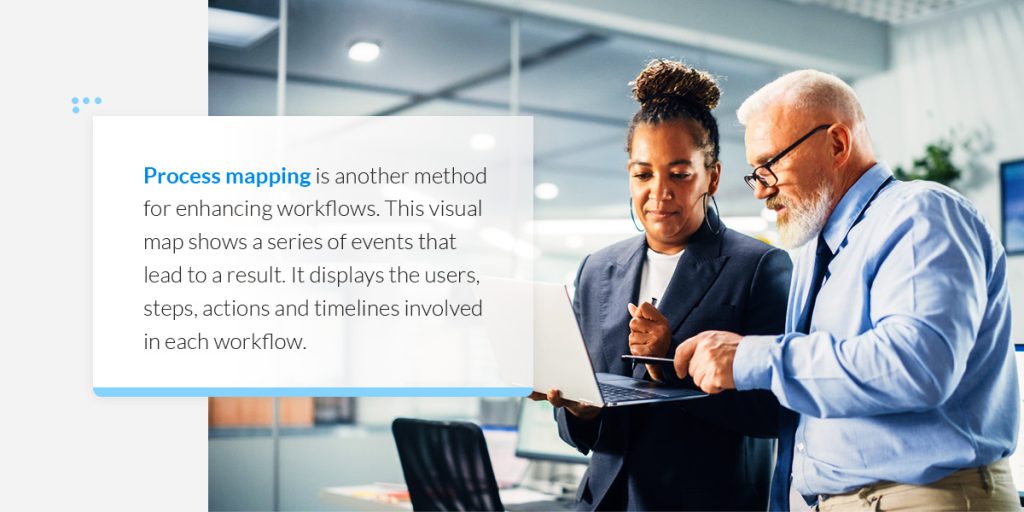
Companies can also use process mapping to build visual workflow representations. There are a variety of process maps you can use to organize and map your procedures. You can use them to communicate processes between team members and find ways to improve efficiency.

Read on to learn more about the concept of process mining and mapping.

What Is Process Mining?

Process mining is a method used for improving workflows. It uses data science to identify and analyze work processes in your organization’s information systems. Integrating data mining and process analytics allows you to mine log data and understand performance more deeply. The log data can reveal gaps or bottlenecks in your workflows, and you can use it to resolve them. In turn, you can optimize your procedures with a data-based approach.

The method takes data from information systems like enterprise resource planning (ERP) or customer relationship management (CRM). These tools display log data in a process graph or model, detailing the work, who performed the task and the task length. During process mining, the system analyzes these resources and looks for deviations.

Process mining has a wide range of use cases for departmental teams, including:

  • Process managers: Many organizations have process managers, who are responsible for evaluating and improving specific departmental procedures. These managers can use process mining to access data-driven and fully transparent information about processes. The goal for process managers is to find ways for departments to increase efficiency. They can continually use process mining to evaluate and implement changes.
  • Auditors: Internal audit departments can also benefit from process mining. These teams monitor team efficiency and financial accuracy for organizations. Auditors can use process mining to analyze how well an organization meets compliance standards. Process mining also organizes data into a visual representation, which helps auditors present their findings. 
  • IT departments: IT departments can also use process mining to evaluate the performance of IT systems, apps or websites. Then, they can use the uncovered data to upgrade equipment or lower costs.

You might need process mining if you notice significant instances of underperformance or lost revenue. The process can help you enhance your existing structures. 

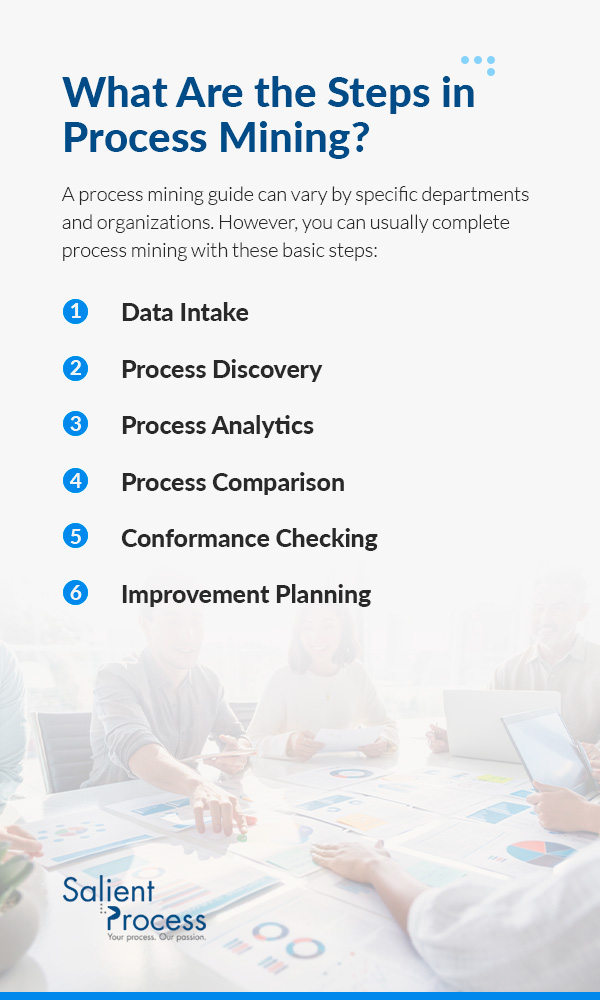
What Are the Steps in Process Mining?

A process mining guide can vary by specific departments and organizations. However, you can usually complete process mining with these basic steps:

1. Data Intake 

The first step in process mining is obtaining data. The method collects data as it develops across your organization’s system. Your company likely uses a wide range of applications and servers to store and process data. During process mining, the system collects and processes data logs of interactions. These interactions are called event logs, which can consist of anything from answering a customer’s request to paying a bill. Process mining ingests the event log details, such as case IDs, activity descriptions and timestamps.

2. Process Discovery

Once the system collects your data, it begins to analyze it. It gathers the data logs and organizes them into an end-to-end visualization. In other words, it builds a chronological sequence of each step of the interaction. For instance, if you were evaluating the process of paying an invoice, the visualization would display every step during this procedure. During the second step, your team can look closely at these processes.

3. Process Analytics

Next, you can study any gaps or inefficiencies that the data intake might have identified. For example, the system might have displayed bottlenecks, missed deadlines, skipped deadlines or unused resources. Process mining allows you to inspect these inefficiencies and uncover specific causes behind them. You can also observe the impact on other business metrics, like key performance indicators (KPIs) or sales conversions. For example, process mining might identify a specific business procedure that slows overall efficiency. In turn, your KPIs are impacted negatively.

4. Process Comparison 

Many organizations also engage in process comparison during data mining. In this step, you can compare process performance in different applications or intents. For instance, you can compare potential order times with different suppliers. You can use this method to narrow options and identify the best strategies for your organization.

5. Conformance Checking

You can also use conformance checking during your process mining routine. In this strategy, you can set a preferred process method and see where your data strays from this method. This step gives you direct insights into skipped steps or processes that take too long. You can view how others adapt procedures and how these variations impact overall performance.

6. Improvement Planning

The final step of improvement planning is to use your gathered data for improvement. Once you gain visibility into specific processes, you can begin to find ways to improve them. For instance, your team can consider redesigning processes or trying new actions to enhance your methods. If you have specific departmental goals, you can focus improvement planning on these. For example, you might want to increase efficiency. During this final stage, you can plan for ways to reduce the complexity of your procedures. 

What Are the Benefits of Process Mining?

Process mining is an important procedure for business improvement. Companies can identify and track weaknesses in their business procedures and find direct paths to enhancement. In turn, they remain adaptable and competitive options in the marketplace.

You also need process mining to build a data-driven digital transformation. All insights are backed by transparent and direct data. You can use it for a thorough examination of your processes and work towards becoming the best version of your company.

Other benefits of process mining include:

  • Lowered costs: In addition to event logs, process mining allows you to view operational costs. You can inspect inefficiencies and quantify them. For example, you can calculate specific percentages for gaps in performance or unused resources. Then, you can find ways to enhance performance and reduce these losses. Your team can also uncover areas that would benefit from automation or system upgrades. For instance, automation can eliminate manual or repetitive tasks, allowing employees to work on higher-priority tasks. Then, you can implement these changes and reduce expenses.
  • Enhanced efficiency: Process mining gives you a close look at your current performance levels. Viewing operational procedures allows you to notice performance gaps or inefficiencies. By staying aware of these gaps, you can remove obstacles and keep your organization working at top efficiency.
  • Improved customer satisfaction: Bottlenecks and low-performance quality also impact your customers and clients. You can use process mining to improve customer systems and journeys. The easier it is for customers to use your services, the more likely your sales will increase.
  • Ongoing improvement: Lastly, process mining is an excellent tool for continual improvement. You can use the process model to analyze procedures at any time, and apply it as many times as necessary. For instance, you might use process mining to identify bottlenecks in your strategy and implement new strategies. After you implement them, you can apply process mining again to evaluate their effectiveness.

What Is Process Mapping?

Process mapping is another method for enhancing workflows. This visual map shows a series of events that lead to a result. It displays the users, steps, actions and timelines involved in each workflow. Process maps are also known as flowcharts or flow diagrams.

These are some common types of process maps:

  • Flowcharts: These charts provide a basic overview of a process. It uses a series of symbols and shapes to depict each step of a process in sequential order. 
  • Deployment maps: Deployment maps show the relationship between different teams or processes. The charts often show how one method impacts the entire company.
  • Rendered process maps: These maps compare a current position against a desired future position. Organizations use the comparison for improvement plans. For instance, you could display your current revenue against your ideal revenue in the future.

Process maps use symbols to describe elements. Here are some examples:

  • Rectangles: Rectangles typically represent a specific process and its related activities.
  • Arrows: Arrows connect shapes to depict the flow movement. For instance, the arrows could move forward, backward or both ways.
  • Ovals: Organizations often use ovals to signal the beginning or end of a workflow.
  • Diamonds: Diamonds typically display a turning point or opportunity to make a decision.

Overall, you might need process mapping if you want to create visual workflows. Process mapping breaks down procedures into detailed paths. You can use the charts to gauge your procedures’ effectiveness and make changes as necessary.

What Are the Steps in Process Mapping?

These are the standard steps in process mapping:

  1. Select a process: First, you have to select a process to focus on for mapping. Many organizations select processes that are underperforming or not achieving desired results. For instance, one notable business process is delivering products to customers. If you notice that deliveries are taking longer than usual and negatively affecting customer satisfaction, you might want to focus on this process for mapping.
  2. Outline the current map: Next, work with knowledgeable team members, or subject matter experts (SMEs) to outline your current process map. You can work together to document all relevant information. Then, separate the procedure into distinctive steps. Organize it sequentially and indicate the starting point, ending point and important steps in between.
  3. Use symbols: Once you organize your map sequentially, you can use symbols to enhance it. Many organizations use mapping software to implement and edit shapes. For instance, Blueworks process mapping helps you construct process maps that suit specific organizational needs.
  4. Get feedback: After you’ve completed the initial draft, share the map with team members to ensure everything is correct. Make sure you didn’t repeat any steps, leave steps out or include the wrong details. Once you finalize the map, evaluate it for effectiveness. Examine any bottlenecks or confusing areas. If you notice these, you can begin a discussion about process enhancement. For instance, team members might notice that you could remove a few steps or add new ones to assist with the flow.
  5. Implement and evaluate changes: Lastly, you can test out these potential changes. Discuss your intentional alterations with other team members and welcome any additional feedback they have. As you work the changes into your typical workflow, monitor them closely. You can use process mapping as many times as necessary to revisit your processes and make adjustments.

What Are the Benefits of Process Mapping?

Process mapping is an excellent way to inspect your internal processes. Your procedures are organized into accessible and distinctive flows. Process maps can help with training, performance improvements and customer satisfaction.

Here are more examples of why process mapping is important:

  • Accessible data: Process maps depict workflows with visual cues and symbols, making it more likely that all team members will understand. In turn, it becomes easier to evaluate work processes and seek areas of improvement. Teams can see an overview of the entire procedure and use it to enhance them in the future. 
  • Improved productivity: Process mapping is also a way to enhance employee productivity. It provides transparency for specific processes within departments, allowing you to identify inefficiencies or thought gaps. Your teams can use the charts to brainstorm streamlining methods. For instance, a department could use a process map to analyze employee onboarding. The chart might show that two particular steps slow down employees and keep them from completing procedures on time. In response, the department could combine the two steps or remove one. 
  • Easier training: Organizations frequently use process maps during training. They serve as accessible and easy-to-understand training materials that new employees can refer back to. Process maps can shorten the learning curve during training by providing a visual representation of workflows. In response, employees can understand their positions more thoroughly and experience more satisfaction in their roles.

What Is the Difference Between Process Mining and Mapping?

Process mining and process mapping are both helpful strategies for evaluating and improving workflows. Both methods look closely at company procedures and provide visual ways to understand them.

However, process mining and mapping have a few significant differences, including:

  • Discovery process: The two options use different strategies for collecting data. Process mining is based in data science, and it uses algorithmic systems to ingest and analyze data. Alternatively, process mapping uses input from employees, business analysts and SMEs to gather data about specific processes. In other words, process mining uses a data-driven approach, while process mapping mostly relies on workshops and interviews. 
  • Creation: The two options also differ in creation methods. Process mining requires advanced data-mining applications. Once you deploy these tools, they can automatically ingest and process data. But you can complete process mapping with basic software or even by hand.

Overall, process mining is rooted more closely with data, while process mapping provides a visual representation of specific tasks.

Request a Free Trial With Blueworks Insights Today

Process mining and process mapping are integral tools for companies. You might need process mapping or mining to transform existing structures.

If you’re ready to employ one of these solutions, choose Blueworks Insights today. This solution helps you build comprehensive and precise workflow maps. You can access important usage statistics, monitor user activity and use robotic process automation

To get started, request a free trial today.

Holiday Special: Culture with Dr. Keith Clinkscales of Palm Beach County


During Opex (World Annual Operational Excellence & Business Transformation Summit), Host Jimmy A. Hewitt Hewitt had the opportunity to sit down with Dr. Keith A. Clinkscales, LSS BB, Author & Director of Strategic Planning & Performance Management of Palm Beach County. This episode is jam-packed with Dr. Clinkscales’s insight into culture in the context of process improvement and what culture really means. Along with hearing his favorite topics on culture, we also get to listen to his testimony on how he got to where he is today.

Dr. Keith Clinkscales, Author of “Your Attitude is Your Breakthrough”

📘 Purchase his book here: https://lnkd.in/gRg7Csmz 

Watch Episode 18 interview now!

Follow along with the episode now!

Guest: Dr. Keith Clinkscales, Author & Director of Strategic Planning & Performance Management, Palm Beach County

Process excellence professional

Author of ” Your Attitude is your Breakthrough”


Education:

Boston University

College of Engineering

Graduated 1984

Electrical Engineering


Dr. Keith Clinkscales, Author of “Your Attitude is Your Breakthrough”
📘 Purchase his book here: https://lnkd.in/gRg7Csmz 


First Job: Digital Equipment Corporation (“Digital”)

Second to IBM in personal computers

Taught Keith total quality management

Hired as a quality engineer

External Product Group:

  • Keith was responsible for traveling to all the vendors, looking at their processes, and qualifying them to provide products to Digital
  • Made sure what they provided was of high quality
  • In order to do that, Keith needed to understand their processes
  • Learned process improvement, how executives think, executive sponsorship, etc. at an early age, total quality management, problem-solving tools, inventory management, process excellence
  • Spent a week at each site, walked through the entire process, asked questions, focused on their quality, etc.
  • Gained appreciation for process
  • 8-year career at Digital, from an entry level engineer to a principal quality engineer
Second Job: Management Consulting Firm
  • Previously called Pittiglio, Rabin, Todd, & McGrath (PRTM), later acquired by PwC
  • Got a call to be an engineer who helps solve business problems
  • Worked as a consultant to go to clients, map out processes, and consult on improvements
  • Worked in the chemical industry, computer industry, telecommunications industry, pharmaceutical industry, and medical device industry
  • Became an Operational Excellence Consultant
  • 8-year career at PRTM
Third Job: PA Consulting

Called to be a partner and copartner the life sciences operational excellence practice

Peer consultant for 2 years

09/11/2011 changed the company’s health and entire consulting industry due to travel disruptions

Fourth Job: Moved from MA to FL following 9/11/2001

Industries Keith had experience in were not in Florida

Process improvement and operational excellence was not prominent in Florida

Ended up in Office Depot headquarters in Boca Raton, FL

Used his previous experience with quality engineering, suppliers, and procurement

Became the Senior Procurement Manager

2008 recession came and Office Depot began laying people off

 
Interim Jobs:
  • During the recession, Keith worked countless hourly jobs
    • Went from $200,000 salary before the recession to $11 an hour jobs
  • Was a security guard for AlliedBarton
    • Got his security license
  • Palm Tran: Became a transit dispatcher for Palm Beach County (“Palm Tran”)
    • Started temporary for 3 months
    • Was hired full time
    • Work same shirt, tie, cuff links, and suspenders as every other job he worked previously
    • Met the CEO of Palm Tran, Keith told him his background, and asked to keep him in mind for job openings
    • Palm Tran was then audited and cited for their performance measures
      • Slightly off on the performance metrics they were releasing to the public
      • Became public information
      • Told to create a Performance Management Office that would hold them accountable and establish performance metrics of high integrity

Job requisition was released to run the new office, and Keith applied

He had a phone screening and then got an email Friday for an interview Tuesday

For the interview, Keith was tasked with creating a 20-minute PowerPoint presentation to explain how he would develop and create a Performance Management Office

He performed extensive research and created a plan to present

Keith’s was offered the position

  • The ideas in the interview presentation are nearly identical to the current structure at Palm Tran
  • Created 9 teams (Safety, Customer Service Satisfaction, Paratransit, Fixed Route, On-time delivery, Ridership, Marketing, etc.)
  • Suggested current employees for the effort
  • Only recommended hiring 1-2 analysts and utilizing
  • Formed cross department teams
Transition to current role:

Palm Tran is one of 35 departments that make up Palm Beach County
650 employees at Palm Tran

Cross department teams presented every 3 months to Palm Tran

Invited the county executives

County Administrator for all 35 departments saw the problem solving, benchmarking, and success of the Palm Tran Performance Management Office and wanted to implement it for the entire county

Director of Palm Beach County Strategic Planning and Performance Management job posting was released soon after

Keith applied for the job and was chosen

Strategic Planning and Performance Management:

Current job: Director of Strategic Planning and Performance Management for Palm Beach County

  • 35 departments
  • 7,000 employees
  • Did one-on-ones with every department for the entire first month

Performed SWOT (Strengths, Weaknesses, Opportunities, and Threats) analyses with every department


Sometimes it was just the department head and sometimes it was the entire staff, depending on department

Listened and communicated. Wrote everything down

Once finished, Keith put all the strengths together, weaknesses together, opportunities together, and threats together from every single department

  • Asked departments their priorities and what they are doing to work toward them
  • Spoke about resources
  • Found common denominators
    • Departments work well vertically, but are too siloed
    • Departments do not know what is happening in any departments other than their own
    • No collaboration
  • Presented recommendation to 7 county commissioners in a strategic workshop
    • All the department heads in attendance
    • Recommended breaking down the silos and tying departments to strategic priorities
    • Walked through all the strategic priorities
    • Aligned cross functional and cross departmental teams to strategies
    • Departments sat down together
    • A lot of teaching, training, learning happened
    • Identified areas where teams can take over for one another and vice versa
      • Certain departments own tasks that should belong to others or require collaboration between departments
      • Small Example: Officer Community Revitalization department runs a Backpack Program for back-to-school instead of the Community Services Department
  • Team development: Forming, Storming, Norming, and Performing (FSNP)

Outcome:

  • Teams and departments began to collaborate on tasks and projects
  • Departments won awards for their work
  • Culture of communication formed throughout Palm Beach County
  • Cross functional teams get to present to the Board of County Commissioners every November
Key Ideas and Quotes from Episode: advice from Dr. Keith and Jimmy Hewitt

“If you can define it as a process, you can improve it…A process you can measure and I always say you manage what you measure, you measure what you manage.”

“When you are passionate about what you do, people seek you out.”

“Do the research. Do the SWOT analysis. Find the strategies, align the teams, get the teams together, get the teams talking.”

Communication

 “Communication breaks down silos.”

Cross functional teams

“Relationships before issues. Build the relationship with someone before you just walk in their office and start trying to solve the problem or address an issue…You can’t just jump to solutions.”

“Let’s form cross functional teams. Let’s keep talking or let’s start talking. Let’s keep getting to know each other and how things go, and we might find that we’re doing the same thing, or our peers are doing something better.”

“Win together.”


Automation: “Come in after we have laid the groundwork, worked as a team, streamlined, created a new process, and now we are ready for “Bots and Thoughts” (Automation). Automate that; because what you don’t want to do is automate something that you’re doing wrong.”

“Align your teams and improve your process before you automate it.”


WATCH EPISODE 18 INTERVIEW WITH Dr. Keith Clinkscales NOW

 
ARE THERE MORE EPISODES?

YES! Bots & Thoughts is officially on all podcast streaming platforms. Check it out now!

👉https://www.salientprocess.fm/

HAVE A TOPIC IDEA? LET US KNOW!

We would love to hear from you. This podcast is for you, and if you have something that you want to hear, we would love to know. This form is also a place for you to ask questions or get in touch with our Salient Process team. 

Submit a request for a podcast topic here❗


👉Subscribe to Bots & Thoughts: The Hyperautomation Podcast

👉Subscribe to our Spotify Here

👉Subscribe to our Apple Podcast

👉Subscribe to our Google Podcast Here


⏩Subscribe to Salient’s Monthly Newsletter Here 

🎤Be our next guest! Sign up Here

📲Contact our Podcast Host Here 


  ⏩LinkedIn

👉 Follow Bots & Thoughts on Here

👉 Follow Salient Process Here

👉 Follow our Podcast Host Here

  ⏩Youtube 

  ⏩Twitter 

🌐Learn more at Salient Process


Related Content


More on Hyperautomation:

Hyperautomation Home Page

What is Hyperautomation?

Scaling Beyond RPA to Hyperautomation

North Star Methodology

More on Salient Process:

Salient Process Home Page

Bots & Thoughts: The Hyperautomation Podcast

Salient Process is a full-service digital business automation shop and proud IBM Automation business partner. To learn more about us at our website, request a free consultation with one of our expert automation advisors! We look forward to guiding you and your company along your own unique Hyperautomation journey.

Operational Excellence is Culture with THE Peter Malek


During Opex (World Annual Operational Excellence & Business Transformation Summit), Host Jimmy Hewitt had the amazing opportunity to sit down with THE Peter Malek, Author and Process & Technology Transformation Leader at Experian. Peter has over 18+ years of progressive achievement in organizational strategy, operational excellence, project/change management, product management and 10+ in leadership. He founded VMWare’s Process Discovery and RPA Practice, and he is now leading productivity at Experian! Tune in to hear his insight on Operational Excellence, Scaling Beyond RPA, and more!


Watch Episode 17 interview now!

Follow along with the episode now!

GUEST BACKGROUND:Peter Malek, Author and Process & Technology Transformation Leader at Experian

Education:

Management Information Systems (MIS) degree

Double major in Decision Sciences Statistics

Masters in Systems Engineering

Specializations:

Executive Education

Organizational Change Management

Artificial Intelligence Strategy for AI (MIT)

Lean Six Sigma

Master Black Belt

Process Improvement background:

Always focused on process improvement, personally and professionally

  • Grew up playing sports
    • Rowed crew in college
  • Personal trainer
  • 17 years since first introduced to the topic

Career:

  • Head of Productivity at Experian
Operational Excellence:

Peter Malek’s Definition: It’s about having a seamless, meaningful, measurable ecosystem

  • People are able to focus on performing the tasks that they love
    • Solving problems
    • Innovating
    • Culture
    • Enablement

Empowerment: Giving people the ability to make decisions and execute against them themselves

Don’t hold people back by rules and layers of approval if they don’t have to be

Give people the room to learn or fail fast and quickly and try things until they figure out a way to do it better


People: where the success lies

Strategy Alignment & Executive Sponsorship

  • If your leaders are on board, they’re going to invest in the necessary technologies and trainings

Buy-in

People Element: How to introduce the people element to process improvement….

  • Adaptability
  • Flexibility
  • Teach people to pick up, leverage, and apply best practices and techniques to help them improve how they can work
  • Make improvement palatable and simple enough for anybody to be able to pick up and apply in increments
    • As they master the skills, they can then add a little bit more to their toolbox in a continuous improvement process

Start with adjustments people can apply immediately in their day-to-day and then slowly introduce concepts as time moves on

Crawl before you walk, walk before you run, run before you start to fly

You have it go slower than how leadership or a process improvement leader would like to see things move in order to be successful in getting individuals to adopt and accept change

Enterprise Productivity Optimization:

Oftentimes, when there is a transformation program, there is a specialized set of well trained, highly skilled, certified individuals (Example: Lean Six Sigma) being deployed on projects to help facilitate and apply the methods that they have mastered

Culture change: There has to be a philosophical conversation with leadership around the “North Star” and priorities

Change will not happen quickly

Do not want to lose the talent and skills that the organization has along the way

The highly skilled team can work on the intricate part of the strategic projects, but the rest of the enterprise will need time to adjust the way they think and apply concepts

  • Happens in parallel
  • Put the right people in the right seats at the right time
    • Strategy: monitor how many people across the organization are using process mapping methods and skills as part of guiding conversations, solving problems, documenting processes within their teams, achieving goals

Goal: Get them to start using the mindset and tooling in the way that they’re thinking and engaging with others on their teams

Day-to-day way of thinking

Grow to see how it benefits them in terms of how they think and operate

They are thinking through different ways to be innovative or creative

  • Next step: slowly introduce other tools that link processes together
    • Example: Start with documentation and measuring, add process mapping current state, then process mapping future state, then link the two, then “what-if” scenarios form, etc.
      • It becomes an intuitive, natural next step that employees see on their own
      • Opens up conversations in teams
    • Analogy: Don’t smother a fire by putting logs on top that are too big, start with pine needles and twigs and build up
  • Eventually, there will be an intersection between the specialized team and the cultural adaptation within the rest of the enterprise that will allow the business to expand and multiply upon its strategic transformation
    • The rest of the enterprise will also begin identifying additional areas of improvement

Experian:

Empower program: created a program that is centered around empowering individuals to be able to solve problems and improve how everyone works and to grow the business

Help people get oriented on process/productivity improvement

Provides employees with a template to document business-as-usual problems that they are solving on their own

Enables employees to show off the little wins that they are doing in their own spaces that may not be getting noticed or shared with leadership

  • Other employees benefit from learning how peers are solving similar problems as well
    • As quick as technology evolves, a lot of our default applications and software these days have productivity apps and features built into them, but the majority of the workforce doesn’t feel that they know how to leverage the common tools, applications, and systems to their full extent
    • Helps increase overall productivity that is already at employee fingertips
Use Cases: operational excellence and process improvement

Intuit:

Large part of Intuit’s operational environment

Walk in the shoes of the other individual

Employee or end customer

Goal: observe and ask questions

Even pick up on tasks that they may not mention are bothersome, but may have become a natural path in their cognitive way of performing the task and they don’t realize it could be solved much quicker

  • Every employee had the ability to do this
  • Helps Intuit improve its products, services, processes, and experiences

Get company to build process improvement and operational excellence into its DNA
Prioritize both employee and customer experience

Create a contagious effect throughout the company

Example: your favorite product that you tell your family and friends about on a regular basis

  • Create something that everybody falls in love with, sees value in
  • Output: better service, better experience to the customer, better product, less turnover, more customer retention, and more customer demand

“You want people in your organization talking about methods and tools the way you want your consumers of your products and services talking about your products and services”

VMware:

Peter started Business Process Excellence Practice and RPA Center of Excellence from the ground up

  • Pilot: When introducing RPA to various business leaders, they knew they had to pilot it first to prove it out and show that it can work in order to get executives to invest in the technology and get others to listen to the idea
  • Did not deploy the technology in traditional area (Finance)
  • Wanted to break the norm to show the impact
    • Went to the sales organization: Introduced the concept of RPA to an executive at a townhall
      • Demystified the technology
      • Diligent, careful, and sensitive about ensuring people understood properly that the tool and aide to help individuals NOT replace anyone

RPA slogan: “Freeing up the minds and time of employees to think and innovate.”

Target the person who is tough to persuade normally; that is who you are after

  • Challenge: The sales organization was getting ready for seasonality and volume increases with sales deals
    • Leaders were determining whether to hire more staff to support the volumes increases or if there was something they could do to free up the time of existing resources that were already skilled to be able to handle the increase in volume and demand

Solution: RPA embedded into Salesforce tasks performed by a team offshore in India

Log into systems, copy over information, licensing keys, and other critical information, enter it into Salesforce, capture that information, and submit and save it.

Standard repetitive process that was ripe for automation, but in a non-traditional area

Result: offshore resources were able to be deployed in other areas of the business where the volume increases were going to be incurred

Were still able to perform exception handling on the automated process

Advice Overview:

Methodology:

  • Empower individuals to be able to solve problems and improve how they work and grow the business

“Play to the strengths of the individuals that you have and their skills and their passion and then start to incrementally develop their skills to help them to get even better at what they love doing.”

  • Deploy a team of highly skilled individuals to begin improving the business, while still allowing the rest of the enterprise to incrementally learn the methodology for process improvement
  • Teach people to pick up, leverage, and apply best practices and techniques to help them improve how they can work

Go back to the basics:

Create learning platforms within your own organization to leverage tools you already have at your fingertips

  • Give employees the platform or ability to accelerate their mastery of tools they will be using on a day-to-day basis, no matter what level they are at in the organization
  • Contributes to operational excellence
  • Don’t be afraid to automate in “non-traditional” areas!
  • Sales Organization (less common) versus Finance (very common)

Peter’s Philosophy:

You should have an end-to-end roadmap strategy to where any of the automations you are doing, whether they are considered incremental, quick wins or not, should be tied to a larger end goal

Prioritize quick wins accordingly, but make sure it is all in line with a high-level goal that you’ve aligned on with the executive leaders and the business.


WATCH EPISODE 17 INTERVIEW WITH PETER MALEK NOW

 
ARE THERE MORE EPISODES?

YES! Bots & Thoughts is officially on all podcast streaming platforms. Check it out now!

👉https://www.salientprocess.fm/

HAVE A TOPIC IDEA? LET US KNOW!

We would love to hear from you. This podcast is for you, and if you have something that you want to hear, we would love to know. This form is also a place for you to ask questions or get in touch with our Salient Process team. 

Submit a request for a podcast topic here❗


👉Subscribe to Bots & Thoughts: The Hyperautomation Podcast

👉Subscribe to our Spotify Here

👉Subscribe to our Apple Podcast

👉Subscribe to our Google Podcast Here


⏩Subscribe to Salient’s Monthly Newsletter Here 

🎤Be our next guest! Sign up Here

📲Contact our Podcast Host Here 


  ⏩LinkedIn

👉 Follow Bots & Thoughts on Here

👉 Follow Salient Process Here

👉 Follow our Podcast Host Here

  ⏩Youtube 

  ⏩Twitter 

🌐Learn more at Salient Process


Related Content


More on Hyperautomation:

Hyperautomation Home Page

What is Hyperautomation?

Scaling Beyond RPA to Hyperautomation

North Star Methodology

More on Salient Process:

Salient Process Home Page

Bots & Thoughts: The Hyperautomation Podcast

Salient Process is a full-service digital business automation shop and proud IBM Automation business partner. To learn more about us at our website, request a free consultation with one of our expert automation advisors! We look forward to guiding you and your company along your own unique Hyperautomation journey.