As a user of our tool Automation Compass, we want to ensure that you are always up-to-date with the latest features, improvements, and bug fixes. That’s why we have implemented release notes on our website, which provide comprehensive information about each update we make to our product.
We encourage you to check out our release notes regularly to stay informed about the latest updates and improvements for Automation Compass. As always, we appreciate your feedback and suggestions, and we look forward to providing you with the best possible user experience.
With our latest update, you can now visualize your process efficiency by process, milestone, and activity if you import your process from Blueworks Live and it contains data about cycle time.
This new process efficiency feature helps you to make more accurate process analysis and identify areas for improvement, leading to better decision-making and process optimization. And don’t worry, the process efficiency visualization is super easy to use and provides a clear and intuitive overview of your process performance.
2. Create New Pains
You now have the power to customize pain points for your company’s processes in our pain v gain assessment feature that we introduced back in January. This means you can measure what makes the most sense for your company and get even more valuable insights. With the new customization options, you can add, delete or edit pain points to match your specific needs and pain points. To access this feature, simply head over to the settings page and look for “Pain assessment” under company settings. It’s that easy!
3. Heatmap from children to parents
With this latest update, you can now calculate the parent heatmap level based on the average of its children’s level. This means that when using the heatmap based on the capability map, you can activate the automatic heatmap option and simply populate the heatmap level of the lowest level capabilities. The parent heatmap level will then be automatically calculated, providing you with an accurate overview of the status of your processes and operations. This new feature saves you time and effort by automating the calculation of parent heatmap levels, making it easier than ever to generate heatmaps that reflect the current state of your organization.
4. Import Opportunities from excel
We now have the ability to import opportunities from Excel, making it easier for you to keep track of all your ideas and initiatives for process improvements. We understand that manually importing each opportunity can be a daunting task, especially when you have a lot of ideas to keep track of. With this new feature, you can simply download our fields to get a reference of the data you need to provide and the format allowed by Automation Compass, and then upload all your opportunities in just a few clicks! This helps to reduce friction and makes it easier for you to get started with Automation Compass.
🔧Bug Fixes
Our “Get in touch” link works smoothly, so you can easily send us a message.
We’ve added missing and corrected wrong tooltips in Pipelines, Dashboard, and Heatmap. This makes it easier to understand what each button is for.
The BPMN download name has been corrected so that it displays the actual process name instead of “undefined”.
We fixed an issue with the Mission and Vision section in the North Star, so you can now use apostrophes in your company’s North Star.
We’ve also made it easier to remember which heatmap you’re currently viewing by showing the current selection in the dropdown menu.
⭐Improvements
We’ve made it easier to read the data in the automation alignment and capability columns for the opportunity table.
In the opportunity – simulation tab, you can now see the max year, daily savings, and cost information for your scenarios.
You can link your opportunities to existing processes, making it easier to manage all of your opportunities for a single process in one place.
Saving changes to your process is now easier than ever before! You can save all your changes with a single click, including your pain v gain calculations and process details.
To help you navigate, we’ve changed the names of the pages in your browser tab, making it easier to identify the exact page you want to return to.
🔜Coming Soon
Process Efficiency
We have a big release coming soon! Get ready for our new simulation engine that will take into consideration trends, the queues generated in each activity, and the real work schedule of your workers to provide you with more accurate and realistic scenarios. This will help you visualize potential improvements and savings in your processes.
We’re also working on an automatic heatmap of your capability map based on the efficiency of your processes. This will make it easier for you to identify which areas of your company are excelling and which ones need more attention.
Request a Free Trial With Automation Compass Today
Behind the Automation Compass feat. Product Manager Valeria Romero Vargas
This week we have a very special guest, Salient’s very own Project Manager, Valeria Romero Vargas. Valeria is the Project Manager for our one-of-a-kind solution, Automation Compass. During this episode, Valeria and Host Jimmy A. Hewitt will walk you through how Automation Compass works, the methodology behind the solution, and more.
Last but not least.. Drumroll, please… We’re thrilled to announce that we’re hosting a giveaway on our podcast! That’s right. You heard it here first!
Tune in to this week’s episode and we will announce the winner next month on April 14th, 2023!
Industrial Engineer from University of Antioquia in Colombia
Business Analyst from UCLA, California
Currently Enrolled in the Innovation and Entrepreneur Program at Harvard University online
Employment
Started as an Analyst for Automation Compass
Her job was to map the documentation and understand the requirements that need to go with the tool
Used her project management background to approach her tasks from a project management perspective
Progressively she gained more knowledge about the tool, the process, the customer base, and eventually landed the position of a Project Manager
Currently the Project Manager for Automation Compass
Which of your background experiences do you find yourself using most?
All of them equally. It’s a little bit of everything.
The Project Manager side:
Her day job looks like figuring out what the next best fit and functionality is for automation compass.
Working with the development team and coordinates the timeline for the development of the tool
The Engineer side:
Meet with stakeholders
Keep in mind the prioritization, analysis, and optimization for the process of the development plans
The Analyst side:
Gather Data, Benefits, Analytics to understand how we can to meet customers needs
If you had to describe Automation Compass in two sentences, what would you say:
“Automation Compass is a framework, not just a tool and not just a solution.. It’s a framework that when you apply all these elements together, it helps to speed up the process of process improvement to make it easier, smoother, faster, and that’s Automation Compass.” – Valeria Vargas
What are the three distinct modules within Automation Compass and how did you arrive at those three?
The Arrival
After conducting many interviews with customers and taking the experience from the analyst team who has worked with many clients in process mapping and identifying process improvement initiatives, we have identified the different entry points / steps of where the client is at in their process improvement journey.
There is nothing right or wrong with being at either of these entry points, it is about determining where you are and how your company takes this into consideration for the daily practice in the operational experience
Identifying the different reasons for why the entry points were created:
We could be working with an operational experience team that has the idea of “I want to improve the processes for my company” and that’s their entry point, so they are looking for the ideas in the processes and then linking this back to the strategy.
The company’s strategy actually triggers the initiative for improvement, so this requires us to find and implement improvements in these areas, so that’s starting from the top.
The third idea is more like starting from the community. You have a powerful community of knowledge of your processes that is in the company, those that are every day working in the different areas has tons of ideas on how to improve, process and capturing those ideas, analyzing and placing them and then connecting them with the rest of the strategic and initiatives, that’s our third entry point.
Once we identify that, and then either if you start from a bottom to top approach or a top to bottom approach- it usually involves the same steps that are
Identify what is the opportunity
Aligning with the strategy
Analyzing
Creating a business case
Implementing the opportunity
We were trying to cover all those different things inside the application when we realized that not everyone needs everything at the same time because of whatever your is practice at that time. That’s why we decided to break down the tool into three different models.
The Modules
Module 1: Business Architecture- Involves levels of maturity.
Level 3
It means you may have a full mature business architecture practice in the company and you may have
Value streams
A fully capability map decomposing in 3-4 levels going into the details of the processes details and the steps of each process.
Organizational charts
Value chains
Mission, vision, values, objectives for the company
Level 2
Maybe you have the vision of the end to end process or a value chain for your company (Not documented).You know how the value starts, how to get it transformed and delivered to your stakeholders. You have a lot of goals and objectives for your company.
Level 1
You don’t have an end to end vision or you don’t have a whole capability map, but you have goals as a company.Every company has goals made with the intention to improve, survive or sustain in that time. You have basic goals that will drive your decisions for where and how to improve in your company.
You have opportunities or ideas for process improvement
The intention is to this model is to analyze where is the impact of this opportunity in a financial impact
ROI
Payback time
Cost/Benefit ratio
Etc.
Depending on what the metrics are for your company, analyze your automation opportunities in terms of those metrics. It’s important to also keep in mind the soft benefits such as
Customer satisfaction
Employee satisfaction
Employee retention
Risk reduction
Compliance
Etc.
There could be many benefits that an opportunity has for your company that isnt a financial benefit but still needs to be measured and tracked.
The Opportunity Lifecycle
1. Idea
2. Review and improve
3. Planning
4. Deploy
5. Monitor
Once it is deployed and then you close the life cycle. The intent of the transformation model is to help to track the lifecycle of an opportunity.
Now you may ask what’s the difference then between this model and our project management? It is complementary, but we are not trying to replace a project management tool in this particular model because this is not a project management tool.
We are not creating tasks,user stories, tickets, etc.
We do want to track is capturing the ideas in a central place, how to analyze all of them and prioritize them so you can choose what your next process improvement project is to assign the proper resources.
That’s the prioritization and the financial factor aligning this with the strategy. It’s something that is completely different from a project management tool.
We do want to integrate with project management tools that once your project is in progress and you want to now have your IT team or your software provider to work in that new implementation you will need to connect the software with the project management tool. We work together instead of competing.
Module 3: Process Analyzer
The intention of this model is to see the “what-ifs” of the process changes and see the outcome that you will get. If you are looking to find “What-Ifs’ then we have
Discovery: This module is to help you find the right automation technology for your processes which you can then visualize this as a simulation
Simulation: This will help you to identify what the impact of those changes will be. You can see if the process will be improved, if there is reduced efficiency, wait time, etc. You can view over 1000 different scenarios
Quantify: You can then quantify these scenarios to see the results of the different ideas of improvement
Theses three modules can work independently but when they work together we can achieve some very powerful results to accelerate the process improvement journey
How does the Automation Compass Methodology work?
The intention of this methodology, “The Process Improvement flywheel”, is to get started on the first push and every time you go through the phases of the wheel, it’s going to get faster and easier every time.
Now, where do you start? What is that first “push”?
1. Capture Ideas for Process Improvement
Where are those ideas? What are those pain points? We can ensure there are so many people that are willing to talk and willing to give you the idea for process improvement. Either it is the managers, or the production floor if you go out there and talk with people, they are going to tell you what improvements can be done. This now leaves you with new ideas.
2. Align Ideas to the Strategy
Level one of Business Architecture: Connect to your goals. You may have overall goals or goals for a specific department- Even if you don’t have those strategic goals that are company wide, you can still capture goals for whatever you are focusing your efforts on.
Now, if you have many departments that you are working with, that means you also need to prioritize which department you are going to focus on and this is also part of this strategic alignment step. How to prioritize the department based on the data you have available.
Do you have a customer journey map? Okay, let’s find the ideas for those specific areas that are for these specific goals or the company wide goals.
Now you know that the ideas that you collect are aligning with those particular areas that are more painful, but also those areas that will give you more impact to your goals.
This is the step of connecting with the strategy. It means we are going to focus on ideas that will provide a high gain and will solve a lot of pain.
3. Prioritize Opportunities
You have 10 ideas that are in this particular department or this particular area of our customer journey and how do I know which one should go next?
Prioritizing the ideas is a really important step, because it really depends on what is the strategy of the company. So if your company is already in a really mature position for process improvements initiatives, you may go with an initiative that requires a lot of effort, but also delivers a lot of value, or for those that we are just starting to give this first push, the recommendation is find quick wins, that lower hanging fruit that is just ready to be picked.
4. Implement the Improvement
The intention here is to take action on those process mapping efforts and take the next step; improve it and implement.
Select your prioritized ideas
Select what is the alignment with the strategy, prioritize it and then create the business case for you to implement your ideas.
Anybody who creates a free trial between Tuesday March 14th to April 14th will be put into a raffle or drawing and we will work with you on this methodology. We will help you collect an idea, map a process, establish your business architecture, whichever of the three modules or entry points you are.
Watch Episode 23 Now
Have a Topic Idea? Let Us Know
If you have a topic idea, contact us today. We want our podcast to answer your questions, and if you have something that you want to hear, we would love to know. In addition, you can ask questions and get in touch with our Salient Process team.
Why Salient
At Salient Process, we understand the importance of comprehensive digital transformation. We work closely with each client and use a North Star methodology to align your procedures with overall business goals. Our expert team works hard to understand your unique needs, making a customized plan for success. With our Digital Business Automation solutions, you can move closer to your digital transformation goals.
Subscribe now
👉Subscribe to Bots & Thoughts: The Digital Business Automation Podcast
As a user of our tool Automation Compass, we want to ensure that you are always up-to-date with the latest features, improvements, and bug fixes. That’s why we have implemented release notes on our website, which provide comprehensive information about each update we make to our product.
We encourage you to check out our release notes regularly to stay informed about the latest updates and improvements for Automation Compass. As always, we appreciate your feedback and suggestions, and we look forward to providing you with the best possible user experience.
In our previous update, we added some exciting new features that will help you prioritize which processes to improve first and create a roadmap. With our new capability ranking, you can now score your processes based on their potential to deliver the highest stakeholder and strategic value (Highest Gain), as well as their current performance relative to what’s needed going forward (Highest Pain).
But that’s not all – our latest release includes a helpful widget to visualize all the processes you’ve scored, so you can quickly identify areas for quick wins, big bets, fill-in projects, and thankless tasks. This widget will map the ranking of your processes based on the scoring you provided, allowing you to see at a glance which processes should be improved first.
2. Update your process model inside your process element
We’re excited to announce that we’ve made improvements to the way you can update your process models in Automation Compass. We understand that processes are more than just the models themselves – they also include important details, KPIs, stakeholders, and history.
With these improvements, you can now update your process model without losing any of the essential information or relationships your process has, such as links with the capabilities that enable it, or opportunities for further improvement. This will make it easier and more efficient to keep your processes up to date, ensuring that all your process information is accurate and accessible.
🔧Bug Fixes
Fixed Tooltip Issue: We have resolved an issue with the sidebar tooltip that was causing it to display improperly on certain screens. The tooltip will now be displayed correctly and consistently across all screens.
Improved Clickable Areas: We have also improved the clickable areas in the sidebar. Previously, some users experienced difficulty clicking on certain areas of the sidebar. This issue has been resolved, and all clickable areas are now fully functional.
General Usability Improvements: We have made several general usability improvements to the sidebar, including adjusting the layout and improving the overall design. These changes should make it easier for users to navigate and find the information they need.
⭐Improvements
Process Table Improvements
With this update, changes you make when customizing column visibility or sorting by columns will be saved automatically. This means that the next time you access the table, your preferred settings will be retained, and you won’t have to spend time customizing it each time you log in.
In addition to these improvements, we have added a new feature that allows you to export the process table in multiple formats, such as XLS, CSV, and PDF. This will give you more flexibility and enable you to share the data in a format that best suits your needs.
Wizard for Heatmap and Process Details
We are excited to announce an update to our platform’s “Get Started” wizard. The wizard has been expanded to include guidance for using the heatmap functionalities and process details. This update will make it easier for users to get started with our platform and take full advantage of all its features. Access these guides from the tutorial page.
🔜Coming Soon
Process Efficiency
If you imported your process from Blueworks Live (BWL), you will be able to visualize the process efficiency percentage and a heatmap of the activities in your process. This will provide valuable insights into the performance of your process and help you identify areas that may need improvement.
Capability Heatmap Calculated Based on Children’s Levels
We are introducing a new calculation method that takes into account the average capability score of the children’s levels to determine the capability score of the parent level
Request a Free Trial With Automation Compass Today
Buckle up and get ready to relive the magic with us as we take you through the highlights of Episodes 1 through 10. From fascinating interviews with industry experts to insightful discussions on the latest trends and developments, these snippets will surely bring up sweet memories!
This article — and the accompanying episode — takes a closer look at Digital Business Automation by:
Providing several definitions of the term from leading technology companies.
Breaking down each definition and highlighting some key similarities, differences and overlapping capabilities of Digital Business Automation and business intelligence.
Discussing the most common tools and technologies within the world of Digital Business Automation.
Exploring the most valuable conversations you should have about Digital Business Automation, which can enable you to identify the “why” and “how” of Digital Business Automation for company success.
“Digital Business Automation is a business-driven, disciplined approach that organizations use to rapidly identify, vet and automate as many business and IT processes as possible. Digital Business Automation involves the orchestrated use of multiple technologies, tools or platforms, including: artificial intelligence (AI), machine learning, event-driven software architecture, robotic process automation (RPA), business process management (BPM) and intelligent business process management suites (iBPMS), integration platform as a service (iPaaS), low-code/no-code tools, packaged software, and other types of decision, process and task automation tools” – Gartner 2019
Now that we have defined and dissected what Digital Business Automation is, let’s take a step back in time to as early as 1920 to understand how all seven Digital Business Automation capabilities came to be.
Wall Street: to make the most informed trades and financial models, the late 80s/early 90s bankers would subscribe to a financial data company (ex: Thomson Reuters) that would serve up finance data on virtually anything that could be bought and sold.
Consuming this financial data from the banker’s perspective was done on something similar to a web browser
Bankers would look over endless data tables, find the data they need, and manually key this data into their financial models to make a trade
Realized they were going to the same place, to get the same data continuously so they made lines of code to consolidate all the data into one table and screen scrape/data scraping on the UI level of the finance page
Saved bankers a significant amount of time every morning on data prep
1993:
Excel version 5: included Visual Basic for Applications (VBA)
VBA: automated a series of repeatable tasks that happen in Excel based on predetermined triggers
Macro based technology went beyond screen scraping
The intent of this technology has stayed the same for over 30 years
Dating back to 1933, the iconic “Almost Famous” restaurant chain Primanti Brothers was created in Pittsburgh, Pennsylvania. For the last 89 years, the company has grown exponentially as they now have 38 locations across the US, plus 1 in each stadium in Pittsburgh. The beloved restaurant has been no stranger to the evolving times as they realized their back-of-house operations needed some efficiency improvements and they needed it fast. In this episode, you will hear from Caitlin Stritmatter, Director of Financial Planning & Analysis at Primanti Bros about their experience improving their manual reporting processes with IBM RPA.
primanti brothers Digital Business Automation JOURNEY
“You only have so much time every day before you start running the restaurant. You can get so bogged down in the process of copying, pasting, filling out, and double-checking a spreadsheet, when you should be focused on actually looking at the numbers and what they’re saying,… So, we wanted to take the busy work out of the process to free up time for thought and planning.” –
Caitlin Stritmatter
Director of Financial Planning & Analysis, Primanti Brothers
BEFORE RPA BOT:
Every morning, 365 days a year, these Regional Managers go into each of the 5 restaurants to look at the sales of the previous day using the online tool, point of sales solution.
Their morning process without RPA:
Step 1. Run a sales report for each location
Step 2. Key it into a spreadsheet
Step 3. Run labor report for each location
Step 4. Key it into a spreadsheet
Step 5-10. Using the information, get the week trends, what’s upcoming for the day, forecast sales for day/week/month, get everything they know about the restaurant, forecast labor, get a snapshot, etc.
Step 11. Inform restaurant managers prior to the opening of possible adjustments to be made for the day
This process took at the very least 45 minutes per person to generate around 40 reports all before 10 AM (including weekends and holidays) so they could make possible adjustments before opening for the day. There are 8 Regional Managers that have on average 5 restaurants.
AFTER RPA BOT:
Their new morning process with RPA:
The manager is able to login to the SharePoint site, the spreadsheet is already filled out by 7 am, and all of the prior days’ data is already there
No longer have to spend time filling in data
Regional managers can jump straight to making decisions on today, tomorrow, etc., and suggestions to each restaurant manager
Relief from employees
Salient Process helped save Primanti Brothers 2,000 hours of manual work with IBM RPA. Jimmy Hewitt, Senior Automation Advisor at Salient Process, says:
“I really like two things about this specific automation technology. First is that because it takes the bot no time at all to do work that took humans 2,000 hours per year to do, it quite literally gives you the gift of time. They say you can’t buy time. I say, yes you can! Second is how low the barrier to entry is for this capability.”
After listening to episode three, “Automate Financial Reporting with IBM RPA: Salient Process x Primanti Brothers“, you might have found yourself wondering “how can I score my first quick win?” or even have the realization that there is more work to do in achieving your corporate goals. You may have thought to yourself… “What do I automate next?”
In this episode of Bots & Thoughts, host, Jimmy Hewitt, will guide you through the decision process of what to automate next.
Hewitt will first establish two guiding principles for our listeners to follow throughout the decision-making process for automation.
Then, you will hear about two considerations to keep in mind as well when deciding on your next automation venture.
The guiding principles and considerations in this episode will touch on a range of automation maturities, from your first automation to your second automation and beyond, making them applicable to all listeners regardless of automation experience.
Guiding principles:
Find the balance between innovation/experimentation and governance.
Use evaluation or prioritization criteria (your North Star).
Considerations:
Your Digital Business Automation practice’s level of maturity
Which hyperautomation tools and combinations of the tools are appropriate based on this level of maturity.
HOW TO MANAGE EVERYTHING AT ONCE:
Salient Process is building the Automation Compass to guide you along your automation journey and bring all the guiding principles and considerations into one place.
Our host, Jimmy Hewitt, will walk through the Who, What, and Why of each standard, notation, and framework revealed in this episode.
A process map is only as good as the information collected during a process mapping workshop or interview. A process map only represents what a person intimately close with the process tells you about it. Often time the resulting process map is not so much a reflection of the business process itself, but rather a reflection of that person’s understanding of the business process.
Not perfect, but best we can do up until process mining came around
Rather than interviewing people who are close to a given business process, modeling their understanding of it, process mining involves the ingestion of your systems log data (including a case ID number, an activity name, and at least one timestamp)
Process mining will create one of many visual representations of this systems log data from your ERP (Enterprise Resource Planning) or CRM (Customer Relationship Management)
One of these visualizations is a BPMN diagram
Mining is different than mapping because of the data source!
Mining: deriving process information from a system
Can pick up on more accurate process details
Mapping: deriving process information from a human
How do you normalize your ERP log data with what a process owner’s understanding of that process is?
BPMN!
Reach out to Salient and Jimmy Hewitt where we will show you how to use BPMN to compare a process map with a process mining output
On this episode of Bots & Thoughts: The Digital Business Automation Podcast, our host, Jimmy Hewitt, sits down with guest, Reddy Mallidi, Former VP of Global Operations at Autodesk Inc., to discuss the transformative effect that Digital Business Automation can have on a company. During this conversation, Reddy speaks about implementing Digital Business Automation throughout Autodesk, from his visionary period to implementation and everything in between. Reddy gets into topics such as how to get your team behind Digital Business Automation the right way, how to overcome apprehension and staff off disappointment, his virtuous cycle of Digital Business Automation that combines professional development with operational excellence, and so much more.
Digital Business Automation JOURNEY:
Next steps: Once small wins start to add up and you generate ROI from Digital Business Automation profits you can…
Invest in more ROI-positive capital machinery
Move from mapping one process to mapping an entire process group or an entire department
Support more complex situations and business cases (versus mundane tasks)
Invest in more advanced automation capabilities
Build Center of Excellence
Invest more in people
Reminder: with Digital Business Automation, you should be able to support growth in the business without taking on additional assets (i.e., people)
Example: Same operations team able to support 2x the business after automating processes in their process map
Digital Business Automation definition:
Reddy: It is an approach,It’s not tool specific It’s not technology specific. It is business driven and you need to have a disciplined approach that shows business value in terms of ROI, customer experience, employee experience, etc.
Following Episode 1: What is Digital Business Automation?, we wanted to introduce the first Mini-Series: What is Process Discovery? In this series, you will learn about the two capabilities within the world of process discovery: process mapping and process mining. Leveraging one or both of these Digital Business Automation capabilities will establish the foundation of your Digital Business Automation journey. You will learn about the what, why and how of both capabilities. Finally, we will share some real-life examples so that you leave this episode informed and ready to kick off your own process discovery journey!
How to Choose Between Process Mapping and Process Mining
Both process mapping and process mining are important features in process discovery. Both can bring many benefits to companies but differ in the discovery process and creation type. While process mining uses data science and algorithms to evaluate data, process mapping absorbs information from employees and business analysts. And process mining requires advanced data mining tools, while you can complete process mapping by hand or with simple software.
Choosing between these options is entirely up to you and current factors like:
Your current position: Your existing placement in the process discovery journey can help you decide between process mapping and mining. For instance, you could consider how much process mapping or mining has already been completed. If you’ve already accomplished some mapping, think about how thorough it was.
Your process maps’ state: Next, consider the current state of your process maps, such as their models. For instance, your process maps might have been modeled in Business Process Modeling Notation (BPMN) format. While process mapping has relatively low requirements to get started, you might need a specific format to begin process mining.
Your log data access: Lastly, consider whether you have access to log data from your systems, like enterprise resource planning (ERP) software or customer relationship management (CRM) software.
At Salient Process, we recommend using both techniques. Start with process mapping and then combine process mining later, because the two complement each other.
Starting with process mapping is ideal due to its low-entry barriers. You would only need a BPMN-enabled process mapping platform — such as IBM Blueworks Live — to get started. Process mapping organizes workflows in an easily accessible format, making it easier to identify areas for improvement. However, process mapping’s major limitation is that it requires a human data source, which relies on a subjective experience. Because of this, you might compromise some accuracy.
By combining process mining with process mapping, you can cut through the subjectivity of a human experience and derive data from the systems being used to carry out the process under discovery. The primary drawback of process mining is that it cannot capture any task carried out outside of the system’s log data, like phone calls or text messages. However, process mapping lets you add these human behaviors to your overall process map.
Using the two capabilities together allows the strengths of each to shine and resolves the other’s limitations. You can leverage both capabilities, regardless of which you start with, to achieve the optimal process discovery posture. Remember to complete everything in BPMN notation.
During this episode, you’ll learn how Salient supported the process improvement journey, which has realized over $16 million in annualized cost savings for Clemens Food Group. Join Host Jimmy A. Hewitt and Senior Automation Advisor Geoffrey Hamm as they sit down with early adopter and VP of IT at Clemens Food Group, Stuart Farber, to hear his thoughts on their Digital Business Automation journey and accomplishments so far. Listen to how they’ve saved over $16 million in cost thanks to Digital Business Automation.
CLEMENS FOOD GROUP + SALIENT PROCESS:
Initial concept was to build a Center of Excellence with a full team, create a large scope project, and have dedicated resources for RPA, but kept starting too big, failing, and then COVID hit
RPA can make most decisions, but there is sometimes a piece of the process that does require human intervention
RPA is excellent at automating tasks and workflow is helpful for keeping track of the existing tasks that may need human involvement without impeding on your RPA capacity
Clemens Scenario: There are two accruals that you could do for one single credit, and somebody in the end may have to make that decision
Use workflow to send that decision out to the sales team and the sale teammate can make the final choice
Only do this when it’s needed, but when Clemens does need it then it that has that ability and that’s why they chose to include workflow.
Over the course of the last 1-5 years, automation has drastically improved our way of life and work. We sat down with the Director of Product Management – Automation at IBM, Matthew Warta, where you will learn about two capabilities within the world of Hyperautomation, Robotic Process Automation and Business Automation Workflow. You will hear how Workflow has advanced through the years and how organizations are improving their employee and customer experience by implementing RPA and BAW. Companies are increasing productivity, reducing costs, saving money, and more.
NOTALE RPA USE CASE FROM WARTA
Challenge
Organization was looking at going into a brand-new line of business, something they had never done before (wealth management and annuities), and they needed to provide new products to all the all states within the US
To do that, they had to bring out about 10,000 independent agents to sell and service these products, who needed to be vetted
Needed to prove that they had the right training and certifications to be able to do this within the States had to be done this
Each state had its own regulations
The projection was that it would take about hiring of 20 people and up to 18 months to do this manually
Within three months they able to put bots in place that were able to do the onboarding of all 10,000 people and allow them to go to market 12-15 months sooner
Several millions of dollars that they were able to make by going to market sooner
Used Workflow coordination throughout the project. Most bots were used for the project alone and then weren’t needed again because the value was already received, and their purpose was served
Saved some bots for future applicants
Shift in market
“We can invest in technology, get the value from it, and then walk away because it’s so great” -Warta
Bots can sometimes just be looked at as digital contractors, where you bring them in for several months to do their job and then their contract expires
You decommission the bot, and you move on with business
This episode of Bots & Thoughts focuses exclusively on Enterprise Content Management and Intelligent Capture solutions. Our host, Jimmy Hewitt, is joined by a new guest, Jim Picardi, Executive Vice President of Sales and Marketing at enChoice, an award-winning Content and Capture services provider. When it comes to the successful adoption of Content and Capture, look no further than Jim and his team at enChoice. The two discuss the ins and outs of successful Content and Capture adoption and provide their expertise throughout the discussion. Content and Capture are essential elements of the hyperautomation journey, so you don’t want to miss this episode!
JIM PACARDI’S FAVORITE USE CASE:
Company Info: Company specialized in student loan servicing
Revenue: $16 Million
300 employees
Challenge: Inundated with paper and process
Solution: Spent >$1 million on implementing a content management and process management system
Outcome:
Received a strong ROI
Transformed their business
Completely changed their processes to all electronic processes
Gave them all access immediately to files
Allowed them to grow their business without increasing the number of employees in the company
Lesson: irrespective of how big your company is or what your business is, if you have the right leadership at the company and you have the right focus on what the business problem is, then you can transform your business
If there is waste in your organization, there is gain
Technology is very approachable from price point, ease of use, and time to value perspectives for customers of all sizes
Watch Episode 10 Now
Listen to Episode 22 Now
Have a Topic Idea? Let Us Know
If you have a topic idea, contact us today. We want our podcast to answer your questions, and if you have something that you want to hear, we would love to know. In addition, you can ask questions and get in touch with our Salient Process team.
Why Salient
At Salient Process, we understand the importance of comprehensive digital transformation. We work closely with each client and use a North Star methodology to align your procedures with overall business goals. Our expert team works hard to understand your unique needs, making a customized plan for success. With our hyperautomation solutions, you can move closer to your digital transformation goals.
Subscribe now
👉Subscribe to Bots & Thoughts: The Hyperautomation Podcast
Business process automation and robotic process automation are both types of business automation that serve the purpose of streamlining your operations. Both types of automation work to improve the efficiency, accuracy and speed of your organization’s processes, but they differ in how they accomplish these goals.
With various differences and similarities between business process automation and robotic process automation, it may seem challenging to know which is right for your business processes. You’ll find all the information you need below to get you closer to making a confident decision on how to move forward for your business.
What Is Business Process Automation?
Business process automation (BPA), also commonly referred to as Business process management, Workflow, Workflow Automation, or Workflow Orchestration, offers a holistic approach to business automation. BPA software improves the accuracy and speed of end-to-end processes and tasks. It also includes features that can support a business’s management at a high level, including orchestration capabilities, process modeling and other features that support analytics and collaboration.
BPA is more than an automation tool. The overall goal of BPA is to give you a complete toolbox for optimizing, monitoring and building business workflows and processes. Here is a closer look at the main features of BPA:
Process modeling: BPA software can repeat the process that users teach it. These processes require simple coding, so users can change them quickly and without giving too much work to the IT department.
Process orchestration: One of the best business process management examples for boosting efficiency is process orchestration. BPA software can unify systems, apps, information and people across departments and teams to create harmonious, seamless processes that enhance collaboration.
Integrations: BPA software integrates data to remove the need for repetitive entry. BPA also ensures a satisfying user experience for employees and customers alike while eliminating data silos.
Collaboration support: Collaboration is key in any business, and a major goal of BPA is to enhance and support collaboration efforts. BPA owners have the power to grant access to any user in their businesses to ensure the achievement of the process goal. Any user with permission can then access the software and engage in visible channels of communication with other relevant users.
Rules and conditionals: Users can set up rules and permissions in the BPA software to prevent incomplete or missing information. BPA can automatically send work items to the next stage of the workflow process, which keeps activities efficient and reduces the loss of work items.
Reporting and analytics: BPA allows users to create reports and customizable dashboards that help them track process health, drive business strategy and measure key performance indicators and metrics.
Business Activities That Can Be Automated With BPA
Now that you know what BPA can do, you may be picturing how you can use those BPA examples in your own company. Because of BPA’s holistic approach to business automation, you can customize it to meet your specific needs. BPA is highly flexible across industries, so your exact solution may look different than another business’s solutions.
Broadly speaking, here are some business activities you can automate with BPA:
Meeting complex goals that include reducing error rates, improving user experiences and orchestrating processes across workflows.
Optimizing processes with several possible outcomes, including service requests and case management.
Automating workflows and tasks that often change or vary in their nature.
Automating processes that are more complex including employee onboarding and procurement.
What Is Robotic Process Automation?
Robotic process automation (RPA) is a block of code generated for the completion of a specific task according to the rules of the program. These blocks of code are also called RPA bots or scripts.
The purpose of RPA bots is to mimic the same tasks that a human would otherwise accomplish. Logging into applications, copying data, pasting data, reading invoices and matching items in a system are all examples of functions of RPA bots.
To successfully deploy RPA solutions for your business, a subject matter expert must thoroughly document the task that will be automated. Next, a user or IT specialist converts the steps of the task into lines of code, including all information and rules necessary for the RPA bot to accomplish the specified action.
Understand that in RPA, one RPA bot automates one specific task. You’ll need multiple RPA bots to automate multiple tasks if that’s what you’re looking to accomplish.
Business Activities That Can Be Automated With RPA
Any task that’s error-prone, repetitive, high-volume, rules-based and time-consuming is a great candidate for RPA. Your employees spend a great deal of time performing these tasks when RPA bots could be doing them instead, saving your business time and money.
Here are some of the main tasks RPA bots can perform accurately, quickly and at any time of day:
Accounting: Daily RPA processes update the rates of central banks. The RPA bot can access financial market data, download it and upload the latest currencies. This option saves time for financial analysts, especially during critical times throughout the fiscal year and monthly budgeting situations. Your company can also have more confidence knowing there’s a verifiable trail should an internal or external audit occur.
Banking: An RPA bot can navigate legacy applications, sort through records, prioritize credit dispute cases and email a report. Then, when a financial analyst arrives at the start of the work day, the to-do report will be waiting for their review. RPA bots can encrypt sensitive data while helping you meet regulatory deadlines.
Retail: RPA bots can transfer remote cash desk data into your systems, load the data and create a report overnight. This ability removes the need for analysts to wait several hours to read store sales reports for greater sales optimization.
Telecom: RPA can help your telecommunication businesses better meet their market’s demands. RPA bots can scour the internet for the phone and mobile plan prices of competitors. With these insights, RPA bots can update your telecommunication company’s offerings. This action reduces the need for analytics and can give your company a profit boost by ensuring you’re offering the best prices to your customers.
Human resources: Human resources departments can use RPA for new employee onboarding. The RPA bot can create new accounts, order laptops and notify managers, lightening the load for your human resources employees.
Healthcare: RPA bots can upload patient data from a hospital’s local database to a national database. You get a meticulous audit trail, which is essential when moving patient records. RPA bots can also avoid duplicate data entry, which gives doctors more time to spend on patient care instead of recordkeeping and data transferring.
IT: Many IT departments have their work cut out for them. RPA can make their jobs easier by automating certain tasks including changing passwords. RPA bots can store these updated passwords in a credential vault. Automating password rotation every month or quarter can keep a business’s data more secure without any added strain on the IT department.
Which Is Right for You? Business Process Automation vs. Robotic Process Automation
As a business develops a management strategy, it becomes clear that BPA and RPA are both important options to consider. So, which is right for your business? Here are some of the main differences between BPA and RPA to help you narrow down your options:
Definition: BPA is a holistic way to automate business processes. RPA is software that uses RPA bots to automate a specific process or task, one for each bot.
Scope: BPA is much broader in scope than RPA, focusing on organization-wide automation. RPA focuses on the automation of specific tasks on a more minute scale.
Requirements for evaluation: BPA requires a complete end-to-end review of stakeholders and business processes. RPA has far fewer requirements for evaluation since it can be performed on specific tasks within specific departments or divisions within your business.
Implementation timeframe: BPA can take a lot of time to implement in your business, as it’s a holistic process you have to build from the ground up. RPA requires few outside approvals and little expanded review, as you can apply it to a single identified task.
Resource requirements: BPA requires more resources due to its implementation time and wider scope. It requires greater collaboration, time and money to complete. RPA needs fewer resources because it demands less integration with other processes from other departments thanks to its smaller scope.
Integration: To get the most out of BPA, you must heavily integrate it throughout your business’s workflows, enterprise systems, partner programs and third-party vendor applications. RPA’s main purpose is to replace time-consuming tasks with software, so implementing it leads to little disruption of current business processes. You can also easily integrate it with other software your business currently uses.
Workflow: The purpose of both BPA and RPA is to streamline a business workflow. The main difference is the automation itself. BPA programs are holistic, collecting and sharing data between workflows and systems through data extraction. RPA collects data from an existing interface like a website or user interface screen, which is a much simpler process overall.
Advantages and Disadvantages of Using BPA vs. RPA
BPA and RPA have their share of advantages and disadvantages.
BPA is holistic in approach and large in scale, which can make it the centerpiece of your business-wide automation endeavors. BPA makes collaboration easier across departments, giving you an entire toolbox from which you can increase your business’s efficiency. You can automate complex processes with BPM and make employees’ workflows easier and more manageable.
Despite these advantages, BPA can be expensive and time-consuming to launch for your business. BPA demands more resources, so you must consider whether your business can afford them — be they financial or time-related resources.
RPA has many advantages for businesses, including freeing up employees so they can devote their time to higher-value work. RPA is also easy and cost-efficient to implement, adding to its appeal.
Conversely, RPA only automates specific tasks and lacks the larger scope of BPA. A single RPA bot can only perform one function, so it may lack the scope you need for your business.
Deciding Between Business Process Automation vs. Robotic Process Automation
Both BPA and RPA have an appropriate time and place for use within an organization. The one you choose depends on your business’s unique situation. You must first consider the scope of the challenge you want to overcome via automation. Then, you can better decide which program is right for achieving your business goals.
Here are some actions you can take to help you know whether BPA or RPA is right for your business:
Determine the quality and nature of your operational data and how much value it could deliver.
Audit your IT infrastructure to assess your company’s digital maturity.
Find the processes and workflows throughout your business that need improvement.
Determine the feasibility of business automation for your business by talking to external consultants and company stakeholders.
Set SMART goals for your automation objectives — “SMART” stands for specific, measurable, achievable, relevant and time-sensitive.
Collaborate with your IT department or external automation partners to select appropriate automation technologies for your business and goals.
Make sure your solution allows your company to achieve its goals as simply as possible.
Create a framework for automation security, quality assurance and governance.
Make a complete automation implementation plan that includes each stage of the process, including the proof of concept stage, initial deployment of your automation solution, continual analysis of user feedback and gradual rollouts of automation across company departments.
Be open to strategically combining solutions to meet your goals. Every business has different needs, and many find that combining BPA and RPA is the key to reaching their goals. Stay flexible with your approach and talk about your automation goals with experts to find the solution that’s right for your company.
Choose Salient Process as Your Automation Experts
As an IBM Premier Business Partner, Salient Process is the leading Digital Business Automation solutions and services provider. We understand the IBM BPA best practices that can help your business reach its goals and streamline its operations. We offer business automation products and cutting-edge automation solutions that are proven to increase your company’s efficiency and enhance workflows.
As technology continues to develop, more and more businesses will start relying on automation to give them an edge over their competition. Make sure you’re keeping up and automating appropriate processes in your business to save time and money. Contact us today for more information, or browse our resources to take a more in-depth dive into the topic of process automation.
Every business relies on workers to succeed. Some processes may be more tedious than others, causing efficiency and employee morale to drop. As a result, you may be looking for a way to improve workflows and business functions throughout your company.
Business automation is one of the best ways to increase efficiency and reach your productivity goals. But with several types of automation available, which is best for your business? Read on to learn more about digital workers and how they differ from regular bots used in automation processes.
What Is a Digital Worker in Automation?
A digital worker combines artificial intelligence, robotic process automation, analytics and machine learning to automate end-to-end business functions. A digital worker’s primary purpose is to automate human efforts, increasing business process efficiency and freeing employees to do other tasks. Digital workers and human workers coexist to benefit your entire organization. Often, clients and consumers also profit due to this arrangement.
Today’s workplaces are undergoing a digital transformation across industries, and labor technology is one of the areas experiencing a renaissance. With a digital workforce to augment your human employees, you can experience many efficiency, productivity and analytics benefits to scale your business and reach new levels of success.
Is a Digital Worker an Advanced Bot?
Though bots and digital workers are both means of achieving business automation, they differ in several pivotal ways. Bots like the ones used in robotic process automation focus on single tasks. One bot can perform its job as programmed with zero use of artificial intelligence to grow and adapt via machine learning. Examples of the tasks bots complete include reading documents, copying, pasting, sending emails, etc.
Unlike bots, digital workers perform start-to-finish business functions to augment human workers. While a bot can automate one task at a time, digital labor technology can enhance any job role thanks to its combination of machine learning, AI, RPA and analytics. Digital workers can perform more complex assignments that assist humans with their work in exciting ways.
While you may think a digital worker is merely an advanced bot, it’s crucial to distinguish the two terms because of their vast differences. Here are three abilities of a digital workforce that RPA bots can’t offer.
Learning: A digital worker uses AI to learn on the go and adapt to processes without manual intervention. In some cases, a digital worker can evolve by itself faster than it would take to hire and train a new employee. This ability to quickly master information allows digital workers to grow with your business and assist human workers even better over time than when you first implemented them.
Processing: A digital worker can sort and make sense of unstructured data for less cost than you would pay humans to do such tasks. Digital workers can also avoid human error when performing these processing tasks, which leads to better results for businesses and their clients.
Analyzing: Data is crucial to today’s businesses, and this information should be actionable to bring about desired outcomes. A digital labor platform can perform intelligent data analytics that let you gain more insights. Digital workers can pull relevant observations from large data sets, which can contribute to more accurate, confident decisions for your business.
Tasks a Digital Worker Can Perform
A digital worker can perform various tasks for your organization. The vast possibilities mean you can find the exact solution or solutions you’re looking for, depending on your organization’s unique needs and goals. Before looking at what digital workers can perform, here are a few processes that enable them to complete their duties:
Communicate with humans and understand their requests
Infer meaning from unstructured data
Make decisions based on data
Constantly learn from interactions with humans to better communicate, infer meaning from data and make smart choices
Thanks to these abilities, they can perform many tasks that make work easier for human employees, including the following:
Scheduling meetings
Preparing necessary documents
Gaining approvals
Creating sales proposals
Detecting fraud
Processing and analyzing claims
Performing smart, digital customer service operations
Repetitive responsibilities can reduce efficiency on the job for human employees. Handing them over to digital workers will free up your employees to focus on other, higher-value responsibilities.
Digital Employee vs. Human Employee
If your company is looking to automate some of its processes, remember that the goal is to augment the work your human employees are already doing. Digital employees use state-of-the-art technology to learn, process information and perform tasks to simplify human workers’ jobs. Transitioning to a fully digital workforce may not be possible, as digital workers can’t handle some complex duties.
For all their advantages, bots and digital employees still cannot replicate the human touch. Humans can think outside the box, stay persistent during unique situations and offer tailored customer experiences. Often, clients prefer to deal directly with people instead of digital employees. As you incorporate digital employees into your organization, consider starting with tasks that don’t require imagination, so your human employees can flourish at the creative tasks they do best.
Digital Worker vs. Bot
Let’s dig a little deeper into the notable differences between a digital worker and a bot. This understanding will help you see how they can fit into your business and which is better for your needs.
What Is a Bot?
Bots are software programs that perform digital work based on a set of code. An IT technician — or you, depending on your RPA bots’ ease of use — will quickly train the bot depending on the task you want the bot to perform. These are often menial duties like those we’ve already mentioned, which may include copying documents, sending emails and compiling files.
The essential point to remember is that a bot can only perform one function based on the instructions in its code. Once set up, the bot can automate those menial, less creative tasks throughout your workforce.
Capabilities and Functions of Digital Workers vs. Bots
Bots and digital workers have different abilities. While bots focus on automating one task at a time, digital workers can think, act and analyze situations to augment your human workers’ business processes. They learn and process information on the fly and often come as prebuilt, downloadable software that immediately starts assisting your team.
Digital workers can perform and automate much more involved, comprehensive tasks than bots. They can also evolve as they continue gathering data and learning about your business’ processes, making them a truly unique business automation solution to enhance workflows.
Suitable Tasks for Digital Workers vs. Bots
To fully grasp the difference between digital workers and bots, it helps to see a side-by-side comparison of their capabilities.
Here are some examples of suitable tasks for bots:
Human resources responsibilities, including offboarding, onboarding, updating employee information and performing time sheet submission processes
Document reading, copying and emailing
Report compiling and e-signature gathering
Accounting processes
Billing and reporting
Managing audit requests
Here are some examples of jobs for digital workers:
Clerk for accounts payable and accounts receivable
Virtual IT administrator
Customer service representative
Supply chain manager and data analyzer for best pricing recommendations
There are many other ways to use digital workers to enhance your business. Salient Process is here if you have any questions to help you determine the best ways to implement digital workforce tasks.
Advantages of Using Digital Worker Technology
Using digital worker technology will provide many benefits for your organization. Here are three notable benefits you and your team can enjoy.
1. Increased Efficiency and Productivity
A digital worker will provide immediate efficiency and productivity benefits to your business. That level of efficiency and productivity will only grow as you build your digital workforce throughout your company. As you augment more of your human workers with digital workers, your human employees will have more time to focus on the specialized skills where they excel.
When you strike an ideal balance of human and digital workers, your human employees can perform at peak efficiency and productivity. The digital workers will consistently provide the same high output level, so you can rest assured that your business meets its goals and key performance indicators.
2. Reduced Errors and Costs
Digital workers are immune to human error. They don’t get distracted or overlook things because they are tired, hungry or not feeling their best. They stay focused on their tasks. For this reason, many finance, health care and life science businesses use digital workers to maintain strict compliance standards and avoid hefty error-associated costs.
Digital workers also help lower costs by providing a fast return on your investment. Human workers will gain more time to focus on mission-critical responsibilities, which will immediately improve your bottom line. You’ll save more dollars every day while also improving your employees’ morale because of the regained time they get to use for more fulfilling tasks.
3. Ability to Perform Tasks 24/7
Digital workers naturally increase efficiency and productivity. They can’t get sick, have a flat tire on the way to work or waste time on the clock. They’re always completing responsibilities and learning from the data they gather. With consistent, round-the-clock performance, you’ll see an uptick in your company’s productivity thanks to your digital workforce’s 24-hour consistency.
Disadvantages of Using Digital Workers
Despite the many advantages of using a digital workforce to augment your human employees’ work, you must consider some possible downsides. Here are three potential disadvantages of using digital workers.
1. Initial Costs and Setup Time
Digital workers take time and money to implement. The deployment process will take a different amount of time for every business, depending on their goals and the scale at which they wish to deploy their digital workforce. Monetary costs will also differ, with extensive digital workforce needs costing more than a smaller rollout.
You must also consider the time and training required to help your human employees acclimate to the changes. Salient Process is here to answer your questions about the initial costs and setup time for your business’ digital workforce plans.
2. Dependence on Technology
A second disadvantage of using digital workers is that you’ll depend on technology for them to work, which comes with a learning curve. If your company experiences a prolonged power outage or loses access to your digital workers for some other reason, your team members will have to drastically adjust their workflows, causing a dip in productivity.
3. Lack of Human Interaction and Creativity
Though digital workers are efficient, they are a far cry from being able to offer a “human experience” to either your clients or your employees. While a digital worker can process customer requests and answer questions, they lack human intuition and creativity, and some clients may feel frustrated if the digital worker doesn’t quite understand their request.
Employees also crave human interaction in the workplace. Having friendly relationships with colleagues can make the workday more enjoyable. This experience is impossible with a digital worker, despite how helpful they may be in other ways.
Learn More About Digital Workers With Salient Process
Digital workers and bots are excellent choices for business automation, but digital workers bring so much more to the table for businesses beyond single-task automation. We expect digital workers to create new workforce opportunities in the future, so your business should start implementing them today to stay competitive.
Most businesses require many rules for daily operations. Banks use rules to strike the right balance between making loans with too much risk against not making enough loans to keep their business afloat. Insurance companies have rules for determining rates based on many factors, such as a potential customer’s driving record, their location or their credit score. And retailers use rules to decide whether a customer can use coupons for certain product types and brands.
By automating repetitive decisions, businesses can save valuable time and boost productivity. Using solutions like IBM Operational Decision Manager (ODM) can help companies overcome rule-based challenges. The software allows businesses to streamline decision-making procedures. It uses rules to evaluate criteria and automatically move a decision forward.
IBM ODM uses a series of rules, components and artifacts to function. Learn more about these factors and how they impact functionality.
IBM Operational Decision Manager is a digital solution for business decision-making and complex event processing. The components help you evaluate, automate and manage business decisions using rule-based systems. Each rule request’s outcome is independent of any prior request’s data or outcome.
All companies use business rules to complete specific functions. You might use a rule to require credit checks for new customers but not existing ones. ODM systems organize business rules and use rulesets to automate decisions. ODM could approve a loan, select an ideal promotional plan or identify a new selling opportunity.
IBM ODM can bring many benefits to businesses, including:
Enhanced efficiency: ODM allows you to automate many manual and time-consuming decisions. Run daily business operations more quickly and consistently. You can also streamline procedures like client onboarding, approval requests and low-priority questions. In turn, your employees can focus on higher-priority tasks and boost overall productivity.
Easier compliance regulations: ODM systems make it easier to abide by essential compliance regulations. You can maintain documented proof of decision-making strategies. As regulations change, you can adjust the ODM easily to accommodate the new standards.
Improved services: IBM ODM can also assist with many other aspects of business management. As it detects market changes and trends, the system can create more personalized customer experiences. It could identify a popular trend in loyalty programs and adjust your business’s program accordingly. By increasing decision speeds, ODM can help your company function at its best.
What Are ODM Rules?
Operational Decision Managers are programmed with rules that reflect particular business policies. ODM Rules, or Business Rule Management Systems (BRMS), allows business users to control how the system makes decisions. ODM Rules functions in a rules engine, which is a software type that manages business rules. Rules engines use conditional statements based on the provided inputs to finalize decisions. They analyze whether an input meets the necessary criteria before approving requests.
ODM Rules follow a similar pattern to “if, then” statements. If an input abides by certain policies, then the decision might be approved. But if input fails to match the criteria, it could halt the decision.
You can apply the prior example of credit checks to this scenario. If a client has an existing account with the company, the system would waive the requirement of a credit check. But if the ODM system notices the client has no accounts with the business, it would require a credit check before allowing the customer to move forward with their account creation.
ODM Rules is far from the only rule engine in existence today. Many other rule engines exist on a variety of platforms. You could select alternatives like:
Hard code: You could write code for ODM in almost any language, giving you control, but this can also be difficult to manage. This code may be challenging for even a fellow programmer to pick up and understand, let alone a business user. The gap between business and IT complicates matters further because users could overlook many features while developing, writing, reading, interpreting and executing business requirements. A BRMS can represent rules in a non-technical and understandable way. This accessibility makes it easier for all business users to adjust and comprehend rules.
Databases: When dealing with many similarly formatted rules, you may put everything in a database. This can give business users Create, Read, Update and Delete abilities, but it still requires coding behind the scenes to run the process and go through each table. It also comes at the expense of flexibility — rules must adhere to the rigid structure defined in the tables. The resources spent creating a decent front end can be significant, especially if that front end is designed to be flexible.
However, ODM Rules stands out from the rest with many benefits, including:
Business-friendly features: The system includes development and testing tools and governance capabilities. These components improve business involvement and also reduce the necessary time to make these changes go live.
Flexibility: ODM Rules are also quite flexible. While it is built on a Java platform, it is most commonly run as a Simple Object Access Protocol (SOAP) or Representational State Transfer (REST) web service, which can be executed on virtually any major platform, including Microsoft’s .NET. For implementations that require it, there is also a version of ODM Rules for z/OS.
What Are ODM Rule Components?
A typical Operational Decision Manager Rules setup contains three major components — Decision Server Rules, a Decision Center and a Rule Designer. Each component functions individually and interacts with the others as users develop, deploy and execute rules.
Here is a closer look at each ODM rule component:
Decision Server Rules
Decision Server Rules, also known as Rule Execution Server, is the runtime environment for rule services exposure. Client applications can access and call the rules by using this environment. Users typically execute rules through access protocols like SOAP or REST. You can also call or access them through a Java API.
Decision Server Rules includes a tool called Decision Warehouse, which can log rule requests and responses along with other rule execution details, such as which rules fired and rule execution duration. This is especially useful for developers or auditors as they understand what decision was made and why.
It is common to have separate instances of Decision Server Rules for different environments, such as development or production. Production environments requiring high volume and continuous availability may consider clustering multiple instances of Decision Server Rules.
Decision Center
The Decision Center provides a workspace for business users and developers to collaboratively view, author and deploy rules through their web browsers. It distinguishes ODM from other rule engines and maximizes business agility.
ODM’s Decision Center acts as a repository. This structure brings useful features to business users, such as automatically maintaining rule history. It allows you to compare previous revisions of a rule and view built-in documentation of changes. As a project grows, the system creates branches to separate changes in progress from rules currently in use. After it validates a rule, the Decision Center integrates it with the other live rules.
The Decision Center has features for business users, such as:
Testing and simulation to validate rule changes
Advanced search tools for existing rules
Social capabilities to keep open communication among users
Normally, an ODM setup consists of a single Decision Center installation. Some architects may suggest a Decision Center installation for each environment — like development or production — similar to Decision Server Rules, but that is generally unnecessary. Decision Centers are analogous to a code repository, which is generally a single entity. Instead of multiple Decision Centers, a project should use branches or releases to separate phases of development.
Then, you can deploy them to the appropriate Decision Server Rules environment. To save resources, a single enterprise may wish to have different projects and even different departments share a Decision Center installation, with governance to allow users visibility only for authorized projects.
Your ODM Decision Center has two available web consoles:
Decision Center Enterprise Console: The Decision Center Enterprise Console features the basic inclusions of a Decision Center.
Decision Center Business Console: The Business Console is the newer, more user-friendly interface that is on its way to eventually replace the Enterprise Console. However, some administrative features for IT users are not yet implemented in the Business Console. If a feature exists in both consoles, you should use the Business Console.
Rule Designer
While the Decision Center provides an excellent environment for business users, developers might need something different for particular tasks. Rule Designer is an Eclipse-based Integrated Development Environment for developers to create and modify rule applications. It is compatible with Eclipse plug-ins and can be used for other development, such as Java programming.
Rule Designer is necessary for the initial stages of rule development. For example, it’s essential for creating data models. You should install Rule Designer on each developer’s workstation.
Rule Component Interactions
Each of these components works with one another in different ways as you develop rule applications. Here is a closer look at their interactions:
Decision Center and Decision Server: After rules have been developed and validated, you can use the Decision Center to deploy to one or more Decision Server Rules servers.
Decision Center and Rule Designer: Both components can modify rule artifacts, so it is essential to keep them synchronized. From Rule Designer, a developer can publish a local copy of rules to a Decision Center repository or update the local copy from Decision Center.
Decision Server Rules and Rule Designer: Like Decision Center, you can use Rule Designer to deploy to a Decision Server Rules environment. However, because you can make changes outside of Decision Center and its validation processes, this is best done for deployments to a development environment only.
IBM ODM also features many artifact types. These tools allow you to define and orchestrate rule decisions. You can also organize resources and examine them as necessary.
These are the major rule artifact types for ODM:
Action Rules
An Action Rule is an expression given in a language that both humans and ODM can read. You can model additional vocabulary elements and use them in rules. For example, you could add phrases about a borrower’s credit score, address or bank account for specific decisions.
Decision Tables
A Decision Table is similar to an Action Rule. It gives an at-a-glance view of multiple parts of a decision to improve maintainability and readability. When appropriate, a Decision Table can also make sure that your values are contiguous, with no gaps or overlaps.
Many people compare Decision Tables to spreadsheets or databases. However, they have several key differences. You don’t select data like you do from a database or use indexes, so massive tables with thousands of rows are less than ideal. In addition, you can’t use a complex formula with other cells of a Decision Table as is common in a spreadsheet.
When you need to make multiple similar decisions, a Decision Table has plenty of power and flexibility available to the rule author.
Ruleflow
Business users use a Ruleflow to orchestrate rules in ODM. A Ruleflow is similar to a flowchart and outlines the way tasks flow together. It specifies how, when and why users execute rules, identifying the start and end nodes, necessary tasks and transitions between each task.
A Ruleflow might outline the process for loan borrower eligibility. If the ODM decides they are eligible, it calculates the loan details. If the borrower is not eligible, there is no further need to evaluate the conditions of a loan. Instead, the path skips to the end to avoid wasted time spent processing a loan for which the applicant is not eligible. You can use a Ruleflow to map out this process and integrate it with the business rule.
Many organizations may find it best to have the IT staff maintain the Ruleflows, especially in the initial phases of development. If business users are comfortable with the ODM platform and would like to consider making these changes on their own, recent versions of ODM do support this capability.
Why Salient
An IBM ODM solution can transform your business procedures and allow you to move closer to digital transformation. Salient Process is a leading provider of workflow and automation solutions. We offer a wide range of Digital Business Automation solutions for clients. Our expert team can help you implement the IBM Operational Decision Manager with a customized integration plan. Your business can finalize consistent business decisions, reduce error and risk and boost productivity.
We work closely with you to identify industry challenges and needs. Our team members help you evaluate your processes and identify areas for improvement that align with your overall corporate values and goals. We can help you integrate an IBM ODM solution that yields the most investment return.
Contact Salient Process Today
We can help you get started with an IBM ODM solution. To leverage ODM for your needs, contact us today.
From Beginner to Expert: A Journey in Digital Business Automation with Greg Pollack
Join us as host Jimmy A. Hewitt chats with Greg Pollack, IBM’s Business Automation Sales Leader for the Americas, about his insight on the future of Digital Business Automation and the incredible value it brings over time.
Greg has over 10+ years in the Digital Automation space, leading sales across the Americas for IBM’s Business Automation software. His focus is helping customers realize the benefits of automation capabilities to help transform their business with Digital Business Automation.
Guest: Greg Pollack, IBM’s Digital Business Automation Sales leader for the Americas
This position oversees
North America
Canada
and Latin America sales of DBA
Greg works with customers in different industries and gets to listen to what they’re doing in their job, hear their challenges, etc
He interacts with product management team to understand and help give them the voice of the customer which is really important when you’re bringing products to market and helping customers achieve success with automation.
He makes this aspect the priority in his job to help not only the customers in this way but the business. IBM is solving complex problems and helping clients do that and that’s a huge part of his day to day.
First IBM Job
Greg’s first role at IBM was selling Dev Ops Technology to the government
Goal Setting for Digital Business Automation in 2023
Every customer is going to have a different set of goals that they prioritize whether you’re working with a specific line of business or someone who’s at a high level in the organization but almost every automation revolution has shared very simple goals that are all very similar.
1. Speeding up tasks to increase productivity.
Get more some with the people you have or with less resources. Right now, we are seeing budgets tightening and a potential recession underway, so focusing on productivity is key.
2. Improve the quality of the outcome.
As we have seen with RPA and a number of automation technologies, the ability to reduce mistakes / human error in a business is a critical goal in 2023
3. To free humans so they can focus on higher value work.
How do you create customer centric P.O.V? Do you outsource certain tasks to robots so we can have higher value relationships with customers?
In the financial industry, how do we eliminate a lot of the back office stuff so the financial advisors can spend more time advising clients and apply the knowledge that they have?
Healthcare, spending time with healthcare systems to understand how they can allow their nurses and doctors to do their jobs rather than filling out prescriptions, and doing paperwork, etc.
Every customer is different but those 3 common goals are the baseline for what we see clients are trying to achieve
What challenges does IBM DBA solve?
1. The process of identifying the correct thing to automate
Whether it’s a process or workflow, etc. A lot of the challenges our customers faced in the past that was evident is they have all of these lofty automation goals
For example, RPA is how many minutes did we save out of the day. A lot of the time the customer picks processes to automate because of an emotional reaction, but at the end of the day is it delivering ROI? Now, we have technology that allows us to not only identify the processes but we can do so in a data driven approach.
2. Growing Complexity
Operations leaders constantly talk about how many applications they have. Modern applicator estates have thousands of different applications; Saas Solutions, apps being built, etc.
These senior leaders have a hard time understanding the complexity of everything and now have visibility to how we can improve or reduce that estate and make things more frictionless
3. Lack of budget for Automation
Companies are spending billions and not operating at full capacity which goes back to #1 identifying the right thing to automate. A lot of companies are investing in automation but ultimately, the budget is going toward solving other issues and when it comes to automation it isn’t the forefront of the conversation.
4. Talent Shortage
Organizations need to attract and retain their talent. Employees want to feel heard, empowered, and focus on meaningful work. They don’t want to do mundane tasks. We want companies to embrace automation for this reason. Having the right skills and employee experience does create a better customer experience.
Salient Process Use Case
Company with SG&A expenses, line item in their annual report is around a billion dollars. It’s an operational expense. It’s been growing 10% quarter after quarter and it’s a challenge. They’re stacking on 100 mill per yr in incremental operational expenses…so how can DBA help curbing these expenses? How can we streamline operations? How can we get more out of your people.
DBA has solutions in the Content management/ Data capture space. We see a lot of companies invest in getting rid of paper based processes, investing in more of a modern content services estate, getting away from the legacy tools
For example: Insurance companies using paper in the claims process, workflows to execute, keeping those records over time- splicing those problems related to those solutions are a big part of what we do as well.
Episode 2, Season 1: The history of Digital Business Automation episode talks about the digital back office and now we are in 2023 and we still don’t have digital offices.
Southwest Use Case
Southwest’s Senior VP came out and said they need to address the need for automation and how to handle crew reassignments and how it would of helped them prevent the disasters
Automation is pervasive. Customers face these challenges everyday. The focus is not just big enterprise, but to bring our P.O.V on automation to every business big or small because these challenges do exist.
Some small companies don’t have the budget for automation and that’s where the challenge is, how can we give them something of sundance and solve problems and not break their bank?
“Salients sweet spot is helping companies grow their automation practice with the expertise that you offer with the technology that IBM has.” – Greg Pollack
Salient Customer Journey
Our customer journey does start with process mapping, mining, business architecture… you have to x-ray before you operate.
There are a lot of areas to operate in a business- so prioritizing those opportunities, developing a business case for these opportunities, pitch them to your leadership, get it implemented, get the quick wins and immediate impacts wracked up and you start to really see the ball rolling does the path of virtuous self funding business automation.
It’s rewarding for us to help clients identify these opportunities with process discovery and solving those opportunities.
High level and low level benefits in 2023
The benefits of Intelligent Automation have been growing as the technology matures. The simple explanation is that you now have the ability to process extremely high values of unstructured and structured data, leveraging RPA bots, and invest to drive out the manual mundane work. What this has done is:
1.It’s increased productivity
For Example: IBM uses RPA in their voting system. SO when sales people at IBM submit a bid for pricing approval, there’s an RPA bots that’s fulfilling all of the backend work so when the pricer shows up to look at the bid, they have all of the documents they need to be able to know if they should approve the bid or not.
The difference is how fast you get out a bid to a customer could make all the difference in the world, winning or losing an opp.
2. Investing in automation means investing in your employees
Evolving the market and including more AI, Machine Learning technologies in 2023 to make the Intelligent Automation more viable in the mainstream. That’s going to augment how these strategic employees to be more efficient and drive out operational costs out of the business. Whatever your kpis are, using DBA will help you get there. We have a automation capability that will help to benefit you.
Trends of 2022 to 2023
1.The use of Digital Twins.
When IBM acquired their Process Mining company, Mike Lim (previous podcast guest) asked Greg to lead the acquisition in North America. Greg did some research on the tool and was blown away by the potential of some of the challenges it could help solve.
Digital Twins have mostly been used in manufacturing / engineering and they have realized the value of maintaining a digital representation of a process, or a service or a physical object that’s associated with a particular technology.
Now we have this technology where automation leaders can maintain a digital twin of their workflows / entire business processes not only across one line of business but throughout their entire enterprise
The potential of what that can deliver from an automaton perspective long term has incredible benefits. We can dramatically improve and accelerate the continuous improvement cycle for operational excellence.
” We are kind of at that inflection point with automation, where it could potentially be called “Biz Ops” where the concept of continuously delivering automations and then using this digital twin to say “okay if i made this change. or implemented a specific RPA bot or an improved workflow” whatever system we are trying to impact- we could see what the net benefit result in real time to see if the changes worked or not – and if it did work, what was the ROI and what is the next project I want to tackle. So having these digital twins has been a huge boom for customers.”
Forrester analysts says the implementation aspect for customers is in the experimental phase. But once customers do implement this technology, it is eye opening.
“You need change management within an organization. You’ve got to have people who own the data and involved in the process. You’ve got to have people who understand the business that you’re trying to impact whether its finance, customer centric or HR onboarding. You have to have all of the stakeholders at the table, and a lot of the time customers forget that the data is the most important person at the table.” – Greg Pollack
2. Wider adoption and requirements around No Code
Empowering more business users to be involved in the process. In 2022, we saw a number of competitive RPA transitions whether it was:
to reduce cost
leverage better features
enable better scalability
We saw people moving from different vendors and trying new technologies because that space has evolved since 2018. IBM is a player in this space and doing their best to help customers.
Wrap up on 2023 Trends
These trends could be for beginning or advanced Digital Business Automation journeys
The difference between the two entry points:
Using process mining to identify the first bit of automation you could do
or, once you have a handful of automations in place- you could use process mining with the admitters to continuously track the performance of your processes with your KPIs
“Blueworks Live is fantastic, I think it’s probably industry leading, process mapping tool.” – Greg Pollack
IBM introduces process mining and some clients are just interested in process mapping from a human centric P.O.V and see how the processes work operationally. For some, process mining is too advanced vs understanding how something works.
Even if you aren’t using Process Mining, having a digital twin without taking action on anything you’ve learned has value at a baseline.
“I think there’s a huge need for this and even though Forrester is saying its [digital twins] experimental, I think folks should be be really diving into the pool headfirst and learning what it can do for their business because I would say about 90-95% of the customers who we have implemented this and worked with, have realized significant benefits and that’s just getting started. Now there’s a whole pipeline of opportunities they have discovered.”
Where to Start
Start small!
Start with one bot. Quick-wins!
Don’t come from an emotional standpoint
Don’t throw automation at broken processes
Use data
Important Skills for DBA in 2023
There’s always a need for new skills especially with new technologies.
New AI is going to mark an acceleration for a shift of skills
The need for skills such as both technological or emotional- these skills are always evolving. Workers everywhere are going to have to deepen their existing skill sets and understanding how to work with the bots.
Stigma around bots taking over is not true. Companies need to rethink how their work is organized and what can be passed off to the bots and what high value work they can focus on. We will be interacting with increasingly smarter machines as these technologies continue to advance and mature.
“Human in the loop” is going to be a lot more meaningful and bring a lot more benefits to business.
It is used to improve corporate performance, customer experience, employee experience, etc. This is going to change the skills of human workers to evolve. There are going to be a range of higher value skills they need to learn vs the mundane, day-to-day operations. They are going to be needed to perform higher value work.
As technologies evolve, skills evolve and becoming more comfortable with having automation in your daily life.
Process Analysts in 2023
The skills are going to have to be more aligned to a more data driven process analysis vs leading collaborative mapping sessions. The analysis evolves into something more continuous and data driven.
Skills are going to have to shift from being administrative to predictive in a way that they haven’t been in the past.
Spending less time collecting data and more time analyzing performance and finding ways to be more prosperous/efficient with the business they support.
WATCH EPISODE 21 INTERVIEW WITH Greg pollack NOW
ARE THERE MORE EPISODES?
YES! Bots & Thoughts is officially on all podcast streaming platforms. Check it out now!
👉https://www.salientprocess.fm/
HAVE A TOPIC IDEA? LET US KNOW!
We would love to hear from you. This podcast is for you, and if you have something that you want to hear, we would love to know. This form is also a place for you to ask questions or get in touch with our Salient Process team.
Salient Process is a full-service digital business automation shop and proud IBM Automation business partner. To learn more about us at our website, request a free consultation with one of our expert automation advisors! We look forward to guiding you and your company along your own unique Digital Business Automation journey.
Every day, businesses face decisions. These decisions can be small and menial, or they can be enterprise-changing. Regardless of the scale of the business decision, you want to ensure you’re making the right decisions for your company.
A good business decision is one that properly responds to the market and predicts the proper course of action for a successful outcome. This may seem easier said than done, but with the right software, you can achieve new levels of success in your business decision. Discover how IBM Operational Decision Manager (ODM) can change your business processes for the better and see if it’s right for your company.
What Is ODM?
ODM stands for “Operational Decision Management”. It is software from International Business Machines Corporation (IBM) that combines change detection and decision-making tools for a business rule management system that is easy to test, audit, trace and evolve. With ODM, you can discover and make decisions on event-related data patterns. Then, you can process this information against business rules to determine how to respond.
To better understand ODM, here are definitions for the two main terms that ODM deals with — rules and events:
Rules: Business rules are statements of logic that a business uses to make a decision. The statement of logic is usually part of some aspect of a specific business policy. ODM software processes business rules to make real-time decisions.
Events: Business events are signals that a change in state has occurred. The event consists of a small message informing the user of this change in state. ODM event processing uses events to determine if an action or actions need to be taken as a result of the change, informing decision-making.
Decision Server: The Decision Server gives the development and runtime components needed to automate responses to variable decisions according to the context of a process, interaction or transaction. In short, Decision Server helps businesses manage decisions and detect events.
Decision Center: Decision Center puts the people who drive a business in control of decision management. With little dependence on the information technology (IT) department, users can manage events and decisions according to their knowledge of the organization and best practices. Decision Center helps align the entire organization regarding implementing automated decisions.
The main purpose of ODM is to automate and manage business decisions. Business decisions are everywhere, in every industry in both private and public sectors. Business decisions also change frequently due to market needs, regulations, competition, and customer expectations, among other factors. ODM helps companies like yours automate and manage these frequently occurring, often changing business decisions.
With ODM, business teams can be directly involved with business decisions, managing and updating the ODM as needed. Business leaders can make the right decisions at the right times while integrating data into their operational decisions. ODM business rules are in the open, and events are easily seen and understood to help business teams and leaders make more informed choices using data to back them up.
IBM ODM offers many benefits to businesses looking to automate their decision-making processes. Here are three of the main benefits of ODM:
Keep business decisions up to date: Business decisions are constantly changing. Keep them up to date with ODM software. ODM lets you capture and govern complex decisions with simple rule artifacts so you can change with the times and adjust to market fluctuations and customer expectations.
Improve the quality of operations: ODM can help you improve the quality of your company’s operations to deliver better products and services to your clientele. ODM offers robust performance and scales to your precise critical operational requirements.
Make decisions that are enterprise assets: Business assets are more than physical items — they can also be your business decisions. ODM lets you share decisions across your enterprise, either on-site or on the cloud. This flexibility ensures the decisions you make will benefit your business, becoming assets in their own right.
With these benefits in mind, you can see that the meaning of ODM is better decision-making for your business using robust technology. Below, you can learn more about operational decision management examples to better understand how it works in the real world.
Examples of Industries That Use ODM
ODM is a powerful tool that businesses can use to automate their processes that revolve around making business decisions according to various rules and factors. Yet the exact use of ODM changes from industry to industry. Here are some examples of industries that use ODM and what processes they use it for:
Banking and finance: Many banking and finance business processes can benefit from decision management and automation. Businesses in the banking and finance industry use ODM to manage their policies across banking systems, allowing greater collaboration and transparency. This allows them to adapt to changes in the market, reduce regulatory compliance costs, provide personalized pricing and offers and better prevent fraud from occurring.
Government and education: Educational and government organizations use ODM to employ a better approach to managing policy for security and benefits. As government and educational functions continue to rely more and more on the Internet and the digital landscape, ODM can help these organizations increase their digital efficiency and responsiveness.
Healthcare and life sciences: Healthcare and life sciences businesses exist to help patients, but that can only happen when industry leaders and managers are making the right decisions. With ODM, businesses in this industry can use ODM to make a more connected, smarter healthcare system. This system can help healthcare workers deliver better care to clients and patients while empowering people at all levels of the business to make better decisions, big and small.
Insurance: The insurance industry is constantly facing changes that affect policies and offered packages. Insurance companies also face high levels of competition in the industry, making accurate decision-making and rapid response times critical. Insurance companies can use ODM to improve how they respond to demands in the market as well as competitive threats by improving the transparency of policy and the ease at which policy can be audited.
Manufacturing: Businesses in the manufacturing industry are always seeking ways to improve efficiency and meet market demands. With ODM, manufacturing businesses can better anticipate demand and potential quality issues that could arise and how to respond to them. ODM also helps manufacturing businesses increase their equipment uptime and add flexibility to the otherwise rigid assembly line and manufacturing processes.
Retail: Retail is all about providing customers with the products they’re looking for and enticing them to buy new products they may not have realized they wanted or needed. Retail businesses use ODM to increase their operational agility to respond to changes in consumer habits. Since ODM helps retail businesses make better real-time decisions, it also helps them speed up their campaign development process, create more personalized offers for buyers and enhance shoppers’ experiences with great flexibility and confidence.
Travel and transportation: The travel and transportation industry is fast-paced, making efficiency and strong decision-making a must. ODM can help businesses in this industry provide personalized offers to increase customer loyalty. ODM also helps these companies manage their compliance with regulations when shipping worldwide. Finally, ODM ensures businesses can detect and prevent the misuse of their transportation services and know better how to respond should an incident occur.
Energy and utilities: For businesses in the energy and utilities industry, ODM provides a better customer experience by streamlining operations. This allows businesses to quickly respond to and capture market opportunities while managing any changes in regulations.
For a specific example of the impressive power and capabilities of ODM, read the Mayflower case study that discusses how a boat powered only by artificial intelligence using ODM was able to safely reach North American shores by making real-time decisions based on ever-changing conditions on the sea.
ODM Tools and Techniques
IBM ODM can fit businesses of all sizes across industries thanks to its powerful toolset and the range of techniques you can achieve with it. Here are some of the actions you can achieve with ODM tools and techniques:
Easy management: It’s easy to manage your ODM software thanks to the intuitive interface that lets you create, develop and test business decisions.
Making complex decisions: ODM offers support for making complex decisions, helping business leaders navigate some of their most demanding applications.
Testing and simulation: ODM has testing and simulation functions built in. These capabilities help users reconcile their key performance indicators and usage scenarios with business logic. This contributes to making more informed decisions with grounded outcome expectations.
Flexible options for deployment: IBM ODM makes it easy to implement the software for your business with flexible deployment options.
Manage permissions according to roles: ODM gives you the tools to protect who gets to interact with your business rules and events via permission management. Grant access to all relevant stakeholders so they can participate in updating, authoring, managing and deploying business rules in your ODM software.
Governance processes: Growing businesses can scale their business decisions with the built-in change management and governance capabilities of IBM ODM.
Best Practices for Implementing ODM in an Organization
Any business looking to implement ODM in their organization should follow some best practices to ensure success. One of the first steps you should take is to identify those areas of your business that can benefit from ODM. These could be areas of stress where you know improvements could be made, and additional event insight could help you make those improvements.
After you’ve identified those areas in your business that could benefit from ODM, your next step is to deploy it. A third party like Salient Process is helpful here, as they specialize in automating digital processes for businesses across industries. They can help you roll out your business’s ODM software, taking the burden off your shoulders so you can enjoy the benefits of ODM without the time or effort needed to deploy it across your departments yourself.
Businesses can experience several benefits from using ODM, including the following:
Improved efficiency and accuracy in decision-making: Take the guesswork out of your decision-making progress. When you make confident, accurate decisions, your business will run faster and more efficiently. This is true even when scaling up and growing your business. With ODM, you can process claims, automate approvals, reduce noncompliance costs, prevent credit losses and onboard clients and employees faster.
Increased competitiveness and agility: Part of being in business is staying competitive with other organizations in your sector of the market. Rather than making reactionary decisions based on what your competition is doing, you can blaze the trail of innovation and customer satisfaction in your industry with improved decision-making through ODM. And if you find that a quick change is in your best interest, you’ll have the data and simulations you need to better understand how the response to events will pan out.
Ability to respond to changing market conditions: Speaking of needing to make changes, ODM increases your business’s ability to respond to rapidly changing market conditions. These changes can be a result of customer demands, new regulations or market forecasts. ODM can help you stay compliant and make the right decisions in light of these market changes.
Disadvantages of Using ODM
Despite the many positive aspects of using ODM, there are some potential concerns you need to consider. Here are some of the main disadvantages some businesses might face when using ODM:
Initial costs and setup time: IBM ODM is going to cost both time and money to implement. Salient Process is willing to talk with you about costs and time estimates for deploying ODM for your business to give you a better idea about how the implementation process would affect your budget and routine. Salient Process also specializes in reducing deployment time, helping to reduce the impact of this concern.
Dependence on technology and data quality: To utilize ODM, two things are necessary — modern information technology and quality data. If one of these aspects is lacking, you will be unable to get the most out of your ODM experience or be unable to even use the software at all.
Potential ethical and legal issues with using ODM: Although the chances of these occurrences are slim, there are potential ethical and legal issues with using ODM. Input data drives how artificial intelligence behaves. And since humans are prone to biases — even unknown biases — it’s possible to establish business rules that are biased toward or against certain factors, affecting the events the ODM software predicts. It’s important to use high-quality data that is as unbiased as possible when using ODM to avoid unintended discrimination and legal discrepancies.
Learn More About ODM With Salient Process
ODM provides businesses with many benefits including increased efficiency, better market flexibility and more confident business decisions. But deploying it for your business can be a challenge and costs both time and money. Salient Process is ready to answer any questions you might still have about Operational Decision Management and how it can help your business. We also specialize in helping businesses deploy IBM ODM to achieve the greatest levels of success.


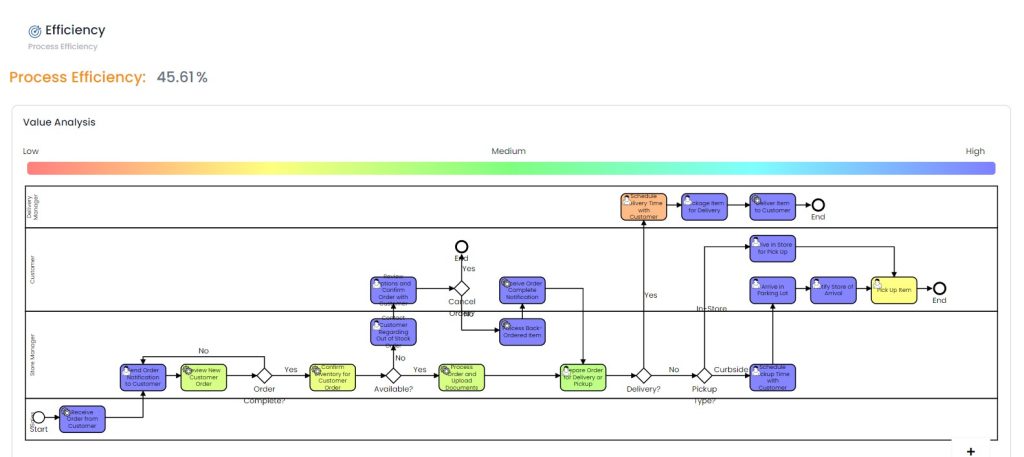
 Background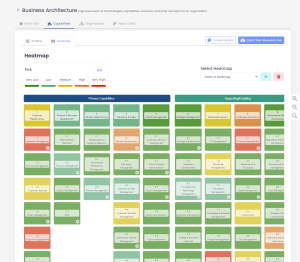
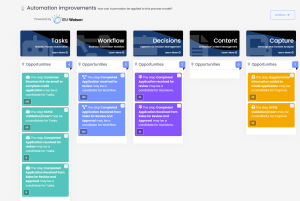
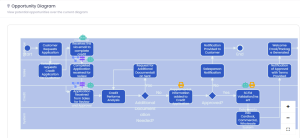
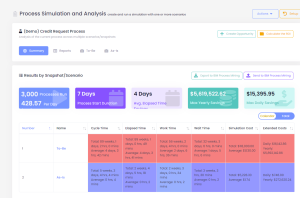
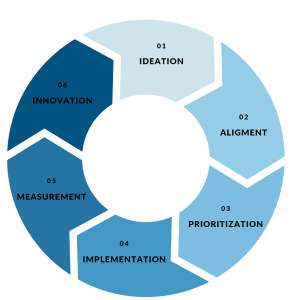
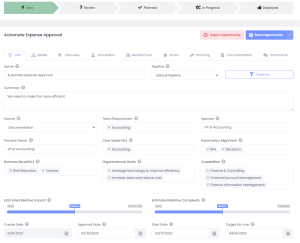
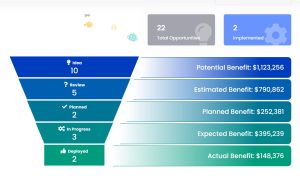
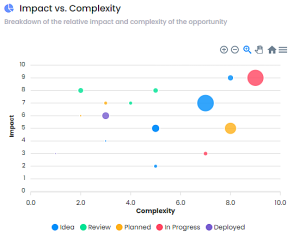


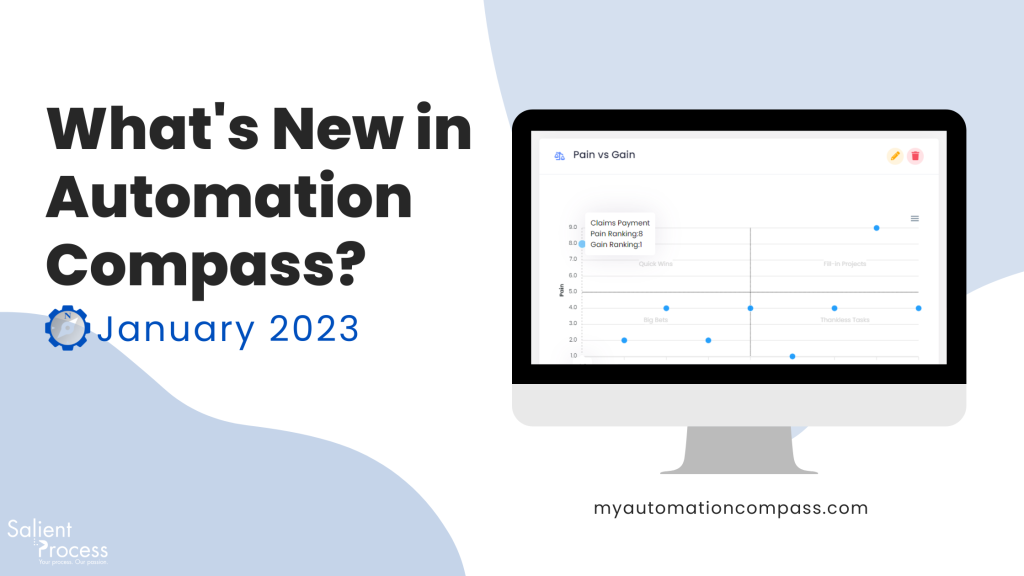
 Within three months they able to put bots in place that were able to do the onboarding of all 10,000 people and allow them to go to market 12-15 months sooner

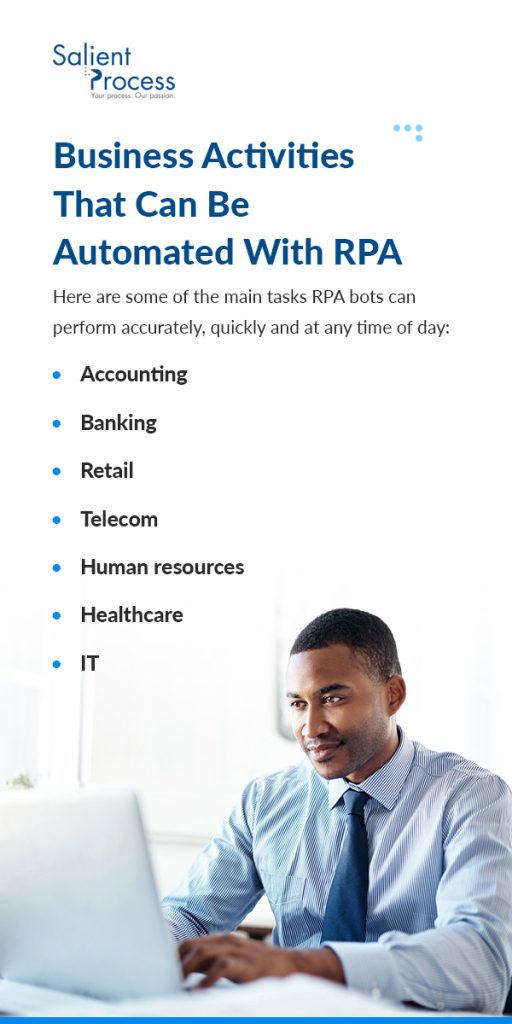






 This position oversees